Imported dates are lying to you. "5 February," "11/5," and "November 15th" can all mean trouble. Can one pattern spot the mess before it wrecks your data? #msaccess https://t.co/LRVMbfSBx4
Want your invoice lines numbered 1, 2, 3 without touching the table? Add a text box to the report's Detail section, set its Control Source to =1, and set Running Sum to Over All. Access numbers the items as the report runs. Watch the video to see where those settings go. https://t.co/7eSLMcknOW
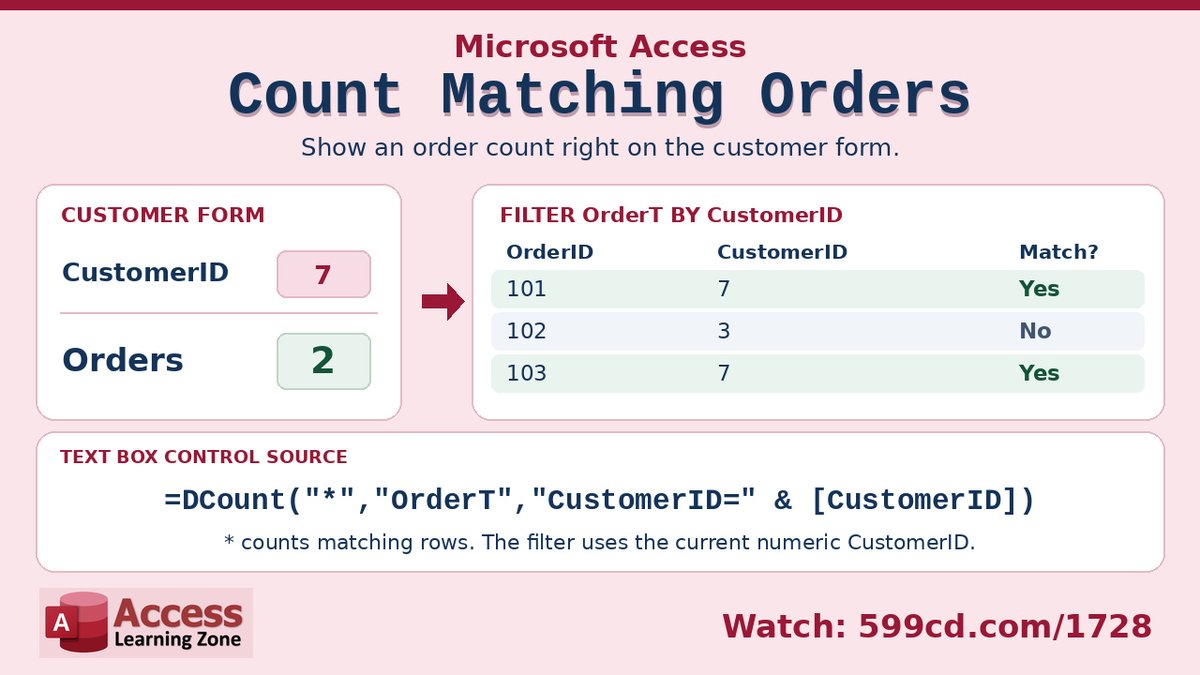
Want to see how many orders a customer has without opening the order list? Put DCount in a text box on the customer form. Use the current CustomerID as the filter, and an asterisk to count the matching rows. In the video, I'll show you how to set it up. https://t.co/v1pKxJx4n5
Need to keep PDFs or photos with your records? For most databases, keep the file in a folder and store its path in Access. That way the file itself doesn't take up space inside the database. Just make sure everyone who needs it can reach the folder. Watch my Attachments lesson to see both approaches. https://t.co/nB1Gu8Sgtc
If a table or form seems to have vanished, check what the Navigation Pane is showing before you rebuild anything. Bring the pane back with F11, clear the search, and check which objects are listed. If you still can't find it, the video shows where to look for hidden objects. https://t.co/3MmkMfbr1u
Three words. A lost afternoon. "It doesn't work" is how a simple tech problem turns into a guessing game. Give people something to work with. https://t.co/UXFYHb5CDO
Need to compare a budget with actual spending? Abs gives you the size of the difference, whether you're over or under. Keep the signed difference too if direction matters. Watch my Absolute Value video to see how to use this in your queries, forms, and reports. https://t.co/dD8j18TMp4
Your Access tables didn't vanish. Probably. The Navigation Pane has a few sneaky ways to make a healthy database look half-empty. #msaccess https://t.co/cVAhvWJ7I3
Need to tell odd and even numbers apart in an Access query? Check the remainder, not the last digit. CustomerID Mod 2 equals zero for even numbers. Wrap that test in IIf to display Even or Odd. Watch the video for the query setup. https://t.co/UfwZ3wpnm9
Your Access report is printing too many labels? Or not enough? The Detail section has a sneaky rule behind it. Think you know what controls it? #msaccess https://t.co/xZ75i4mMju
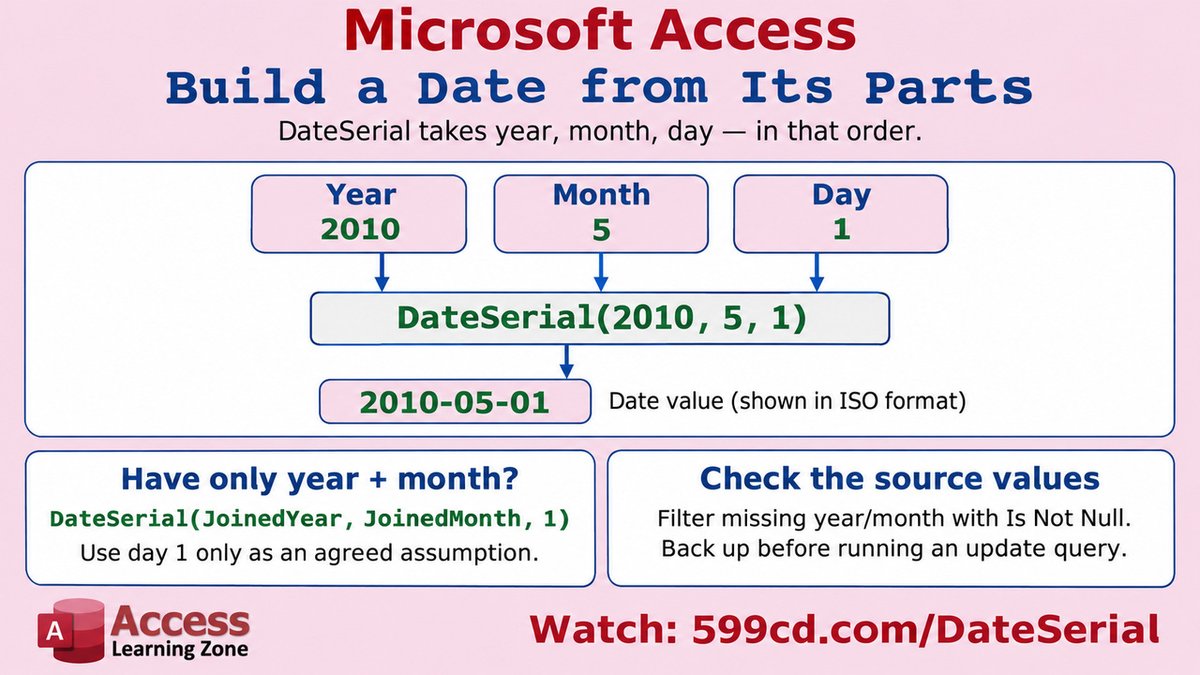
Got a year in one field and a month in another? DateSerial puts the pieces together into a real date value. The order is year, month, day. If you only recorded the year and month, using day 1 is an assumption, not a recovered date. In this video, I show you how to build the dates, handle missing source values, and use an update query to save the results. Back up your database first. https://t.co/yT8ypWj3PF
Your vacation has a hidden dependency: you. If the office needs you to explain one button, rerun an import, or pull a routine report, how long before the calls start? #msaccess https://t.co/SEE8d0sWTL
Want to see what share of the total each category contributes? Divide its amount by the grand total with DSum, then display that fraction as a percent. Watch the video for the query-to-chart walkthrough. https://t.co/oZhi5E4D0m to see what share of the total each category contributes? Divide its amount by the grand total with DSum, then display that fraction as a percent. Watch the video for the query-to-chart walkthrough. https://t.co/oZhi5E4D0m to see what share of the total each category contributes? Divide its amount by the grand total with DSum, then display that fraction as a percent. Watch the video for the query-to-chart walkthrough. https://t.co/fQRuQ5XNDw
Need just the filename from a full path? InStrRev finds the last backslash, but its answer is still a position counted from the left. Subtract that position from the full length, then use Right to keep the filename. Watch the video for the query walkthrough. https://t.co/1zS8wiWQ0s
Got a short list that never changes? Choose uses a number to pick an item by position. The first item is 1, so 3 selects East from North, South, East, West. Watch the video to build the expression in a query. https://t.co/CU9A1Njn17
Need the rest of a text value? Give Mid a starting position and leave off the length. In this one-space example, InStr finds the space and Mid starts one character after it. Watch the video for the query walkthrough. https://t.co/uXWPD87230
More than one Switch test can be True. Access returns the value paired with the first True test, so put your conditions in the right order. A family size of 4 is both less than 5 and less than 10, but this expression returns Small. Watch the video to build the query. https://t.co/lNqpFniXdh
Which customers don't have any contact records? Start with a left join so those customers aren't excluded, then use Is Null on the related table's CustomerID field to keep only the unmatched ones. In Access Expert 18, Lesson 5, I show you how to build a Find Unmatched query with the wizard and in Query Design. https://t.co/WhEEtRM130