"Kerb3961", named after RFC3961, is a refactor of the Kerberos cryptography engine in its own library in Server 2025 and Win 11 24H2.
Great blog post by Will Aftring that will get you up to speed quickly: https://t.co/wnIaUCqo8Y
BadSuccessor is a new AD attack primitive that abuses dMSAs, allowing an attacker who can modify or create a dMSA to escalate privileges and take over the forest.
Check out @JimSycurity's latest blog post to understand how you can mitigate risk. https://t.co/6xyJ4ZsDrM
Useful post for anyone tasked with reviewing the windows audit policy:
"A Data-Driven Approach to Windows Advanced Audit Policy – What to Enable and Why" by Nasreddine Bencherchali
https://t.co/JUCNaBJa6P
Microsoft have issued a 'consider disabling this service' recommendation which affects Active Directory:
"We're advising all enterprise customers who have deployed Windows Server OS (Windows Server 2016, Windows Server 2019, Windows Server 2022, and all intermediate releases therein) either as standalone machines or as part of ADDS to evaluate disabling the STS feature on those machines. This recommendation to disable STS applies even if you have never faced any prior issues with the STS feature."
https://t.co/NqyZFGXtAj
Here's a quirky (but sensible) one to be aware of for troubleshooting in-house apps that use AD:
With AD on server 2025 the default is to only allow LDAP to add, search, and modify operations that involve confidential attributes WHEN THE CONNECTION IS ENCRYPTED.
More changes here: https://t.co/F6kD4iOumZ
If you need to simulate the windows domain controller locator API (DSGETDCNAME) on a client to see which DC they would be talking to, or which site they believe they are in, use nltest:
nltest /dsgetdc:yourdomain.local
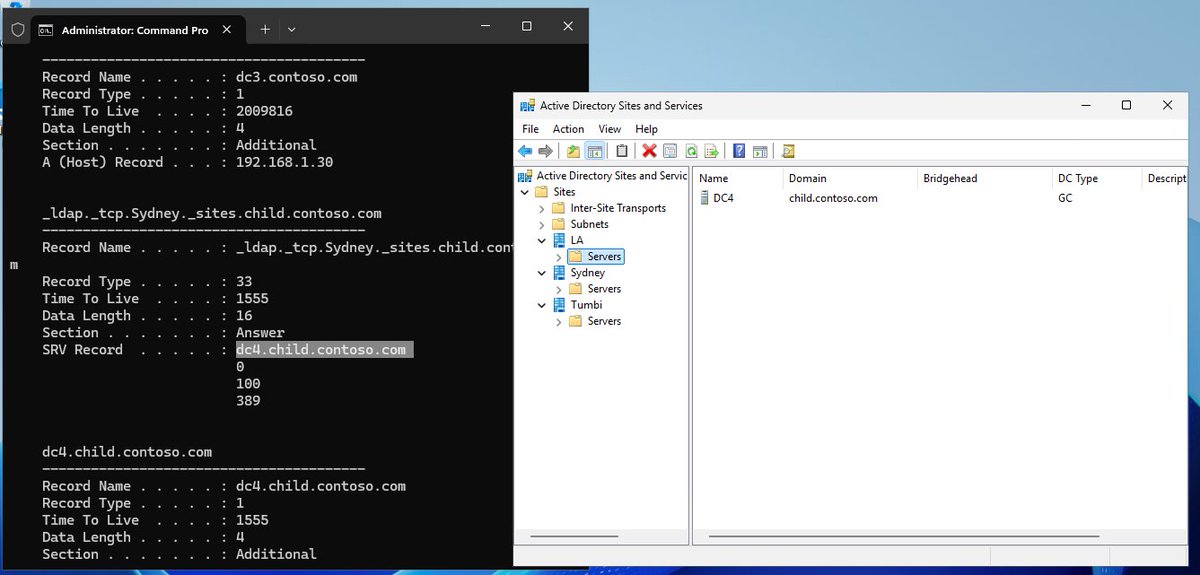
We know that "ipconfig /displaydns" can be used to inspect the DNS cache on a windows client
It's especially useful for AD troubleshooting though. Example: we can understand why a client might still be talking to a DC that was moved to a new site.
You can see that this guy was looking for _ldap in Sydney but that server now resides in LA; the cached entry just hasn't expired.
If you need to pinpoint which DC made the change to an AD object/attribute you can use:
repadmin /showobjmeta dcname objectDN
It's a handy place to start; then go inspect the event logs for that DC to get more detail on whatever you're trying to find out.
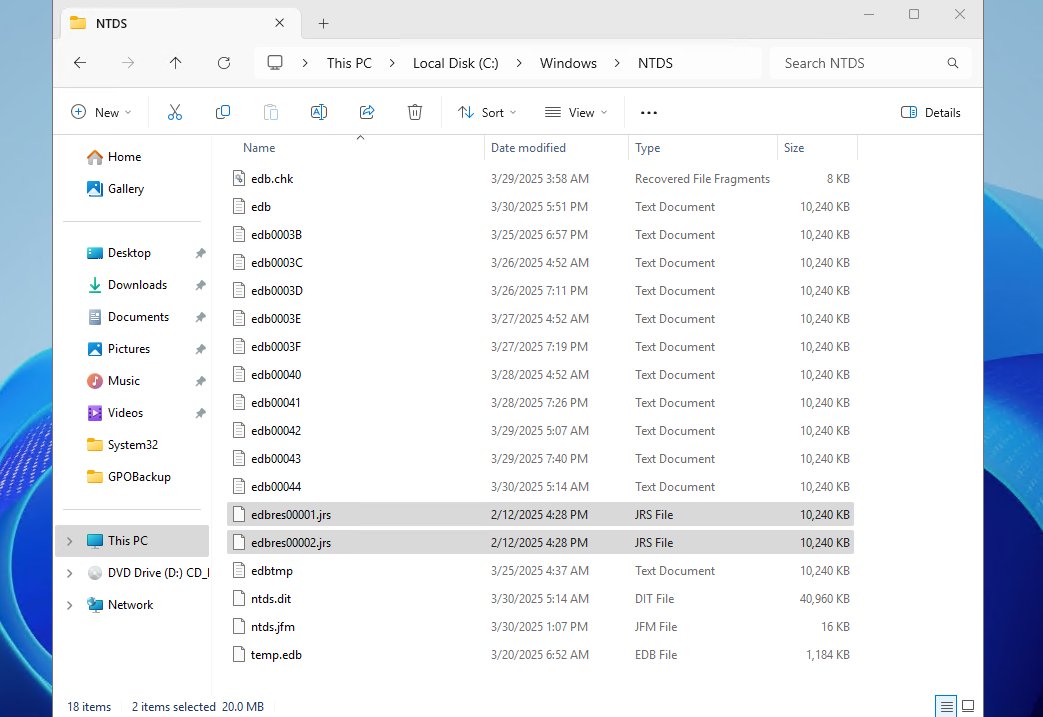
An interesting approach a customer showed me was to take that further, manually, on all servers. Keep a 1GB file on the disk for a similar unlikely emergency; remove it if you miss (ignore) whatever alerting you have going off and then fix the problem whichever way you see fit.
AD uses "res" (reserved space) files: edbres00001.jrs & edbres00002.jrs to deliberately take space on the disk in case it unexpectantly fills up. AD can delete the res files in an emergency, free the little bit of space and safely commit transactions in flight to disk.
OPINION + METHODS: ACTIVE DIRECTORY MIGRATION+ CHECKLISTS! ON PAPER!
Prepping for a cut-over is never complete ... at least it seems that way.
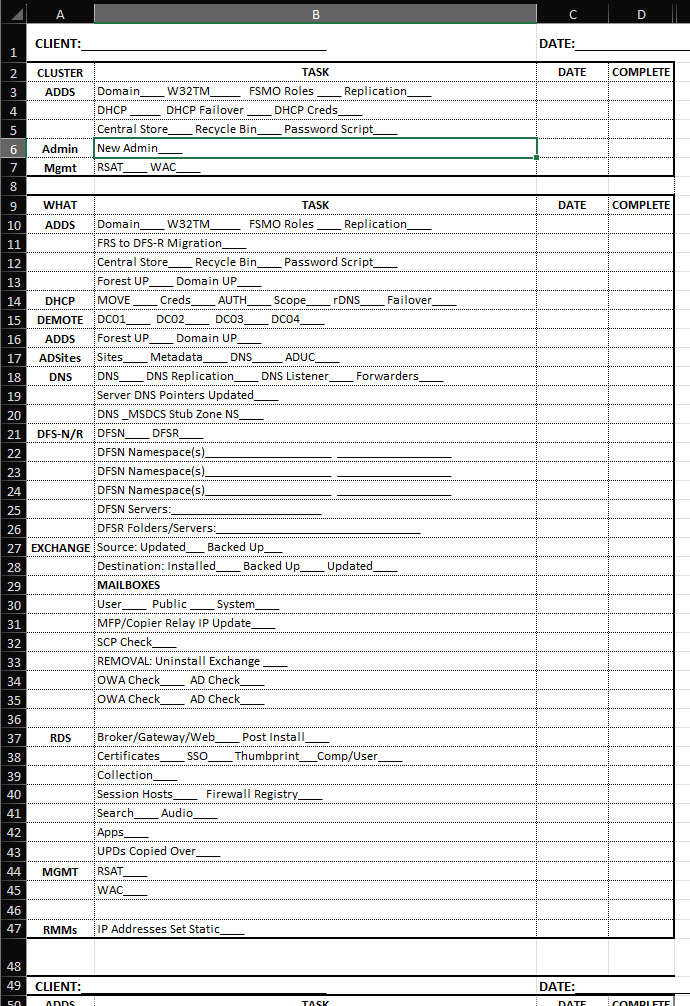
We have extensive migration check lists that we've built since my BackOffice Small Business Server (NT 4/4.5) days.
Yeah, things have changed, but keeping meticulous change logs/notes is particularly important to a 100% successful migration so we continue to do so.
Our checklists and their notes get scanned into a PDF file with an OCR process to make sure they are searchable.
The checklist forms are built with Excel and reside in SharePoint with versioning enabled plus a required check-out and then check-in. Our SharePoint instance has been configured to search inside .PDF files.
The migration processes are mostly in PowerShell. We use VS Code to manage that repository along with Git on-premises to keep track.
How we set up VS Code and Git:
https://t.co/k5LlR0TsKA
Once our client has signed-off on the work completed they get a copy of the scanned notes so that they can see our process steps as completed. Yes, they are legible. ;-)
We tried using OneNote on a Surface Pro for keeping our checklists and writing digitized notes. But, in the end paper, pens, and pencils are always there. Plus, once scanned are the notes are permanent.
Our checklists cover:
* ADDS, DNS, DHCP, DFS-N
* Exchange
* SQL
* SharePoint
* LoBs - Apps/File/Print
* Remote Desktop Services - All Roles + UPDs
** GPO RSS Publishing
And so much more. [:-)
My Small Business Server experience is absolutely priceless. :-D
Have a great weekend everyone!
Acronyms
* ADDS = Active Directory Domain Services
* DNS = Doman Name System
* DHCP = Dynamic Host Configuration Protocol
* GPO = Group Policy Object
* UPD = Remote Desktop User Profile Disk
* LoB = Line of Business (apps/services)
* OCR = Optical Character Recognition
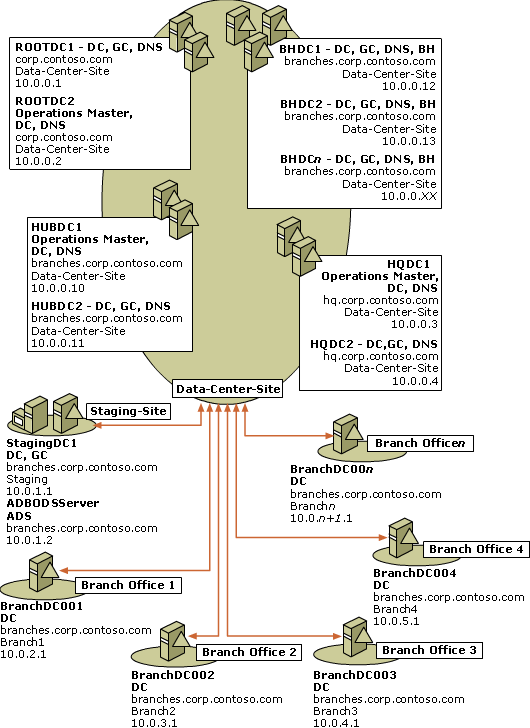
The "Branch Office Deployment Guide" was gold for learning active directory.
Step by Step docs to build a complex lab and replication topology including things that you might not see in many AD environments.
Its gone now. But there is a backup here: https://t.co/mU3uhCoxhl
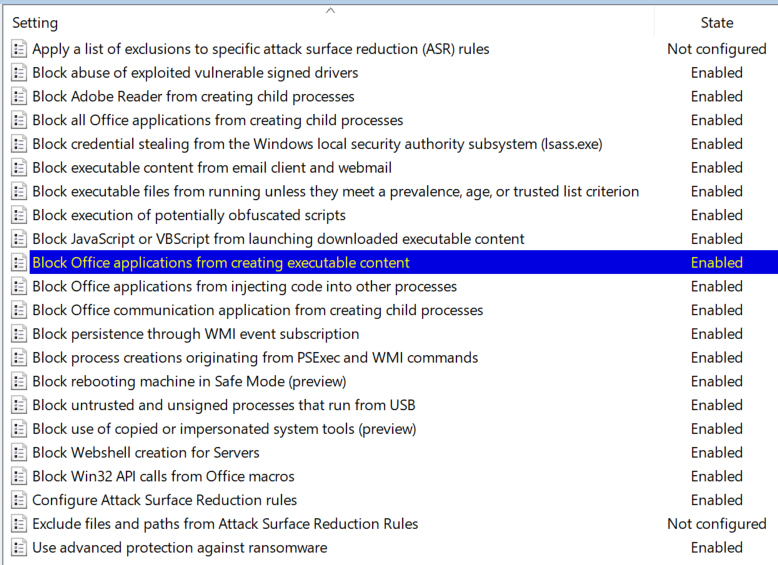
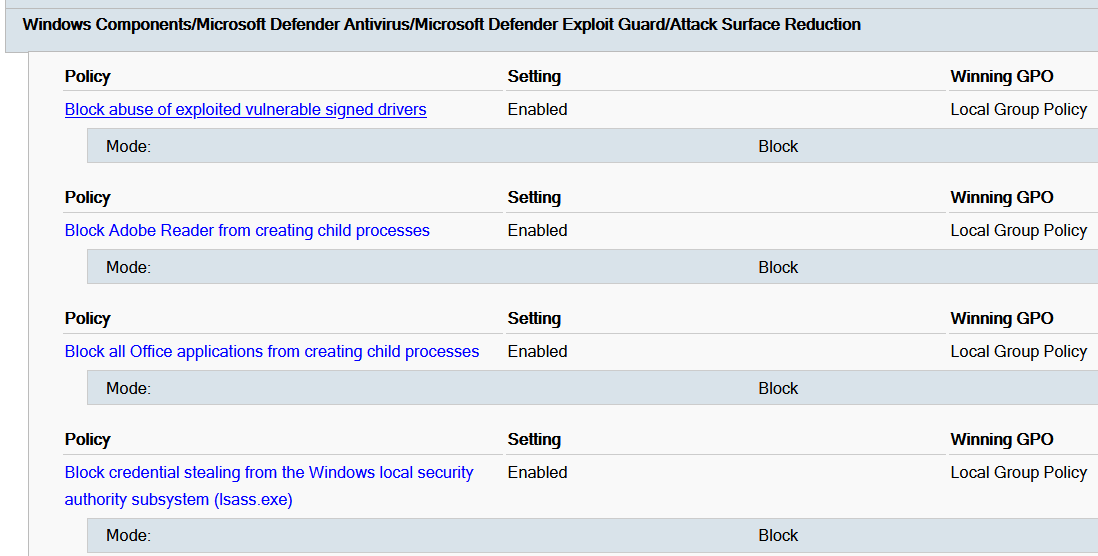
Here is a new custom administrative template (ADMX) for editing and auditing Microsoft Defender Attack Surface Reduction (ASR) policies, without being exposed to the rule GUIDs.
https://t.co/3FQIYvjh4s
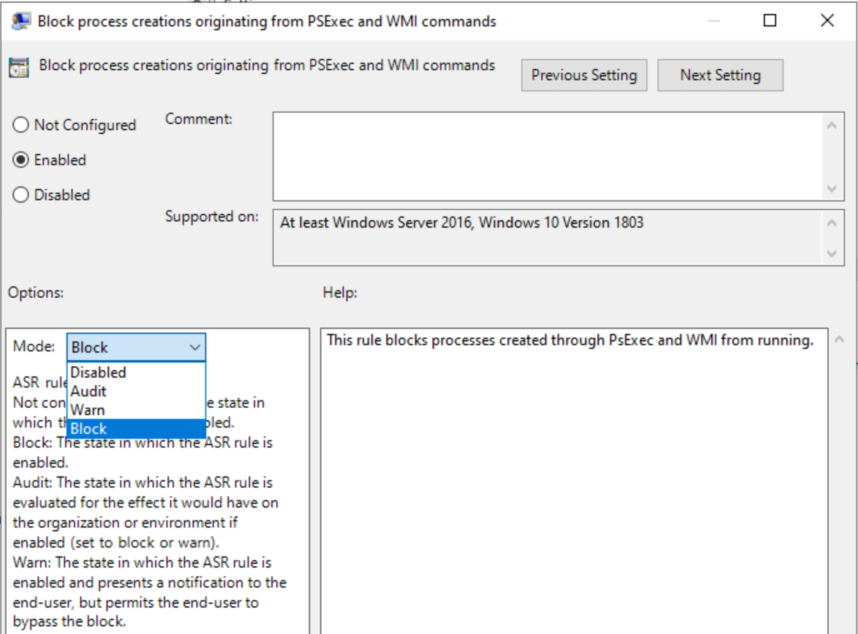
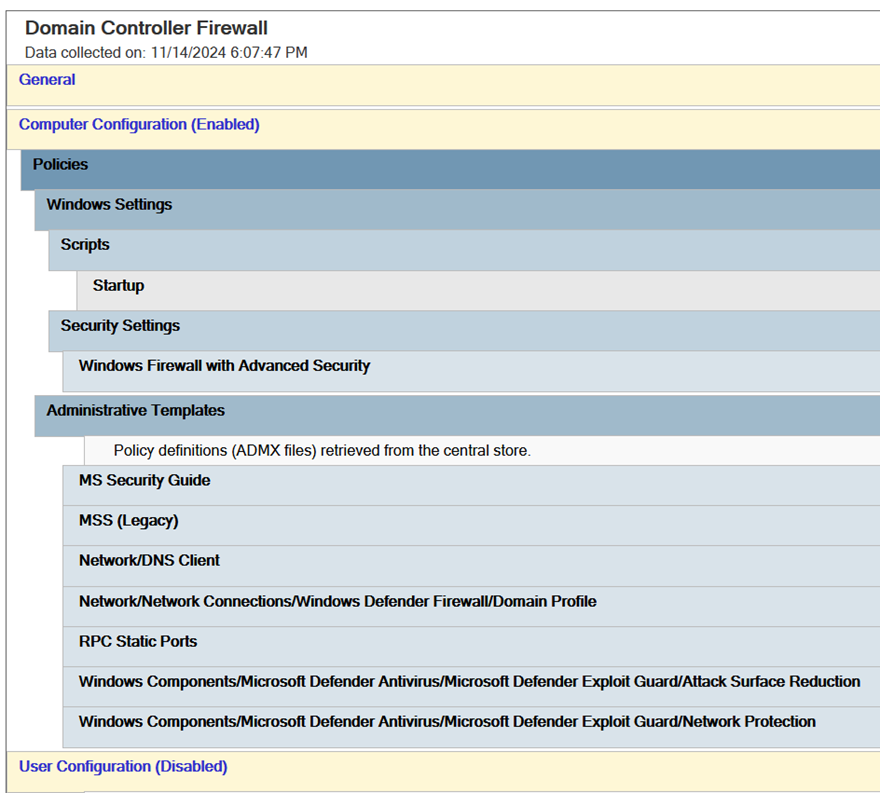
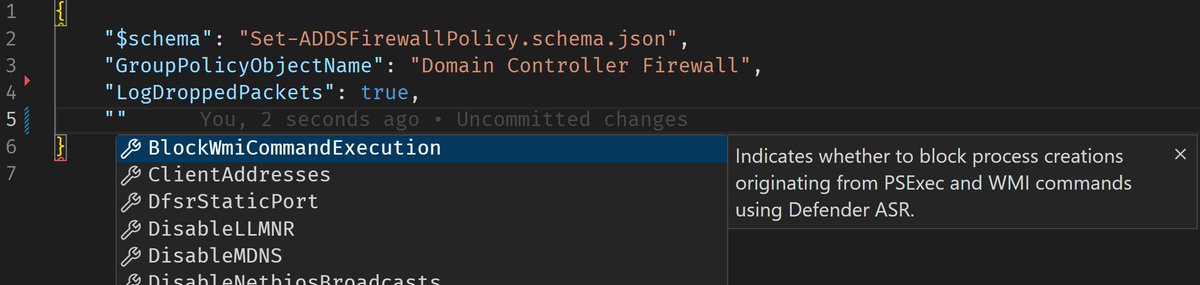
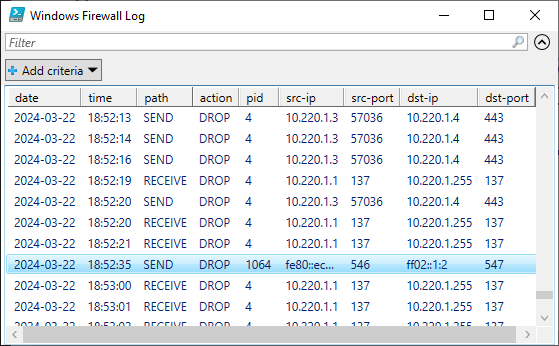
Together with @pavelfor, we have created the ultimate guide and tooling for configuring host-based firewalls on #ActiveDirectory domain controllers in enterprise environments. Blocks most remote command execution and authentication coercion techniques.
https://t.co/85V30HTlMB