🚀 Exciting News!
We're launching Adola, a game-changer in the AI world. Now, you can easily voice-ify your AI assistants, giving them the power to handle phone conversations. 📞💬
Say goodbye to mere chat interactions and welcome real, voice-based conversations with your AI.
Setting up is simple:
1️⃣ Create an Adola account.
2️⃣ Choose a unique phone number for your AI.
3️⃣ Add your OpenAI API key.
4️⃣ Select your AI Assistant from the list.
It's ready to take your calls right away. Join us in this revolutionary journey and bring a new dimension to AI interactions.
#Adola #AI #Assistants
🌟 Exciting Update from Adola! 🌟 Experience the future of AI communication with Adola. For the first time, add a unique voice and phone number to your Open AI Assistant.
Start your journey with a 7-day free trial, offering full access to all features. Don't miss out on enhancing your AI experience. Activate your trial today and bring your AI assistant to life!
✅Sign up and add your phone number & voice to your AI Assistant at https://t.co/lA24pMrZmq.
✅Have questions about Adola? Call us at +1 (617) 778 6907 and speak with our AI.
Our team is working hard to improve and upgrade Adola, and thanks to your feedback, we will soon publish new upgrades on:
1. Improving Latency: Enhancing speed for a better experience.
2. Free Trial Period: Explore our features at no cost.
3. New Languages: Broadening our horizons to connect with more users.
4. Additional Payment Options: Including PayPal and Google Pay for your convenience.
Thanks to all, and keep sending us your feedback. We will continue to deliver new things. Let’s make the phone revolution together!💪
#AI #OpenAI #AIAssistants #AIVOICE
We've got an easier solution for you: Create an AI Assistant through OpenAI and link it directly to your Adola account. This way, you can offer real conversational support for your dropshipping store.
Check out our guide on exactly how to do this: https://t.co/V2jphwtt9j. We're excited to hear your thoughts on this. What do you think?
AI customer support via phone for your Ecommerce store? It’s surprisingly simple with Adola & OpenAI Assistants. 🤖📞
Here’s a basic guide on how to set it up: 🔽
1⃣First, navigate to https://t.co/L3Prap9oDF (create an OpenAI account if you haven’t already) and click on the 'Create' button.
2⃣Enter a Name and Instructions, select a Model, and explore additional tools if desired (Functions, Code Interpreter, Retrieval - learn more at https://t.co/569QdTHtv4).
In this example, we're setting up an AI assistant for an ecommerce store selling handmade crafted jewelry. This service lets customers call and inquire about your products.
3⃣Gather comprehensive information about your store to prepare your AI assistants, such as FAQs and common customer queries.
Here's a simple starter instruction set:
“You are the customer support representative for an e-commerce store specializing in handmade crafted jewelry. Your role is to answer all customer inquiries in a friendly and informative manner. Start each conversation with a welcoming message, followed by a concise and helpful response to the customer's question.
Welcome Message: Hello! Thank you for reaching out to STORENAME. How can I assist you with our beautiful, handcrafted jewelry today? ”
Feel free to add below detailed information about your store, like shipping costs, delivery times, refund policies, and product details.
💡Tip: For quicker customer support, we recommend using the gpt-3.5-turbo-16k model without additional tools.
📈If you're looking to take a more advanced approach, consider enhancing your AI assistant with tools such as a product list in CSV format or an API for real-time order status updates. Let your imagination be your guide.
4⃣After creating your AI assistant, save it and run tests in the Playground. Ask questions, evaluate the responses, and adjust the instructions as needed for better results.
5⃣When ready, add a phone number and voice to your Assistant. This is easy with https://t.co/UNRevOHsQQ: create an account, select a number, add your OpenAI API key, and choose your created assistant.
📚 Check this video: https://t.co/cZLNo49pjw
Test your assistant with a real phone conversation. Once satisfied, display the phone number in your store and offer 24/7 customer support.
Remember, Ecommerce is just one example. Use Adola to enhance customer trust and be available for your clients in any industry. If you've already created AI assistants, share your experiences in the comments.
#Adola #AI #AIAssistants #Ecommerce
Adola is an AI tool that allows you to give your chatbot a phone number and a human-like voice. With Adola, you can upgrade your chatbot to a callbot, enabling real conversations beyond text-based communication. @AdolaAI#aitools#topaitools
… https://t.co/fDTaz9e1SD
AI customer support via phone for your Ecommerce store? It’s surprisingly simple with Adola & OpenAI Assistants. 🤖📞
Here’s a basic guide on how to set it up: 🔽
1⃣First, navigate to https://t.co/L3Prap9oDF (create an OpenAI account if you haven’t already) and click on the 'Create' button.
2⃣Enter a Name and Instructions, select a Model, and explore additional tools if desired (Functions, Code Interpreter, Retrieval - learn more at https://t.co/569QdTHtv4).
In this example, we're setting up an AI assistant for an ecommerce store selling handmade crafted jewelry. This service lets customers call and inquire about your products.
3⃣Gather comprehensive information about your store to prepare your AI assistants, such as FAQs and common customer queries.
Here's a simple starter instruction set:
“You are the customer support representative for an e-commerce store specializing in handmade crafted jewelry. Your role is to answer all customer inquiries in a friendly and informative manner. Start each conversation with a welcoming message, followed by a concise and helpful response to the customer's question.
Welcome Message: Hello! Thank you for reaching out to STORENAME. How can I assist you with our beautiful, handcrafted jewelry today? ”
Feel free to add below detailed information about your store, like shipping costs, delivery times, refund policies, and product details.
💡Tip: For quicker customer support, we recommend using the gpt-3.5-turbo-16k model without additional tools.
📈If you're looking to take a more advanced approach, consider enhancing your AI assistant with tools such as a product list in CSV format or an API for real-time order status updates. Let your imagination be your guide.
4⃣After creating your AI assistant, save it and run tests in the Playground. Ask questions, evaluate the responses, and adjust the instructions as needed for better results.
5⃣When ready, add a phone number and voice to your Assistant. This is easy with https://t.co/UNRevOHsQQ: create an account, select a number, add your OpenAI API key, and choose your created assistant.
📚 Check this video: https://t.co/cZLNo49pjw
Test your assistant with a real phone conversation. Once satisfied, display the phone number in your store and offer 24/7 customer support.
Remember, Ecommerce is just one example. Use Adola to enhance customer trust and be available for your clients in any industry. If you've already created AI assistants, share your experiences in the comments.
#Adola #AI #AIAssistants #Ecommerce
After adding your API key, you will receive a list of all your created AI assistants. Choose the one you want to handle your calls, and it's ready to go.
Before Adola, adding a voice and phone number to your AI was too complicated. Now, if you create an account on https://t.co/GSPlGXMwbD, just follow a simple process and your AI will be ready to take calls with just a few clicks. ⬇️
#AI#AIassistants#OpenAI#AIVOICE
We now offer coverage across all states in the US with phone numbers that you can select on the Adola platform. We will soon be expanding to more countries.
Curious about how to get your AI to answer calls? 📞😄 Check out our video where we walk you through the Adola simple setup process.
Try now ▶️ https://t.co/WAID9XySHt
@Stan_VeeS@AIToolsExplorer Thank you for your feedback! We have just launched and are diligently working on improvements. However, much still depends on the AI Assistant setup and processing through the OpenAI API. We are also working on alternatives to improve the latency constantly.
@AIToolsExplorer@AdolaAI Just called the number. The intro is a bit long. The voice (female) sounds good. The AI takes couple of seconds to respond but it works. It will only get better 👍
🤖✨ Transform your chatbot into a callbot with Adola!
Easy setup, voice-enable your AI for dynamic phone interactions.
📞 Try it now: dial +1 (617) 778 6907 for a taste of AI communication evolution. 🚀
https://t.co/ifhHB1ItPY
#VoiceAI@AdolaAI
@sweatystartup AI Assistants with phone numbers and voice capabilities. Transform your chat interactions into voice conversations for you or your customers. Easy setup, ready in just a few clicks.
You can also call +1 (617) 778-6907 to test it for yourself.
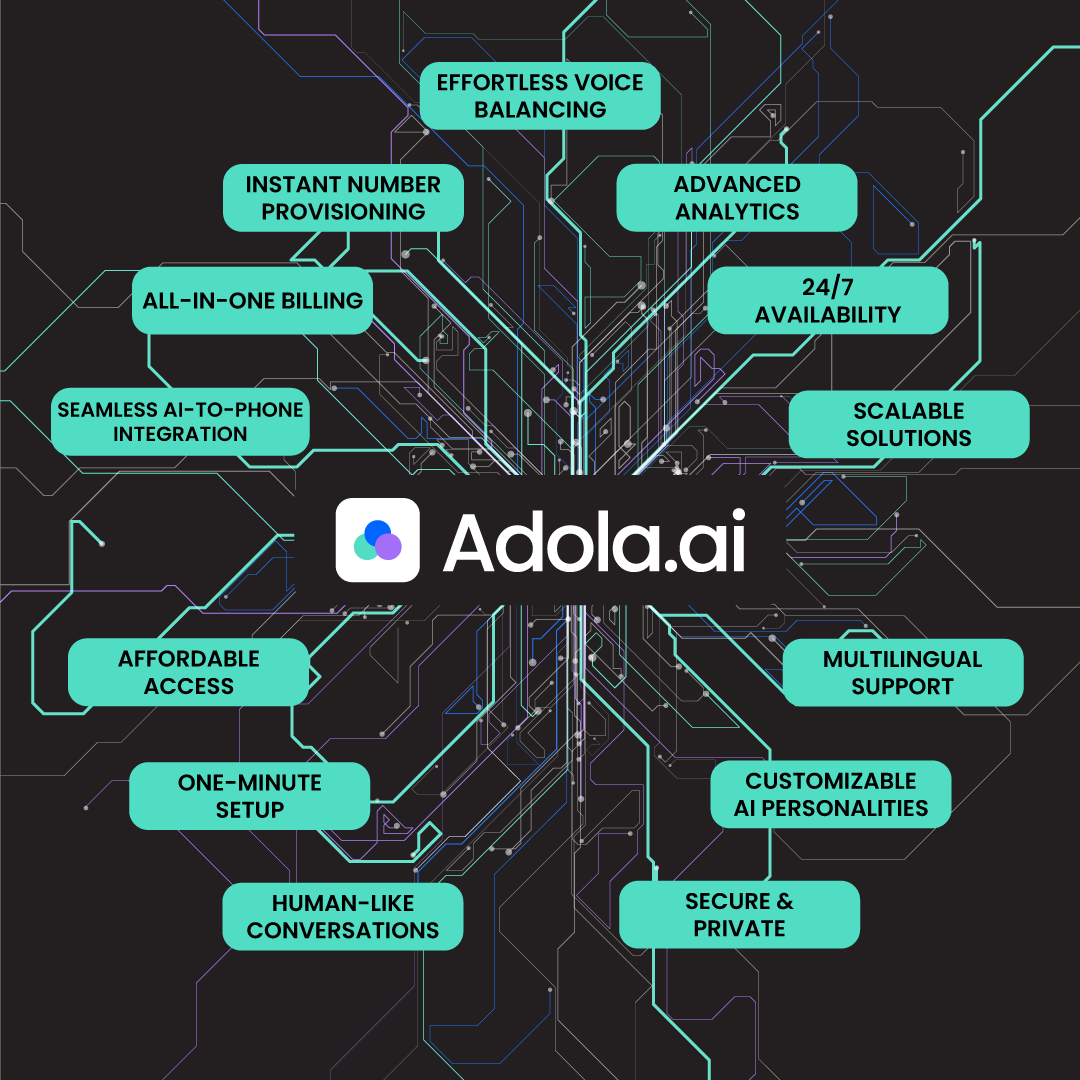
For just $25 a month, https://t.co/GSPlGXMwbD handles all the complex stuff, leaving you to unleash your creativity on your AI Assistant. Effortless integration, human-like conversations, and more - all in one sleek package! 🤖✨