@Juzzyyy20XX Hi Juzz. To help you further, please contact our support team by submitting a request through this form: https://t.co/YEc5pRbUXY. They'll be happy to review your concern and assist you from there.
Going live in 30 minutes 👀
Join Benjamin Viney for a closer look at the latest Affinity updates, with live demos, practical tips and a look at how they fit into real creative workflows: https://t.co/l4SC4dgiCN
@DanMonk Hi Danzil. To help you further, please contact our support team by submitting a request through this form: https://t.co/YEc5pRbUXY. They'll be happy to review your concern and assist you from there.
@everadr77 Infelizmente, não podemos analisar questões de suporte nas redes sociais. Se você enviar uma solicitação aqui:
https://t.co/YEc5pRbUXY
um membro da equipe a analisará e entrará em contato assim que possível.
@j_obermayr We're not able to troubleshoot over social media, but if you pop a ticket in here:
https://t.co/YEc5pRbUXY
our support team will take a proper look and help you out.
Fancy a closer look? 👀 Spend an hour with as we put the latest Affinity updates through their paces, with live demos, practical tips and a look at how they fit into real workflows.
28 September, 4pm BST. Subscribe to our YouTube to be notified: https://t.co/CkKneFqe0E
@PSYB3RMOTH_exe We can’t offer tech support over social media, but if you submit a ticket here → https://t.co/YEc5pRbUXY ← a member of our support team will look into it for you.
@Morr_Icing We can’t offer tech support over social media, but if you submit a ticket here → https://t.co/YEc5pRbUXY ← a member of our support team will look into it for you.
@limbingshaw1 We wanted to get this right. Designing properly for iPad means building around touch and Apple Pencil, not shrinking down a desktop app. That takes time, but we think it'll be worth the wait.
@FabioHiman We can’t offer tech support over social media, but if you submit a ticket here → https://t.co/YEc5pRbUXY ← a member of our support team will look into it for you.
@Marc_Parigot Nous ne pouvons pas assurer le support technique via les réseaux sociaux, mais si vous soumettez un ticket ici → https://t.co/YEc5pRbUXY ←, un membre de notre équipe d'assistance se penchera sur votre demande.
@itslazerw Thanks for the suggestion! Affinity allows you to submit feedback and feature requests directly from within the app. You can find out more here.
https://t.co/VAj7aO7eCf
And yes, there’s more. Quite a lot more. Open Affinity and go make something https://t.co/Ch7hBrs74b 💚
Haven't tried Affinity yet? Get started now: https://t.co/W6ufzCXK7o
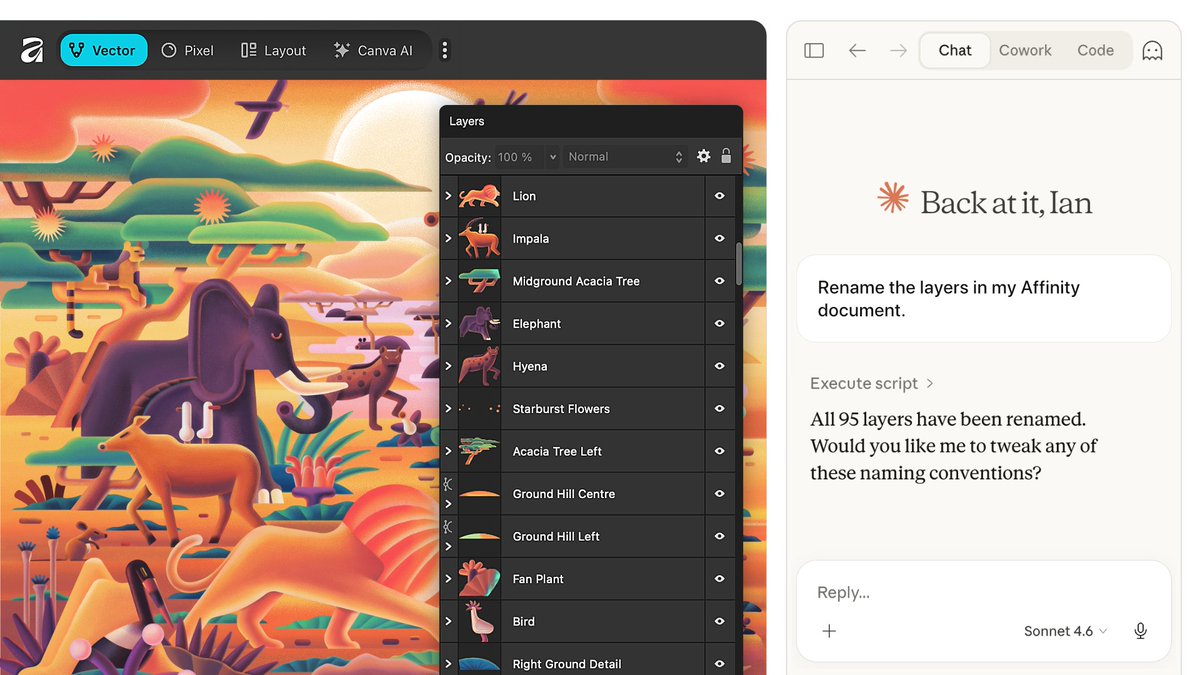
No scripting experience? No problem. Describe the task in plain language and Claude builds a reusable script for you, ready to run whenever you need it.