ECOWAS Recruitment 2026 is Open for Multiple Positions
Opportunities are available across areas including administration, IT, HR, audit and related functions.
Requirements:
• Must be a national of an ECOWAS Member State
• G1–G7 positions: under 35 years
• P1–P7 positions: under 45 years
• Completed ECOWAS application form
• CV and Cover/Motivation Letter
• All required documents must be submitted
Apply: https://t.co/jxzzwOSEQc
Deadline: 5 November 2026
Your CV can be the difference between being overlooked and getting considered. Make yours count: https://t.co/kbPQH4qS2d
Already have one? Tailor it to the exact role: https://t.co/oPb142yggv
Know someone eligible?
As promised, I’ve compiled everything I could remember and jotted down from the Saturday Space.
I initially wanted to make a thread out of it but I figured it would too long, so I decided to put everything in a document instead.
You can go through it at your convenience, download it and also share it with others who might find it helpful.
Here’s the link. Feel free to share it with others too.
I hope this helps. 🤍 🫶🏽
https://t.co/NvF85PVl72
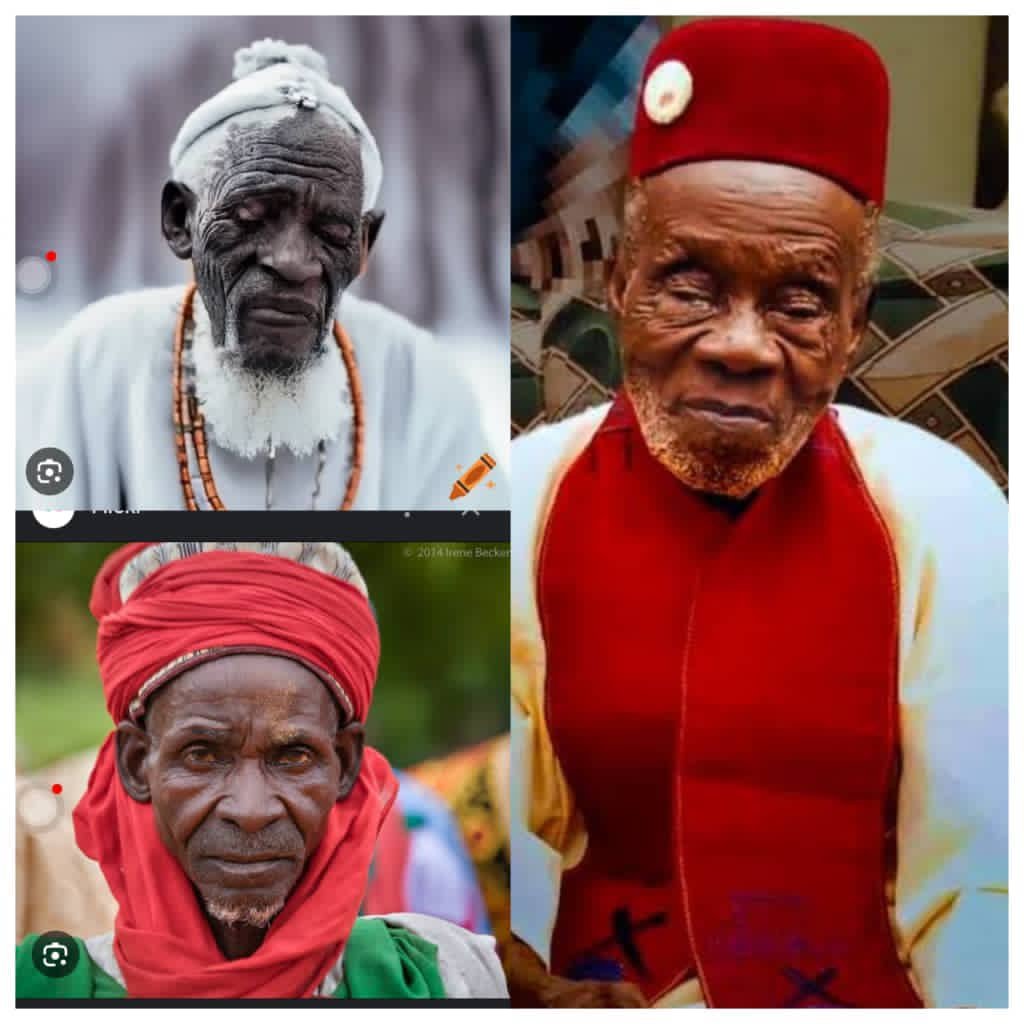
Okechukwu Okeke
Occupation; Farmer
Age: 98
Wife: 6
Children: 47
Grandchildren: 86
Cause of death: Old age
Lazarus Ademuyiwa
Occupation: Carpenter
Age: 115
Wife: 11
Children: 56
Grandchildren: 132
Cause of death: Old Age.
Isa Salishu Zakari
Occupation: Tailor
Age: 109
Wife: 4
Children: 38
Grandchildren: 73
Cause of death: Old Age
Dr. Benson Dube (Ph.D)
Occupation: Lecturer
Age: 56
Wife: 1
Children: 2
Grandchildren: 0
Cause of death: High Blood Pressure and Stress
Samuel Julius
Occupation: Bank Manager
Age: 53
Wife: 1
Children; 3
Grandchildren; 0
Cause of death; BP, Sugar
I am not saying anything. It is up to you to give your own interpretation... Na wao... 🤔🤔🤔
#copied
Let quickly run through how to write a research proposal in few slides.
If you’re preparing a research proposal and you’re wondering, “What exactly am I supposed to write?”
Start here.🧵👇🏽
Currently studying and want to work with the UN?
Here are the UN organizations that match your course:
Economics / Finance / Stats: UNECA, UNDP, UNCTAD, World Bank, IMF
Agric / Food Science: FAO, IFAD, WFP
Geography / Environment: UNEP, UN-Habitat, FAO, WMO
Health / Nursing / Medicine: WHO, UNICEF, UNFPA
Education / Arts: UNESCO, UNICEF
Law / Human Rights: OHCHR, UNHCR, ICJ
IT / Computer Science: ITU, UNOPS, UPU
Gender Studies: UN Women, UNFPA
Check their careers sites. Vacancies are posted weekly.
The fastest way to get in is either UN volunteers or internships
1. 10kg washing machine
Them: ₦400k
Chinese: ₦120k
2. Kids’ electric car
Them: ₦320k
Chinese: ₦150k
3. Soundbar
Them: ₦450k
Chinese: ₦100k
If na you, who you go buy from?
You better adapt, or you’ll lose the market to them.
Chinese traders, God bless you.
Dear MSc or PhD students,
10 useful AI Tools for Reading & Understanding Research Papers
1) ChatPDF
Lets you upload a research paper and interact with it like a chatbot. You can ask for summaries, explanations of methods, or clarification of results, making it ideal for quickly grasping key points without reading everything.
2) Humata AI
Analyzes long academic PDFs and allows you to ask detailed questions about specific sections. It’s especially useful for extracting insights and understanding dense or technical documents efficiently.
3) Paper Digest
Generates concise summaries of research papers, highlighting key findings and contributions. It’s a fast way to understand the main points of a paper without reading it fully.
4) Scholarcy
Transforms research papers into structured summaries by extracting key points such as findings, methodology, and limitations. This is particularly useful for literature reviews and quick evaluation of papers.
5) Explainpaper
Allows you to highlight difficult sentences or paragraphs and get simplified explanations instantly, helping you understand challenging academic writing without needing external resources.
6) NotebookLM
Enables you to upload multiple papers and generate summaries, insights, and connections between them. It helps build a deeper understanding across several sources rather than just one paper.
8) Scite
Shows whether a research paper is supported or contradicted by other studies. This helps you evaluate the credibility and reliability of what you’re reading.
9) Semantic Scholar
Highlights key insights, influential citations, and important sections of papers, allowing you to quickly assess relevance and importance without deep reading.
10) Mathpix
Converts complex equations and PDF content into readable and editable formats, making it especially useful for understanding technical or math-heavy research papers.
Omo, see this massive Chinese warehouse for bags in Lagos!
They have school bags, pencil cases, lunch bags, adult backpacks and laptop bags 🎒 🙆♀️
📞 WhatsApp/Call: 0707 693 9215
📍 No. 60 Marina View Plaza, Lagos Island🇳🇬
Omo, see Chinese man’s store at Mandilas Market in Lagos.
Very affordable items for men and boys.
🙆♀️😳
📍 Mandilas Market, Jodi Plaza, 112 Broad Street, Lagos Island, Lagos, Nigeria.
Your supervisor asked you to come up with a project topic, and now you’re confused because every topic you find has already been researched.
Relax!!!
You’re looking for a “new topic” what you need is a research gap.
Let me show you how to find one and turn it into a project topic. 🧵👇
Convert PDF to any format:
https://t.co/CGLnWJ8c3i
https://t.co/2ZUBgi8RPF
https://t.co/zpReJV4xjr
https://t.co/rlIDl1WGAm
https://t.co/BlPTXLKqBN
https://t.co/ztpjaO7Qgs
https://t.co/yq8KIMFDXK
https://t.co/A5JsEsrvzK
https://t.co/2a6ioybj5k
https://t.co/SlTfQblXte
HOW TO QUICKLY TRANSFER EVERYTHING FROM YOUR OLD PHONE TO A NEW ONE WITHOUT LOSING ANYTHING
Switching phones does not have to be stressful. Here is exactly how to move everything across without losing a single file:
- ANDROID TO ANDROID:
Most Android phones have a built in transfer app. Samsung uses Smart Switch, Xiaomi uses Phone Clone, and OnePlus uses Clone Phone. Download the same app on both phones, open it on both, follow the pairing instructions, select what you want to transfer, and keep both phones close together. Everything moves over Wi-Fi directly between the two phones in 15 to 45 minutes depending on how much data you have.
If your new phone does not have a transfer app, go to Settings on your old phone, tap System, then Backup, and back up everything to Google Drive.
On your new phone, sign in with the same Google account during setup and restore from that backup.
- iPhone to iPhone:
Place your new iPhone next to your old one during the initial setup. Your old phone will show a prompt asking if you want to help set up the new device. Tap it, hold your old phone's camera over the animation on the new screen, and follow the instructions. This is called Quick Start and it transfers everything including photos, contacts, apps, settings, and most app data in one session wirelessly.
- Android to iPhone:
Install the "Move to iOS" app from Google Play Store on your Android phone. During your iPhone setup, select "From Android" on the Apps and Data screen. Open Move to iOS on your Android, follow the prompts, and select everything you want to transfer. Keep both phones connected and close together until the transfer is complete.
- iPhone to Android:
Install the "Switch to Android" app from the App Store on your iPhone. Connect both phones with a USB-C to Lightning cable, follow the prompts, and the app transfers your contacts, photos, videos, and WhatsApp chats directly.
- For WhatsApp specifically on any phone:
Go to WhatsApp, tap Settings, then Chats, then Chat Backup, and tap Back Up Now before switching phones. This saves all your chats to Google Drive on Android or iCloud on iPhone. Restore them when you set up WhatsApp on your new phone.
Once you confirm everything transferred successfully, factory reset your old phone before selling or giving it away.
Above all, love God.