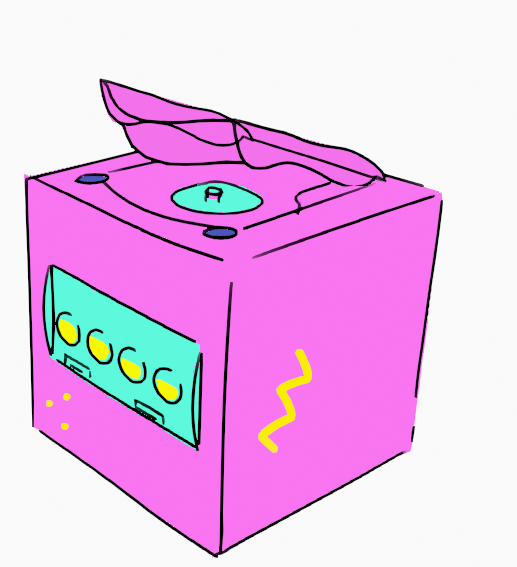
@ASUS This is my first ever giveaway I'm entering, feels so weird being the one joining a giveaway instead of the one hosting it 😂 I've loved Miku since the early days think about 16 years now... I'd kill to get this
Working while sick with covid is a challenge, my symptoms have been mild, but I can’t smell or taste anything and so much fatigue and a lack of appetite please take care of those who you hold close because you don’t appreciate what you have till it’s gone #covid#animation
A shoot fit for a sovereign!
We're delighted to have produced the digital humans for this project - some of our finest volumetric captures.
The 5G AR experience uses futuristic tech to celebrate the past and the results are spectacular. Congrats to all involved
@MSFTVolumetric
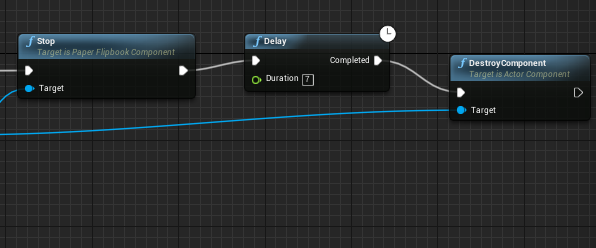
Compile and save, Drag the BP in the viewport then temporarily turn the visibility back on so you can get the placement right. Turn it back off when satisfied and then marvel in your creation :3 #UE4#gamedesign#gamedevelopment#animation#VR#tutorial
(Going to use this for future reference) Ok so I scoured the interwebs trying to find a way to delay a PapetFlipBook and to stop it looping and there was no luck so I had my partner help me out making this blueprint. Heres how we did it ~
Then -> Play from start (know how long your animation lasts in seconds) -> Delay in the duration put in how long your animation goes on for -> Stop -> Delay (duration is how long you want it to be stopped for) -> DestroyComponant for all the targets have the PaperFlip book. ~