Built another project, scratching an itch I keep having
Shared staging environments are a queue, when one team is testing on it, nobody else can. Hard to validate a PR without stepping on someone else's work in flight. So I built Galley. It spins up a preview environment per PR with your entire stack: frontend, backend, databases, caches, queues, workers all networked together at a unique URL. Open the PR, get the env. Close it, it's gone.
Self-hosted on your own VPS. One docker compose up.
This is still in beta, so let me know any bugs you come across😁
https://t.co/EDd0KQHV0o
hey folks 👋🏾, been heads down on this for a bit, finally opening up the beta.
nevo is basically an inbound layer for your agents / backends. it takes webhooks, inbound email, slack mentions, even cron schedules and turns them into one consistent event stream.
you get signature verification, replies for supported channels, rules to filter or reshape events, and replays from the dashboard.
python sdk is ready, ts + go coming next.
waitlist’s open 🚀→ https://t.co/SSdqwgDamY
We've seen this one play out a few times now.
The team is under pressure to ship, and the deadline was yesterday. The DevOps engineer, with three days of bad sleep and back-to-back standups, is moving fast through YAML configs just to get it over the line.
Two weeks later, there's an incident. The database was publicly exposed. The customer’s data was accessible.
Not because anyone was careless. Not because they didn't know what a secure config looks like. They knew. They were just moving too fast, in a moment where one missed setting was all it took.
Around 80% of cloud security exposures trace back to misconfiguration. Not sophisticated attacks. Not zero-days. Just configuration drift, skipped steps, and good engineers in bad conditions.
The pattern is always the same: the pressure comes from the business, lands on the delivery team, and the thing that gives first is the thing nobody can see until it's too late.
Shipping slower isn't the answer. But building a process that only holds together when your team is well-rested and unrushed — that's the actual problem.
The teams that stop having these incidents aren't more careful. They've just removed the steps that depend on someone remembering.
The teams that stop having these incidents aren't more careful. They've just automated the parts of the process where human error under pressure is almost guaranteed.
The front-end layer of a web app is the most critical for scalability. Every user interaction, every click, every API call flows through it.
Adding more servers if you get tons of traffic works, but only your architecture needs to make this possible.
When servers hold state, users are tied to particular servers. Requests can't be sent freely to different servers, servers cannot be cloned or replaced without downtime, and auto-scaling becomes a nightmare.
But how to remove all state from your front-end servers? Where do you put user-specific session data?
There are 3 main strategies:
1. Put Everything in Cookies. Instead of the cookie containing just a session ID, it includes the actual data, encrypted and encoded. When a request comes in, the server reads everything it needs from the cookie. When sending a response, it updates the cookie with any changes. It works when the session data is small. The problem comes when you need to store more data since browsers send cookies with every request.
2. Use a Shared Data Store. Store your session data in a dedicated external system. The cookie contains only a session ID. Your web server uses this ID to fetch the actual data from the shared store. Redis, Memcached, DynamoDB, or Cassandra are good for this.
3. Sticky Sessions. The third option is let the load balancer track which user connects to which server and ensure they always connect to the same one. But this breaks everything. Your servers are now stateful, since each one holds different users’ data. Sticky sessions are a trap.
You can read more about how to handle files and other kinds of state in the latest issue of the polymathic engineer.
Read it here:
https://t.co/VMaRs9PxMR
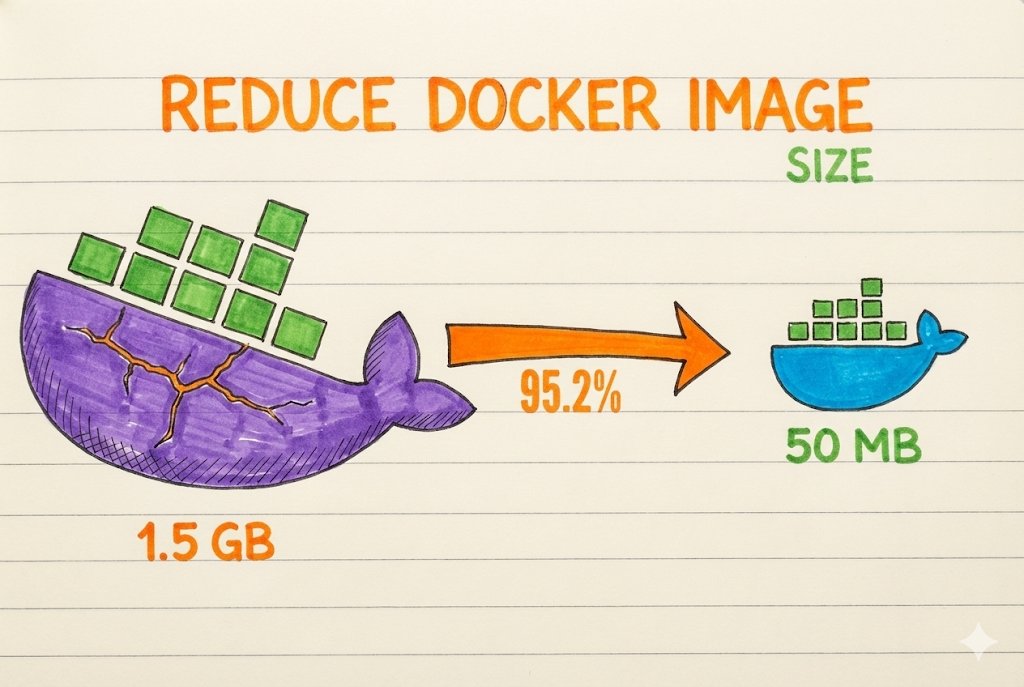
Most asked DevOps interview Q: How to make Docker containers lightweight ? (Real-world DevOps practice)
Here’s how I keep my Docker images small & production-ready 👇
Why lightweight containers matter :
- Faster container startup
- Quicker image pulls & deployments
- Lower storage & memory usage
- Better cloud performance + cost efficiency
📢Best practices I follow:
1️⃣ Use small base images → Prefer alpine or slim instead of full OS images
2️⃣ Multi-stage builds → Separate build & runtime stages so only required artifacts go into final image
3️⃣ Install only what’s needed → No extra tools in production images
4️⃣ Clean cache files → Remove package manager caches to reduce image size
5️⃣ Minimize Docker layers → Combine commands to keep images clean & small
6️⃣ Use .dockerignore → Prevent unnecessary files from entering the image
7️⃣ Avoid running as root → Improves container security.
I’m actively applying these techniques while building real-world Docker & DevOps projects.
Please add anything if I missed its a learn in public anyone can add any point.
Save this if you work with Docker
🔁 Repost to help others ship better containers.
Fun fact: the DevOps grows 20% every year and projected to be a 25-30 billion market by 2030.
Seniors will dominate.
The Seniors of 2030 are the ones who grow today.