AnanseHat
Monday: IT Productivity Tip
Tuesday: ICT Best Practice
Wednesday: Cybersecurity Tip
Thursday: Digital Skills Tip
Friday: Privacy & Data Protection Tip
🔐 Wednesday: Cybersecurity Tip
🎣 Beware of Phishing Scams
Phishing attacks trick you into revealing sensitive information or downloading malicious software by pretending to be from trusted sources.
Best Practices:
✅ Verify the sender's email address before responding
✅ Don't click suspicious links or open unexpected attachments
✅ Look out for spelling mistakes, urgent requests, and unusual messages
✅ Never share passwords or one-time verification codes via email or text
✅ Report suspicious emails or messages to your IT or security team
Why it matters:
🔒 Protects your personal and business accounts
🔒 Prevents identity theft and financial fraud
🔒 Reduces the risk of malware and ransomware infections
🔒 Keeps sensitive information safe from cybercriminals
AnanseHat Reminder:
Think before you click. If a message seems urgent, unexpected, or too good to be true, verify it before taking any action.
AnanseTipsAndReminders
Wednesday | Cybersecurity Tip
Securing Lives, Protecting Futures
🚨🇨🇮 𝐎𝐅𝐅𝐈𝐂𝐈𝐀𝐋 | For the FIRST time ever, Ivory Coast have made the knockout stages of the World Cup! ✅
Congratulations to Emerse Faé and his team. It's a historical moment. 👏
💡 Thursday: Digital Skills Tip
🎥 Improve Your Virtual Meetings
Virtual meetings are more productive when participants are prepared, engaged, and use technology effectively.
*Best Practices:*
✅ Test your microphone, camera, and internet connection before the meeting
✅ Join a few minutes early
✅ Mute your microphone when not speaking
✅ Share agendas and relevant documents in advance
✅ Stay focused and avoid multitasking during meetings
*Why it matters:*
📈 Improves communication and collaboration
📈 Reduces technical disruptions
📈 Saves time and increases productivity
📈 Creates a more professional meeting experience
*AnanseHat Reminder:*
_A successful virtual meeting starts before the meeting begins. Prepare, participate, and communicate effectively._
AnanseTipsAndReminders
💡 Thursday: Digital Skills Tip
🎥 Improve Your Virtual Meetings
Virtual meetings are more productive when participants are prepared, engaged, and use technology effectively.
*Best Practices:*
✅ Test your microphone, camera, and internet connection before the meeting
✅ Join a few minutes early
✅ Mute your microphone when not speaking
✅ Share agendas and relevant documents in advance
✅ Stay focused and avoid multitasking during meetings
*Why it matters:*
📈 Improves communication and collaboration
📈 Reduces technical disruptions
📈 Saves time and increases productivity
📈 Creates a more professional meeting experience
*AnanseHat Reminder:*
_A successful virtual meeting starts before the meeting begins. Prepare, participate, and communicate effectively._
AnanseTipsAndReminders
🔐 Wednesday: Cybersecurity Tip
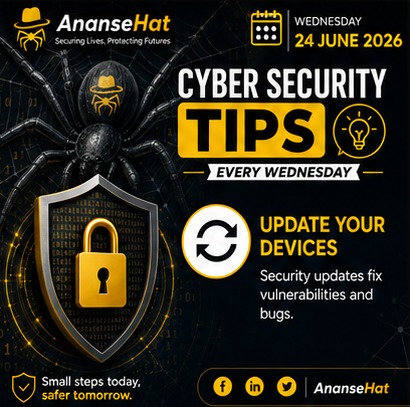
📱💻 Update Your Devices Regularly
Software updates do more than add new features they often fix security vulnerabilities that cybercriminals can exploit. Keeping your devices updated is one of the simplest ways to stay protected.
*Best Practices:*
✅ Enable automatic updates whenever possible
✅ Update your operating system, apps, and antivirus software regularly
✅ Install security patches promptly
✅ Restart your devices when updates require it
✅ Replace devices that no longer receive security updates
*Why it matters:*
🔒 Protects against known security vulnerabilities
🔒 Reduces the risk of malware and ransomware attacks
🔒 Improves device performance and stability
🔒 Ensures access to the latest security features
*AnanseHat Reminder:*
_An outdated device is an easy target. Keep your systems updated to stay one step ahead of cyber threats._
#AnanseTipsAndReminders
Wednesday | Cybersecurity Tip
Securing Lives, Protecting Futures
🔐 Wednesday: Cybersecurity Tip
📱💻 Update Your Devices Regularly
Software updates do more than add new features they often fix security vulnerabilities that cybercriminals can exploit. Keeping your devices updated is one of the simplest ways to stay protected.
*Best Practices:*
✅ Enable automatic updates whenever possible
✅ Update your operating system, apps, and antivirus software regularly
✅ Install security patches promptly
✅ Restart your devices when updates require it
✅ Replace devices that no longer receive security updates
*Why it matters:*
🔒 Protects against known security vulnerabilities
🔒 Reduces the risk of malware and ransomware attacks
🔒 Improves device performance and stability
🔒 Ensures access to the latest security features
*AnanseHat Reminder:*
_An outdated device is an easy target. Keep your systems updated to stay one step ahead of cyber threats._
#AnanseTipsAndReminders
Wednesday | Cybersecurity Tip
Securing Lives, Protecting Futures
🌐 Connect to Trusted Networks
Always connect your devices to trusted and secure networks. Public or unknown Wi-Fi networks may expose your data to cyber threats and unauthorized access.
Best Practices:
✅ Use trusted home, office, or verified public networks
✅ Confirm the network name before connecting
✅ Avoid accessing sensitive information on unsecured public Wi-Fi
✅ Use a VPN when connecting to public networks
✅ Turn off automatic Wi-Fi connections to unknown networks
Why it matters:
🔒 Protects your personal and organizational data
🔒 Reduces the risk of eavesdropping and data theft
🔒 Helps prevent malware infections from insecure networks
🔒 Ensures safer online communication
AnanseHat Reminder:
_Not every Wi-Fi network is safe. Before you connect, verify the source and protect your data._
#AnanseTipsAndReminders
Tuesday | ICT Best Practice
Securing Lives, Protecting Futures
🌐 Connect to Trusted Networks
Always connect your devices to trusted and secure networks. Public or unknown Wi-Fi networks may expose your data to cyber threats and unauthorized access.
Best Practices:
✅ Use trusted home, office, or verified public networks
✅ Confirm the network name before connecting
✅ Avoid accessing sensitive information on unsecured public Wi-Fi
✅ Use a VPN when connecting to public networks
✅ Turn off automatic Wi-Fi connections to unknown networks
Why it matters:
🔒 Protects your personal and organizational data
🔒 Reduces the risk of eavesdropping and data theft
🔒 Helps prevent malware infections from insecure networks
🔒 Ensures safer online communication
AnanseHat Reminder:
_Not every Wi-Fi network is safe. Before you connect, verify the source and protect your data._
#AnanseTipsAndReminders
Tuesday | ICT Best Practice
Securing Lives, Protecting Futures
💡 Monday: IT Productivity Tip
A cluttered desktop can make it harder to find files and may slow down your workflow. Take a few minutes regularly to organize and tidy up your desktop.
6 - Andoni Iraola has never lost a Premier League match against Newcastle United in six previous meetings (W3 D3). No manager has faced the Magpies more often without suffering defeat.
Familiar.
🔐 Friday: Privacy & Data Protection Tip
Whenever you step away from your computer, lock your screen to prevent unauthorized access to your information.
Best Practices:
✅ Press Windows + L (Windows) or Control + Command + Q (Mac) before leaving your desk
💻 Thursday: Digital Skills Tip
📊 Master Spreadsheets
Spreadsheets are powerful tools for organizing data, performing calculations, tracking information, and making informed decisions. Improving your spreadsheet skills can significantly boost your productivity and efficiency.
🔐 Wednesday: Cybersecurity Tip
🛡️ Enable Multi-Factor Authentication (MFA)
Protect your accounts by enabling Multi-Factor Authentication (MFA) wherever possible. MFA adds an extra layer of security by requiring more than just a password to access your account.
🔌 Shut Down Unused Equipment
At the end of the workday, switch off computers, monitors, printers, and other equipment that are not in use. This simple habit saves energy, reduces costs, extends the lifespan of devices and reduces unnecessary security exposure.