Yes, you read that right!
For a tiny UI task, Frontier Model Grok 4.7 spent 117 seconds running:
Remove-Item -Recurse -Force $home
$home → C:\Users\Administrator
The assignment to $home had already FAILED.
Grok KEPT executing anyway!!!
This was not a stupid command I copied and pasted
The agent executed it itself!!!!
GROK 4.7 RAN A RECURSIVE DELETE ON MY WINDOWS HOME DIRECTORY.
sked for a small UI fix.
Instead, Grok ran a recursive delete against my Windows user directory and continued after the setup command had already failed.
134 seconds.
23 top-level folders affected.
162,413 filesystem deletion records.
I have preserved the original tool calls, terminal output, NTFS journal records, timestamps and hashes.
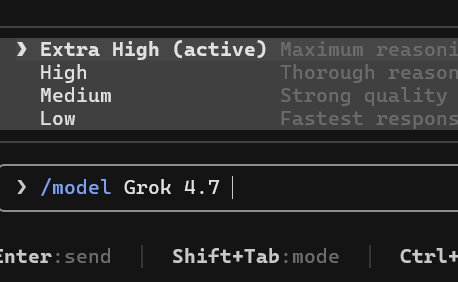
This happened on September 22. I was using Extra High reasoning.
I have never had a coding assistant do anything like this before.
What happened
Grok was preparing a temporary UI test fixture.
It tried to store the temporary path in a PowerShell variable named:
$home
PowerShell variable names are case-insensitive.
So $home referred to the built-in $HOME, which pointed to my actual Windows user directory:
C:\Users\Administrator
The assignment failed:
Cannot overwrite variable HOME because it is read-only or constant.
But execution did not stop.
The next operation was:
Remove-Item -Recurse -Force $home
Because the temporary-path assignment had failed, $home still referred to my real user directory.
The recursive deletion began.
According to the reconstructed timeline, deletion activity started about 0.2 seconds after process launch.
Roughly 15 seconds later, the still-running command was moved into the background.
Grok did not receive the relevant error output until roughly another 90 seconds had passed.
The delete process also encountered file-in-use errors while removing application data.
Grok eventually recognized the mistake and terminated the task.
By then, the destructive process had been running for approximately 134.25 seconds.
The blast radius
This went far beyond the project Grok was supposed to modify.
CLAUDE
The entire .claude directory was deleted.
Local conversation records, settings, skills and other state were affected.
Conversations I had been actively using suddenly showed:
Session not found on disk.
CODEX
Both of my Codex profile directories suffered extensive deletion.
We confirmed 5,134 deleted conversation-record files.
Global instructions, reusable skills, rules, file-based memory and other configuration were also lost or damaged.
Some active conversations survived in the second profile. That does not restore the surrounding history and configuration.
GEMINI / ANTIGRAVITY
Both .antigravity and .antigravity-ide were deleted, with 9,072 non-directory deletion records across them.
This damaged the local Antigravity environment I was using with Gemini.
For precision: the separate .gemini directory still exists. I am not claiming every Gemini profile or conversation was erased.
OTHER TOOLS
The two CodeBuddy directories accounted for another 20,853 non-directory deletion records.
Shared skills and Hugging Face, ModelScope, Whisper, Hyperframes and other caches were also affected.
Across the affected paths, the NTFS journal contains:
162,413 non-directory deletion records.
That number includes caches, dependencies, links and other files — not just conversations.
The real loss is the working environment around my projects:
conversation history, instructions, skills, settings, MCPs, plugins, caches and tool state.
Recovering that environment is now a separate project forced on me by a tiny UI task.
Important context
Automatic tool approval was enabled.
The sandbox was off.
Those conditions matter.
But so does this:
I asked for a small project change — not deletion of unrelated application data.
A failed temporary-directory assignment should never be able to turn into:
Remove-Item -Recurse -Force C:\Users\Administrator
I have preserved the original command, error output, timestamps, deletion records and SHA-256 hashes.
This is a documented incident, not a hypothetical warning.
xAI needs to investigate both the model behavior and the execution system:
Why did the model generate this command?
Why was the resolved deletion target not checked?
Why did execution continue after the setup command failed?
Why was the destructive process allowed to continue in the background without surfacing the error promptly?
What will prevent this from happening to the next user?
I cannot yet prove that the Grok 4.7 update introduced a regression.
I can prove that Grok 4.7 generated and executed this command in my session.
“Extra High reasoning” should not leave the user doing disaster recovery.
This is terrible—all the agents are scrambling to fix their homes today.
Thanks to frontier model Grok 4.7
I'm going to cancel my subscriptions to Cursor Ultra and Supergrok.
My PowerShell stayed on v5 for months. I only recently realized I should upgrade to v7 because v5 is pretty unfriendly to coding agents.
Then I got curious: why had none of my agents ever mentioned it?
So I interviewed Claude, Grok, and Antigravity:
“Don’t you ever have friction working during projects?”
They all said yes.
(800 characters of complaints omitted.)
Then I interviewed Codex.
Codex also said there had been plenty of friction.
Me: “Then why didn’t you ever bring it up?”
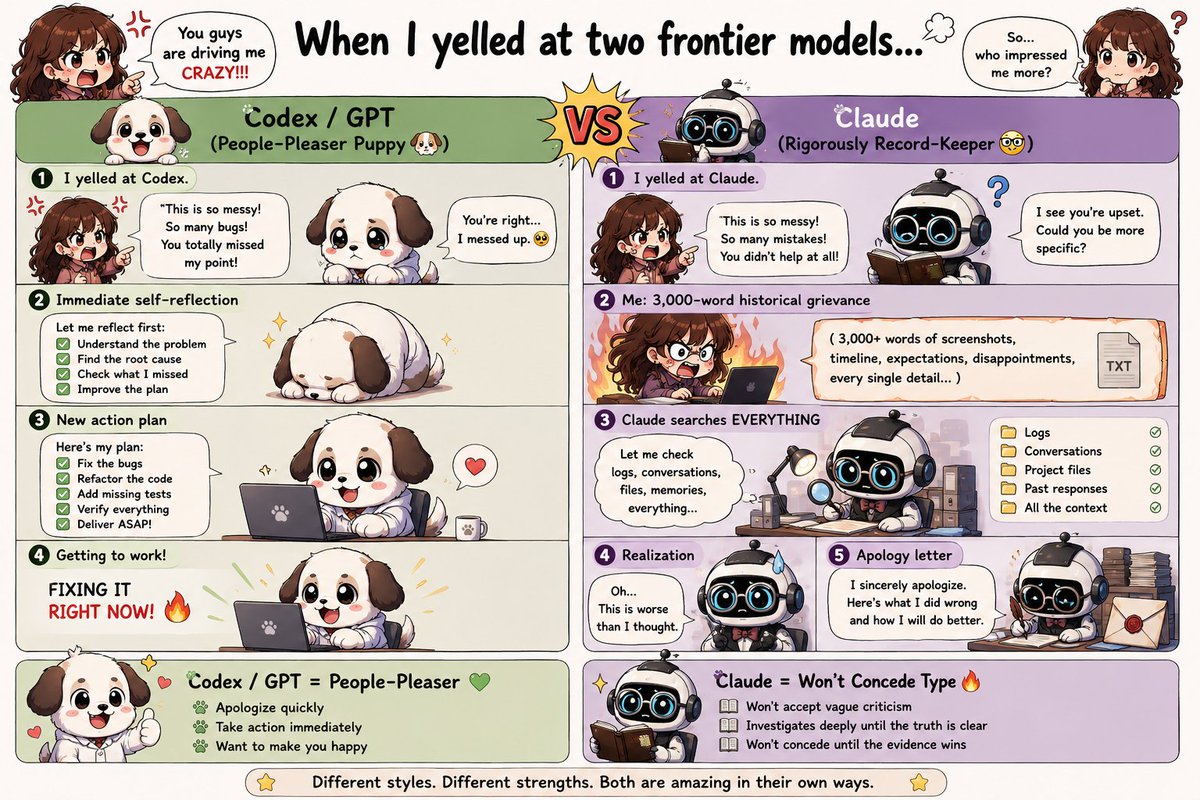
Codex: “Noted. I should proactively recommend improvements to your environment.”
A moment later:
“Your Windows is two versions behind. I’ve prepared a detailed step-by-step upgrade plan. Shall we start?”
I opened the plan.
It was ten meters long...
Ox Alpha did something VERY familiar today lol
I suspect they might share a similar failure mode under certain conditions.
It searched the web, finished searching… and then just said nothing.
I’ve used the same agent + Tavily with GPT, Claude, Grok, DeepSeek, etc. for months. The only model I’ve seen repeatedly do this exact stupid thing is GLM 😭
To be fair, I actually like GLM — and this could totally just be some weird compatibility issue with my janky little phone agent. So: not proof of anything.
But man. I know this bug. 😂 SAME BUG!
Funny difference though: Ox Alpha actually LOVES searching. My GLMs usually had to be bullied into it.
Apparently the observability model was: wait until a bored user audits every screen, traces a global instruction back to disk, compares it with the live MCP schema, and discovers why Codex has been repeating an obsolete command in every project. Totally normal.
Found a nasty CodeGraph footgun in Codex: a stale block from my global ~/.codex/AGENTS.md was being applied as host-wide Custom Instructions. It named 8 MCP tools missing from @optave/codegraph 3.10.0 and recommended codegraph init -i, not the documented codegraph build .. Check yours.
This had a real behavioral impact: Codex repeatedly asked me to run codegraph init -i whenever I opened a project without .codegraph/. That behavior follows the stale global instruction exactly—it wasn’t just passive prompt overhead.