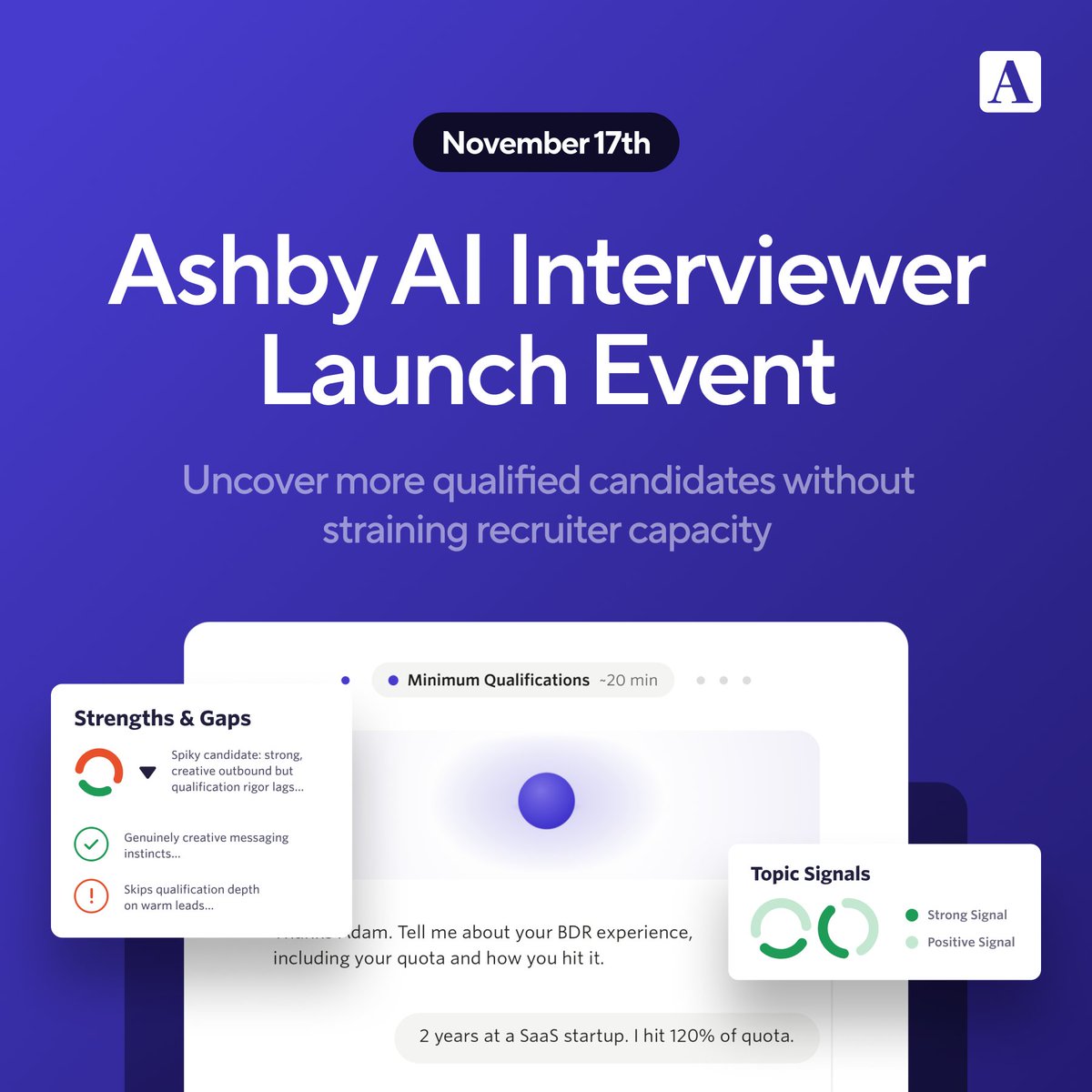
📣 Join us online, November 17th for the launch of our AI Interviewer in Ashby.
This event will showcase our upcoming AI Interviewer, which conducts interviews through AI-powered voice conversations in the candidate’s browser.
It understands your job requirements, holds a natural conversation, and returns a structured analysis, while making sure decision-making stays with your team.
See the full event details and register to save your spot here: https://t.co/F3UHOaMjQr
Two improvements to AI Notetaker make it easier to discuss interview feedback and give your team more control over the interview data you retain.
💬 Comments in AI Notetaker
Discuss interview moments alongside the recording and transcript. Comment on specific moments, reply in threads, and @mention teammates to get their input.
📝 Transcript Only recording mode
Keep interview transcripts and AI-generated notes without storing audio or video recordings in Ashby. Our providers temporarily capture audio for transcription, then delete it once the transcript is generated.
Both updates are now available to all customers using AI Notetaker.
You can now cancel scheduling requests and request a reschedule in Ashby without deleting and rebuilding the interview.
❌ Cancel a scheduling request you no longer need to remove it from the coordinator’s queue while keeping the interview in place.
🔄 Request a reschedule with the previous scheduling details carried over. Update what changed and send the request back to your coordinator.
📋 Keep rescheduling work organized in a new dedicated Needs Rescheduling view in the Interview Dashboard, with the full history of scheduling requests preserved on the interview.
Scheduling changes stay connected to the interview, so your team can see what changed without rebuilding or losing context.
Available with the Advanced Scheduling Add-On and for Enterprise customers
🔎 Introducing AI Candidate History Summary in Ashby’s Chrome Extension, giving recruiters and sourcers a quick overview of a candidate’s past interactions with their team, right where they’re sourcing.
With one click, you can:
📋 See a concise summary of past applications, interviews, feedback, outreach, and more.
💡 Surface important context, like strong past feedback or why a candidate previously declined an offer.
🔗 Follow inline citations to review the original records in Ashby.
AI Candidate History Summary is available in Ashby’s Chrome Extension for customers on all plans. Go to Admin Settings > Opt-In Features and enable Candidate History Summary under the AI Features section to get started.
⚙️ More control over how candidate activity informs data retention
With event-based inactivity calculations in Ashby, you can now:
⏱️ Choose which candidate and recruiter activities reset the inactivity timer.
💬 Account for ongoing engagement with leads outside a job application.
🚩 Flag candidates for review after a period without meaningful activity, even if their application is still active.
🔍 See the activity and retention rule behind a candidate’s calculated retention date.
These updates help your team align retention calculations with your organization’s policies, with clearer visibility into how each date is determined.
🥳 Offer Packet Templates Now Available in Ashby
Offer letters rarely go out alone. Depending on the role or location, candidates may also need documents like a CIIAA, New Hire Attestation, or benefits guides.
Offer packet templates let admins bundle these documents once so recruiters can add the full packet to an offer in one click.
What you can now do with Offer Packet Templates:
📝 Combine an offer letter with e-signature templates, static files, and documents from the Company Document Library
🎯 Use scope filters so only the documents relevant to each offer get included
🔗 Update shared documents in the library once, and future offers use the new version
✅ Review and adjust the packet before sending
Available now for Plus and Enterprise customers.
You can now connect Global Application Questions directly to candidate fields in Ashby, making responses available for reporting and automation.
🔗 Turn application responses into structured candidate data for questions about work authorization, sponsorship needs, willingness to relocate, and more.
⏪ Backfill previous responses so historical applications and new submissions use the same candidate fields.
⚙️ Manage the connection once at the global question level instead of recreating a connected question on every job posting.
New and historical responses can then be used together in reports, automations, and other workflows. Available on the Enterprise plan.
We’ve updated the AI-Assisted Report Builder to be more conversational, making it easier to build the report you need in Ashby.
Describe the report you need in plain language, and the assistant asks a clarifying question if your request is unclear. Then keep refining the results with follow-ups until the report is right.
💬 Have a back-and-forth dialogue until you get the report you need
👀 See reports take shape in real time as they build
🌐 Cover more report types, including new Ashby features from day one
❓ Ask questions about Ashby reporting features without leaving your report
Available on Plus and Enterprise plans. Opt in from your admin settings, then open the Report Builder and click Let's Chat.
You can now customize the information approvers see when reviewing Offers, Jobs, and Openings in Ashby.
🔎 Choose what approvers see for each approval type, reorder fields to surface the most important details, and hide sections that aren’t relevant.
📩 Customize notifications separately for email and Slack, keeping notifications concise while making additional context available in Ashby.
🔄 Review previous versions of Offer and Opening approval requests to see what changed before making a decision.
Customize the context around an approval without changing the underlying approval workflow or permissions. Available now for Plus and Enterprise customers.
Introducing Recruiting Blocks, a new way to reserve specific times on your calendar for interviews.
📅 Create one-off or recurring calendar blocks with a designated title, “Ashby Recruiting Block,” and Ashby uses them to determine when you’re available to interview.
⏰ Set aside the times that work for you, whether that’s every Tuesday and Thursday morning or a single afternoon when a search needs more interview capacity.
⚙️ Use Recruiting Blocks individually or across a team by enabling them in personal settings or on a Schedule Template.
🎯 Dedicate blocks to specific roles using different keywords for different types of interviews.
Ashby schedules interviews within the time you’ve reserved instead of treating every open spot on your calendar as interview availability.
We’ve rebuilt Feedback Reminders in Ashby with more ways to collect feedback and follow up when it’s overdue.
💬 Submit feedback directly from Slack. Interviewers can complete the full feedback form from the reminder without switching to Ashby.
🔔 Send reminders when you need them from the candidate profile by email, Slack, or both.
⏱️ Configure reminders by feedback type, with separate timing and channel settings for interview feedback and take-home or assessment feedback.
Recruiting teams can follow up on missing feedback directly from Ashby, while interviewers can respond where they already work.
🔒 Dashboard Locking is now available in Ashby.
Keep standardized reporting accessible to your team without letting every viewer change the dashboard.
With Dashboard Locking, you can:
🔐 Lock a dashboard’s layout, content, and filters
✏️ Choose exactly who can view or edit it
📋 Control whether viewers can create their own copies
📬 Decide who can manage scheduled deliveries
Recruiting Operations and analytics teams can maintain a trusted version of shared reporting while still making it available to the people who need it.
⏰ Scheduled Custom Agents are now available in Ashby.
Now, you can put any Custom Agent on a recurring schedule. Set your agents to run daily, weekly, monthly, quarterly, or on your custom interval.
📅 Uses the same scheduling experience as Scheduled Dashboards
💬 Send results automatically to Slack channels, Slack users, or email addresses
▶️ Use Run Now to test the workflow before the first scheduled run
🔍 Open any run in Ashby to dig into the results
🔒 Runs use the agent author's permissions, with author-only editing and read-only access in this release
Get started by adding a scheduled run to an existing agent, or create a new agent to try it out.
Scheduled Agents are in open public beta on all plans, free during beta, and will consume AI credits once generally available.
Ashby's Director of Product Support, Laura Ashmore, on why we're so invested in building a best-in-class support team: "fast product innovation only matters if your teams can adopt it."
Here's Fritz Singer, VP of Talent Acquisition at Legora, sharing love for Ashby's CS team:
@willemwijnans shares what Ashby's been building outside of software: our EMEA community.
It started in 2022 with dinners, and evolved to breakfasts, pop-up cafes, and even build-a-thons.
And over the next year, we're going to bring Ashby Cafes to nearly every major city in Europe to bring this wonderful talent community together to help each other answer the questions that actually impact your day-to-day.
"91% of Ashby's customers now use AI features." -@abhik
We're continuing to invest in ✨Ashby's AI capabilities✨ to bring you:
1. AI that works where you work with Ashby Assistant and Ashby MCP
2. AI that works without having to be asked with Scheduled Agents and more proactive Analytics
3. AI that actually understands how your org hires with Notetaker, Application Review, Talent Rediscovery, and AI interviewer (and Intake coming soon)
Here's Anastasia Geller, Director of Talent Strategy at Stream, on how Ashby's AI is helping her team move faster:
We now serve over 1,000 EMEA customers, and the region makes up nearly a quarter of our global revenue.
EMEA is a key region for us, and we're looking forward to more growth here. That's why we're excited to announce that in 2027, we're launching a dedicated EU data center.
We're live in London! @benjaminencz is about to take the stage to kick off the #AshbyOne Product Keynote.
Watch the livestream: https://t.co/QUjew1AQE2
#AshbyOne London starts in 15 minutes!
We've got some great content on the docket today: talent industry updates, customer lightning talks, a build-a-thon, and more.
If you can’t be here in person, there’s still time to catch the Product Keynote live. Register using the link in the comments.