Built a System Health Checker Tool using Python!
It checks:
✅ Disk Usage
✅ Memory Usage
✅ CPU Usage
✅ Top 20 Running Services
📧 Sends email reports every 4 hours!
🔗 GitHub: https://t.co/sz4m9SwXDU
🔗 Linkedin Article: https://t.co/HTgcao3Zwf
I’m looking to connect with people:
• Frontend Developer
• Backend Developer
• Fullstack Developer
• Java, c++, and python Developer
• DevOps Engineer
• College students
Let's connect and build Community 🔥
Retweet are appreciated 📷 #connect#developer#dev
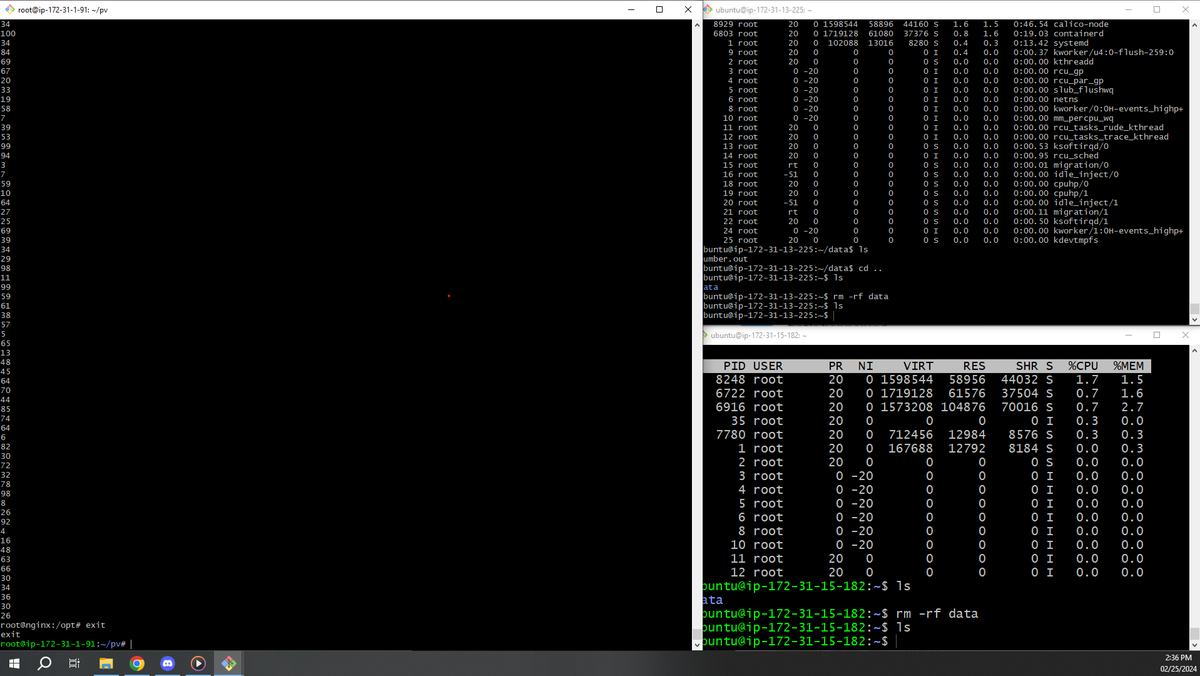
#Day23 of DevOps Journey! Successfully created an EKS cluster, attached volumes, and set up a database with data. Conducted a resilience test by forcefully deleting a node and verified data persistence by attaching the volume to another node. 🌐💻 #DevOpsLearning#EKS
#Day22 of DevOps Journey! Today Practiced persistent volume and persistent volume claims & how to store data on worker nodes. It is not a good practice however, it helps to retrieve data when the pod goes into an unhealthy state and understand how to store data on the cloud.
#Day 21 of DevOps Journey! Today, I learned what Configmap and secrets are, how sensitive data is stored in secret, and how non-sensitive data is stored in Configmap. Also, understand when we can execute the pods. #DevOps#Kubernetes#Configmap#Secrets
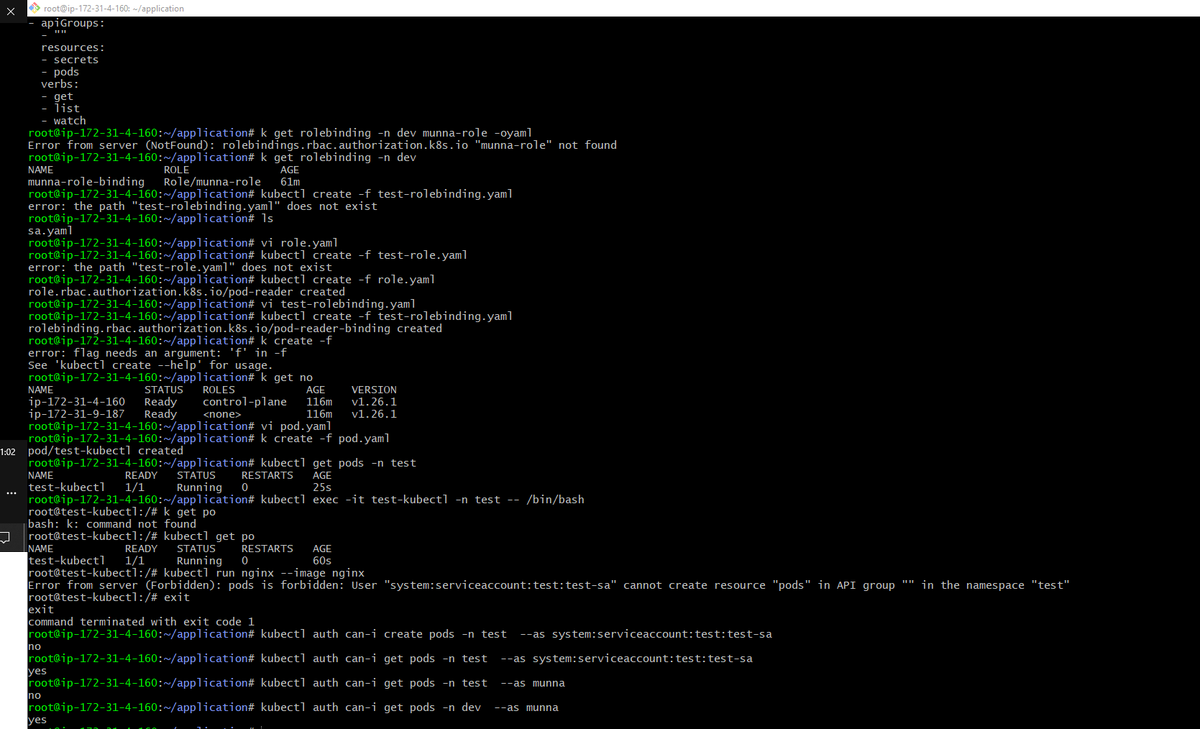
#Day20 of DevOps Journey! Utilizing work off for learning, today I learned Role-based access control in Kubernetes and also drilled down to understand Role, Role binding, Cluster role, and Cluster role binding. Also understood how to validate it.
#Day 19 of DevOps Journey! Today, I learned the importance of Daemonset and how it is used to run a pod on each node. Also learned what multi-container is and how multiple containers run in a single pod. #DevOps#LearnInPublic#Kubernetes
#Day18 After a week, I could not be consistent with my DevOps journey because of my new role in my current organization. Learned how important Kube config file is and how we can access the complete cluster with just one config file. Planning to be back consistent with my Journey.
#Day18 of DevOps journey! Dived deeper into imperative and declarative approaches, created Deployment, Pod, and exposed it with a Service. Delving into Kubernetes YAML files with a focused read of the documentation #DevOpsLearning#Kubernetes#YAMLFiles
https://t.co/ymfRaCBsYM
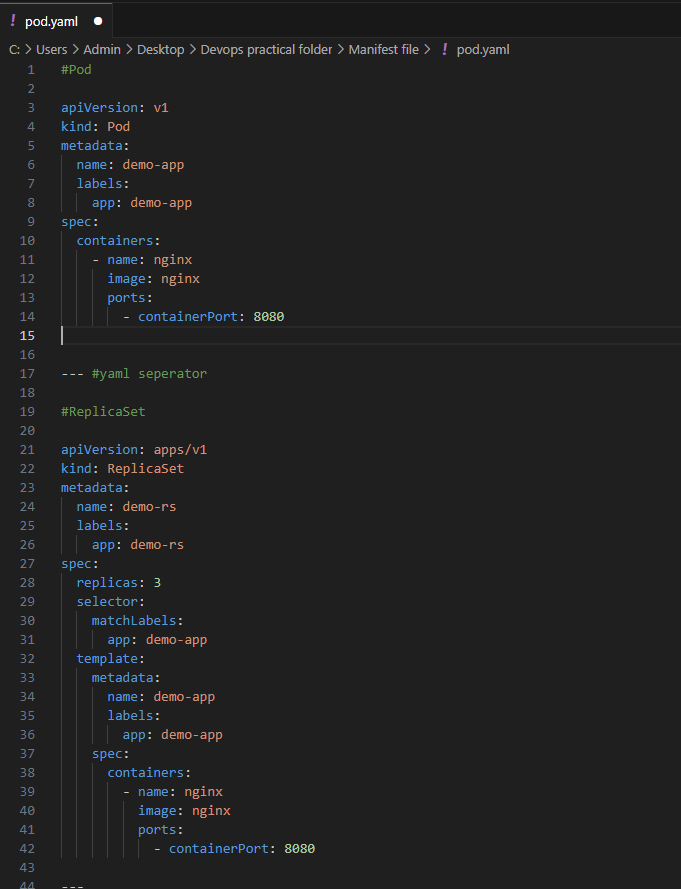
Back to DevOps Journey on #Day17 after a promotion to Business Manager for the entire site! Explored declarative and imperative approaches, and created pod.yaml and rs.yaml files. Excited for the journey ahead! #DevOpsLearning#promotion
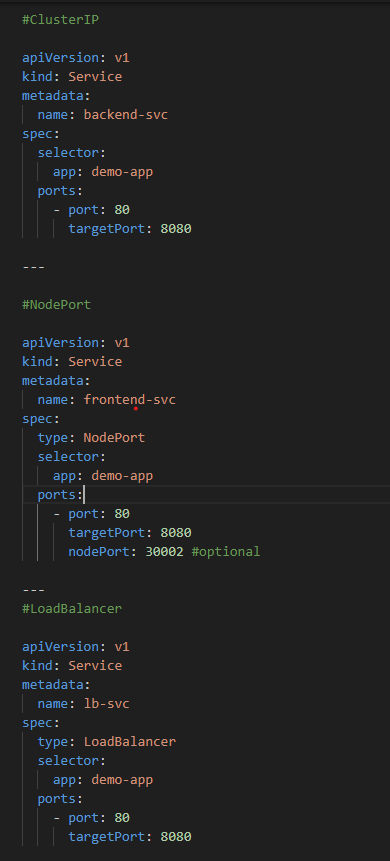
#Day16 of DevOps Journey! Created YAML files for essential resources: Pod, ReplicaSet, Deployment, Service (ClusterIP, NodePort, LoadBalancer), and namespace and how labels and selectors help expose the app. Used 'replicas' to set the count and 'type' to define service type.
#Day15 of DevOps journey! Expanded knowledge of Namespaces and their components—Kube-system, Kube-node-lease, default, and kube-public. Explored how companies create diverse Namespaces for different environments. 🌐🚀 #DevOpsLearning#Kubernetes#Namespaces#LearnInPublic
#Day14 of DevOps Journey! Learned how to write YAML files—like key-value pairs, single and multiple arrays/lists, and dictionaries. Also, started understanding Kubernetes Namespaces. Excited to dig deeper! 🌐🚀 #DevOpsLearning#YAML#Kubernetes#Namespaces