From the Flux 3 character reference to a fully rigged character in Unreal Engine!
Generated the high-poly model with Tripo 3.1, then used the Blender Agent inside the workflow to bake it down to low poly. Atlas rigging tools handled the rig and animations. The fingers came out especially well!
Added cloth physics in Unreal Engine to give the generated cape mesh more movement.
Check out the full workflow in the comments.
Give your NPC a voice and a story with Atlas workflows!
Here’s how I made this character talk:
1• Generated the NPC’s image.
2• Wrote a scenario for the character.
3• Asked Atlas MCP to build the workflow and choose a fitting voice.
4• Combined the image with the generated speech, then iterated with OmniHuman v2 and MiniMax H3 Lip Sync.
A fun way to explore different voices, scenarios, and performances for the same character.
A 3D comic you can explore by tilting your phone!
Created with Flux 3, the Blender Agent, and H3 Max Orbit in an Atlas workflow, then brought into an HTML viewer with mobile tilt and drag controls.
We started with Flux 3 reference images and a story, then asked the Blender Agent to build the set. This gave us additional references for scale and spatial layout.
Those references went into the H3 Max Orbit node to generate 360° videos for the comic.
The final step was building an HTML viewer for those videos, letting readers tilt their phone or drag to look around each scene. Codex or Claude can help build that viewer.
One of the great examples to push the boundaries with AI in the user experience and its only the first step to make games way more personal for each player
This guy tried the Fabricator and lost his mind! 🤣
"No! No! No they didn't! And I can rotate my character. Hold on now. Stop. Hold the breaks. You guys are letting me make my gear and I can put it directly on my character?!"
The @Atlas3DAI tech in Colony is truly unreal!
Turn video references into flipbook animations with Atlas!
A fun way to iterate on different styles, then use Unreal MCP to build an interactive Niagara particle system from the results.
@TexViking_ This is proprietary and not just a collection of repos - yes it gives you access to all AI models (also proprietary ones) through one UI optimized for chaining them together and also supports custom models that arent available outside of Atlas (like Rigging)
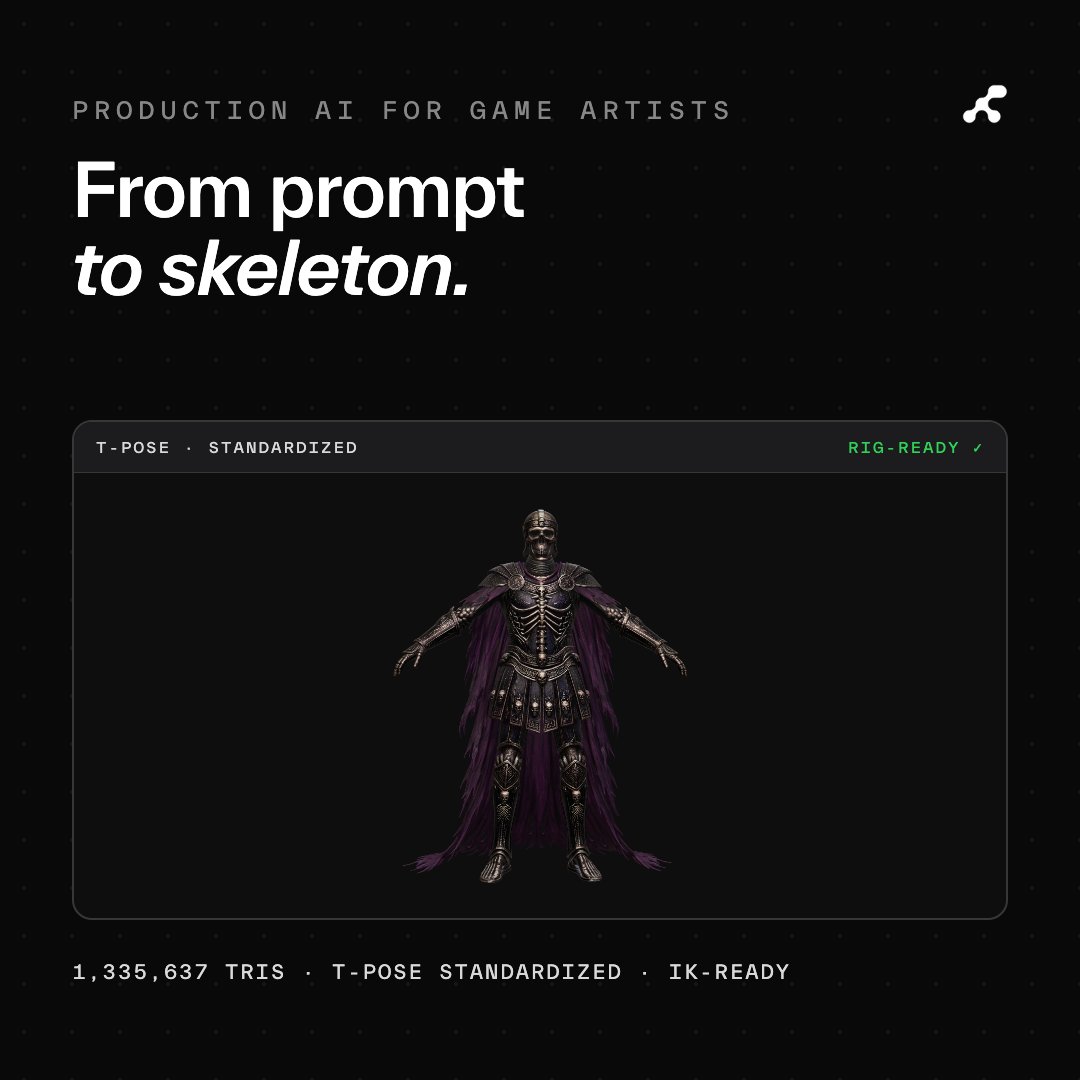
A prompt goes in. A skeleton comes out, IK-ready.
Most text-to-3D stops at a static mesh. Atlas keeps going: standardized T-pose, rig, weights, so the character is animatable the day it is generated.
Try Atlas today
Draw your own terrain and turn it into an Unreal Engine landscape! 🎨
Landscape Creator in Atlas Labs lets you sketch directly in the tool, then generate a landscape and its maps from your drawing. In this example, we used Unreal MCP to import and build out the terrain.
It’s built on Atlas workflows with its own dedicated interface. Open it in Labs to explore a prepared example and try it yourself!
@mccarthy55x yes 100% thats why we built our own rigging that does fingers particularly for this :) Atlas rigging is accessible to you in the platform!
@CalebFromMaine we do focus on that we have 1) our own model Titan that helps here 2) we offer the lowpoly big name AI models and 3) we offer remesh options to somehow get there - it doesnt work for all cases but its better than what you usually get in the market :)
Does Atlas have an MCP connection?
Yes, it does!
Run your Atlas workflows through your favorite AI tool. Describe what you want, and let it work with the nodes for you.
It also downloads and names the generated assets, taking care of those small manual steps between generations.
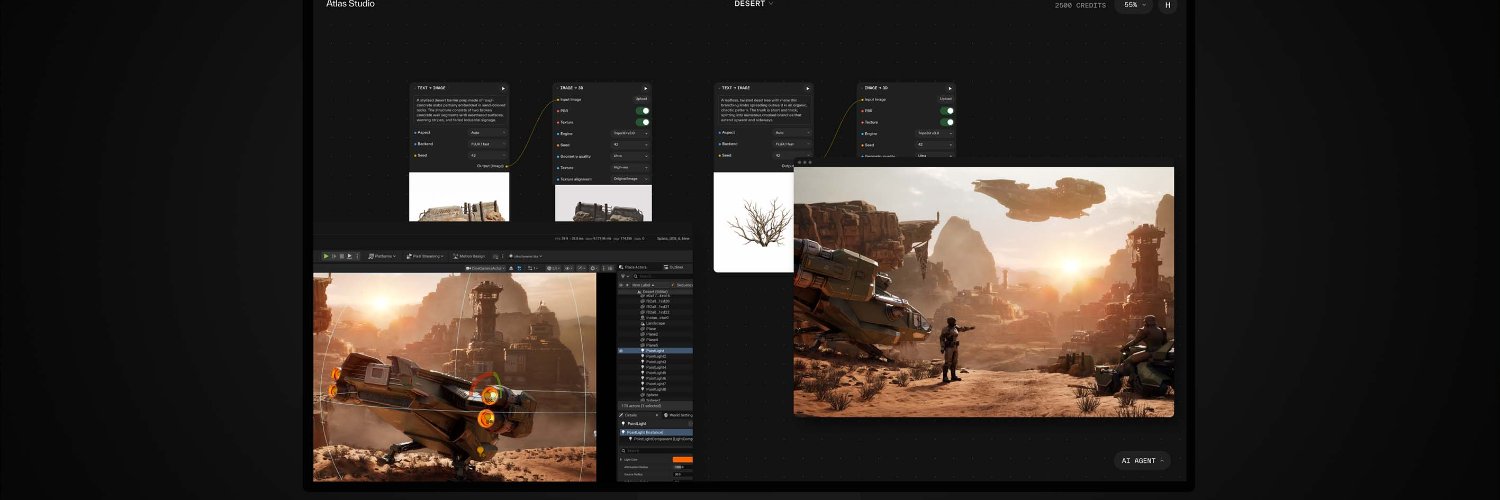
In this example, we used Flux 3 for the reference images, Tripo 3.1 for the cabin, and Tripo P2 for the supporting meshes.
Combine it with MCP connections for Blender and Unreal Engine, and you can bring asset generation, editing, and scene building into one workflow.
@Kaiser9820 no not at all - this is a node-based orchestration layer to build workflows around images, 3D, videos, audio etc. optimized for game development and creative pipelines
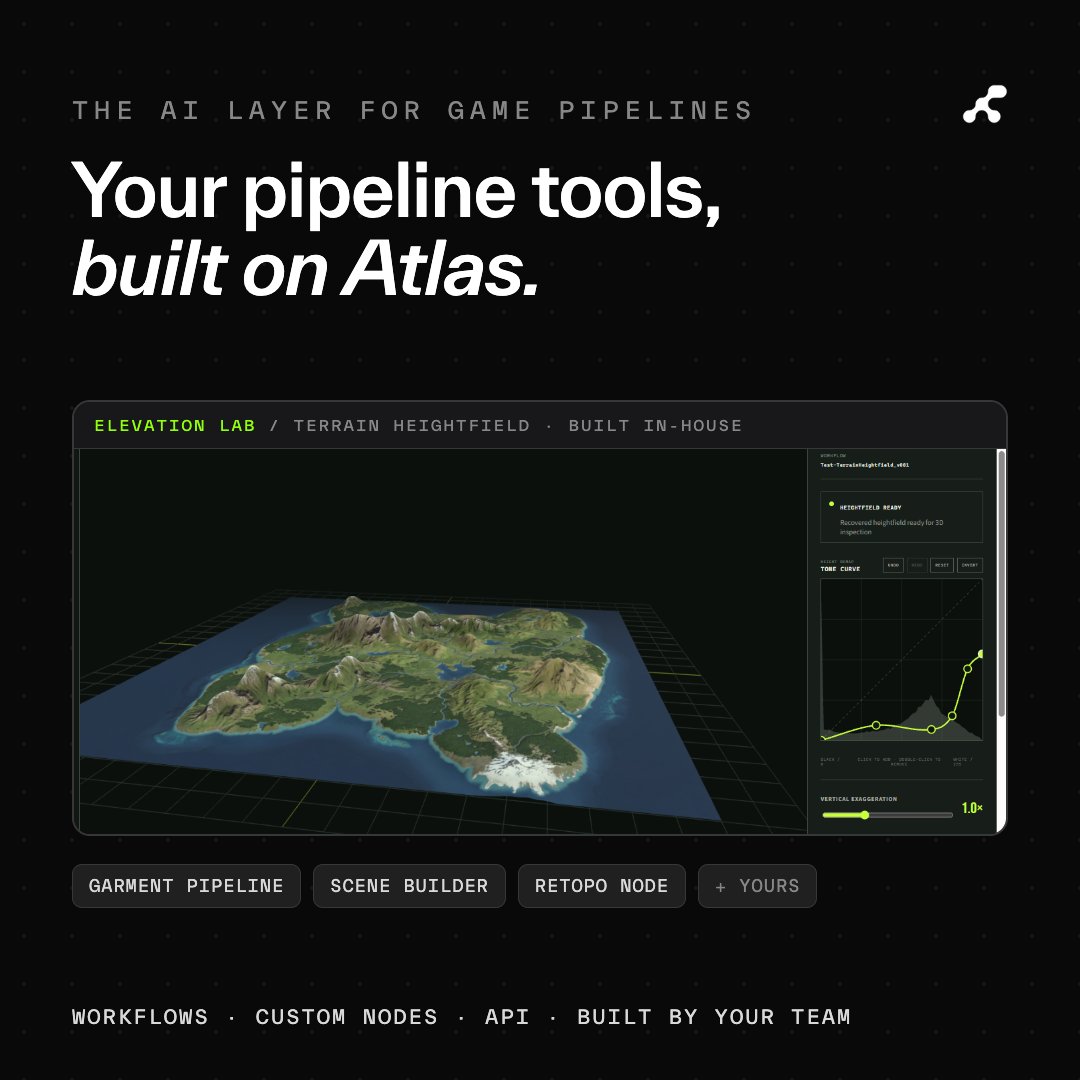
Terrain heightfields, garment pipelines, scene builders, retopo nodes. Teams build them in-house, on Atlas.
The workflow canvas, custom nodes and the API make Atlas the layer your TDs build on.
Try it today
From the Flux 3 character reference to a fully rigged character in Unreal Engine!
Generated the high-poly model with Tripo 3.1, then used the Blender Agent inside the workflow to bake it down to low poly. Atlas rigging tools handled the rig and animations. The fingers came out especially well!
Added cloth physics in Unreal Engine to give the generated cape mesh more movement.
Check out the full workflow in the comments.
@JCiocadan64864 very likely a close result yes - either using lowpoly model (e.g. Tripo or Meshy), using remesh node or using Blender Agent node to optimize it.