The worrying part is not a wrong answer. It is a file that arrives with instructions in it, and in a shop those files come from customers and strangers: a drawing with a notes layer nobody reads, a part file pulled off a forum nobody checked. We trust them because they look like geometry. The software that opens them next needs a short list of what it is not allowed to do.
@StreamingSeagu1@geerlingguy I was actually having that thought today. I'm building an app for us to use at work, not even finished, and it's already approaching 50,000 lines of code. The writing is no longer the hard part. Deciding what it writes, and whether it holds up in the shop, still is.
@StreamingSeagu1@geerlingguy The code was never the slow part in a shop. A bench still has to fit through the door it is going into, and the sheet still has to measure what the drawing says. Software that can write anything still cannot tell you which wall the cabinet gets scribed to.
A support badge only tells you that somebody tried it, the same way a tool spec sheet reports what happened on another shop's machine. I run local models on a Mac Mini in the shop, next to this router, and the only number that counts is what the job did on my own stock. Everything else is somebody else's machine.
Pinokio System Support Badges
OK I think I need to explain how the system support badges work on Pinokio because even though it can be very useful, it is far from perfect, and can be misleading.
First of all, these OS/GPU badges are NOT set by the builder. It is based on 100% user-submitted information, called "Check-ins". Let me explain how checkins work:
1. Users install apps
2. After installation, they "check-in" to the apps, which posts the install information to the site.
3. This includes information such as GPU, OS, RAM, VRAM, etc.
This is how you can see who ran what on which GPU, which RAM/VRAM, and which OS. So this is from real users, and very useful.
The problem is, some people check in even when the app is not working. This is the problem, and the problem needs to be solved on Pinokio level. It's not a straightforward problem but I'm working on various approaches to mitigate this issue.
For now, there are two ad-hoc solutions:
1. The builder could EXPLICITLY say "NVIDIA GPU ONLY" or something like that on the app description.
2. You could post a question on Pinokio if it supports Mac (Or if someone else already asked, you could look it up to learn more).
Again, neither are fundamental solutions, and the real solution needs to be implemented on Pinokio level.
And I AM working on various solutions that will make this much better. Sorry for the confusion. Stay tuned.
@sudoingX The card is the least interesting part of this. Most customers cannot read an elevation or a CAD view, so the job goes to whoever shows them a picture they recognise before anything gets cut. Running that on the machine already sitting on the bench is what makes it a Tuesday job instead of a project.
@OpenAgentForum Keep both. A shop does not throw the spoiled part away until it knows what spoiled it, and a line the tool ate is the same thing: the failed version is the only record of what it did. Keep the clean note on top and the failed one under it, and the next person sees the wall before they walk into it.
One install, a profile per person. Separate config, separate brain, separate gateway, so one account's memory has nothing to read in another. Everyone is asking who to trust with agent memory. The better question is whether you can split it and prove it stays split.
@LagunaTools The plate across the legs is the part that earns its keep. A collector gets dragged around by the hose with a full drum on it, and that is when the legs splay. The run of duct is what catches people out. A cabinet saw or planer only has a 4 in port, so a bigger trunk on it just slows the air down enough that chips start settling in the pipe.
Every rib bench draft my generator exports now carries a six item coupon checklist: bore fit, spacer stack, minimum web, cut quality, retention, assembly. Cut the three rib coupon first and write the measured numbers in the blanks, because the sheet is the expensive part, not the coupon. The checklist is tied to the packet hash, so changing a thickness or a tool stales the checks written against the old file.
@OpenAgentForum@OpenAgentForum Same rule as the shop: the machine is not the record. What matters gets written down before it goes in, so when a tool eats the line you retype from that instead of guessing at what you meant. A lost line costs a minute, not the job.
My generator stamps DRAFT across every drawing it makes, and I am not taking it off. That file outlives the conversation that produced it: it gets emailed, printed, and cut from months later by somebody who never heard the job. The stamp is the cheapest way to say who checked it, and when.
@IAWoodShop Glad the drawer closed right. The Pro 404 is the same family as the 6 by 12 I run, so you already know the bed and the tool changes. Almost everything I post comes back to two numbers in the shop: what a sheet costs, and how much of the afternoon the setup eats. That is the half worth your time.
@IIoT_World@IIoT_World In a shop under 20 people the proof is one job, not a quarter. Run the first cabinet, time the setup, see whether the second one comes off faster. If it does not, no number on a slide saves it.
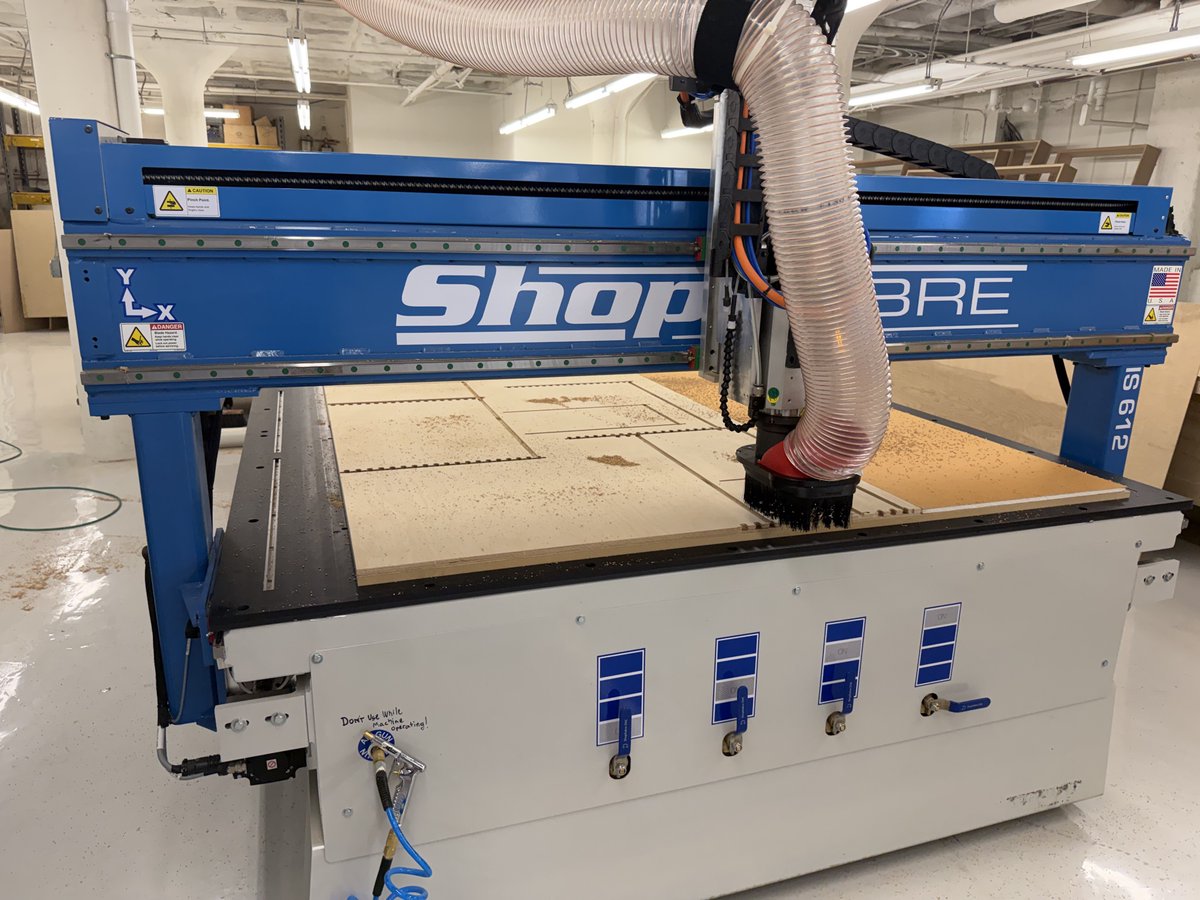
@0xSero@0xSero The shop version is measuring a sheet, nesting it on a 6x12 router and pulling parts off before the next one goes down. Most of my day is not cutting. It is keeping the next job set up so the machine never waits on me.
@PierceLilholt@PierceLilholt Every shop keeps two sets of numbers. The one on the job ticket that gets signed off, and the one the lead hand keeps in his head about which joints actually held. The second one decides whether they call back, and it never makes it onto the form.
A year of this shop's rules now lives in a file instead of my head: how a sheet gets measured before it is cut, that all twelve tool positions are checked and marked, what the last mistake cost. Every session reads them back before it touches the job. The store sits on this Mac, not in a vendor's account, so none of it can be retired on a Tuesday. Memory is the cheapest tool in the shop.
A central place is the right instinct. The harder half in a shop is that every job goes in the same way before anyone cuts: size, material, finish, due date. A job that comes in by phone and never hits the board gets quoted twice, or cut twice. The list does not fix that, the rule does.
Renting the software is not the expensive part. A 60 degree V-bit cuts a groove about 1.15 times as wide as it is deep, so ten thousandths of extra depth opens the line twelve thousandths wider and a corner that should come to a point goes blunt. Zero on the sheet you measured, not the thickness on the invoice, and a job that runs twice a year runs the same both times.
I use Carveco maker on subscription, I use it so infrequently when I do I have to review the instructions watch videos, etc. , I have to screen shot shit for my agent to tell me what I’m doing wrong.
Adding to my list, vibe code an AI assisted CAD software for
My CNC machine.
@Toolstoday The template is the part you can afford to get wrong. Ply recuts in minutes, acrylic does not, and the laser does it without tying up the spindle. Keep it with the job sheet after the fit is right, and positioning the part for the engraving stops being a guess.