Official twitter handle of Azure Update Manager, securing millions of machines across the globe in both Azure and non-Azure environments (via #AzureArc)
Change Tracking & Inventory Center: Streamline your in-guest change & inventory management with easy portal discovery, navigation & at-scale onboarding across hybrid & multi-cloud environments. https://t.co/aeZyef1QPa #AzureArc#Azure
Explore Azure Change Tracking & Inventory's simplified onboarding for Azure Arc VMs! Manage in-guest changes effortlessly with detailed auditing and governance across hybrid and multi-cloud environments. #Azure#AzureArc#Arc@AzureSupport@Azure
Explore:https://t.co/Pgg64jCB79
"With Azure Arc, everything is simple. We‘ve been able to automate our whole update management system and remove all the dependencies and custom scripts that we built."
Learn more with a Microsoft Customer Story: w&w gruppe
https://t.co/eUpJjn4f1Q
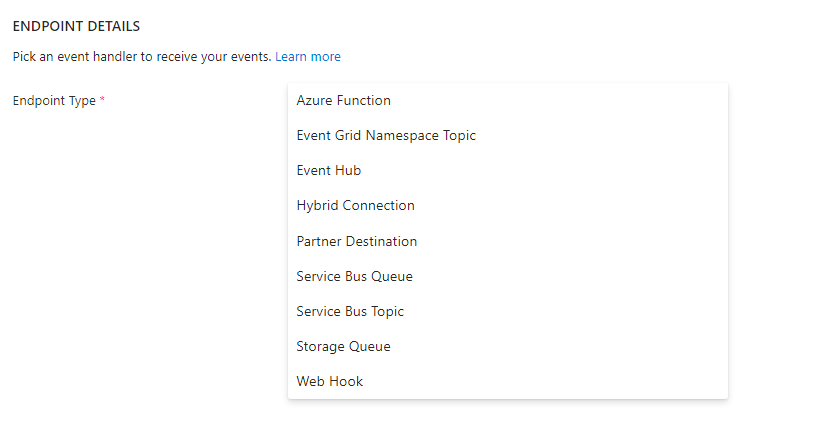
Pre post events allow you to integrate with Automation runbooks via webhooks, Azure functions, Event Hub, etc.
Take action prior and/after to patching as per your convenience.
https://t.co/GfjXtRhxTc
https://t.co/muKK6F9uK6
@Azure@AzureSupport#Azure#AzureUpdateManager
Update Manager is now GA in US Gov and Microsoft Azure operated by 21Vianet.
You can use migration tool to move from Automation Update Management to Update Manager in these regions.
Blog link: https://t.co/Q7ZAmCGdd6
#AzureUpdateManager@Azure@AzureSupport#updatemanagement
Feedback request: Tool for migrating machines and schedules from Automation Update Management to Azure Update Manager is Generally Available.
Feedback link: https://t.co/tD0EFfyXuH
Blog link: https://t.co/Q7ZAmCGL2E
#AzureUpdateManager@Azure@AzureSupport#updatemanagement
@mnooseman You can manage these servers via separate schedules. For ex: one set of servers at 10 AM every week on Monday and another set of servers at 10 AM every week on Wednesday.
Generally Available: Tool for migration of machines and schedules from Automation Update Management to Azure Update Manager.
Use this tool to migrate before 31st August 2024. Link to blog: https://t.co/9YyQVwrFwg……
#AzureUpdateManager@Azure@AzureSupport#updatemanagement
You can now move resources from Automation Update Management to Azure Update Manager with minimal clicks using portal experience. This move needs to be done before Aug'24
Learn more: https://t.co/0GR2mtPs1X
#AzureUpdateManager@Azure@AzureSupport#updatemanagement
Customers can migrate workloads from Automation Update Management to Azure Update Manager using automated scripts.
This migration needs to be done before August 2024.
How to use scripts: https://t.co/bMTakpJlaO
#AzureUpdateManager@Azure@AzureSupport#updatemanagement
The new “Updates” blade is useful for Central IT admins, Security admins who care about vulnerabilities in the system and want to act on them by applying updates. Learn more: https://t.co/cxXXvWRRvK
#AzureUpdateManager@Azure@AzureSupport#updatemanagement
Azure Update Manager now supports specialized images including VMs created by Azure Migrate, Backup, ASR.
Learn more: https://t.co/dgufYyGP5c.
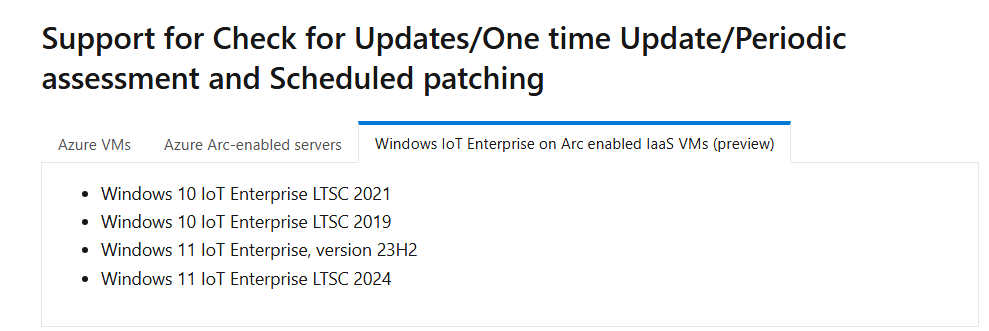
Supported OSes: https://t.co/wGUikkg948
#AzureUpdateManager@Azure@AzureSupport#updatemanagement
“Updates” blade is live in Update Manager. It provides a view to customers from pending updates lens instead of machines lens.
This solves a classic use case for IT admins: to apply an update xyz on applicable machines to remediate a particular vulnerability.
#azure#Security