Brave's Night Mode lets you essentially have dark mode on any site.
Mobile:
Toggle it at Settings > Appearance
Desktop (test feature):
1. Go to brave://flags/#enable-force-dark
2. Click the drop-down next to "Auto Dark Mode for Web Contents" and change "Default" to "Enabled."
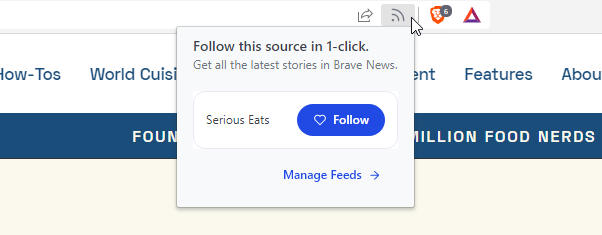
When you browse publishers' websites in Brave, you'll now see a Follow button in the URL bar. Click it to instantly add the site's latest content to your Brave News feed!
This change is available on desktop with today's update (v1.46.153) and is coming soon to iOS and Android.
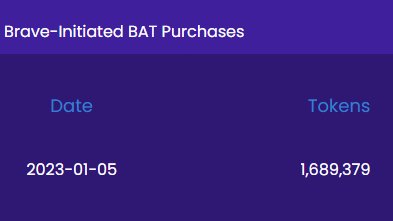
Brave purchased 1.689 million $BAT this week!
The company distributes BAT to Brave Rewards participants on a monthly basis to compensate them for viewing private ads.
See the full list of past Brave-initiated BAT purchases here: https://t.co/txAWfpvCZ8
Gm $BAT Brigade
The Νew Year is tilling us, do not cry for the old year, opportunities are looking at us, grab them and forget your fear! goodbye 2022 welcome 2023.
@BAT_Gorib
Did you know you can connect to the @FroggyFriendNFT website with the @brave wallet!
Works on both desktop and mobile which makes it easy to stake your forgs no matter where you are! Don't need another app to download or mess with either.
Here are some of the ads that ran on @brave this year, that paid $BAT to users, maybe you have heard of some of these brands? Check out https://t.co/hgfBFsnRpE and let me know which ones you like best!
Brave Search's Discussions feature puts actual conversations from popular forum sites like Reddit near the top of the search results. This helps you find the exact answers you need quickly.
Learn more: https://t.co/ZP8vvZD9Iv