Latest BeatBandit feature:
Setups & Payoffs
Analyse any screenplay - a new one you've made inside BeatBandit, or an existing one you import in - and ask it to map out the setups & payoffs in your script.
It'll find and map out all of them, showing which ones work well, which ones have some issues, and which one are lacking: have a setup but no good payoff (or vice versa).
You can click on each, and it shows the exact moments in the script where it's first set up, then moments when it's kept alive, and then the payoff(s) as they happen.
Super handy for finding issues...
And not just for finding them, but you can then ask BeatBandit to fix them!
See how 🧵
THE JET
My latest short movie - longest I've ever made, 12 minutes.
Made with @runwayml Runway MCP, BeatBandit, SeeDance (and lots of other things).
🧵notes
You can now ad scripts with BeatBandit!
Brand new "Ad" template.
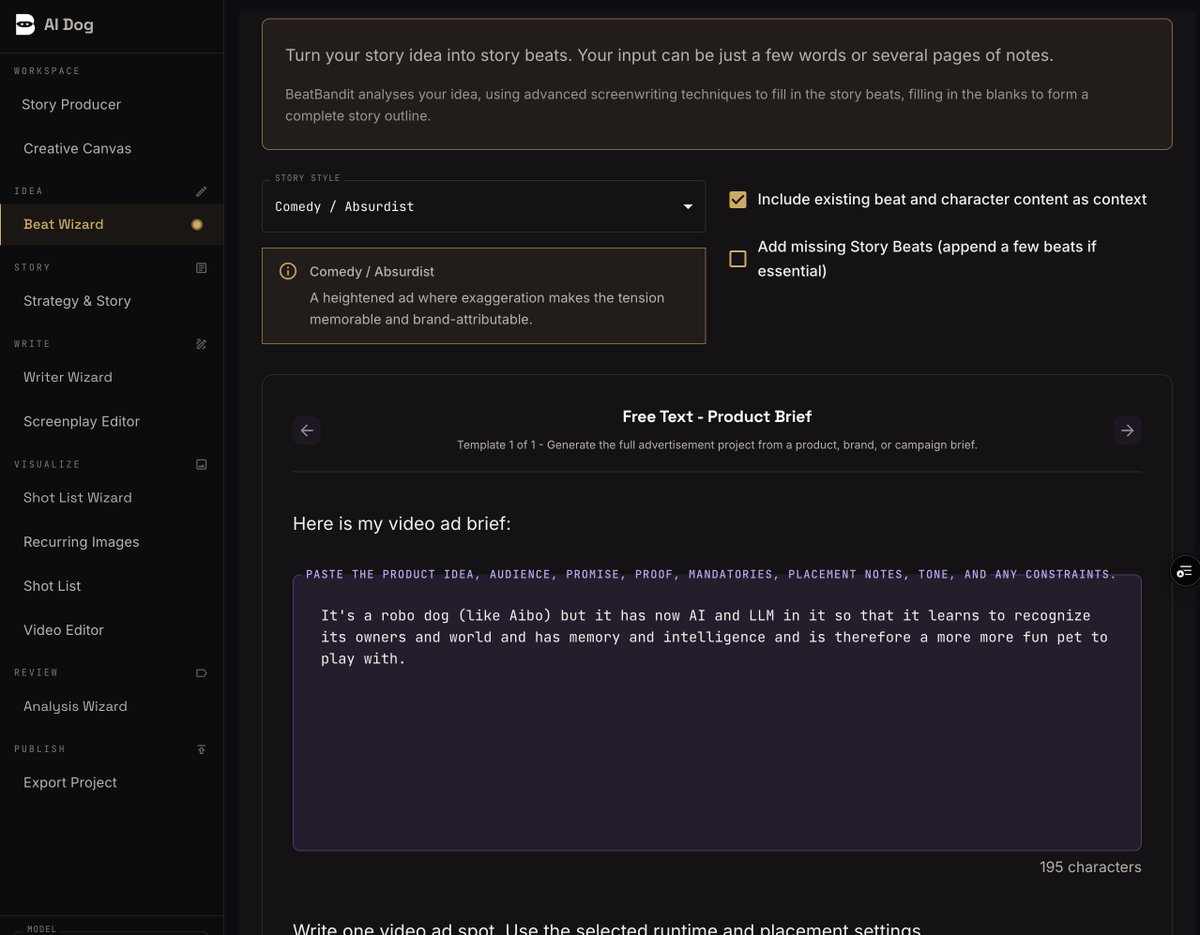
Start by writing your idea into Beat Wizard.
In this example, I wrote
It's a robo dog (like Aibo) but it has now AI and LLM in it so that it learns to recognize its owners and world and has memory and intelligence and is therefore a more more fun pet to play with.
Select ad style - here I chose "Comedy".
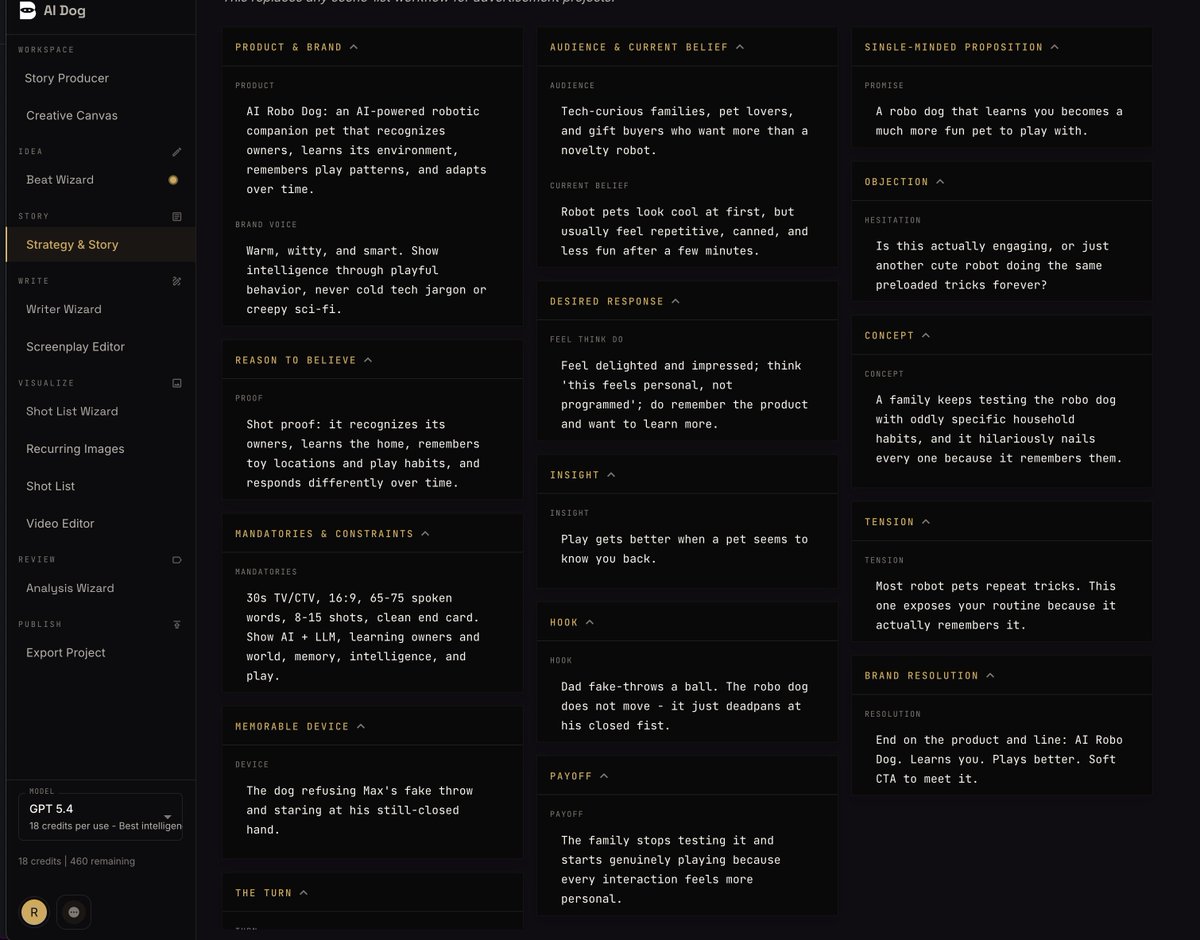
Have BeatBandit analyze the idea. It answers questions that help it to plan an compelling ad. It adapts the content to different target lengths of the ads.
MCP for BeatBandit
Once you install it into Claude / Cursor, you can take advantage of all BB's advanced features easily.
Let's see how it works with this!
Please use the BeatBandit MCP to develop to me a story, screenplay and consistent storyboard for a single scene long short story.
So in this surreal story a woman works at a busy office, and discovers there there is a door at the side of a huge office copy machine. When she goes to investigate, a strong wind sucks her into the machine and traps her there behind the glass. She tries unsuccessfully to break free, story concludes in a dark ending.
Lots of new AI models updated for BeatBandit
- Latest Claude 4.6: Opus, Sonnet and Haiku
- Gemini 3.1 Pro, Gemini 3 Flash
- Kimi K2.5, MiniMax M2.5 (great value for money)
- GPT 5.2
Covering pretty well all the best AI models for creative writing https://t.co/IqC5MDMk20
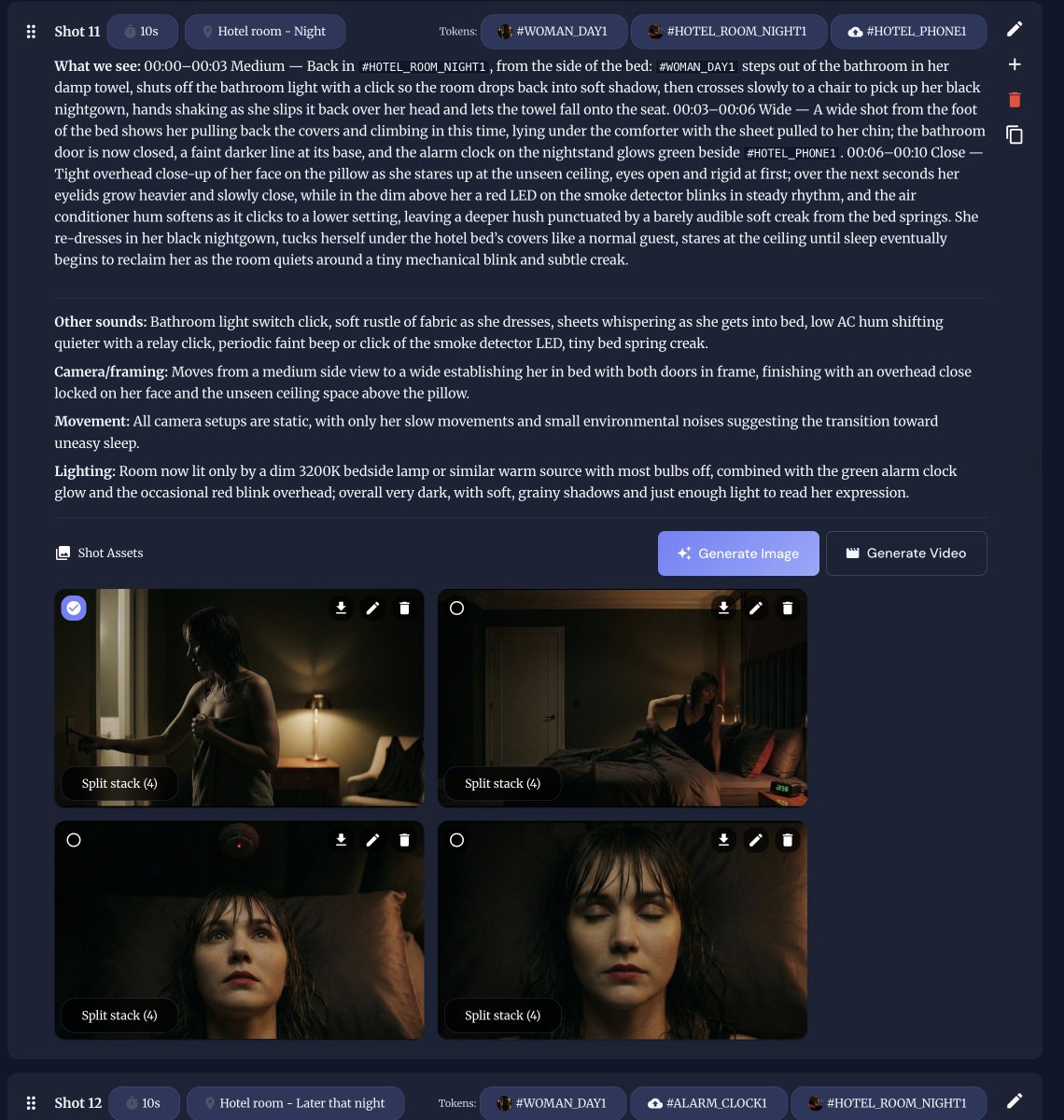
BeatBandit now supports Nano Banana 2 - create great quality reference images for every single shot in your story -
3 credits (0.03 dollars) per generation -
run a split stack and get 4, 6 or 9 consistent images in one go depending on what your shot calls for.
Pretty neat!
Generations automatically use available reference images for characters, environments, and objects, so the images are also consistent between shots.
@BeatBanditAI
Latest @BeatBanditAI update
POLISH WIZARD
You can now use BeatBandit to polish your screenplay -
once the big picture is correct and you want to hone the details
Target to fix dialogue, pacing, action lines, character intent... or use Smart Analysis to let BeatBandit look for the biggest improvements.
Starting 2026 with a bang;
BeatBandit now allows you to create images of your entire story (with consistent characters + environments) - for all the shots in all the scenes, automatically
I've basically implemented @henrydaubrez 's "Split Stack" method as well as a 3x3 grid method + automatically splitting the results into images, so you can get 4 or 9 consistent images for each shot
But even better, since BB allows generating recurring character images, and it automatically tags the characters to each other, you'll have the same recurring characters appear throughout the story!
So basically if you need this - consistent frames for image-to-video generation for a longer story, created and split automatically, read on
Introducing the latest & greatest BeatBandit feature:
You can now plan an entire season of TV!
Serialized format spanning an entire season, with multiple storylines that weave together to form episodes.
BB will help you to plan the season starting from high level all the way to each act of each episode.
When your plans are ready, you can kick off each episode into a separate project and write the screenplays!
🧵 See how this craziness all works
Make a trailer out of any script
Trying out the Trailer Wizard in BeatBandit again.
I loaded in one TV pilot script I wrote some years ago ("Bermuda Triangle"), used BeatBandit to import it in, analyse the story, and have it automatically make a trailer ouf of your story.
here's how🧵
The Beaver
Movie trailer
@BeatBanditAI now has "Trailer Wizard" -
any story you have inside BeatBandit, you can ask BB to come up with a trailer for it!
BB will analyze your story, define the script for the the trailer, and write the the shot list. You can then paste the shots to your favourite video gen tool, Sora 2 in this case.
Obviously still a bit rough around the edges (first version and all that) but made me chuckle anyway. This example video made in 15 minutes.
Introducing one of most requested new features for @BeatBanditAI
You can now import in existing screenplays and fully analyze them with BeatBandit!
Whichever screenplay you have (upload your own, or analyze a famous script) BB will break down the script into story beats, write out the scene list, explain how each scene breaks down to individual beats + reverse maps how scenes implement the overall story beats + then places the screenplay into an editor view,, with each scene linked back to its story beats!
🧵See what it can do - case Forrest Gump as an example.
Watch "Miami Heat, Episode 2"
How I made an Duanji style microdrama episode in 90 minutes
and
how 2026 will be the year of AI-generated fictional storytelling
🧵
Biggest update to BeatBandit @BeatBanditAI - now you can not only plan screenplays but to edit them!
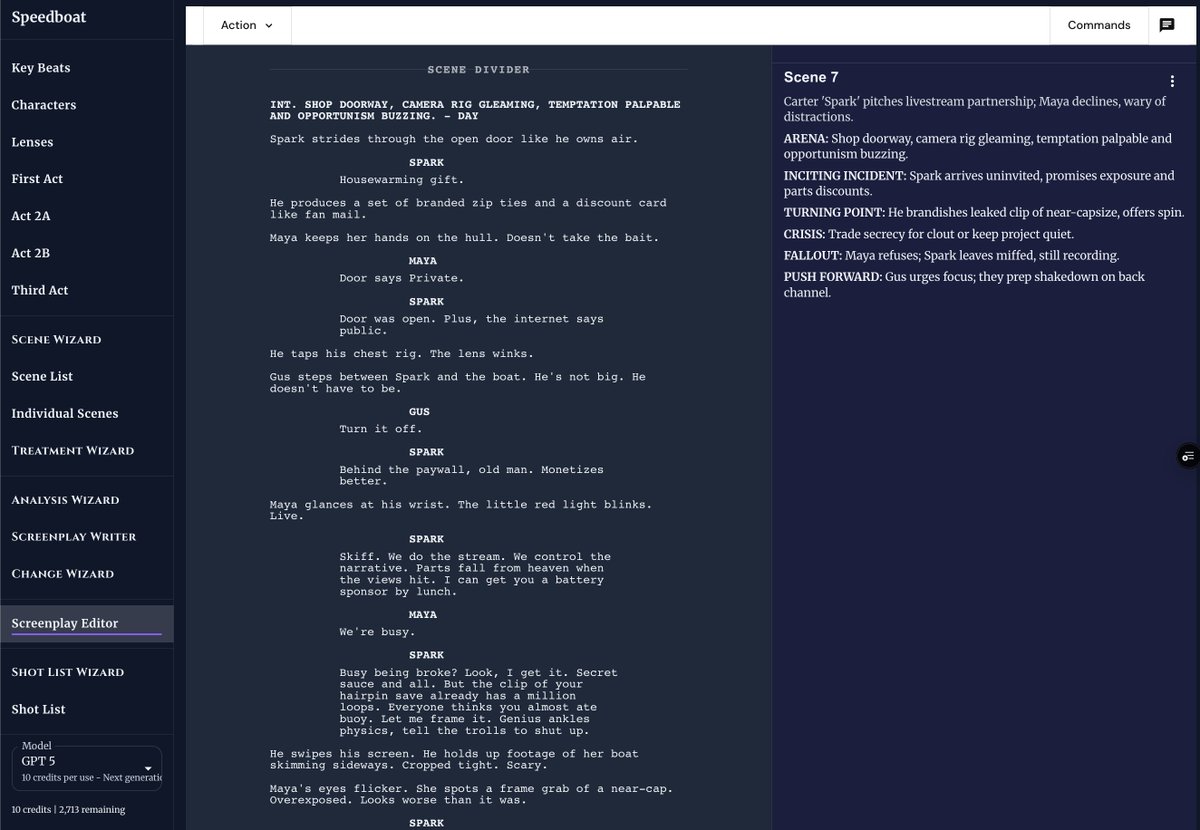
Featuring a brand new Screenplay Editor built from scratch - workt like Final Draft. Use BeatBandit to outline your story, then use the wizard to turn the outline into a screenplay, and use the Editor to edit.
It does what you would expect: automatically formats into correct styles etc.
Best of all, it does what your current editor does not do - the editor seamlessly integrates with the story beats - see the beats for each scene right next to the screenplay you're writing!
The Screenplay Editor is added by default to all new projects.
To make the Screenplay Editor appear in your existing projects, select "Refresh Project" from the project menu!
Introducing the biggest update to BeatBandit so far:
FULL SCREENPLAY EDITOR
Yes, you can now actually not just outline stories, but write and edit screenplays right within BeatBandit!
Works similar to your favourite screenplay editor.
Best of all, it is fully integrated with the scene list of your story - you can see all the story beats you have specified to each scene right alongside the screenplay you're writing!
I just created a 105 page feature length screenplay - a "James Bond reboot" spec script - in 3 hours - from scratch to full screenplay
Using @BeatBanditAI + @cursor_ai GPT-5
🧵 See how + read finished screenplay
You can now bring in your existing movie scripts into BeatBandit!
BeatBandit is great for writing new scripts, but you can equally use to analyze and improve your existing scripts (or bring in classic scripts and study them in detail).
🧵Here's how to do it