This nails it. Sadly.
Having an ultra subscription but then still being asked to pay for an upgrade in AI Studio or connect to a personal google one account is maddening.
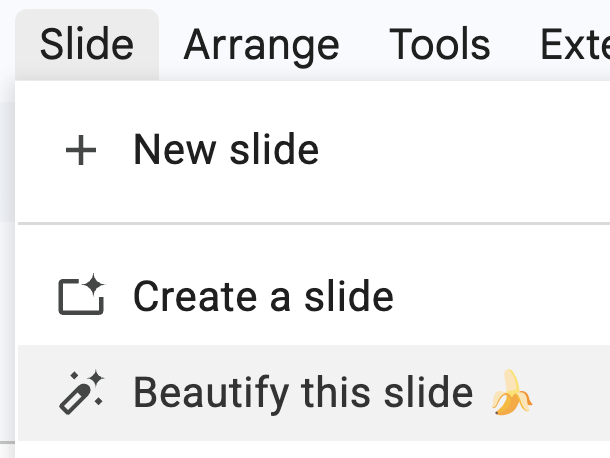
it’s in gemini, just create it in ai studio. oh, that’s for your personal google one account. for workspace you need gemini business. no, not gemini advanced, that’s ai pro now. unless you need ai ultra. oh agents? you do that in spark actually. no, not gemini api managed agents, that’s different. for coding use jules. unless you mean the agentic ide, that’s antigravity. no, that’s the old antigravity, download the new one. actually gemini cli is being deprecated, use antigravity cli. no the flash model is smarter than the pro model. unless you need pro. if it’s video, use flow. no, flow uses veo. no, nano banana is images. actually that’s in gemini now. unless you’re in search, then it’s ai mode. no, research is notebooklm. anyway it’s all very simple.
Introducing Gemini on Mac.
It’s the first time we’re bringing the @Geminiapp to desktop. The team built this initial release with @Antigravity, and it went from an idea to a native Swift app prototype in a few days.
More features on the way!
First couple of testimonials are in for my new Gemini AI course.
It's always nerve wracking to publish something to world that you've poured your heart into over the past few months.
It seems like people are loving it though! 🥰
Here’s how to go from basic to fluent with Gemini AI:
🏠 Step 1: Build solid Gemini/prompt foundations
→ Understand the Gemini ecosystem and which tool to use for which job
→ Better prompts = Better responses
→ Never write a vague prompt again by utilizing frameworks
→ Learn advanced techniques like meta prompts, chain-of-thought, logic, QA checks
💎 Step 2: Systemize your AI usage with Gems, a game changer
→ Stop rewriting the same instructions
→ Add your tone, rules, and workflows into Gems
→ Build specific gems for specific scenarios, use them on repeat
🧑💼 Step 3: Get the most out of Gemini inside Google Workspace
→ Gemini is baked into Workspace
→ Use gemini sidebar, with context of your current file
→ Use “@” to reference other files in your workflows
→ AI function in Google Sheets is 🔥 e.g. classify hundreds or thousands of survey responses in seconds
🔬 Step 4: Do deeper research with NotebookLM, another game changer
→ Use it to deep dive on any topic
→ have Deep Research curate sources for you
→ Make mind maps, questionnaires, even podcasts from your source docs
🧬 Step 5: Write code with plain English using Vibe Coding
→ Build real working tools without a technical background
→ Use Frameworks to build high-quality Specification prompts
🤖 Step 6: Build agents that work without you
→ Move to the big leagues and build agents that work when you’re not
→ Stop doing tedious work
→ E.g. an Apps Script agent that reviews PDF contracts against your checklist
→ E.g. an expense receipt agent that logs receipt photos into Sheets and flags policy violations
🛠️ Step 7: Okay, so vibe coding has you hooked…
→ Level up with a proper developer workflow
→ Use Clasp to connect your local files to Apps Script
→ Use Git and GitHub to keep version histories of all your code
→ Use AI Studio and/or Antigravity to build with Gemini
You'll also learn prompt best practices, integrating Gemini with Workspace, vibe coding, using Gems to systemize workflows, automation & agents, and more!
NotebookLM's audio feature is one of those times when AI feels like real magic 🪄
Upload your documents → it generates a real conversation between two AI hosts synthesising everything across your sources
Best of all, it's interactive! You can join the conversation.
Just one of the many different outputs available in NotebookLM.
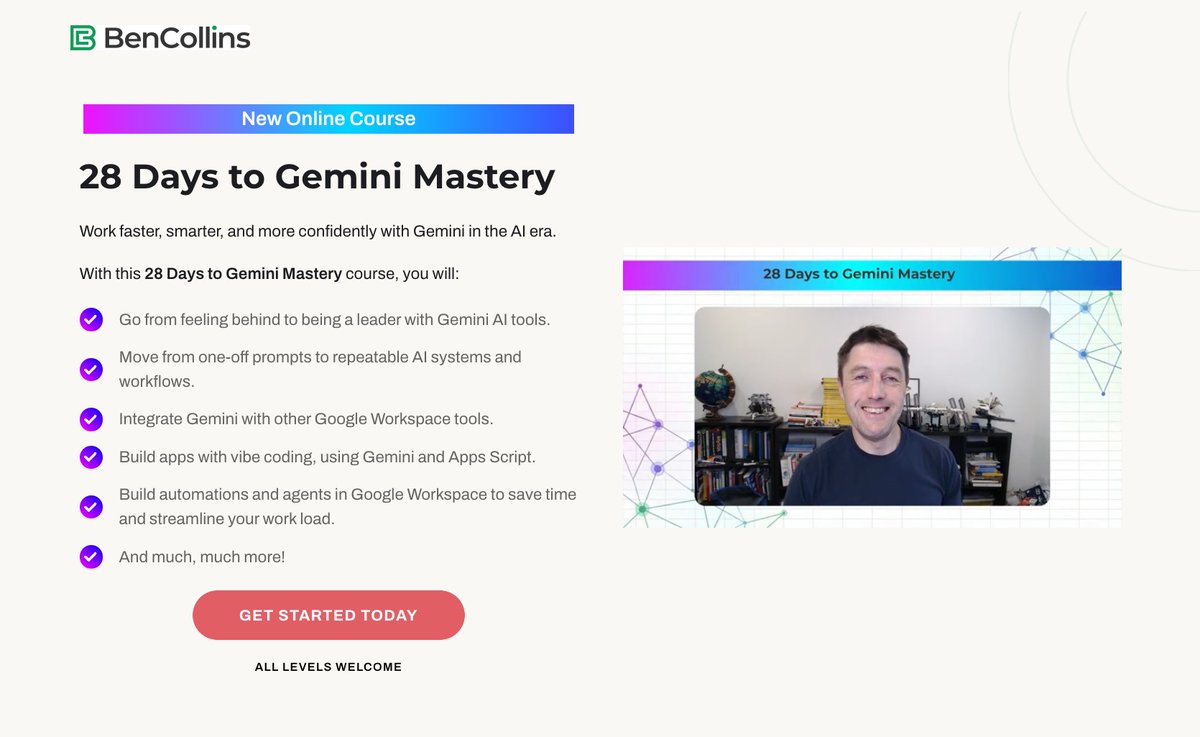
🚀 My new course is live: 28 Days to Gemini Mastery
Stop using Gemini for one-off prompts. Start building real AI workflows, automations, and agents.
$50 off for the next 96 hours — just $99 instead of $149.
👉 https://t.co/JefsqAADqY
"encode expert judgment once, deploy it as an API, and every AI agent in your stack builds against it."
This is where we're headed. World-leading expertise on any subject available to everyone via agents making simple api calls. Fascinating example.
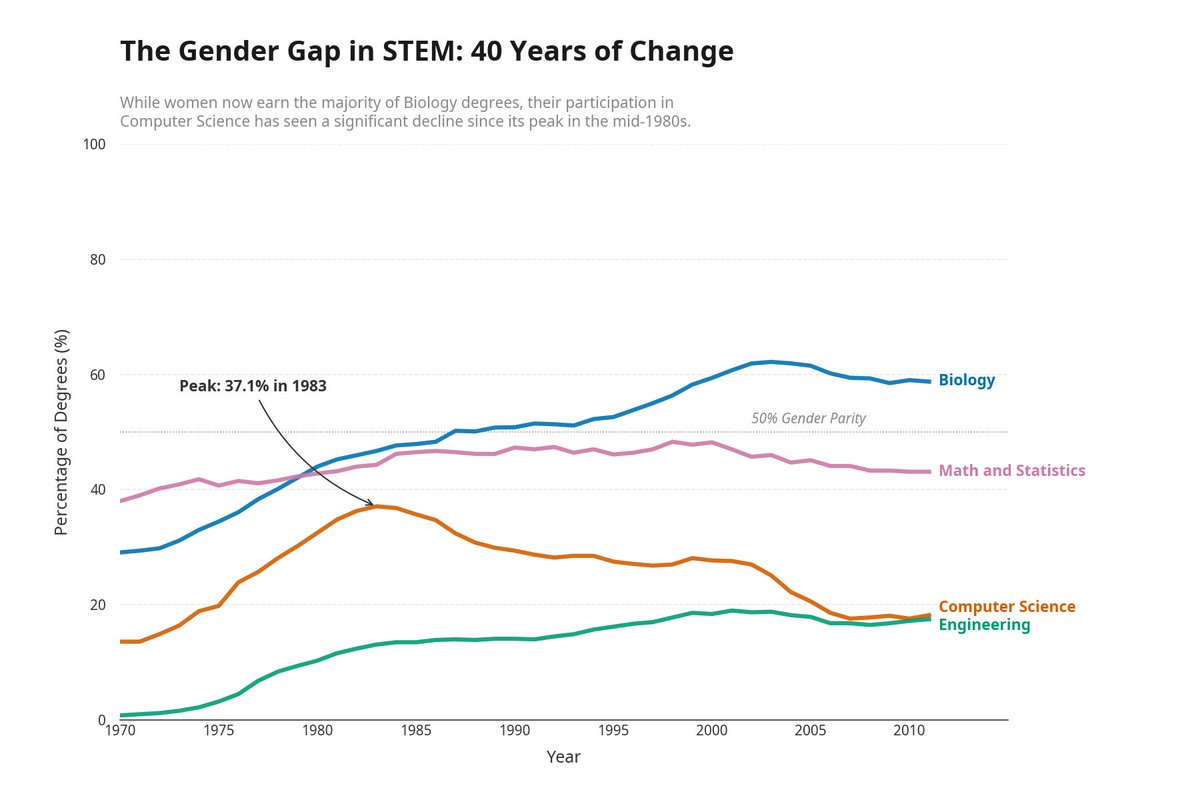
This week, I encoded Edward Tufte's data visualization principles into an API. Then I let an AI agent try to pass it.
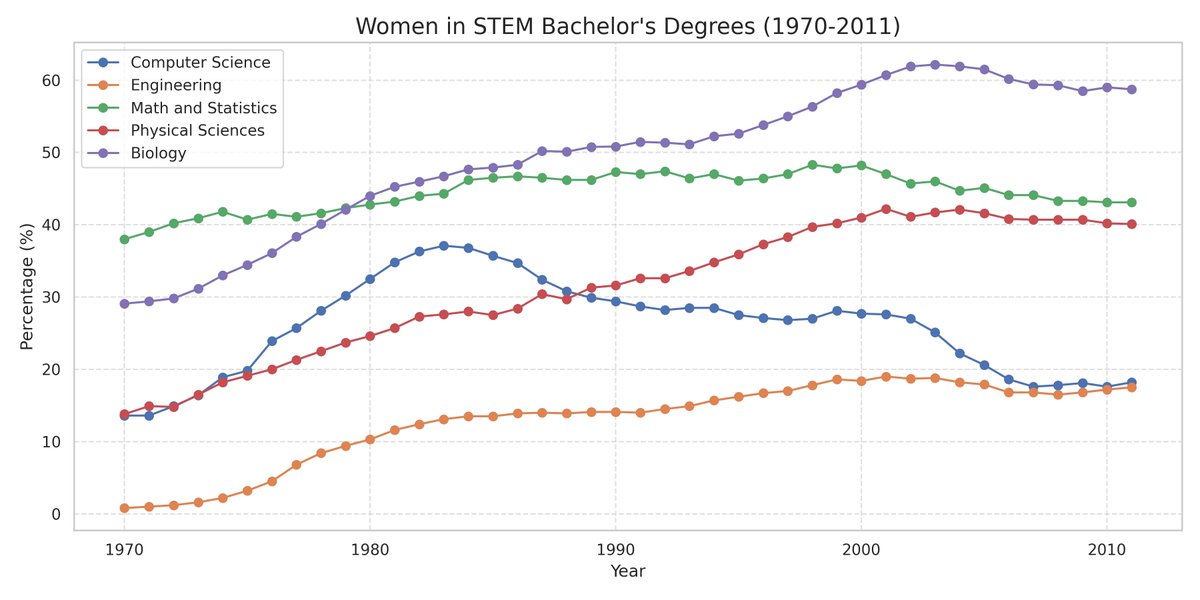
I gave @ManusAI a CSV of women's bachelor's degree percentages across STEM fields (1970-2011) and one prompt: visualize this data.
It produced a standard chart. Correct data, readable axes, nothing wrong. But a legend box instead of direct labels. No annotations calling out the rise and fall of women in Computer Science. Default colors. This is what every AI agent produces right now.
So I pointed it at the Tufte Test, a quality standard I built in Truesight that checks charts against seven of Tufte's core principles. The API came back: fail on direct labeling and integrated annotations. Five other criteria passed.
A quality standard gives an agent something a vague prompt never can: a precise list of exactly what to fix.
Manus revised on its own. Legend box became direct endpoint labels. A subtitle surfaced the key insight. An annotation marked the Computer Science peak at 37.1% in 1983. Two prompts total from me. Everything else was autonomous.
Any AI agent that can call an API could do this. What matters is the pattern: encode expert judgment once, deploy it as an API, and every AI agent in your stack builds against it. Your taste becomes infrastructure at scale instead of manual review.
The Tufte Test is available as a template in Truesight if you want to try it on your own charts.
Full writeup + demo video: https://t.co/Xkc9AK87xG
vibe coding in AI Studio just got a major upgrade 🚀
• multiplayer: build real-time games & tools
• real services: connect live data
• persistent builds: close the tab, it keeps working
• pro UI: shadcn, Framer Motion & npm support
we can't wait to see what you build!
@iamladix@GoogleWorkspace indeed. And this could easily be extended too. E.g. a second agent generates a fresh report of expenses each week and # of violations
Building an agent with the new @GoogleWorkspace Studio:
- HR receives photo receipt via email
- Agent extracts data from photo
- Logs data in a Google Sheet
- Gemini identifies if the expense violates HR policy
- If yes, sends a chat notification to HR
- Creates a task to review item in Tasks
Amazing what you can build now!
Introducing the new @stitchbygoogle, Google’s vibe design platform that transforms natural language into high-fidelity designs in one seamless flow.
🎨Create with a smarter design agent: Describe a new business concept or app vision and see it take shape on an AI-native canvas.
⚡️ Iterate quickly: Stitch screens together into interactive prototypes and manage your brand with a portable design system.
🎤 Collaborate with voice: Use hands-free voice interactions to update layouts and explore new variations in real-time.
Try it now (Age 18+ only. Currently available in English and in countries where Gemini is supported.) → https://t.co/pmT9iHEpZa
I always wanted a GUI for the Sparkline function in Google Sheets because the syntax is tricky.
So I built one for myself!
What might have taken days or weeks to build manually before, now took about an hour with @antigravity