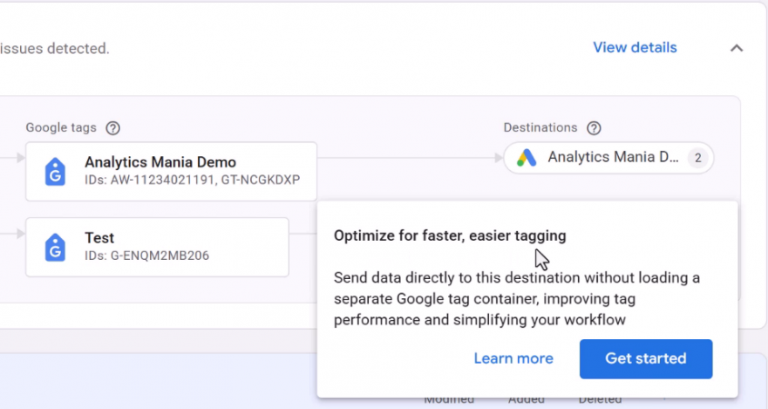
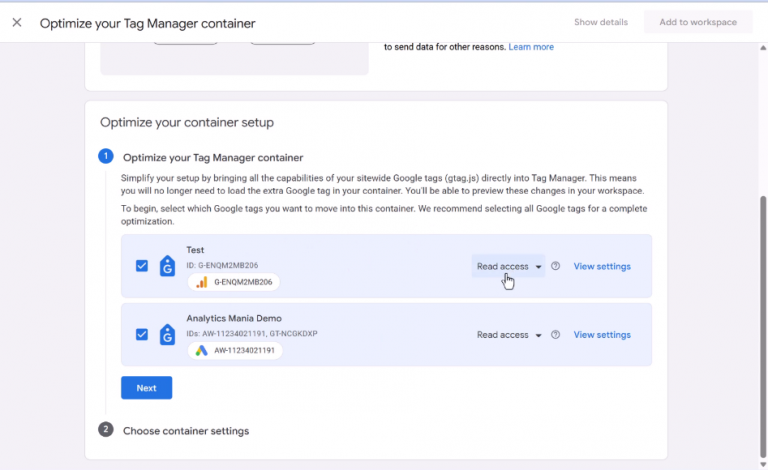
New video: GTAG is now part of Google Tag Manager, but the new setup can take some getting used to. I tested several scenarios to see how it works in practice, and I’m sharing my findings in this video.
https://t.co/1qVeOsOc6f
#gtm#googletagmanager
So if you have been eyeing Analytics Mania's courses for a while, now is the time. Prices are at their lowest this year, the content is fresh, and course updates are always free (the GA4 one too).
There won't be a Christmas sale after this one.
3/3
I've spent the last two months updating my courses after Google's changes to Google Tag Manager. All my GTM courses are now done, and the GA4 course is about 80% there (it should be finished in 2-3 weeks).
2/3
New video: Google Data Manager is now available in GA4, giving you one place to manage data sources and platform connections. This video walks you through Data Manager and how it can improve your analytics setup.
https://t.co/38KgTnQ23T
#ga4#googleanalytics#googleanalytics4
New video: What GA4 calls an “engaged” session is not as useful as it sounds. This video breaks down what counts as engagement, where the metric falls short, and what you can track instead.
https://t.co/Ii1Vyd90rH
#ga4#googleanalytics#googleanalytics4
New video: If you test your tags in GTM, see that they fire, and think that your testing is done, you're making a mistake. In this tutorial, I'll show you 3 more things to verify that your tags are actually working as expected.
https://t.co/FGXsnPQqBi
#gtm#googletagmanager
New video: Conversions API has become a common part of web analytics and paid advertising setups. This video breaks down how it works, why platforms are encouraging its use, and the options available for implementing it.
https://t.co/eYH926eoo9
#gtm#googletagmanager
New video: The recent GTM update brought a lot of changes and just as many questions. This video answers the most common ones, including whether SGTM and Consent Mode are affected, what to do with lookup tables, and what to keep in mind during migration.
https://t.co/E7j9QtwVfQ
Using Google Tag Manager? A big heads-up -> Major Google Tag Manager Update: Optimized Tagging Experience
"If you opened Google Tag Manager recently, you might have noticed a new Settings section, a diagram of your Google tags, and an invitation to optimize your container. There are also changes to the tag types you use for Google Analytics and Google Ads."
"In a nutshell, Google is bringing Google tag and Google Tag Manager together. The Optimized Tagging Experience lets GTM send data to Google destinations without loading the additional Google tag libraries, and moves shared tag settings into the container."
"The migration wizard handles much of the work. But you still need to choose which settings to keep, review who gets access, and test your tracking before publishing."
https://t.co/mEMYFdNoAO via @fedorovicius
You probably already saw this in your feed today, but here's the video version.
Google Tag and GTM are being merged. I walk through what's changing, how to migrate, and which settings to check.
👉 https://t.co/zMb2Up4of9
#measure#googleanalytics#googletag#googletagmanager
New video: Server-side tracking can look fine even when data is not reaching platforms like Google Ads or Meta. This tutorial shows how to debug your setup, find where data gets lost, and monitor it after launch.
https://t.co/DDQDaPASZt
#gtm#googletagmanager
MeasureSummit is this week: free, online, Oct 7–8.
I'm opening Day 1 with a keynote on data enrichment with SGTM. I'm also looking forward to talks on AI agents in analytics, testing sGTM before it goes live, KPI benchmarking, and many more
https://t.co/zoegp0J8iV
New video: The right power-ups can make a server-side GTM setup more reliable and accurate. Stape offers 5 features that help improve tracking and make your setup more resilient to common browser limitations. See the full list.
https://t.co/tf5xOt4xj5
#gtm#googletagmanager
New video: Server-side tracking is becoming more common, but it is not always the right choice. In this video, you’ll learn how it compares with client-side tracking and which setup makes more sense for your website.
https://t.co/thtOFm46fG
#gtm#googletagmanager
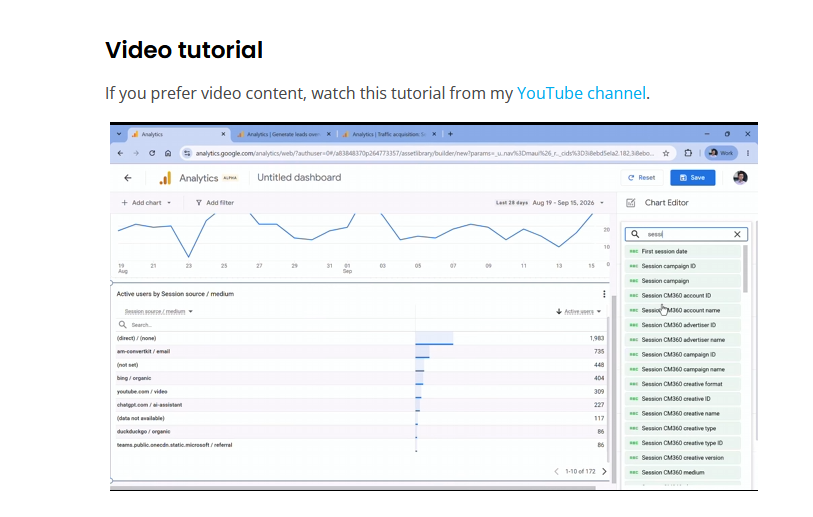
Great tutorial from @fedorovicius, but like he says in the article, if you want advanced dashboards then stick with Data Studio. He also includes a video tutorial -> Google Analytics dashboards. A step-by-step guide
"However, I will be honest upfront. This feature is probably aimed at complete beginners in analytics, or those who just need basic stats in a single canvas (without building external dashboards in Data Studio)."
"This feature does feel a bit underwhelming, with limited options. If your needs go even slightly beyond the beginner level, you should probably stick with Data Studio (at least)."
https://t.co/6PBx9Xncev
Until now, looking at data inside GA4 meant two options: Standard Reports and Explorations. Neither is great when you just want to quickly check a few specific numbers.
Now Google has released Dashboards. Here's how to use it (with a few gotchas):
https://t.co/kixeE1rJLv
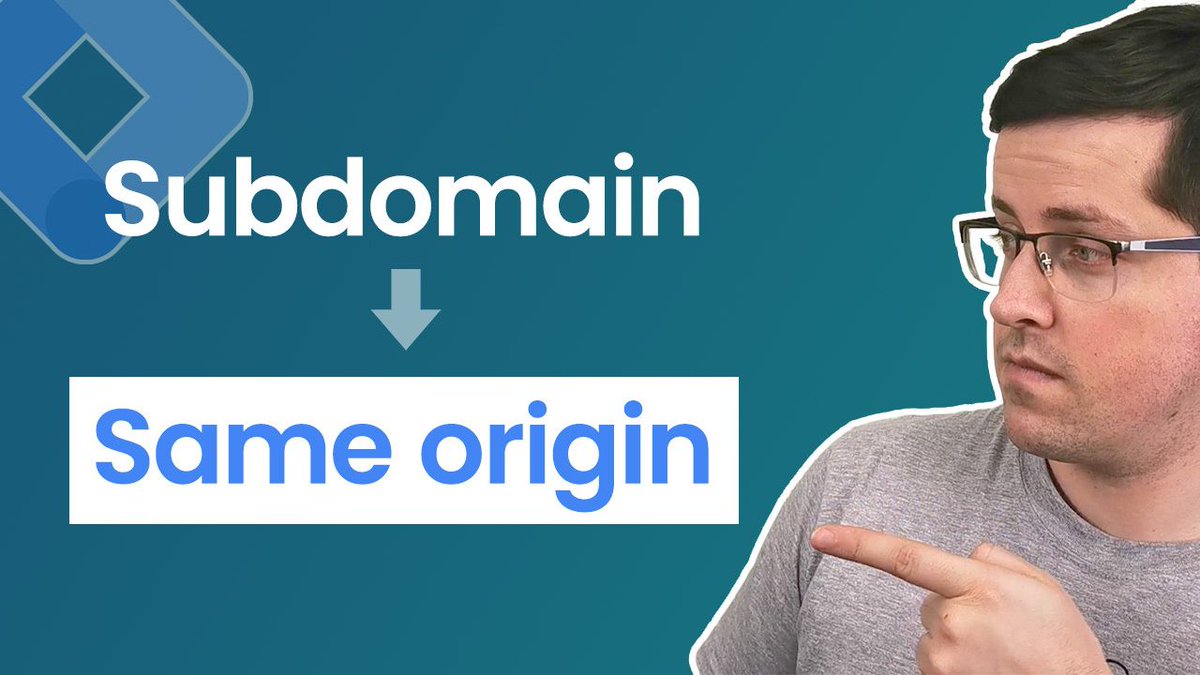
New video: Safari and iOS can limit your measurement setup even if you are using server-side Google Tag Manager. Learn why a same-origin setup is now recommended for more reliable tracking, and see how to configure it in this video
https://t.co/TJQ9TUTIXo
#gtm#googletagmanager