If Ads CPA looks fine but CRM or revenue CPA got worse, check what is Primary before you loosen targets or raise budget.
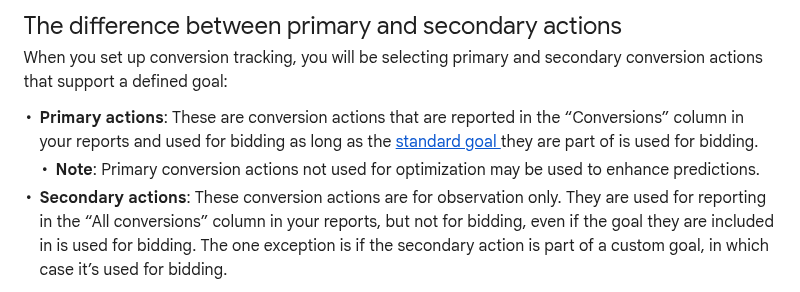
Smart Bidding optimizes the Conversions column. Primary actions in a goal the campaign uses for bidding land there. Secondary actions are observation-only in All conversions, unless you pull them into a custom goal.
So soft events as Primary (page view, begin checkout, add to cart, form start) teach bidding the wrong lesson. Ads CPA can look healthy while closed deals and revenue drift.
Also check lag. Enhanced conversions and offline imports can make Ads look ahead of CRM for days. Help notes a standard 7-14 day Smart Bidding learning window, and imported conversions take time to land. Reconcile a matched window before you call the CPA "fixed".
Do this before you change Target CPA or Target ROAS:
- List every Primary action on the goals your Search, Shopping, PMax, and Demand Gen campaigns actually bid on
- Move soft funnel events to Secondary unless that volume is the real business outcome
- Segment Conversions by Conversion action name
- Match Ads vs CRM for the same 7-14 day window (conversion time, not click time if your CRM uses close date)
Takeaway: a pretty Ads CPA is only useful if Primary equals the outcome finance cares about.
If your Demand Gen CPA just got prettier, check what you are optimizing for before you scale.
Two settings can make Demand Gen look like Meta on purpose:
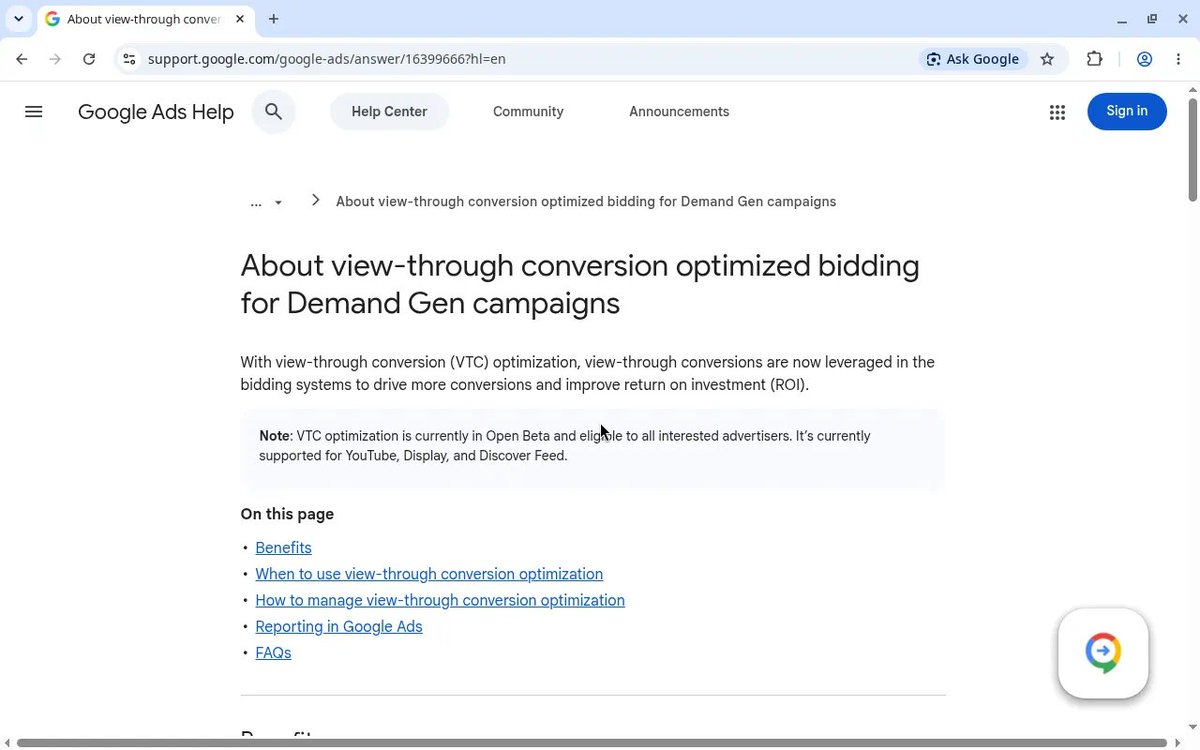
- View-through conversion (VTC) optimization
- Demand Gen Campaign Type Attribution
Google now frames pairing them as the most apples-to-apples comparison with social platforms that bid on views by default and give full path credit.
What that means in the account:
VTC optimization (Open Beta, ON by default on new Demand Gen):
- Puts view-throughs into the Conversions column as biddable events for video on YouTube, Display and Discover
- A view is at least 1 pixel on-screen for any duration
Campaign Type Attribution (Beta via your Google rep):
- Scopes data-driven attribution to Demand Gen only
- DG can take full credit instead of sharing with Search or PMax
Useful when you deliberately want Meta-style reporting. Risky when Ads CPA is your decision metric. Stacking 1-pixel view credit with unshared DG attribution can inflate Demand Gen conversions, double-count against Search in the same account, and feed those numbers into Smart Bidding.
Do this before you raise budget:
- Segment Conversions by Ad event type (Impression = VTC)
- Confirm your VTC window (Help recommends 1 day for primary VTCs)
- Reconcile Ads conversions to CRM
Help already notes VTCs often will not export to third-party systems, so a gap is expected.
If Ads CPA looks fine but CRM or revenue CPA got worse, check what is Primary before you loosen targets or raise budget.
Smart Bidding optimizes the Conversions column. Primary actions in a goal the campaign uses for bidding land there. Secondary actions are observation-only in All conversions, unless you pull them into a custom goal.
So soft events as Primary (page view, begin checkout, add to cart, form start) teach bidding the wrong lesson. Ads CPA can look healthy while closed deals and revenue drift.
Also check lag. Enhanced conversions and offline imports can make Ads look ahead of CRM for days. Help notes a standard 7-14 day Smart Bidding learning window, and imported conversions take time to land. Reconcile a matched window before you call the CPA "fixed".
Do this before you change Target CPA or Target ROAS:
- List every Primary action on the goals your Search, Shopping, PMax, and Demand Gen campaigns actually bid on
- Move soft funnel events to Secondary unless that volume is the real business outcome
- Segment Conversions by Conversion action name
- Match Ads vs CRM for the same 7-14 day window (conversion time, not click time if your CRM uses close date)
Takeaway: a pretty Ads CPA is only useful if Primary equals the outcome finance cares about.
If your Demand Gen CPA just got prettier, check what you are optimizing for before you scale.
Two settings can make Demand Gen look like Meta on purpose:
- View-through conversion (VTC) optimization
- Demand Gen Campaign Type Attribution
Google now frames pairing them as the most apples-to-apples comparison with social platforms that bid on views by default and give full path credit.
What that means in the account:
VTC optimization (Open Beta, ON by default on new Demand Gen):
- Puts view-throughs into the Conversions column as biddable events for video on YouTube, Display and Discover
- A view is at least 1 pixel on-screen for any duration
Campaign Type Attribution (Beta via your Google rep):
- Scopes data-driven attribution to Demand Gen only
- DG can take full credit instead of sharing with Search or PMax
Useful when you deliberately want Meta-style reporting. Risky when Ads CPA is your decision metric. Stacking 1-pixel view credit with unshared DG attribution can inflate Demand Gen conversions, double-count against Search in the same account, and feed those numbers into Smart Bidding.
Do this before you raise budget:
- Segment Conversions by Ad event type (Impression = VTC)
- Confirm your VTC window (Help recommends 1 day for primary VTCs)
- Reconcile Ads conversions to CRM
Help already notes VTCs often will not export to third-party systems, so a gap is expected.
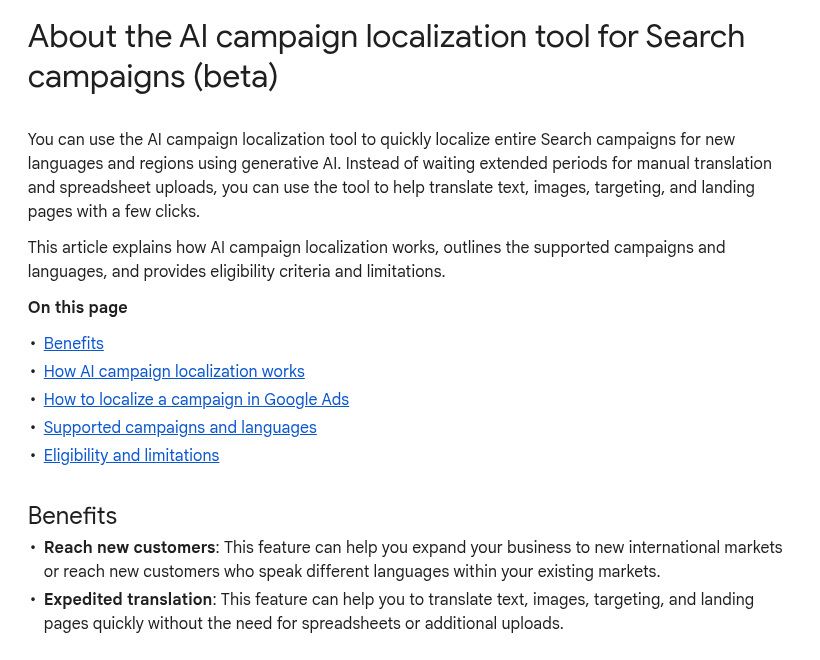
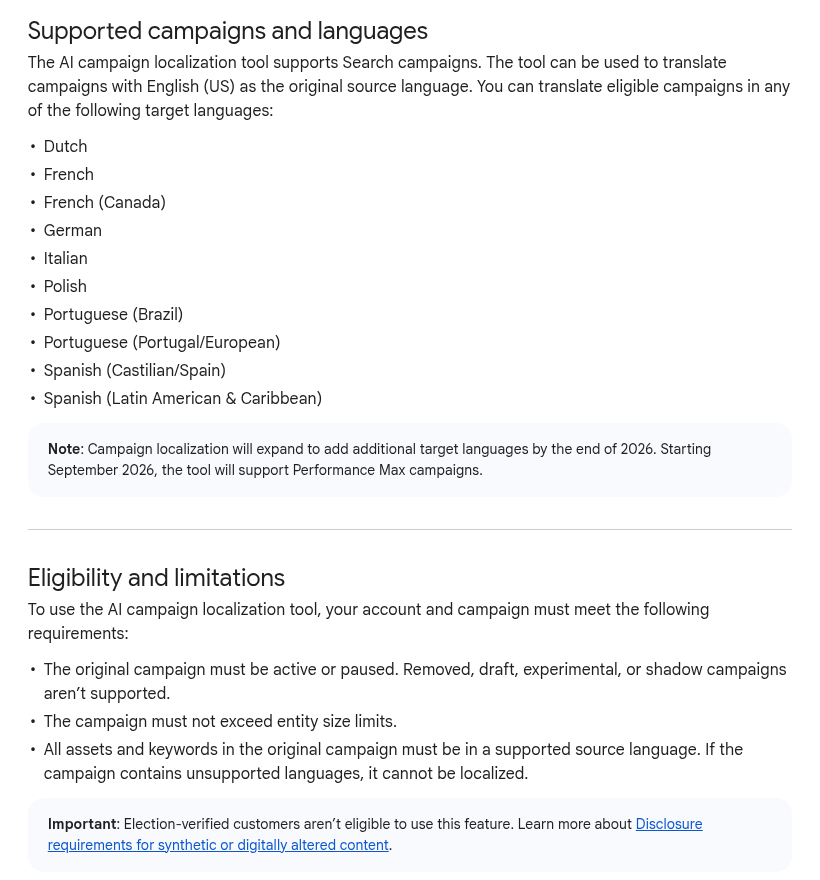
Google just shipped a beta that can spin a whole Search campaign into another language without touching the original.
AI campaign localization: pick an eligible English (US) Search campaign, choose target language, location and budget, and generative AI builds a new, independent campaign. The source stays as is. Headlines, descriptions, sitelinks, callouts and keywords get translated. Images with text overlays get the text in-painted out, with the message added as text assets. You review in a four-column table (original, translation, back-to-English, notes), can leave free-text instructions like "do not translate the brand," and publish paused by default.
Dutch is on the day-one language list, so NL/BE tests from a US-English source are suddenly a few clicks away. Entry points: Campaigns table, Tools > Localization, or an Optimization score localization recommendation.
The traps matter more than the wizard. Budgets and bids copy 1:1 with no FX, so a $100 US budget is still $100 in the new market. Translated keywords are not researched keywords. Local query language still wins. Landing pages: either a Google JS machine-translate snippet, or bulk URL find-and-replace. Neither is a native market page.
Treat the output like any new market draft: bids, keyword research and LP quality still need a human pass. And before you scale that geo on a copied budget with loose translations, sanity-check traffic quality so you are not learning from junk.
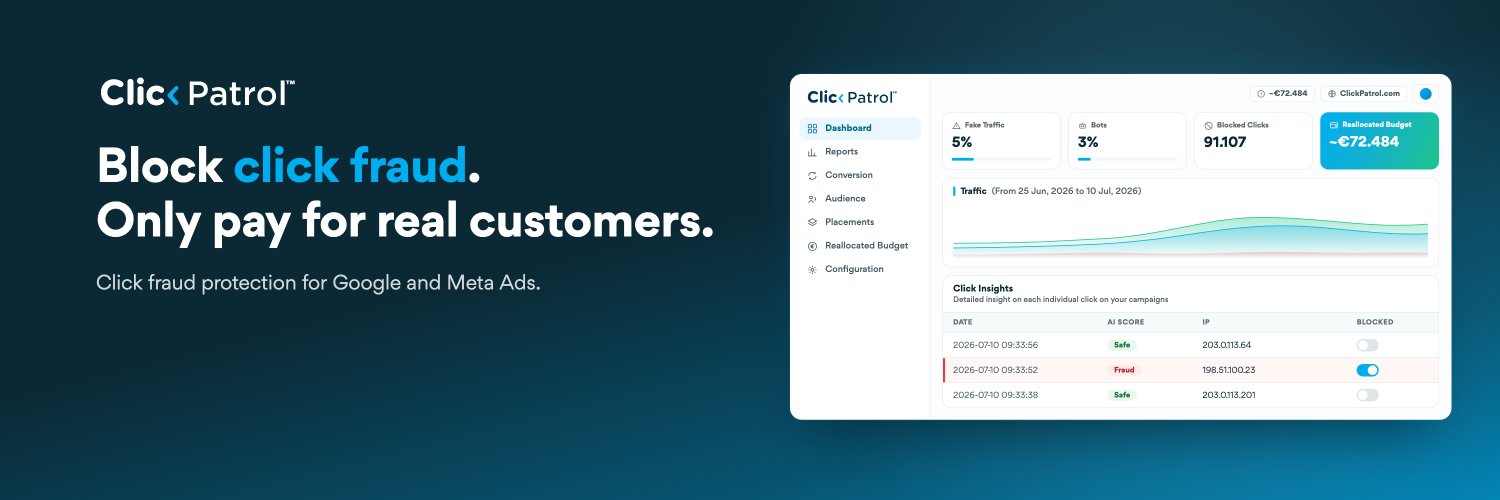
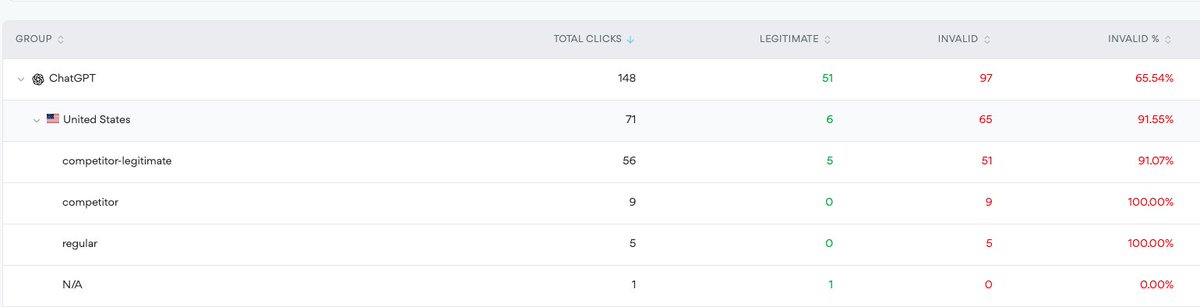
148 clicks via OpenAI ads in the U.S. Of those, more than 91.55% are from bots.
Cost: $213.
Real human clicks: 6.
That’s a lucrative business model for those guys! Especially if you’re working with soft conversions.
We (@clickpatrol) have a solution for that, at any rate.
148 clicks via OpenAI ads in the U.S. Of those, more than 91.55% are from bots.
Cost: $213.
Real human clicks: 6.
That’s a lucrative business model for those guys! Especially if you’re working with soft conversions.
We (@clickpatrol) have a solution for that, at any rate.
Google just shipped a beta that can spin a whole Search campaign into another language without touching the original.
AI campaign localization: pick an eligible English (US) Search campaign, choose target language, location and budget, and generative AI builds a new, independent campaign. The source stays as is. Headlines, descriptions, sitelinks, callouts and keywords get translated. Images with text overlays get the text in-painted out, with the message added as text assets. You review in a four-column table (original, translation, back-to-English, notes), can leave free-text instructions like "do not translate the brand," and publish paused by default.
Dutch is on the day-one language list, so NL/BE tests from a US-English source are suddenly a few clicks away. Entry points: Campaigns table, Tools > Localization, or an Optimization score localization recommendation.
The traps matter more than the wizard. Budgets and bids copy 1:1 with no FX, so a $100 US budget is still $100 in the new market. Translated keywords are not researched keywords. Local query language still wins. Landing pages: either a Google JS machine-translate snippet, or bulk URL find-and-replace. Neither is a native market page.
Treat the output like any new market draft: bids, keyword research and LP quality still need a human pass. And before you scale that geo on a copied budget with loose translations, sanity-check traffic quality so you are not learning from junk.
Separate from campaign settings: Google's holiday agentic commerce update is mostly Merchant Center and discovery plumbing, but Shopping/PMax people will feel it if product data is weak.
New Google Shopping post (16 Sep): AI performance insights in Merchant Center now GA in AU, CA, IN, NZ, and the US (share of voice style view across AI Mode / AI Overviews). Business Agent for YouTube ads is in US beta so shoppers can ask product questions inside the ad. UCP checkout hub in Merchant Center adds cart transfer and better checkout testing.
And they keep hammering feed quality, including conversational attributes and video link for richer AI recommendations.
The boring part is still the highest leverage. Google cites ~5% conversion lift the month after merchants adopt core Merchant Center feed best practices. If AI surfaces are going to recommend your SKUs, incomplete attributes and stale availability will lose the auction before your bid strategy matters.
Primary Google post: https://t.co/D2IpQGAEUL
Rethink hub: https://t.co/HmRiMLW8t8
If you run Shopping or PMax into Q4, flag this one before you lock creative and feed workflows.
In the new Ads Decoded episode (Ginny Marvin with Enric Durany, after Rethink Retail NYC), Google calls out AI Max for Shopping as open beta, with text customization and Final URL expansion. Framing is holiday-intent capture: let the system rewrite/adapt text and expand landing destinations as search demand shifts, instead of only serving static product-ad copy against a fixed URL set.
For practitioners, that is not "turn it on and forget." Text customization changes what shoppers read. Final URL expansion changes where they land. Both need the same discipline you already use for RSA/AI Max on Search: tight product titles and descriptions in the feed, landing pages that can absorb expanded URLs without soft 404s or thin variants, and a clear read on branded vs non-brand before you let expansion roam.
If you test it, isolate the beta on a clean Shopping/PMax cut, watch search-term and landing-page reports weekly, and do not judge week-one CPA against a tightly controlled standard Shopping baseline. Intent capture and efficiency are different jobs.