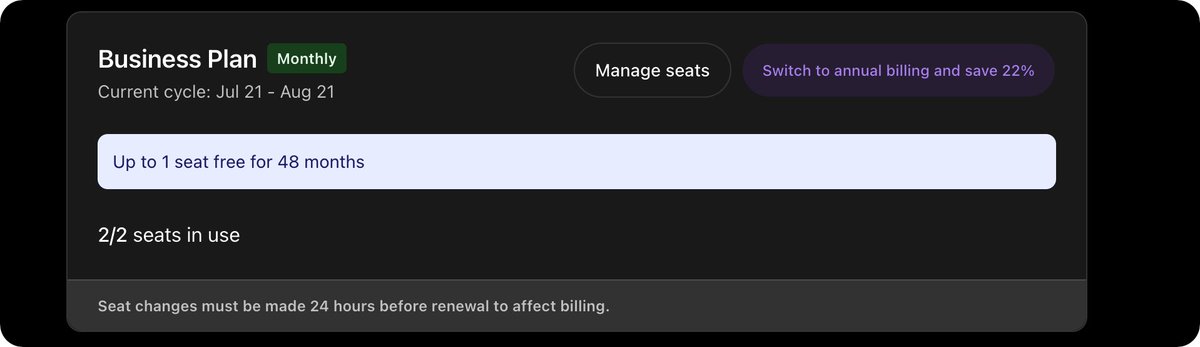
chatgpt 48teams Business Plan group buy — looking for one more person to join. The cost will be split 50/50. Price: $10 or RMB 80, with a guarantee included.
I Got SuperGrok Heavy for $99. Then I Discovered What It Actually Unlocks.
I wasn’t planning to spend this much time with Grok this week.
Then yesterday, while checking my AI subscriptions, my account showed me an offer for SuperGrok Heavy at $99/month.
I subscribed mostly out of curiosity.
Then I linked my Grok account to Cursor.
And this showed up:
Cursor Ultra — $0.
That got my attention.
Cursor normally lists Ultra at $200/month, and its official documentation says qualifying SuperGrok Heavy subscribers can link their Grok account to a Cursor account and receive Cursor Ultra at no additional charge while the Heavy subscription stays active.
So what started as:
“I’ll try the expensive Grok plan for a month.”
quickly turned into:
“Wait… what exactly am I getting access to here?”
And that rabbit hole led me to Grok Build.
Grok Build is more interesting than I expected
If you already use Claude Code, Codex CLI, or other terminal coding agents, the basic idea will feel familiar.
You open a repository, run the agent from the terminal, and tell it what you want done.
But Grok Build isn’t just a chat interface wrapped around a coding model.
xAI currently describes it as an extensible coding agent that can run through an interactive terminal UI, headlessly in scripts and automations, or through ACP inside other applications. The current documentation also says Grok Build uses Grok 4.6.
That makes the product much more interesting to me than simply asking:
“Is Grok good at writing code?”
The better question is:
“Can Grok become part of an actual software engineering workflow?”
So I started digging.
Getting started takes almost no effort
On macOS, Linux, or Git Bash:
curl -fsSL https://t.co/zvYwCqTXEG | bash
Then:
grok --version
And when a new version comes out:
grok update
xAI’s current documentation confirms the same installation flow.
Once installed, go into a project:
cd your-project
grok
The first launch opens a browser for authentication.
For a remote server or CI environment, you can also authenticate with an API key:
export XAI_API_KEY="xai-your-key"
grok
Or use device authentication:
grok login --device-auth
At that point, you can just start talking to your repository.
Something like:
Explain the architecture of this repository.
Find out why the integration tests are failing.
Review the auth module for obvious problems.
Refactor this API without changing its public interface.
Add tests for this bug before fixing it.
That part isn’t particularly revolutionary.
Most modern coding agents can do some version of this.
The interesting stuff starts when you look at how Grok Build handles the environment around the model.
The first thing I’d configure is not a prompt
It’s AGENTS.md.
If I were introducing Grok Build into a serious repository, this would be the first file I’d spend time on.
Instead of repeatedly telling the agent:
use pnpm
don’t touch generated files
run tests before finishing
don’t add dependencies without asking
follow our existing database patterns
you put those rules into the repository.
For example:
# Project
Next.js + TypeScript + PostgreSQL
## Commands
Install:
pnpm install
Test:
pnpm test
Lint:
pnpm lint
Build:
pnpm build
## Engineering Rules
Use TypeScript strict mode.
Do not introduce new dependencies without asking.
Do not modify generated files.
Use existing database helpers.
Every bug fix should include a regression test.
Run tests and lint before declaring the task complete.
Now the repository itself starts carrying instructions for the agent.
This sounds simple, but I think it’s one of the most important ideas in AI-assisted development.
A coding agent shouldn’t require you to re-explain your engineering culture every time you open a new session.
grok inspect is a command more people should use
After setting up a repository, run:
grok inspect
Grok can show what it discovered in the current directory, including rules, skills, plugins, hooks, MCP servers, and configuration sources.
I like this because one of the frustrating parts of coding agents is figuring out why they behave the way they do.
When an agent suddenly starts following an unexpected convention, you want to know:
What instructions is this thing actually seeing?
grok inspect gives you a way to check.
That makes the agent itself a little easier to debug.
For anything complicated, I’d use Plan mode first
Inside the interactive UI:
/plan
Or give it a specific task:
/plan Refactor the authentication flow without changing the public API
For a tiny typo, obviously this is overkill.
But once a change spans several files, I don’t want an agent immediately charging into the repository and editing everything it sees.
I’d rather have it first explain:
What does it think the problem is?
Which files does it expect to change?
What assumptions is it making?
What could break?
How will it verify the result?
Then let it execute.
This is one of the bigger lessons I’ve learned from using coding agents in general:
Reliability comes from workflow design as much as model intelligence.
Git worktrees are a natural fit for coding agents
This might actually be one of my favorite ideas in Grok Build.
You can start a session in a new Git worktree:
grok -w
The current CLI also lets you name the worktree or choose the Git ref it should be based on.
Why does this matter?
Because I don’t necessarily want an AI agent experimenting inside the exact working tree where I’m already halfway through something.
A separate worktree gives it room to work.
It can refactor.
It can break tests.
It can try an approach that turns out to be terrible.
And then I can review the diff before deciding whether any of it belongs in my real branch.
The easier experimentation is to undo, the more willing I am to let an agent experiment.
That’s probably going to become increasingly important as coding agents become more autonomous.
Headless mode changes what Grok Build can be used for
The interactive terminal is only one interface.
For one-off scripted tasks:
grok -p "Explain the architecture of this codebase"
Or:
grok -p "Find the likely cause of these failing tests"
It can also produce streaming structured output:
grok -p "Analyze performance bottlenecks" \
--output-format streaming-json
xAI explicitly positions headless mode for scripts, automations, bots, and integration into other applications.
This is where I think coding agents become much more interesting.
Imagine plugging an agent into a workflow that automatically investigates a failed CI build.
Or asks it to summarize a dependency upgrade.
Or inspect a repository before a migration.
Or analyze a regression and produce a first-pass investigation.
At that point, the coding agent stops being something you manually chat with all day.
It starts becoming infrastructure.
There’s also --always-approve
You can do things like:
grok -p "Refactor the auth module and write tests" \
--always-approve
The current CLI even exposes --yolo as an alias.
Yes, really.
Would I use that everywhere?
Absolutely not.
The more autonomy you give an agent, the more important permissions become.
For a disposable worktree or a controlled experiment, automatic approval can be extremely convenient.
For a production environment containing credentials, infrastructure access, databases, or destructive commands?
I’d want much tighter boundaries.
Speed is useful.
Reversibility is more useful.
Sessions don’t have to disappear when you close the terminal
You can continue the latest session for the current directory:
grok -c
Or resume a specific session:
grok -r <session-id>
And manage previous sessions with:
grok sessions list
Those commands are part of the current Grok CLI.
This sounds like a minor feature until you work on something that takes several days.
Real engineering tasks aren’t always:
prompt → code → done
Sometimes you investigate an issue, change three things, discover the original assumption was wrong, come back tomorrow, run another test, and continue.
Persistent sessions make that workflow feel much more natural.
ACP is another part I want to explore
Grok Build can also run as an ACP agent:
grok agent stdio
That means the agent doesn’t have to live exclusively inside xAI’s own terminal interface. Other ACP-compatible applications can interact with it as an agent.
This direction interests me a lot.
I don’t think the future of coding agents is:
one model + one terminal + one editor
I think it’s more likely that developers will have agents moving between repositories, editors, CI, browsers, issue trackers, internal tools, and cloud environments.
The interface becomes less important.
The agent becomes a capability other tools can call.
And then there’s the SuperGrok Heavy / Cursor connection
This is the part that originally sent me down this rabbit hole.
After subscribing to SuperGrok Heavy, I linked the Grok account to Cursor.
Cursor’s official documentation says qualifying Heavy subscribers can receive Cursor Ultra at $0 while the Heavy subscription remains active. The promotion links one Grok account to one Cursor account.
Cursor separately lists Ultra at $200/month.
That means, at least for the offer currently showing on my account, I’m not evaluating Grok in isolation anymore.
I’m looking at an AI development stack that includes access across Grok, Grok Build, and Cursor Ultra.
That makes the economics much more interesting.
I wouldn’t assume the $99 offer I saw is available to every account or in every region, so check your own subscription page before making any purchasing decision.
But if your account shows the same thing, it’s worth doing the math.
My current take
I’m still too early in testing to tell you Grok Build is “better” than Claude Code or Codex CLI.
And I don’t really want to do one of those comparisons where someone gives three agents a toy React task and declares a winner 20 minutes later.
What I care about is what happens after the demo.
Can it understand a messy real repository?
Can it locate the right code without being spoon-fed filenames?
Can it recover after taking the wrong approach?
How good is its planning?
How reliably does it use tools?
How often does it need human intervention?
How well does it follow repository rules?
How does it behave across long sessions?
And most importantly:
How much babysitting does it need?
That’s the test I’m interested in.
The more I use AI coding agents, the less I think the competition is simply:
“Which model writes the best code?”
The real competition is becoming:
Which system can take a real engineering task, operate safely inside a real repository, recover from mistakes, and reliably get to a verified result?
That includes the model.
But it also includes context, permissions, rules, Git isolation, memory, tools, planning, and verification.
Grok Build seems to understand that.
And the SuperGrok Heavy + Cursor Ultra situation is enough to make me spend more time testing it.
Next, I’m going to put Grok Build, Claude Code, and Codex CLI through the same real-world development tasks.
No toy benchmarks.
No “build me a todo app.”
Real repositories, failing tests, refactors, debugging, and multi-file changes.
I’ll share what works.
And more importantly, what breaks.
Follow me if you’re also trying to figure out which AI coding agents are actually worth using in real development.