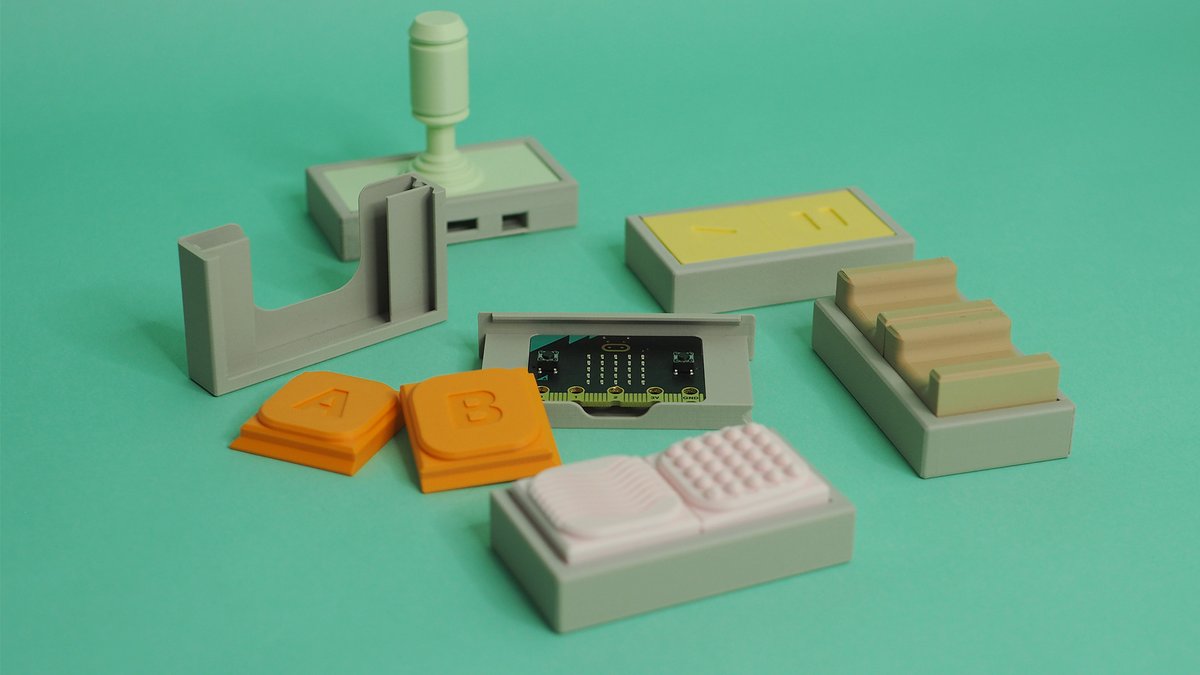
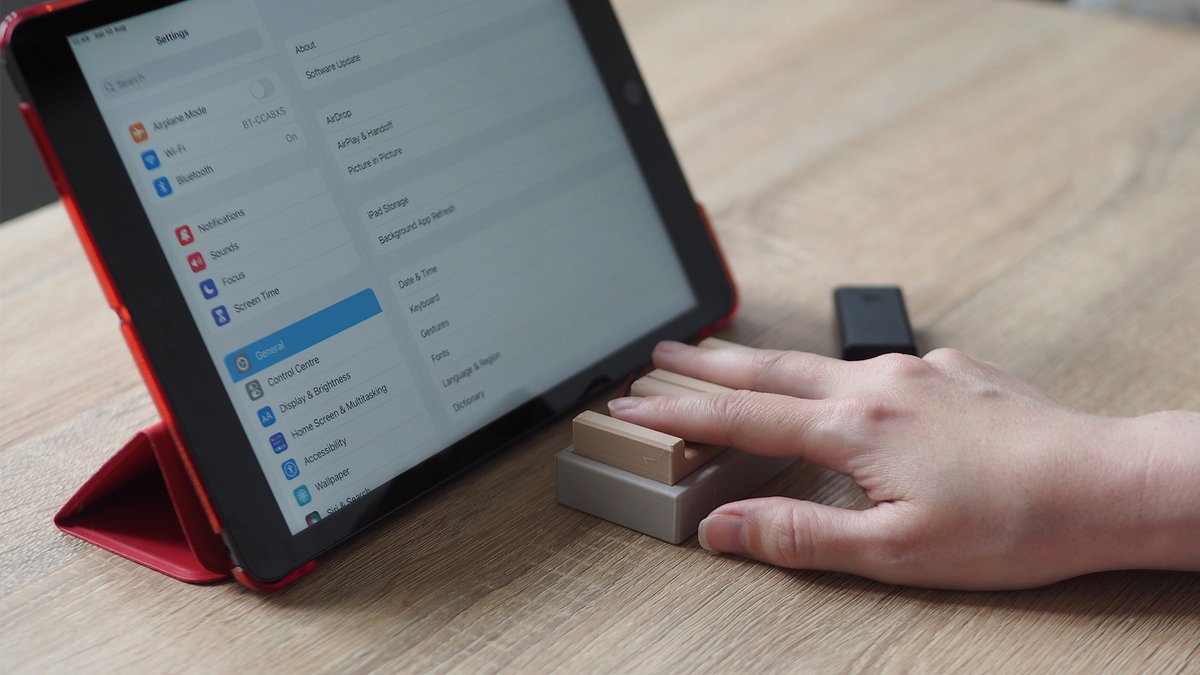
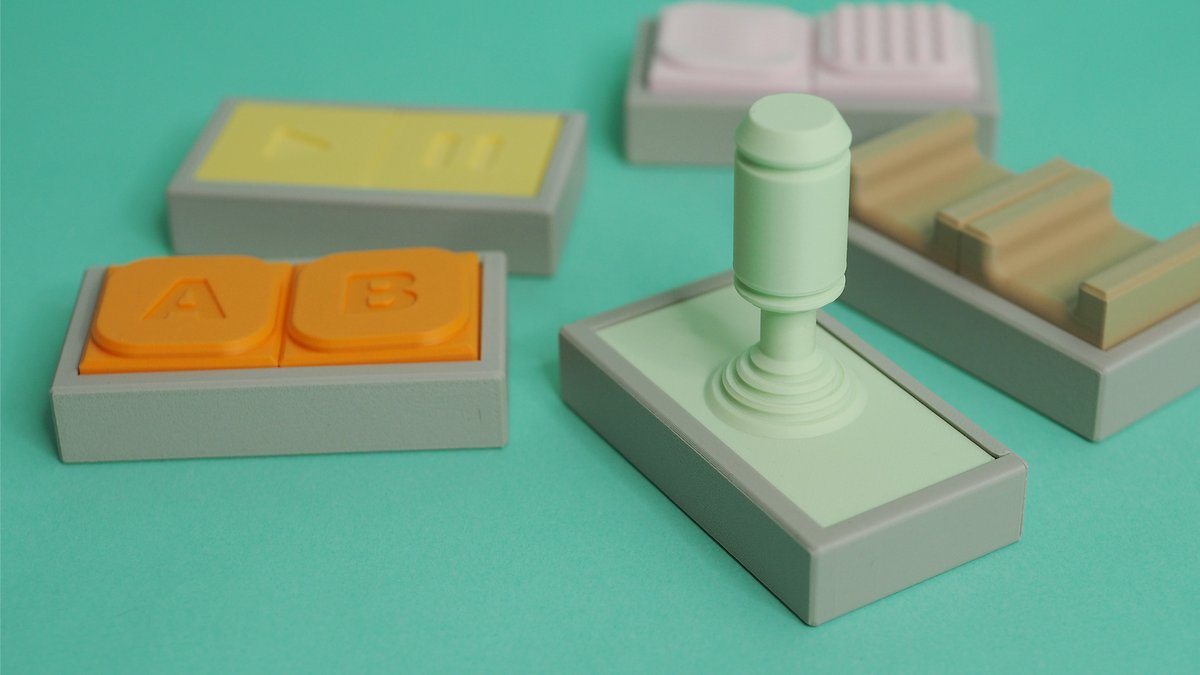
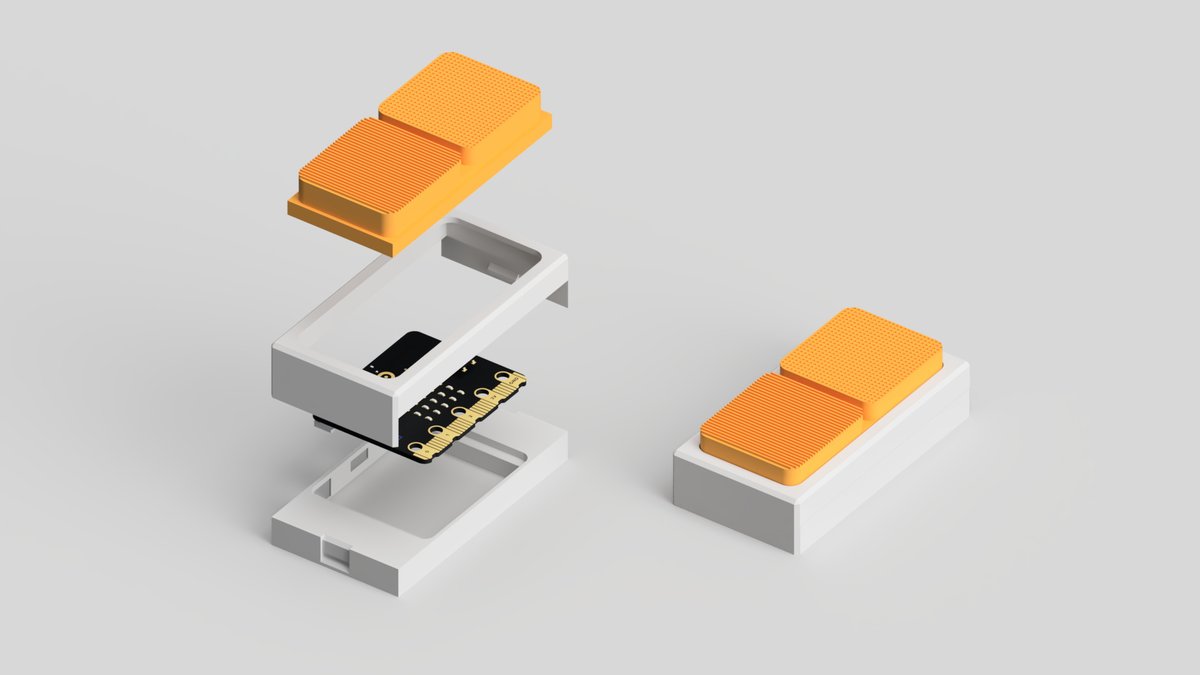
Join us for a virtual #3DPrinting and @microbit_edu assistive technology event on November 11 - hosted with occupational therapist @loretod101 and teaching professor @BillSiever - https://t.co/yWdCpLAgI2
@jillsciteach Great demo! It's been a while since I tried this, but you can also stream the data wirelessly, which I always thought would be ideal for egg drop tests! Here's a demo video: https://t.co/HDxjYRmAkW .
Last week, we launched Tap - a @microbit_edu bluetooth dual switch access device that enables people with disabilities to control mobile phones, tablets and computers. In addition to the project, we also released the files open-source! Grab them here - https://t.co/H6NQXcLAHi
Introducing Tap - a @microbit_edu powered dual switch access device that enables people with disabilities to control mobile phones, tablets and computers. Learn how to use @tinkercad or @adskFusion to design your own custom version in our latest project - https://t.co/35BRjUzxeV
Assistive technology doesn't need to be plain and 'medical-looking'. Here are some playful designs of our @microbit_edu assistive dual switch device - designed in @adskFusion and printed on the @BambulabGlobal P1S!
Working on a project that uses @tinkercad, @microbit_edu and #3Dprinting to create low-cost bluetooth switch access devices. Excited to explore various forms, materials, tactile graphics, mounting options, as well as different input and outputs in @MSMakeCode#AssistiveTechnology
@BobBilsland@CodeClub@malvern_wells@microbit_edu I'm happy to see others leveraging the library! The original version was written from scratch, but support for the micro:bit v2.1 was a little messy, so it's now just a wrapper around DAP.js. At this point the DAP.js library is doing all the hard work.
Work started on a new project that turns the @microbit_edu into an assistive dual switch access button, using @BillSiever's awesome BLE HID @MSMakeCode extension. It can also be customised with different button shapes and sizes, as well as mounting solutions!
@mrcodycreed@microbit_edu Cool idea! Here's a slight variation that uses an array/list: https://t.co/8gLZErP94U .
There are a couple of videos on how to make extensions, like https://t.co/rHTqE2Z2tc and https://t.co/rHTqE2Z2tc
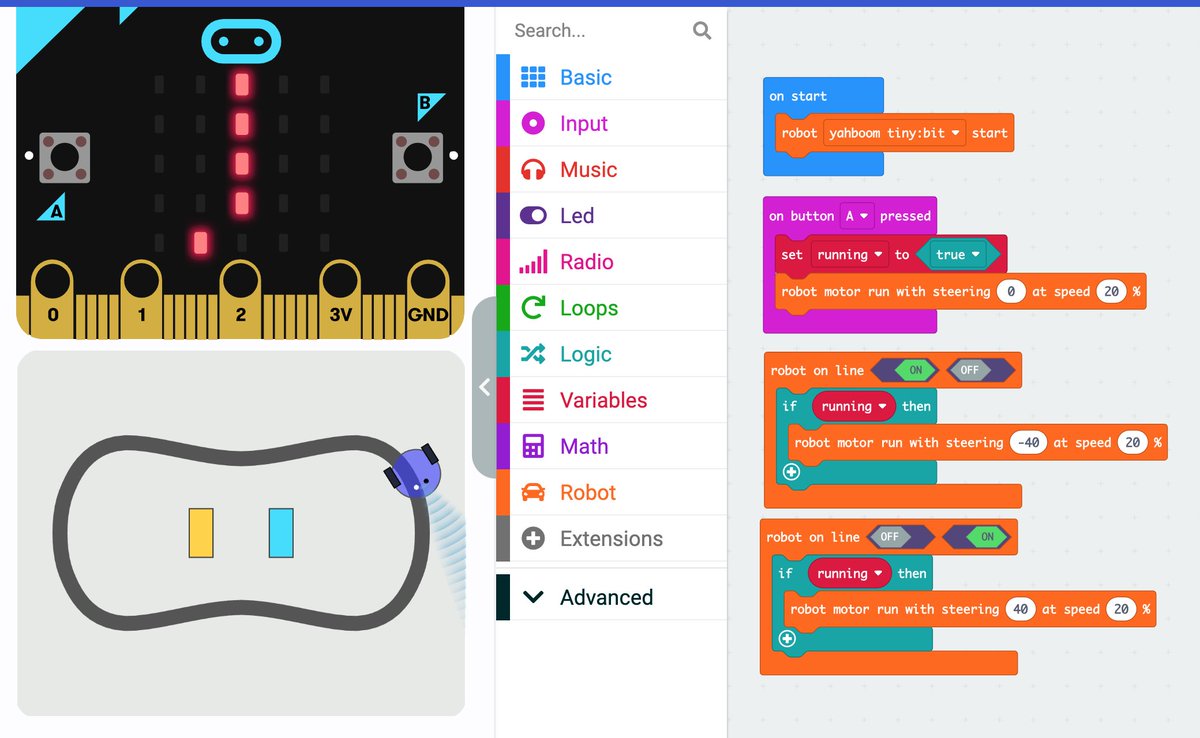
@minxtheminnie@microbit_edu@MSMakeCode Go to https://t.co/0cD4qlTNMZ, create a project, click on `+ Extensions`, enter "microbit robot" in the search bar and search, then click on the microbit-robot tile:
The @MSMakeCode for #microbit "Micro:bit Robot" extension (in beta) looks like a great addition! I love the simulated robot! Example Project: https://t.co/QzPeXVwkUe @microbit_edu
@pravin_vaz@microbit_edu It only appears when there is a message to display. If the `initialize` block fails or nothing sends a message, it won't receive anything to print. You might want to include both: 1) some `write line`s before the `initialize` and 2) an `every 1 s serial write line "update"`
Yesterday at Scoutbotics a great group of scouts made interactive micro:bit jack-o’-lanterns in addition to learning about robots and doing a robot build!
Thanks to @stlstubots and @stlbsa for all the hard work organizing and running the event! #microbit
@techmonstah Looks great @techmonstah ! Maybe a type of switch to detect when it's at the limits? Possibly tinfoil wrapped around the moving part, including both of its ends, with a wire connected to 3V. Then a wire from two pins (P1 and P2) to stops that it hits in each direction?
Anyone interested in using the micro:bit to create Assistive Devices should see @loretod101 's great post and build instructions https://t.co/2pGvX13sU2! #microbit