If you don't know, my CSS Tip website is open to advertisers. Don't miss the opportunity to promote your product and support my work!
Reach a wide audience of passionate web developers (~14.000 active users per month) starting from 150$/month.
https://t.co/Pvepfg9xvV
Creating Diagrams and Graphs Using Modern CSS
The final part of the connectors series: dynamic connections that pick the closest sides, static connections that always leave from the same edge, and some bendy, zig-zag, and spring connectors, all built with anchor positioning, border-shape, shape( https://t.co/djcyFTpRDD
📝 New CSS article!
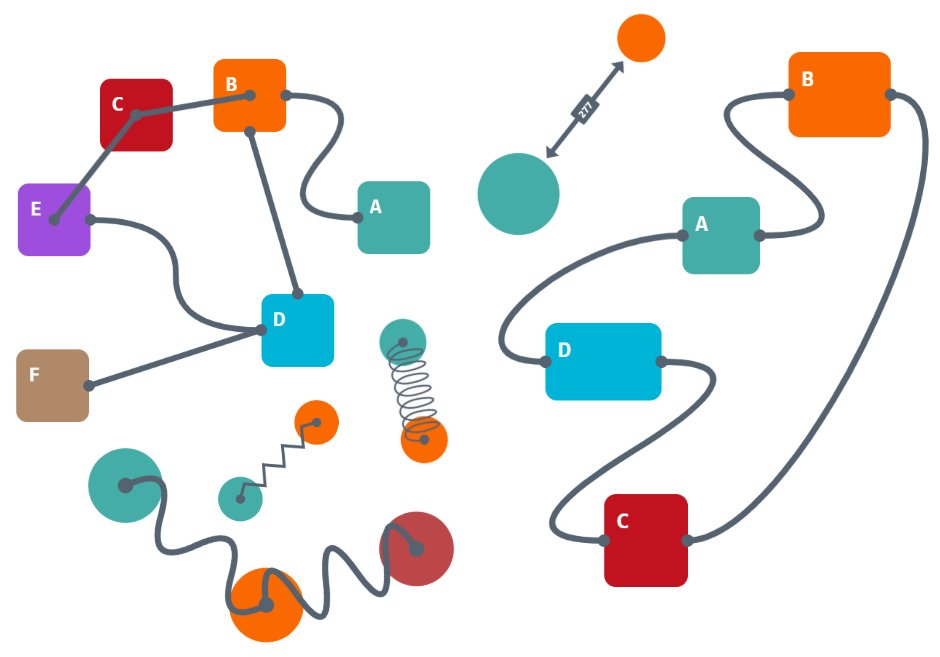
See the below graphs/connections? They are all made using pure CSS. They combine two features: anchor positioning & border-shape.
I wrote 3 articles detailing all the tricks, and the last one is live: https://t.co/m3FJ8pjkhH
Bending and stretching a line is good, but let's try something more mechanical: a foldable Zig-Zag connector.
https://t.co/Za0ZIJAYg5
Be careful, it's not as robust as a stretchy line, so don't ... too late, it's broken now 😣
A CSS-only low-quality connector 🫠
Bending and stretching a line is good, but let's try something more mechanical: a foldable Zig-Zag connector.
https://t.co/Za0ZIJAYg5
Be careful, it's not as robust as a stretchy line, so don't ... too late, it's broken now 😣
A CSS-only low-quality connector 🫠
Bending and stretching a line is good, but let's try something more mechanical: a foldable Zig-Zag connector.
https://t.co/Za0ZIJAYg5
Be careful, it's not as robust as a stretchy line, so don't ... too late, it's broken now 😣
A CSS-only low-quality connector 🫠
What about a straight line that bends when the circles get closer and stretches when they get farther. It's surely not possible using pure CSS, right? Right!? 👀
https://t.co/zPkuvQocmB
Probably my new favorite demo, powered by all the cool new stuff. 🤩
📝 New CSS Article!
Learn how I combined Anchor Positioning, border-shape, and other modern CSS features to create the connection below.
https://t.co/AXBW14JcF7
That's the simplest example. Another article will cover more complex ones!
The future of CSS is awesome. 🤩
More range sliders with fancy shapes? Let's go! This time with a tooltip showing the value.
curve, wave, zig-zag, arc ... Which one do you prefer?
https://t.co/w4PWuJ42gO
0% JavaScript and 100% CSS magic (border-shape, shape(), scroll-driven animations, and more!)
More range sliders with fancy shapes? Let's go! This time with a tooltip showing the value.
curve, wave, zig-zag, arc ... Which one do you prefer?
https://t.co/w4PWuJ42gO
0% JavaScript and 100% CSS magic (border-shape, shape(), scroll-driven animations, and more!)
Who said range sliders need to be straight and boring?! Hey CSS, distort the line! 〰️
https://t.co/tEGsdXei7A
Another funny demo powered by border-shape, scroll-driven animations, and more
The HTML code? Only an input element (no extra code is needed)
💡 CSS Tip!
Another cool shape that works well with random(): wavy dividers!
https://t.co/USLOQ4I1vj
Each visitor gets their own wavy shape for a unique experience.
💡CSS Tip!
Creating CSS Shapes is one of my favorite tasks, and now I can do something even better: Random CSS Shapes!
Let's start with Blobs.
https://t.co/4roW96VKke
You never see the same shape twice. A unique shape for a unique experience! 👀
📝 New CSS Article!
With Scroll-Driven Animations, you can transfer a value from one element to another anywhere on the page. I am using it to implement children-count().
Strange? Confusing? What the heck am I talking about?!
Read my latest article 👇
https://t.co/vWG97tgeei
📝 New CSS Article!
With Scroll-Driven Animations, you can transfer a value from one element to another anywhere on the page. I am using it to implement children-count().
Strange? Confusing? What the heck am I talking about?!
Read my latest article 👇
https://t.co/vWG97tgeei
💡 CSS Tip!
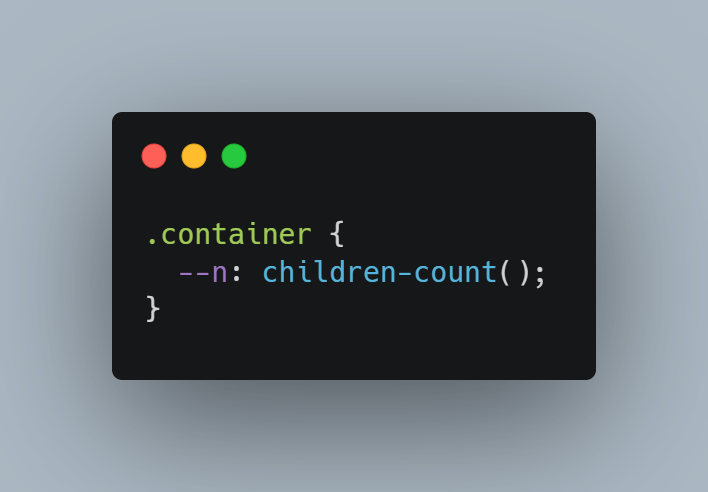
Want to know how many children your container has? We don't have children-count() yet, but we can implement it using modern CSS!
https://t.co/WXIdpyfxrH
A hacky experiment powered by Scroll-Driven Animations.
How would you use it? Share your use cases 👇
💡CSS Tip!
Creating CSS Shapes is one of my favorite tasks, and now I can do something even better: Random CSS Shapes!
Let's start with Blobs.
https://t.co/4roW96VKke
You never see the same shape twice. A unique shape for a unique experience! 👀
💡CSS Tip!
Creating CSS Shapes is one of my favorite tasks, and now I can do something even better: Random CSS Shapes!
Let's start with Blobs.
https://t.co/4roW96VKke
You never see the same shape twice. A unique shape for a unique experience! 👀
💡 CSS Tip!
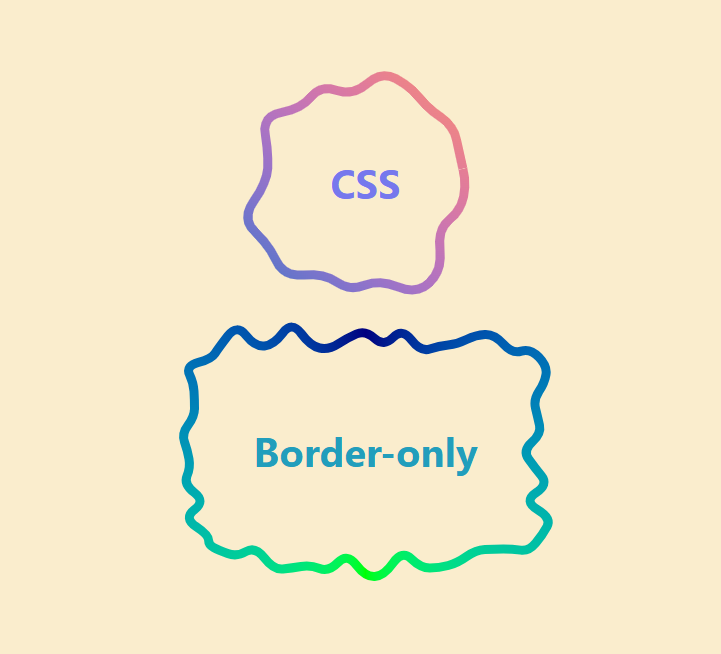
border-shape + border-area = The perfect combo 🪄
3 lines of code to create border-only shapes with gradient coloration. Absolutely any shapes, even the most complex ones! 👀
https://t.co/FhGkf4mFII