Customer hit me with this today:
“I am looking for a way to revoke session tokens on users who have not signed in for 90 days or longer to force them to use their password to update their last sign-in time.”
Why didn’t somebody tell me before how much money we’re burning on stale Entra member accounts? 😩
Right now in our tenant:
• 779 members in scope
• 21 idle 90+ days
• 47 never signed in
• 52 licensed & stale
Still paying for those licenses… still showing as “active” in reports… still a security hygiene nightmare.
The FREE Intune Dashboard just added the **Stale Users (P1)** view — one-click Revoke + Disable right there.
Forces fresh password sign-in, updates last activity, and lets you actually reclaim those licenses.
Stop feeding ghost accounts. DOGE would approve.
@MSIntune #Intune
Tenant enumeration is dead.
Microsoft has now patched both techniques that allowed full tenant domain discovery from a single unauthenticated request.
That changes recon against M365 environments significantly.
The signals still exist, tenant IDs, MOERA prefixes, brand metadata, but no single query gives you the full picture anymore. Effective enumeration now means chaining techniques together, validating against large datasets, and in some cases requiring authentication.
Juan Pablo Gomes Postigo breaks down:
• what the original technique was
• what still works today
• how we updated https://t.co/odd5t8dr5G going forward
https://t.co/NjDIibtx4V
#CyberSecurity #Pentesting #IdentitySecurity #SecurityResearch
Just pushed a minor update to #mimikatz 2 🥝(no - it's *NOT* the version 3) to support specific GMSA DPAPI passwords in LSA secrets to be able to to decrypt Masterkeys
> https://t.co/UNUIxSOhtS
Only for @topotam77 convenience ;)
13 weeks until the first Secure Boot certificate expires.
Two deadlines. Two phases. Four mitigations. Here is the full picture in one infographic.
June 2026: certificates must be deployed. October 2026: old CA revoked and SVN enforced. In between: BIOS updates across every physical device in your fleet.
If you are managing Windows devices, start with the BIOS assessment now. There is no shortcut.
See you on April 8th! https://t.co/8xwlycm4VO #SecureBoot #UEFI #Windows #CyberSecurity #Intune #SCCM #Firmware #BIOS #CVE202324932
🚨 Faites la mise à jour de votre iPhone et iPad AUJOURD'HUI s'ils tournent encore sous une version antérieure à iOS 26.3.1, iOS 18.7.6, iOS 16.7.15 et iOS 15.8.7 (soit 25% d'entre vous)
Le code source du logiciel espion DarkSword a été publié sur GitHub. Il est fonctionnel, n'importe qui peut l'utiliser contre vous désormais.
Le kit exploite six failles, dont trois zero-day. La chaîne commence par WebKit (le moteur de Safari), traverse plusieurs couches de sandbox, puis atteint le noyau d'iOS. En quelques minutes, contacts, messages, historique de navigation, trousseau iCloud et portefeuilles crypto sont exfiltrés vers un serveur distant.
Merci @Clubic pour l'alerte.
https://t.co/p3CjISOfUK
ADPulse. Active Directory security auditing tool that connects to a domain controller via LDAP(S), runs 35 automated security checks, and produces detailed reports in console, JSON, and HTML formats
https://t.co/ZHthfwTRLW
Just published my first Secure Boot assessment module.
Microsoft is replacing the UEFI Secure Boot certificates this year. Every physical Windows device needs a BIOS update before the certificate deployment can happen. That's a lot of devices across a lot of vendors and models to figure out.
This assessment module gives you:
- Fleet-wide BIOS version comparison against Dell, HP, and Lenovo minimum requirements (sourced from official vendor documentation)
- Direct Configuration Manager SQL query or CSV import
- Interactive HTML report with per-device status, vendor breakdowns, and model-level drill-down
- Standalone per-device readiness script with deployment stage detection and event log analysis
- Progress tracking across multiple assessment runs so you can see your remediation trend over time
- Configuration Manager package provisioning and BIOS update PowerShell script template
What's next:
- Intune and Configuration Manager compliance baselines
- Assessment coverage for Intune-only managed devices
- BIOS download automation
The vendor data covers three major OEMs. The goal is simple: a clear report and clear progress visibility across your fleet.
Available today for paid members: https://t.co/lImMFh8Bez
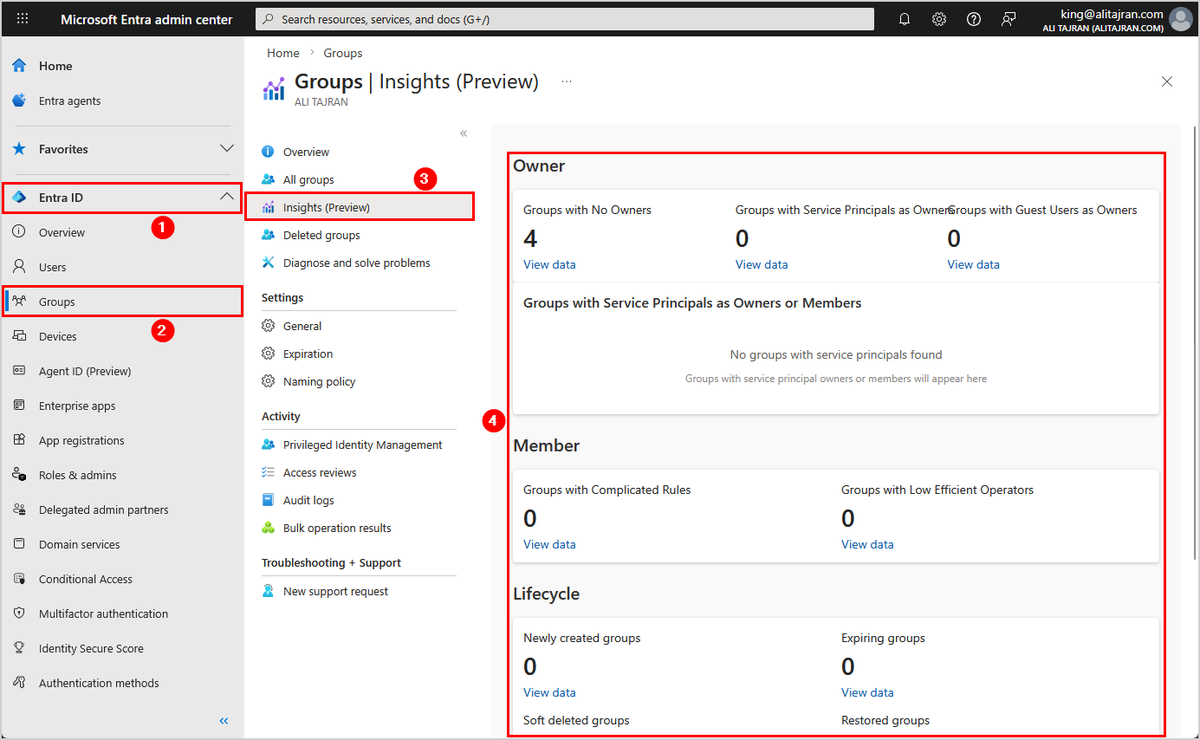
Microsoft finally introduces Group Insights in Microsoft Entra ID!
Organizations should look into their groups and clean them up regularly. Yet tenant-wide statistics show that very few actually do.
This changes now.
The Groups Insights dashboard now provides immediate visibility into common group hygiene and governance gaps, such as:
- Groups with no owners
- Groups with service principals as owners
- Groups with guest users as owners
- Groups with complicated rules
- Groups with low efficient operators
- Newly created groups
- Expiring groups
- Soft deleted groups
- Restored groups
- Groups without sensitivity labels
#EntraID #Microsoft365 #Microsoft
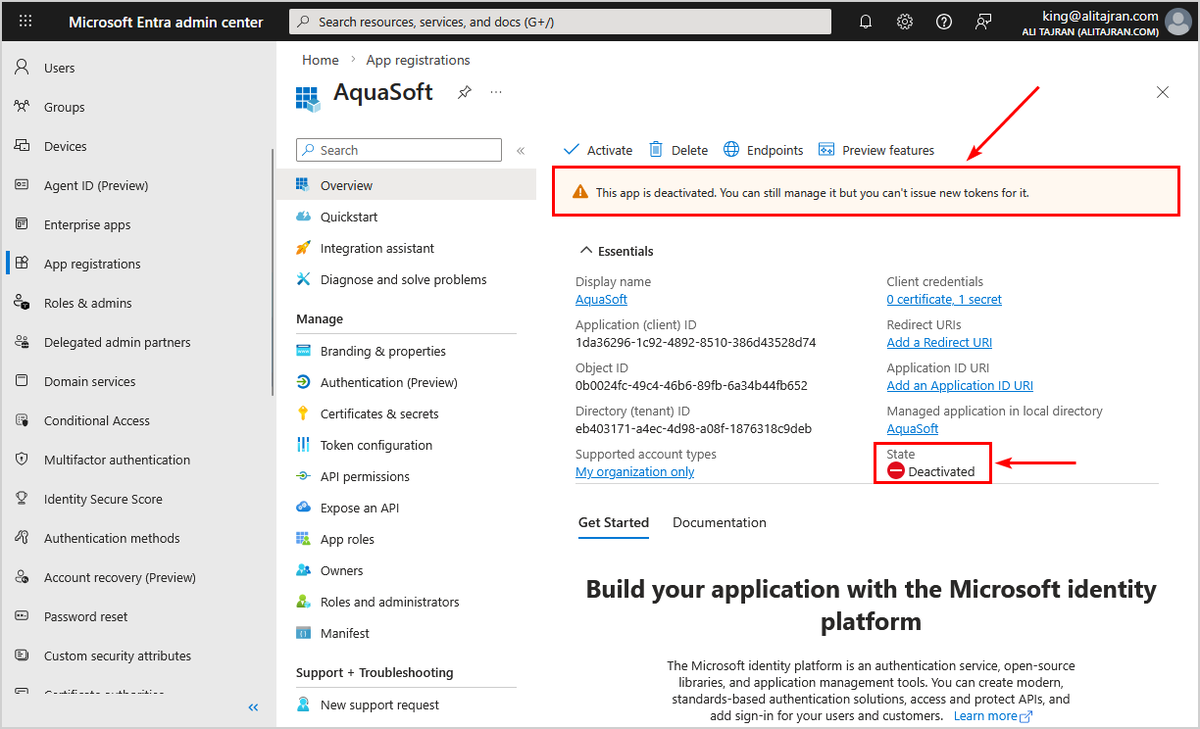
You can now deactivate app registration in Microsoft Entra ID!
Deactivating an app registration provides a reversible way to prevent the application from accessing protected resources without permanently removing it from your tenant.
When you deactivate an application, it immediately stops receiving new access tokens, but existing tokens remain valid until they expire. This approach is useful for security investigations, temporary suspension of suspicious applications, or when you need to maintain application configuration data.
Unlike permanently deleting an application, deactivation preserves all application metadata, permissions, and configuration settings, making it easy to reactivate the application if needed. The application remains visible in your tenant's enterprise applications list, but users can't sign in and no new tokens are issued.
When an application is deactivated, the following behavior occurs:
𝐈𝐦𝐦𝐞𝐝𝐢𝐚𝐭𝐞 𝐞𝐟𝐟𝐞𝐜𝐭𝐬:
- New access token requests are denied
- Users can't sign in to the application
- Application can't access protected resources with new tokens
𝐏𝐫𝐞𝐬𝐞𝐫𝐯𝐞𝐝 𝐞𝐥𝐞𝐦𝐞𝐧𝐭𝐬:
- Existing access tokens remain valid until their configured lifetime expires
- Application configuration, permissions, and metadata are preserved
- Application remains visible in Enterprise applications list with deactivated state
- Service principal object is maintained in the tenant with "isDisabled": true
When users attempt to sign in to a deactivated application, they receive an error message indicating the application has been disabled by its owner: AADSTS7000112 - Application is disabled. This is different from other error messages like invalid credentials or access denied.
Learn more:
https://t.co/hB3bTORwHo
Important: Application owners can re-activate an application after it has been deactivated. Therefore, remove all owners from the application before deactivating it. This ensures that only administrators can re-activate the application.
#EntraID #Microsoft365 #Cybersecurity
Defender for Office 365 now ships a ready‑to‑use Power BI template and an upgraded Sentinel workbook built on Advanced Hunting, designed for how security teams actually work.
https://t.co/RYY40kcLBq
Today I'm launching a free tool for anyone running Microsoft Entra PIM.
WatchTower PIM Assessment Tool
One PowerShell command. 5 minutes. Connects to your Log Analytics Workspace and gives you a full picture of how PIM is actually being used in your environment.
What you get:
- Activation patterns across users, roles, and groups
- Justification quality analysis
- Duration behavior and anomalies
- Day/hour heatmaps
- Complete data export
No infrastructure. No setup. Runs 100% locally on your machine.
Request the tool: https://t.co/1JxMO88anz
Available for end-user organizations only.
If you want continuous monitoring with AI-powered scoring and weekly reports, check out PIM Coach: https://t.co/uzcovmXpY6
#EntraID #Microsoft #PrivilegedIdentityManagement
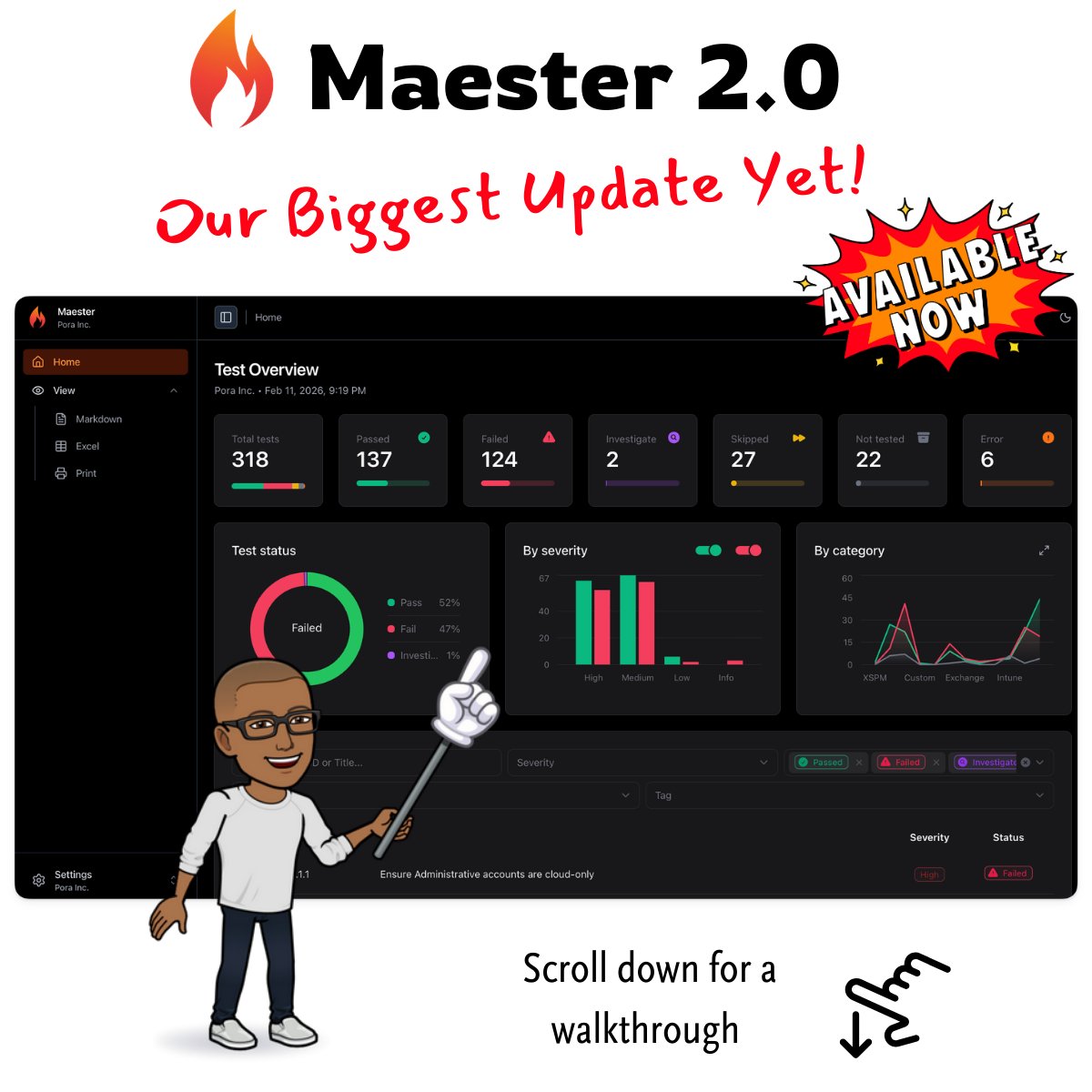
🔥 Maester 2.0 is LIVE! 🚀
And this one’s big.
💥 Over 1,000,000 Microsoft tenants have now used Maester 🤯.
An insane milestone that shows what happens when open-source meets real enterprise impact. Yes, that's not a typo. Maester has been used in over 1 million tenants.
A recent change to 1.1.1.1 accidentally altered the order of CNAME records in DNS responses, breaking resolution for some clients. Let's look at what happened and dive into the ambiguities of the DNS RFCs. https://t.co/2FbDT3tsW7
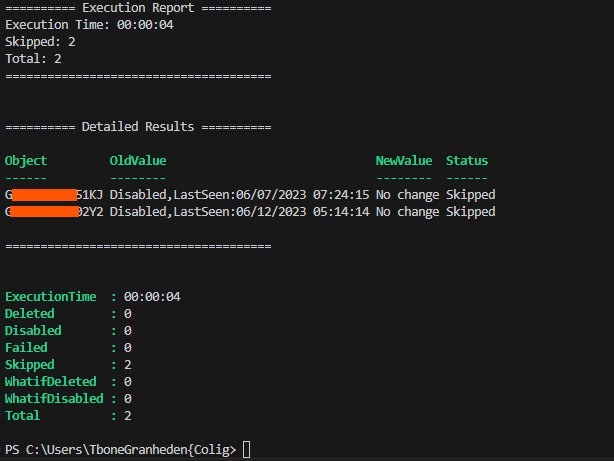
🥩🥩New Blog from Mr T-Bone: Updated My Script To “Cleanup Entra ID Devices”, Faster and better logging! Now quicker, smarter, and logs like a pro. Try it now, IT heroes!
#EntraID#Powershell#MVPBuzz#MrTboneBlog
👉👉 https://t.co/PSamvY4lik
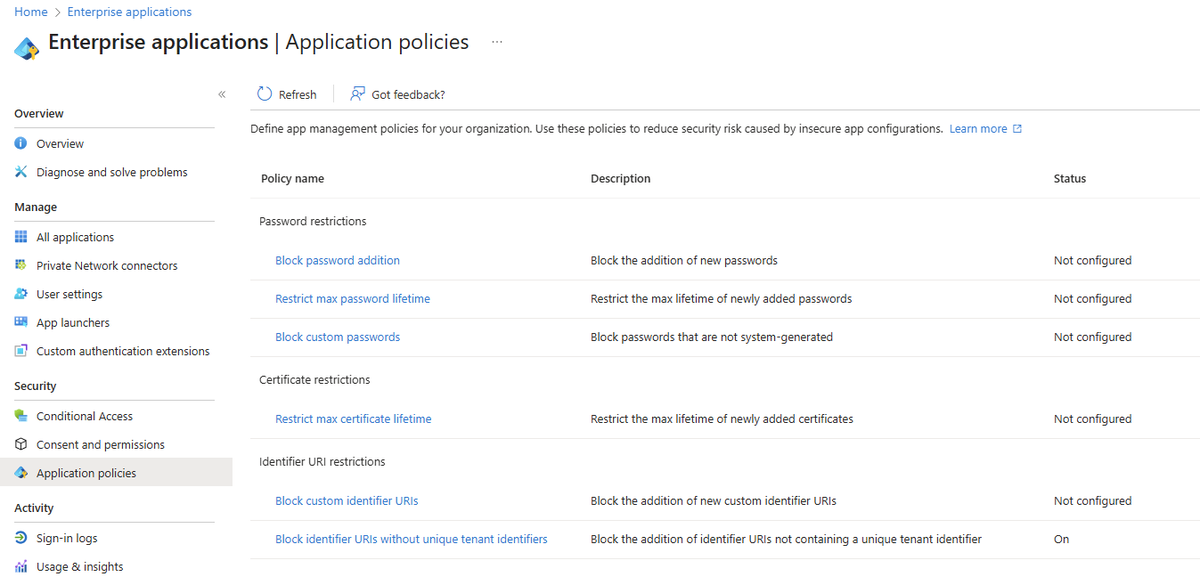
Great to see the new user experience being rolled out for managing application policies in Entra. Deploying controls to securely manage credentials across your applications & service principals is one of the most important things you can do as a defender. Previously it required accessing API's directly, so having an intuitive interface is a huge win.
Go check it out and start securing those apps
I built a massive Entra ID PIM Workbook for Sentinel. Now building the next phase:
🎯 "Entra ID PIM Coach" - AI-powered weekly reports
→ Scores your PIM behavior (justifications, duration, timing, etc)
→ Minus points for always requesting MAX duration
→ Azure OpenAI analyzes patterns & gives recommendations
Would you use this?
#EntraID #Microsoft #identitymanagement