Talk regularly with your child about #privacysettings on #socialmedia. You can’t control every aspect of their social media use, but you can focus on keeping the lines of communication open. For more info head to @eSafetyOffice Screen Smart #Parent Tour https://t.co/503J2pYK38
#Primaryschool#teachers register your class! FREE virtual classrooms for Safer Internet Day #SID2019 Your digital #superpower, Using the 4Rs ( Respect | Responsibility | Resilience | Reasoning ) to create positive online communities. Register: https://t.co/ChXgjIiMXO
Don’t know how to show your support for Safer Internet Day? We’ve developed a range of FREE downloadable resources including posters, web banners, social media tiles, logos & email signatures, you can use to plan & promote your #SID2019 activities. https://t.co/BqgAt1CySs
Got BeeBots? How about creating an AR world for it to travel. Create a story and program the beebot throughout the world. #ar#arvrinedu#stem#AugmentedReality
So here it is. A full tutorial to create that Water Cycle AR demo I posted. Keynote asset creation and the @ARMakrApp Please share with other teachers. Super easy and I promise you'll be creating AR magic by the end of it. #ar@AppleEDU#EveryoneCanCreate https://t.co/KmGsUgZ7PZ
Lots of questions from teachers about this. Will release a full tutorial on the weekend. Very easy. Stay tuned. Sorry I can’t reply to individual requests. #ARVRinEdu#ar@AppleEDU@ARMakrApp
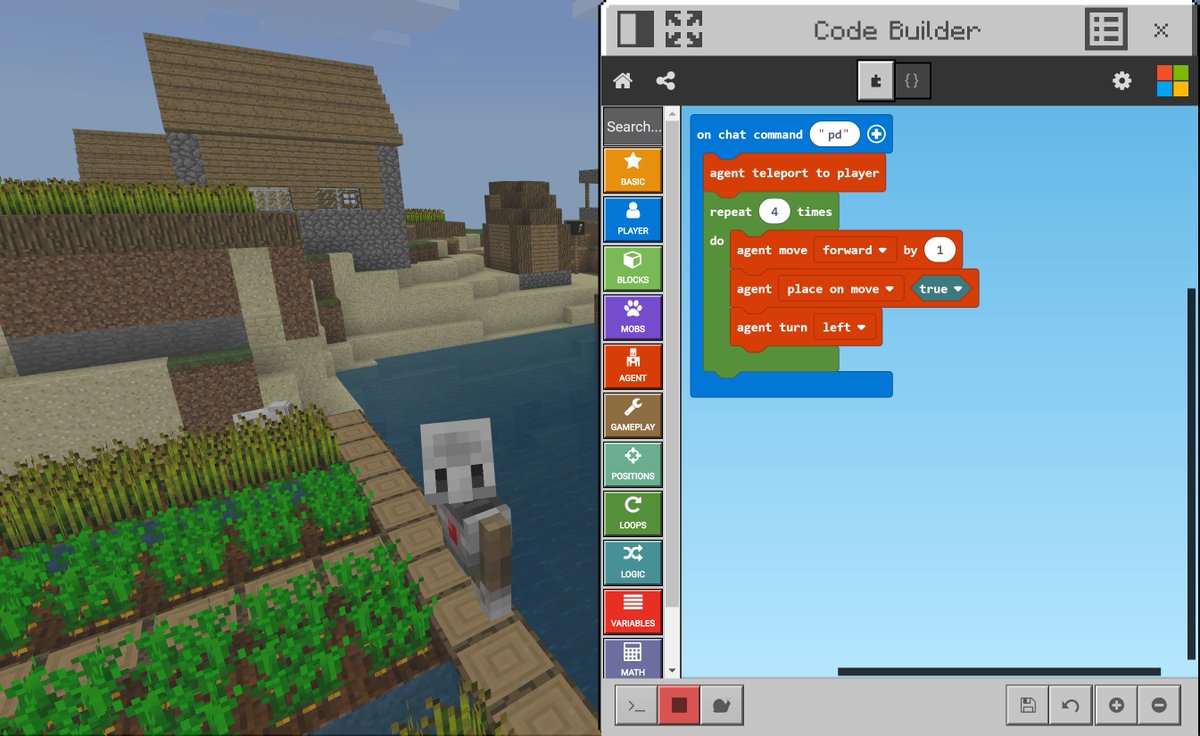
Today we launched the Code Builder Update for #MinecraftEdu. Now you can use coding commands to build in Minecraft, by simply pressing C or the Agent button to launch Code Builder. Learn how to get the update for your classroom: https://t.co/u78R4tx4pA