Hi there!
Cleeve is the one place to keep all the links you want to save. Your articles, videos, design inputs, everything—you can keep them in Cleeve and organize them, too.
Here's what you can do with Cleeve
🧵 dig in
Exploring the design and experience for Folders in @CleeveHQ
A very important requirement/constraint is that folders should be deemphasized in the UI, that way content stay the central focus.
Stories like this one right here 🤝
We are taking it even further by bringing a similar if not better experience to your important files as well.
The initial release for Images is out already. Soon, you’ll save all your important images, videos, notes, etc in Cleeve
I really love how @CleeveHQ has made bookmarks useless to me. I remember losing my important bookmarks by mistake. Now I feel so safe with https://t.co/qs3A67qwwp
I really love how @CleeveHQ has made bookmarks useless to me. I remember losing my important bookmarks by mistake. Now I feel so safe with https://t.co/qs3A67qwwp
A new direction for @CleeveHQ
A more friendlier take on cloud storage
✅ Web bookmarks
✅ Images
⭕️ Notes
⭕️ Document (PDFs etc)
⭕️ Videos
⭕️ Audios
This is just the beginning!
A new direction for @CleeveHQ
A more friendlier take on cloud storage
✅ Web bookmarks
✅ Images
⭕️ Notes
⭕️ Document (PDFs etc)
⭕️ Videos
⭕️ Audios
This is just the beginning!
I feel very lucky to be in a position where I can fashion tools to solve my own problems. I built Cleeve merely because I needed a tool for saving bookmarks, and almost all the solutions that existed sucked in my opinion. That’s the primary reason why it exists.
But not long after the initial version of Cleeve was out there, I also came to the realization that links weren’t the only things I wanted to “save for later.” I make music, and I like to listen to the songs or beats when I’m on the move. Among many other things, I have also a lot of product design screenshots and recordings that I’m, you know, saving for later. After thinking deeply about it, I realized the fundamental problem is storage, specifically cloud storage.
Now, the problems and solutions concerning cloud storage are not new. There exist countless solutions in this domain. This is the kind of situation often described as a “saturated” market. So then, if there are solutions, many of which I’m aware of, why do I use none of them? Well, that’s because they all suck for my use case.
Cloud storage solutions haven’t significantly evolved pretty much since their inception. If you take a hard look, you’ll see most are modeled after and emulate local file systems. They are optimized for storage and archival, not necessarily retrieval.
If you’re looking to stash terabytes of data that you probably don’t need to access regularly, they’re great. However, if you need to play back an 80GB 4K video, they shove the entire 80GB MP4 file in a video tag, so the experience is terrible, especially on mobile devices. They aren't designed for that use case at all. Some solutions can't even play back video, they require you to download the files and play them on your local device. It’s no wonder I’d rather keep my files on my computer.
This week marks the beginning of our honest attempt to solve all these related problems. Starting this week, not only can you can save links, you can now also upload images from your devices or save them from websites or apps easily using the Chrome Extension. A future update will enable visual search so you can for example, find images that contain certain texts or objects. This is just the first of many steps we are taking to make Cleeve the place where you save anything that is important to you.
For existing users, this new direction necessitated a tiny change to content organization in Cleeve. You’ll find that we’ve renamed collections to tags. Collections will make a comeback in a future update, but they will represent a different layer of organization in Cleeve.
Please try out the new images feature and let us know your thoughts. As always, we are very much open to feedback and suggestions.
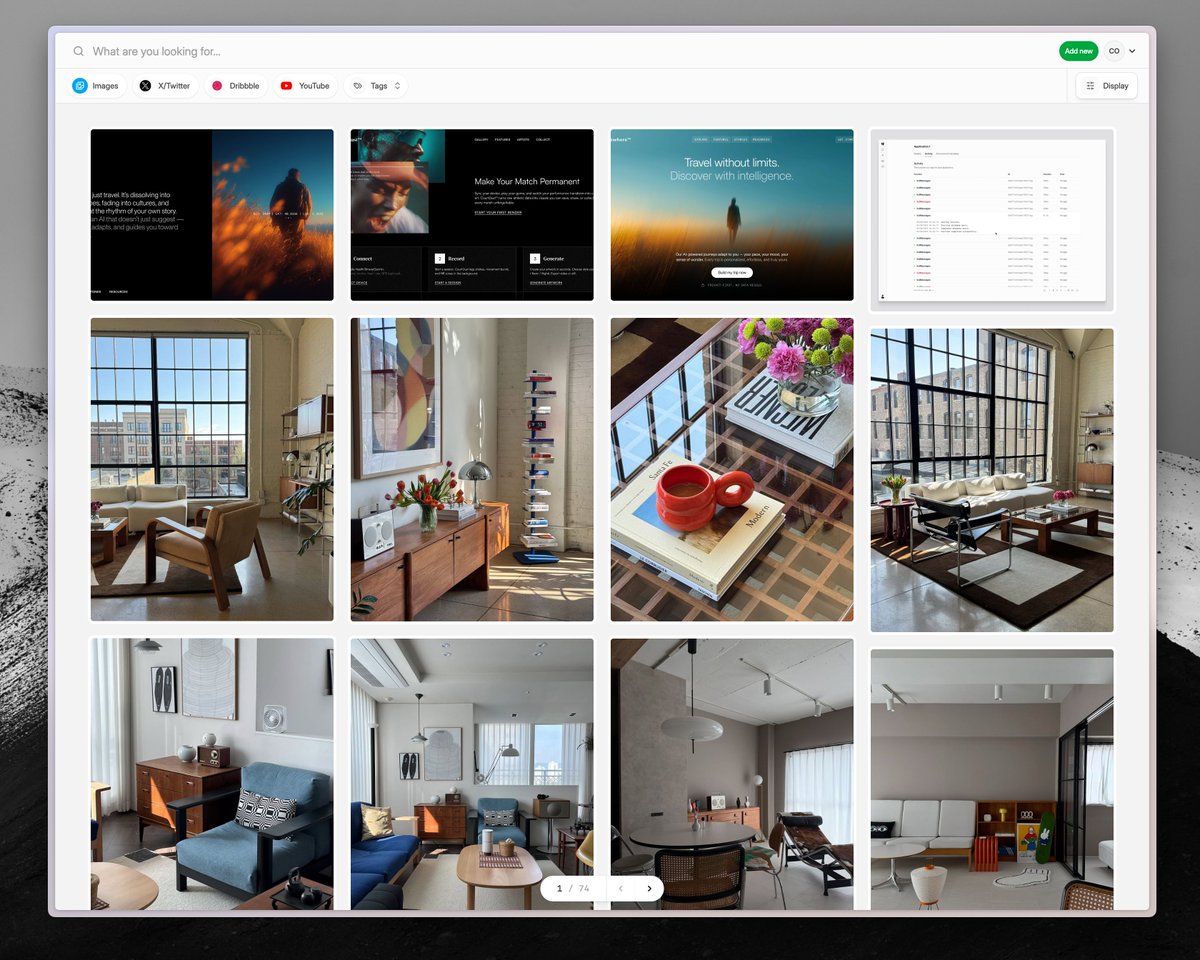
Images just went live in @CleeveHQ
You can upload images from your device, or save them from many platforms easily using the Chrome Extension
These are design inspirations I've gathered from Pinterest...
Implementing masonry grid layout for Cleeve.
Behind the scenes, I'm doing a "2-phase" render. One to measure the elements, then I distribute them between the CSS grid columns using this data. This way I leave most of the layout logic to the browser. Pretty happy with it so far!