The video was recovered, but it won’t play. You might not have noticed yet, but Disk Drill already has and has already offered a fix.
Since version 6.3, it checks recovered videos and points to Clever Online Video Repair for the damaged ones. On Mac and Windows.
How to recover data from a formatted hard drive:
Stop using the drive. Install Disk Drill on a different drive, select the formatted one and hit Search for lost data.
Most of your files will be in the Reconstructed folder. Save them to a separate location.
Disk Drill found your deleted file. Will it actually open?
The stars in the Recovery Chances column are Disk Drill’s estimate: full star high, half star average, empty star low, question mark unknown. It’s an estimate, not a promise. Preview the file before you recover it.
How to recover deleted photos and videos from an SD card on a Mac: Stop using the card, connect it, open Disk Drill and hit Search for lost data. Camera or drone card? Pick Advanced Camera Recovery.
Preview the results, then save them to your Mac.
¡Muchas gracias por la recomendación, @sariweyart_! @Lachary9, sentimos mucho lo de tus dibujos, pero aún estás a tiempo de salvarlos. Puedes descargar Disk Drill gratis para escanear tu disco, previsualizar tus archivos y recuperar hasta 100 MB sin costo en Windows. ¡Mucha suerte y avísanos si necesitas ayuda en el proceso!
After a scan, Disk Drill can show everything it found as a drive in Finder.
Click Show in Finder and Disk Drill PRO mounts the results as a read-only disk. Open recovered photos in Preview to check them, then copy only what you need to another drive.
Full Disk Access ≠ Background Activity on Mac. Only the first lets Disk Drill scan protected locations like Mail, Messages and Time Machine backups. Background Activity gives no access to your files
One command shows whether Windows tells your SSD to clear deleted files. Open PowerShell or Command Prompt as administrator and paste:
fsutil behavior query DisableDeleteNotify
0 means TRIM is on, and a deleted file is usually gone for good. 1 means it's off. Reply with yours.
I recommend downloading Disk Drill and running its specialized Advanced Camera Recovery scan, which is specifically designed to properly reconstruct fragmented photo and video files from camera memory cards. Since SD cards can quickly overwrite deleted data if used again, be sure to stop using the card immediately, connect it to a computer, and give Disk Drill a try!
Recovered a video and it won't play? Sometimes the file has lost the information a player needs to decode it. Video Repair in Disk Drill can take that from a healthy clip shot on the same camera with the same settings, through Clever Online Video Repair.
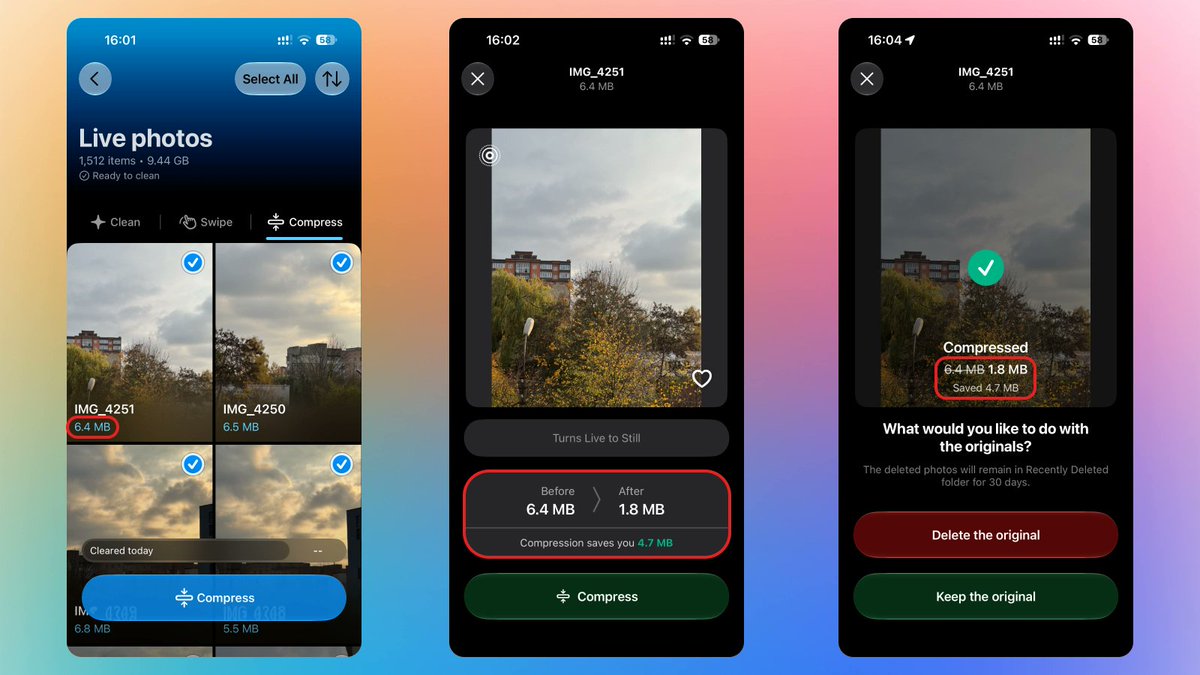
📸 Your iPhone shows each Live Photo as one photo. In storage, it’s two files: the photo and a 3-second movie with motion and sound.
Photos shows only the photo’s size. Clever Cleaner shows the full size and turns the ones that don’t need to move into stills.
#iPhone#iOS