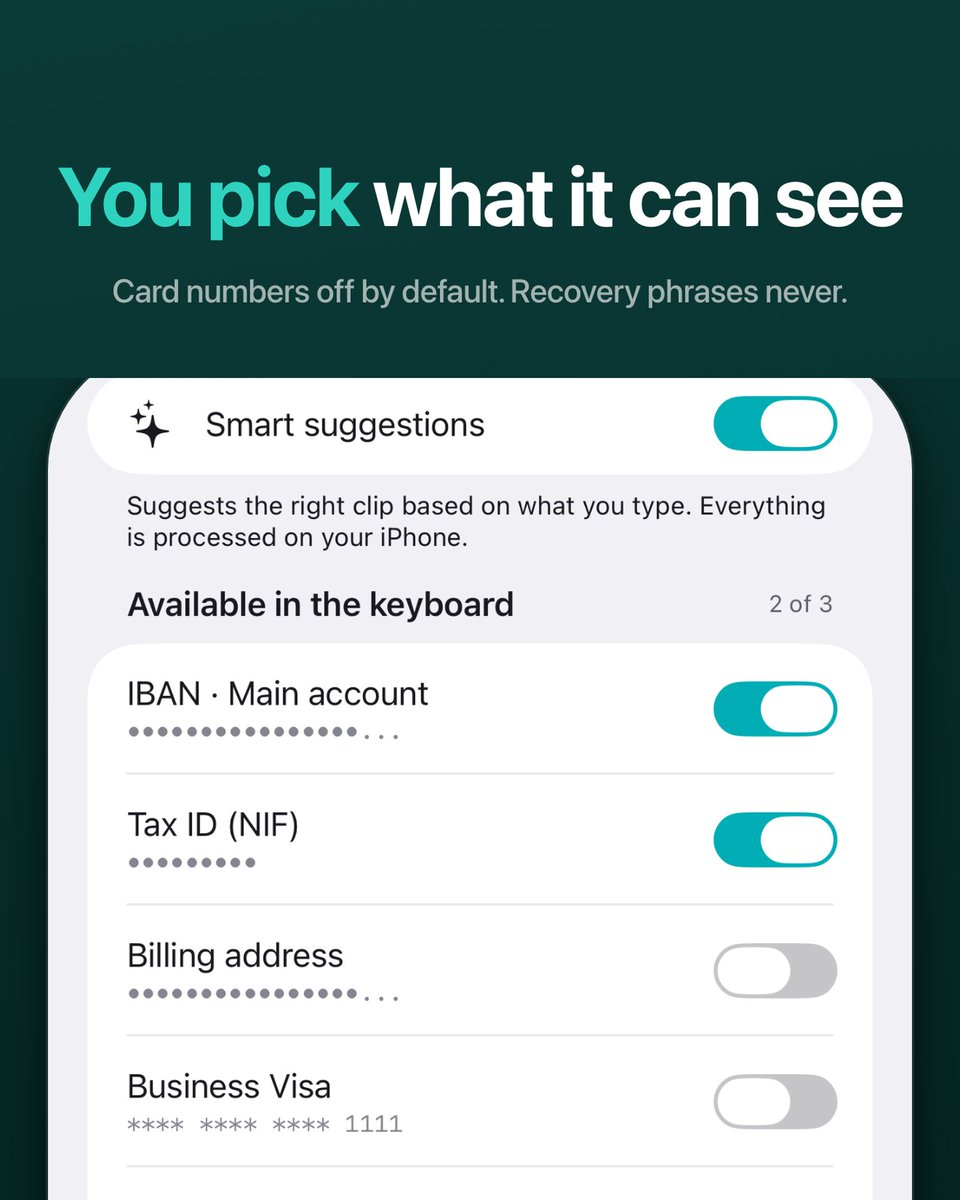
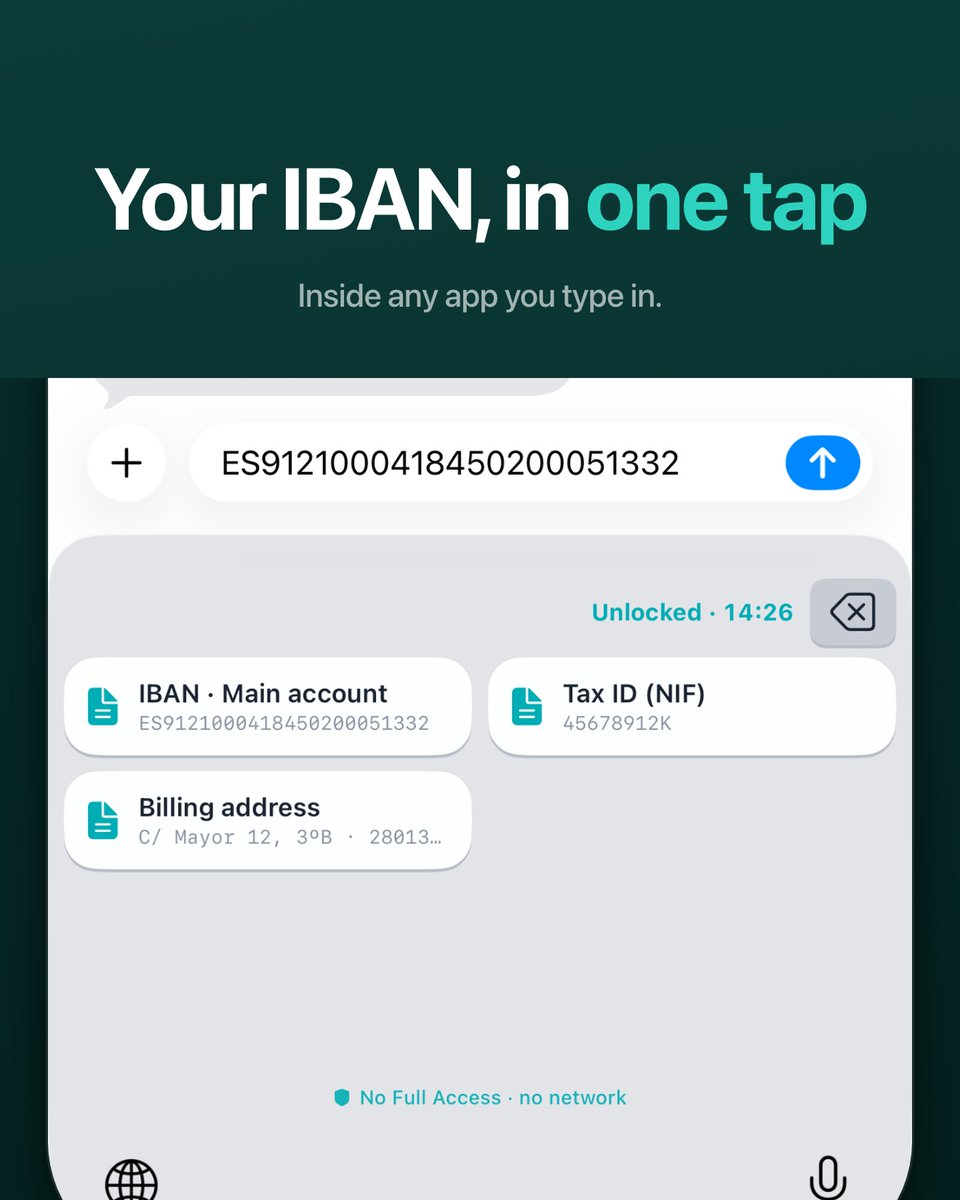
The countdown at the top is the unlock session. When it ends, the keyboard locks and shows nothing until you enter the PIN. Locking is free forever; Pro only changes how many clips the keyboard carries.
https://t.co/alv3gtcZTE
Your IBAN, pasted without leaving the app you are typing in.
The keyboard carries an encrypted copy of only the clips you switch on, and it never asks for Full Access, so iOS gives it no network. That line at the bottom is checkable in Settings.
How many times have you typed your own IBAN?
@ClipCardPro is a keyboard for the things you paste all day: IBAN, tax ID, wallet, address. One tap, PIN-protected, encrypted on your phone.
And it can't even ask for Full Access, so iOS gives it no network. Check it in Settings.
Kist on the iPhone Duo, 7.8 inches unfolded.
Zero code changes. Every screen just worked; a couple of layout details to tidy up.
That's the payoff of building everything in SwiftUI from day one.
I type "Here is my IBAN" and switch to my keyboard. The right clip is already there, with the reason underneath.
The engine only sees each clip's title and type, never the value. No model, no network: the keyboard never asks for Full Access, so iOS gives it none.
Your IBAN lives in Notes, and pasting it costs you four app switches.
ClipCard is a keyboard instead. One tap, inside whatever app you're typing in.
No Full Access, so iOS blocks it from the network. It cannot phone home.
SwiftUI, on-device, out now.
An accent in my last name broke every Xcode Cloud distribution build for three days.
Every upload failed with ITMS-90035, Invalid Signature. Archiving locally worked every single time. Same project, same certificates.
The cause was the ó in López. A thread:
@ClipCardPro Wrote a longer piece on the broader reasoning — why paste-and-go data deserves its own primitive separate from password managers.
The 22-second checkout problem nobody talks about, and what I built instead.
https://t.co/1yCSZhe57a
👋 are you an iOS developer?
new to the scene, or someone who remembers actually typing code?
let's connect! drop what you're building below, and I'll check it out 🤝
A friend just sent me his BTC wallet by text.
Where do you save that? Notes? Photos? You're one phone-borrow away from disaster.
So I built ClipCard Pro to fix exactly this. 🧵
🎉 ClipCard Pro v1.1 is here!
✨ Stunning new card designs with metallic finishes
💳 Quick Fill for instant form completion
🎨 Custom colors & themes
🔒 Secure CVV storage
📊 Usage history tracking
Download now! 🚀
https://t.co/9cIK8iWnzS
🎉 ClipCard Pro v1.0 is here! 🔒 Military-grade security, 🎤 Siri voice commands, 🎨 beautiful 3D cards, and 🌈 4 stunning themes. Your sensitive data, effortlessly organized and totally private. Download now! 📲✨
https://t.co/IlW1PC0t7Z
Yesterday I uploaded version 1.7(1), it was a complete disaster 😓, and in a few hours I solved some of the disaster with version 1.8(1). If you notice strange behaviors, please don't hesitate to report them. Thank you all for your help.
#ClipCardApp @Ex2GhosT