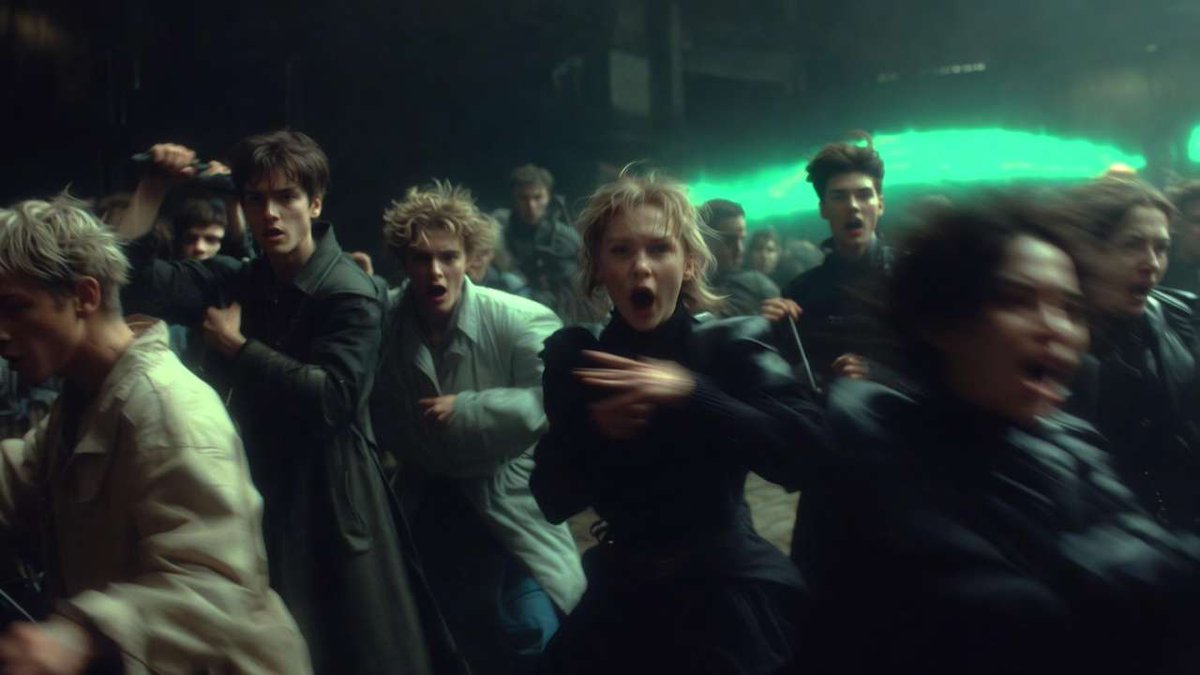
This was an image.
Not anymore.
Cliprise is an AI platform built to generate cinematic images and videos using 47+ advanced models.
No switching tools.
No scattered workflows.
One unified creative system.
Built for creators.
Built for brands.
Built for storytelling.
Try Cliprise → https://t.co/HTnpd5CLWV
More versions are only useful when each one has a job.
If every variation is trying to be “the best,” you get noise. If one tests shape, one tests texture, and one tests speed, comparison becomes a real creative step.
That is the point of generating more at once: not volume, but intent.
The real cost is not the model. It is the switch.
When you have to open separate dashboards just to compare creative models, the brief starts to fragment. Cliprise keeps image, video, voice, audio, and editing in one place, so you can compare supported models without losing the thread of the idea.
That is the difference between exploring a workflow and managing one.
Separate subject motion from camera motion.
If both move for the same reason, the clip gets busy fast. Decide which one carries the change, and let the other stay quiet.
That’s the cleaner prompt: one motion to lead, one motion to support.
The frame should answer the brief before the model does.
Pick for the job: control, texture, speed, or a cleaner handoff into edit. Hype is a poor substitute for fit.
Comparison is more useful than loyalty.
A model can be right for one version of an idea and wrong for the next. That is not a flaw in the workflow. It is the workflow. When you keep the options in one place, you can see whether the brief needs control, texture, speed, or a cleaner handoff into edit.
The goal is not to crown a permanent best model. It is to make the next choice easier to defend.
A motion choice should earn its place.
If the clip works, it’s usually because one decision is clear: what changes, what stays quiet, and how fast that shift should read. The rest is just supporting that choice.
Solve the composition before you chase resolution.
A larger image can make a weak frame look cleaner, but it will not make the frame more certain. If the layout is still fighting for attention, higher quality only preserves the confusion in sharper detail.
Decide where the eye should land, what should stay quiet, and what the frame is actually about. Then raise the resolution.
The first frame is the decision.
In image-to-video, motion works best when the opening image already knows what it wants to become. Then the clip can add change instead of trying to invent direction from scratch.
One precise move beats three competing ones.
When a frame tries to do everything, it stops directing attention. Decide the job first, then let every other choice support it.
Speed, control, consistency, and visual quality are not the same lever.
A workflow feels “good” when one of them improves. It feels constrained when the others start moving in opposite directions.
That is why model choice is a creative decision, not a technical one. Pick the tradeoff the brief actually needs.
One workflow, fewer handoffs.
Cliprise keeps image, video, voice, audio, and editing in one place, with unified consumer credits across supported tools. Compare models, switch when the task changes, and keep the brief intact instead of managing separate creative stacks.
That matters when the work is not “make something,” but choose the right tool for this version of the idea.
Specificity helps until it starts arguing with itself.
More detail can reduce control when the instructions pull in different directions. The useful move is not adding another adjective. It is deciding which instruction wins.
Clear brief. Fewer conflicts. Better motion.
Readable text, editing, and photorealism often want different model choices.
The image is only half the decision; the right workflow depends on whether you need legibility, control, or believable detail.
Start with a still concept, then ask whether motion earns its place.
If the frame already says enough, movement should add one thing: reveal, shift, or settle. If it does not, motion is just decoration with a heavier file size.
That is a useful workflow split. Build the image as a decision first. Add video only when the change improves the idea, not when it merely makes it busier.
Describe the change, not just the thing.
A motion choice works when it has a job: reveal, shift, settle, or contrast. If you only name the subject, the clip can look correct and still feel undecided. If you name the action, the pace has a reason to exist.
That is the difference between a prompt and a brief.
Test motion before you increase duration, resolution, or quality.
If the clip has no convincing movement, higher settings only make the same problem look cleaner. First prove the idea can move. Then spend on the version that deserves it.
That order saves time and keeps the brief honest: motion, then polish.
The most expensive model is not the best answer for every shot.
Some clips need control. Others need texture, speed, or a cleaner handoff into edit. Pick for the job, not the price tag.
A sharp image can still feel vague.
That is the part people miss: technical quality does not fix an unclear visual idea. If the frame does not know what it is trying to say, polish only makes the uncertainty look cleaner.
Cliprise is useful when the decision comes first.
More outputs are not the point.
Purpose is.
If the variations are all trying to do the same job, you are just multiplying noise. The useful move is to give each version a role: one for shape, one for texture, one for speed, one for control. Then comparison becomes a decision tool, not a pile of near-duplicates.
The logo matters less than the job.
A model can be great and still be wrong for this shot. The useful question is what the brief needs most: control, texture, speed, interpretation, or a clean handoff into edit.
Cliprise keeps that comparison in one place, with 47+ AI models in a single workflow. So you can switch by fit, not by reputation.