@pylthon This is possible 😄
1. create a new .codediagram file
2. then move the file to a new window. This is natively supported by vscode. https://t.co/QZCvm496Wm
New Update: You can now save diagrams as local files, making it easy to add them to Git or share with anyone, anywhere. 🙌
Cloud storage is still available, so you can choose the option that works best for you!
Our next update will add the "Wrap Code" and "Select Language" features.
If the language you're looking for are not in the list, you can try choosing a different one that looks nice for your codes, for example JS and TS look almost identical
Code Diagram is a visual note-taking extension for VSCode.
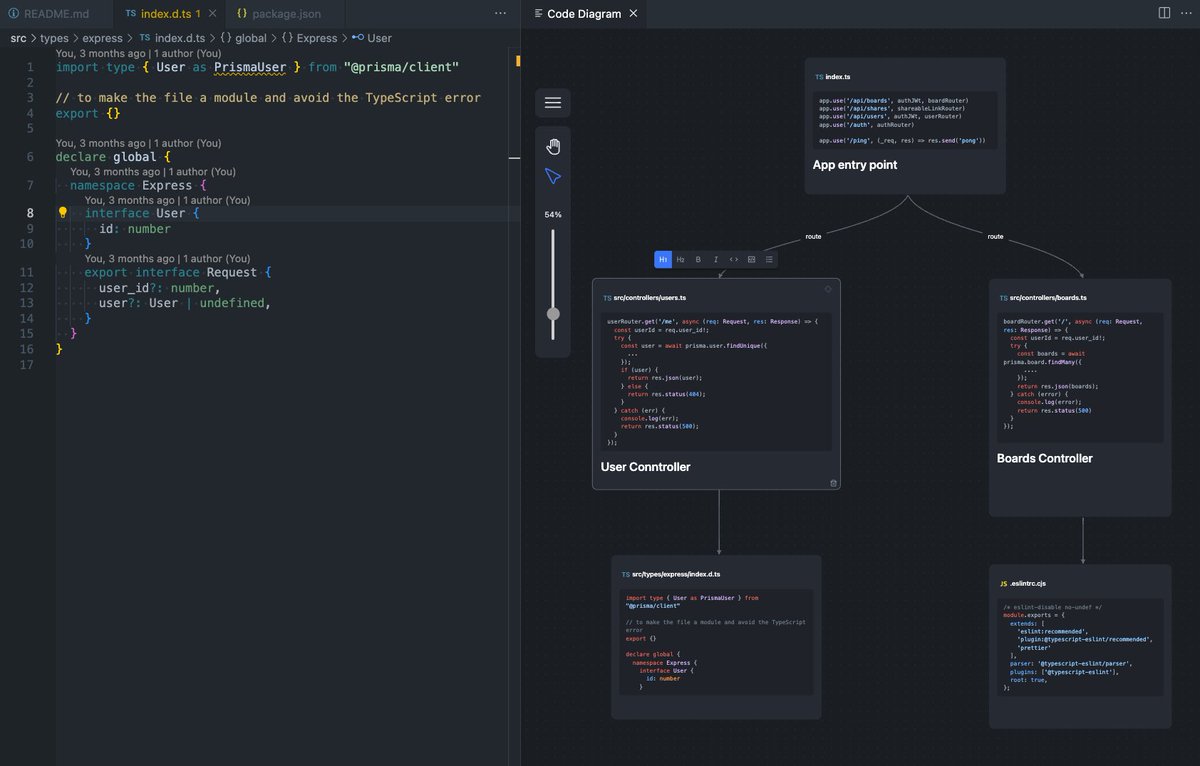
It lets you draw the below diagram directly within VSCode, right beside your source codes. Each box links straight to your file path.
https://t.co/tLb4zGqJW4
CodeDiagram is an VSCode extension that help drawing diagrams inside the VSCode editor.
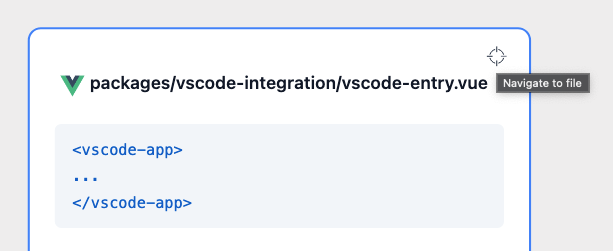
Jump back from the diagram to your codes is supported
Our goal is to help developers read & understand codes more effectively 👏
https://t.co/peG48HFxX5
Ever felt lost in a labyrinth of code files? 🌀 Say no more! With #CodeDiagrams, you can now visualize your code's flow, even in the most intricate projects
🧐 But wait, what sets us apart? Here's the deal:
🖌️ Draw Inside VS Code: Unlike other diagramming tools, #CodeDiagrams allows you to sketch directly within VS Code. Your code and diagrams coexist harmoniously!
📸 Capture Code Insights: Select your code, "Snip it," and watch it transformed it into visual brilliance
After building your beautiful diagram, you often want to share it with your team or the world.
It is now possible to share your diagram publicly very easily.
https://t.co/VoQAEQV0Mi
You can quickly draw out diagrams side-by-side with your code, making the process more intuitive and streamlined
Also, you can click onto the diagram to navigate directly to the codes.
Happy Coding 🔥
#CodeDiagram
Struggling to understand complex codebases? 🤔
Drawing diagrams can be a great way to simplify the process, but most diagram tools live outside the code editor, making it unintuitive.
Introducing #CodeDiagram, a diagram tool that lives inside your code editor, next to your codes