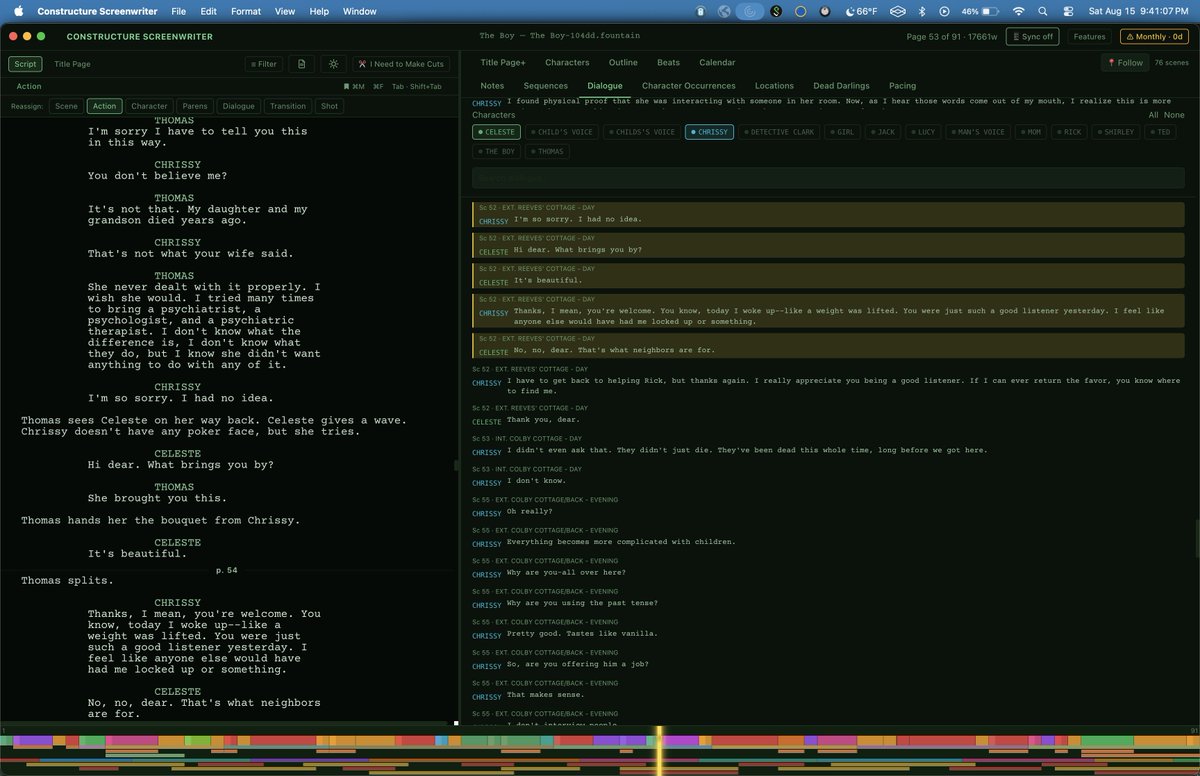
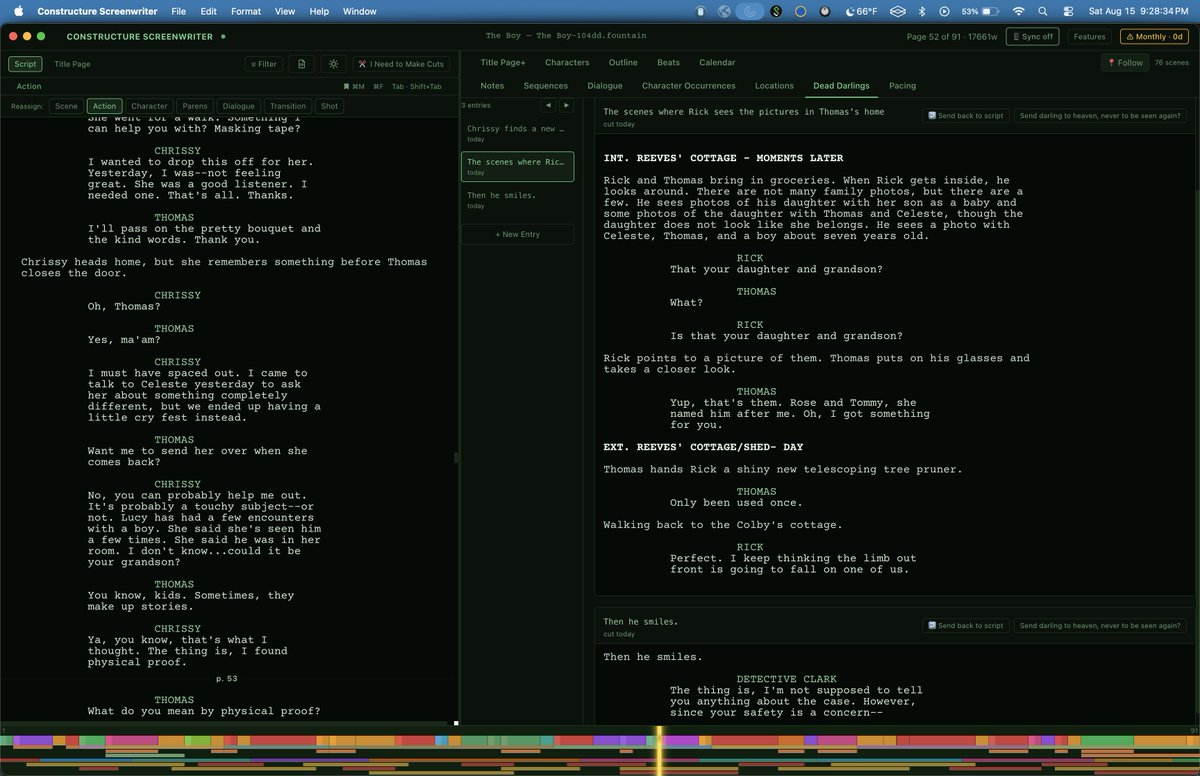
A scene or line too good to delete and too wrong to keep goes to Dead Darlings. Click the skull to find it. Send it back, and it returns to the exact sentence it left.
#screenwriting#Screenplay#screenwriter#filmmaking
Try free
https://t.co/DK9iHUehf1
Also on Mac App Store
In v1.1.10, Your cuts remember where they came from.
Dead Darlings now leave a skull icon behind. Put one back, and it returns to the exact sentence it was cut from.
#screenwriting#Screenplay#screenwriter#filmmaking#film
Try free
https://t.co/DK9iHUehf1
Also on Mac App Store
What would you use Filters for? Disable Character and Dialogue for pure action, uncheck everything but those two for dialogue alone. Seven boxes, seven elements, mix and match however the read calls for it.
#screenwriting
Try it free
https://t.co/DK9iHUehf1
And Mac App Store
The Substructure Timeline, everpresent along the bottom, except in Focus Mode. Your planned beats against your written sequences and locations. Hover to see it, click to jump there.
#screenwriting#screenplay#filmmaker
Try it free
https://t.co/DK9iHUehf1
Also at Mac App Store
The Outline Panel, a better way to shuffle scenes than index cards or a legal pad. Useful from a blank idea to a finished draft: drag a scene to reorder it, and if it’s written, the written scene moves right along with it
Try it free
https://t.co/DK9iHUehf1
And MAS
#screenwriting
A color for every mood, a vibe for every writer. Focus Mode strips everything but the script. Sun Mode: max contrast black and white, zoom scaling on the fly in the sun
#screenwriting#screenwriter#filmmaker
Try it free
https://t.co/DK9iHUehf1
Also available at Mac App Store
Logline and synopsis, the two things every submission asks for, live in the same panel as your title and contact info. Most software leaves them homeless.
#screenwriting#screenplay#screenwriter#filmmaking
Try it free
https://t.co/DK9iHUehf1
Also available at Mac App Store
The Sequences Panel lets you find the threads running through your story. In this example, The Boy, the days are sequenced, and separately, every scene the ghost appears in, layered to show where he's present, where he's quiet.
https://t.co/fFOHgPqBX6
#screenwriting#Screenwriter
A calendar inside your screenwriting app where you can create events and link them to scenes. Would that be useful?
Link an event to its scene, click it, jump straight there. Sort chronologically or by story order.
Try it for free
https://t.co/fFOHgPqBX6
#screenwriting #🎥
Constructure Screenwriter opens your Final Draft files. Import's as simple as opening the file, export back is one click. Don't be surprised if you don't want to go back. Try it free.
https://t.co/fFOHgPqBX6
Also on Mac App Store #screenwriting#screenwriter#screenplay#scripts
Create the architecture of your screenplay in the Beats Panel. Set a page length goal, lay in beats like clips on an editing timeline. Layer and color separate threads: red for The Boy ghost, yellow for Rick and Chrissy's relationship arc.
#screenwriting https://t.co/fFOHgPqBX6
The Dialogue Panel gives you what actors have always had: sides. Isolate one character to hear her alone, or two to read the relationship: who asks, who interrupts. Catch "they all sound the same" in seconds.
#screenwriting https://t.co/fFOHgPqBX6 #screenwriter#screenplay
📷
The Dead Darlings Panel is a morgue where the dead can come back. Too good to delete, too wrong to keep? Send it there instead. Only one button makes it permanent, the one you choose on purpose.
#screenwriting https://t.co/fFOHgPqBX6 #screenwriter#filmmaking#screenplay
A good roller coaster is never just fast. Climb, drop, climb again, steeper this time.
The Pacing Panel gives that read: tall bars for long scenes, short for quick, blue for action, teal for dialogue. By scene, by sequence, or both.
#screenwriting https://t.co/fFOHgPqBX6