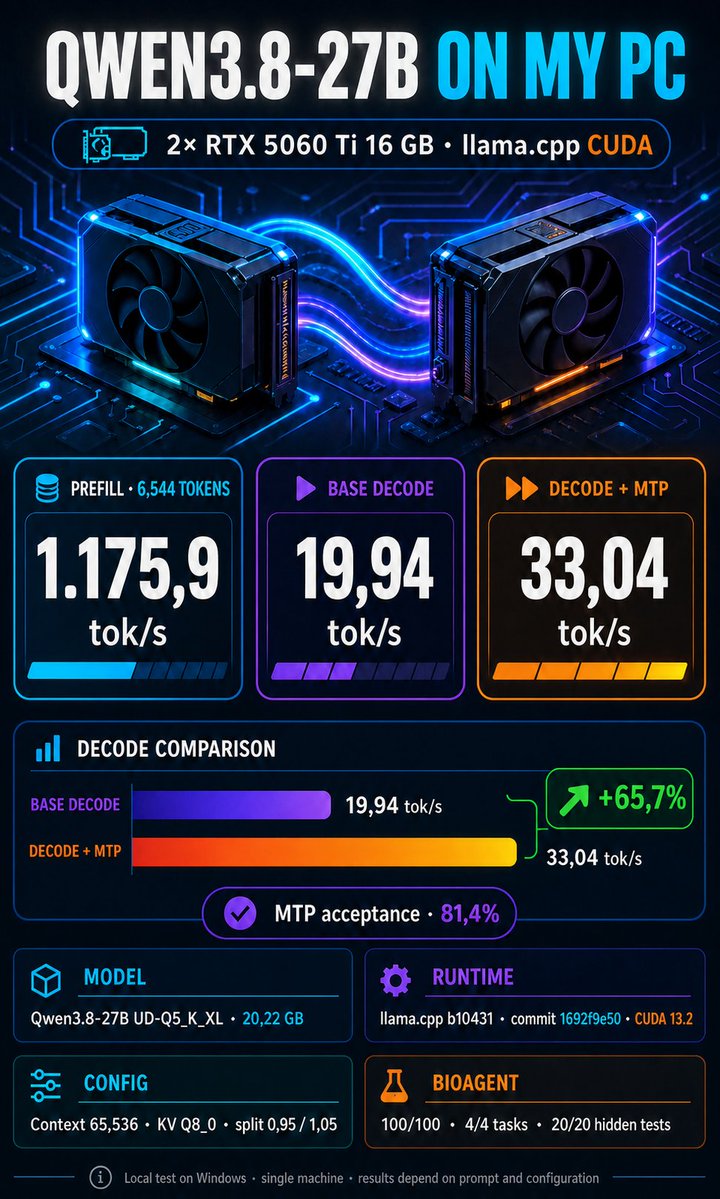
🧠 Qwen: “Wait… let me think a bit more...”
⏳ 10,000 tokens later
🤔 Qwen: “I think this is correct.”
🔧 Tool: “Or… you could just verify it.”
What if that’s the real point?
Maybe the answer isn’t making Qwen reason more.
Maybe it’s forcing Qwen to use tools whenever something can be checked:
📂 inspect the file
💻 run the code
🧮 compute the value
📘 check the documentation
✅ verify the output
Basically:
think less → use tools → verify → answer
For many real-world tasks, Qwen LOW + tool verification might actually be far more reliable than Qwen HIGH reasoning on its own.
Can a local 27B vision model debug scientific work?
Qwen3.8-27B + QVIR-1 built and verified a ComplexHeatmap on 2× RTX 5060 Ti—recovering from 3 R errors and reaching 92.6k context.
26.8 tok/s decode. 54.7% DFlash2 acceptance.
Full experiment ↓
https://t.co/CdCOqy93l0
New stealth model just dropped: #Ox#Alpha on OpenRouter.
1M context • multimodal (text/image/video) • free for a week.
Some say it’s small… but fingerprints scream Zhipu GLM multimodal and early results look frontier. Everyone’s excited. Go test it before the free week ends.
A lot of the “Qwen is too slow / overthinks everything” experience may actually come from the reasoning template and default configuration, rather than from the model itself.
I think an important point for people testing
#qwen 3.8-27B is the reasoning template. If you want the model to feel interactive, set reasoning_effort to LOW.
So, roughly:
LOW → interactive daily work MEDIUM → complex tasks XHIGH → deliberate deep reasoning
A lot of the “Qwen is too slow / overthinks everything” experience may actually come from the reasoning template and default configuration, rather than from the model itself.
Maybe for scientific infographics we should rely less on AI video generation and more on agents like Codex connected via MCP to scientific and graphics software.
The result would be less “plausible-looking” and far more deterministic, reproducible, and grounded in real data.
@haydendevs The question should be relative to speed you want. In my cases, I use 2 x RTX 5060 ti 16 GB + 64gb RAM + M2 2tb 7gb. I use deepseek in streaming and I got 103-80 tok/s prefill and 3-5 tok/s decode. It Is slow, I know. But I closed a lot of works in a day.
🚀 New repo: deepseek-v4-local
Running DeepSeek V4 locally on a consumer PC with 2× RTX 5060 Ti 16GB, 64GB RAM and NVMe expert streaming.
~5.8 tok/s at 96K context.
Repo 👇
https://t.co/ooRIMTCI8p
#LocalLLM#DeepSeek
4/ What makes this interesting
This is not only a benchmark.
The model runs through an authenticated OpenAI-compatible server and has completed real OpenCode sessions with tool use and multiple consecutive requests.
The project is still experimental.
I managed to run Antirez’s DeepSeek V4 Flash locally on a consumer PC:
• 2× RTX 5060 Ti 16 GB
• 64 GB RAM
• NVMe SSD
• Windows + WSL2
• no NVLink or GPU P2P
The model is ~80.8 GiB, so it cannot fit entirely in RAM or VRAM.
3/ What improved performance
Using two 64 MiB pinned buffers per GPU allowed SSD reads and host-to-device transfers to overlap.
Prefill improved from:
92.70 tok/s → 103.34 tok/s
That is an 11.48% gain.