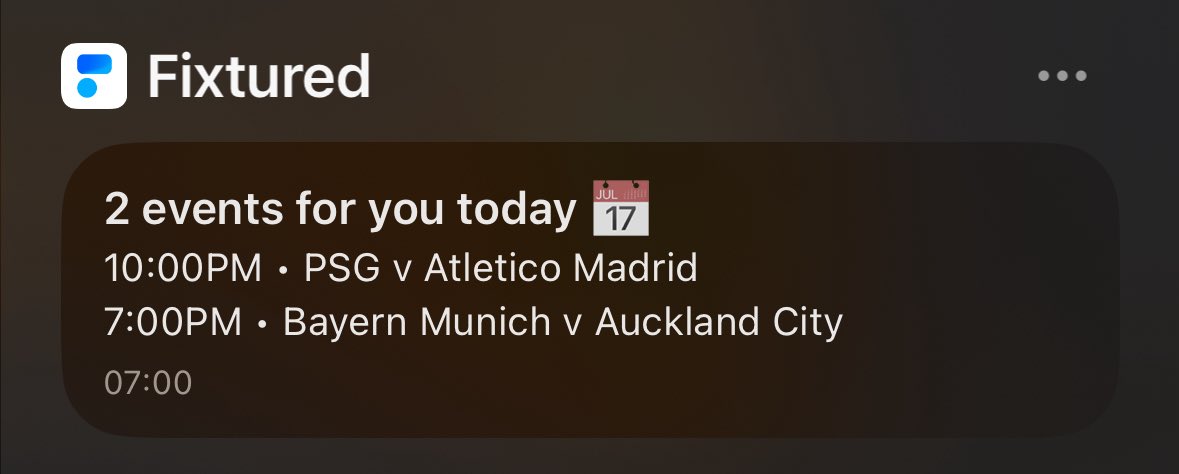
@fixturedapp suggestion of a possibly new unique feature (at least for football): trending matches (matches not followed by the user but trending right now, there is a lot of hype or anticipation for the match). This could even skip the granularity setting and would be enabled/disabled for each league separately.
Yep, now it works!
I notice that when I press on a match now it says “Play-offs” instead of “Playoffs” at the top. I assume the bug was that when I select granularity “Play-offs” it was trying to match matches marked as “Play-offs” but it was finding none, as they were marked as “Playoffs” without the -? And the reason why selecting all granularities worked is because filtering was disabled in this case so all matches regardless of tag were being displayed?
@fixturedapp Hmm, I think the fix reverted. I tried again and same bug. However it did work the first time I tried, then I restarted the app and didn’t work anymore.
@fixturedapp there’s a bug in the app when using the transparent look in iOS 26: the widgets turns full white and no content can be seen, instead of being transparent
@fixturedapp It happened again today. Honestly I don’t mind it necessarily, maybe a toggle to make the notification consider the granularity or not would be nice
@fixturedapp I follow the club World Cup and in the granularity I choose semi finals and finals. Today I got a notification from Fixtured for the match between St. Louis and LA Galaxy, which is a groups match. Is this intended functionality and the notifications don’t take in consideration the granularity setting?