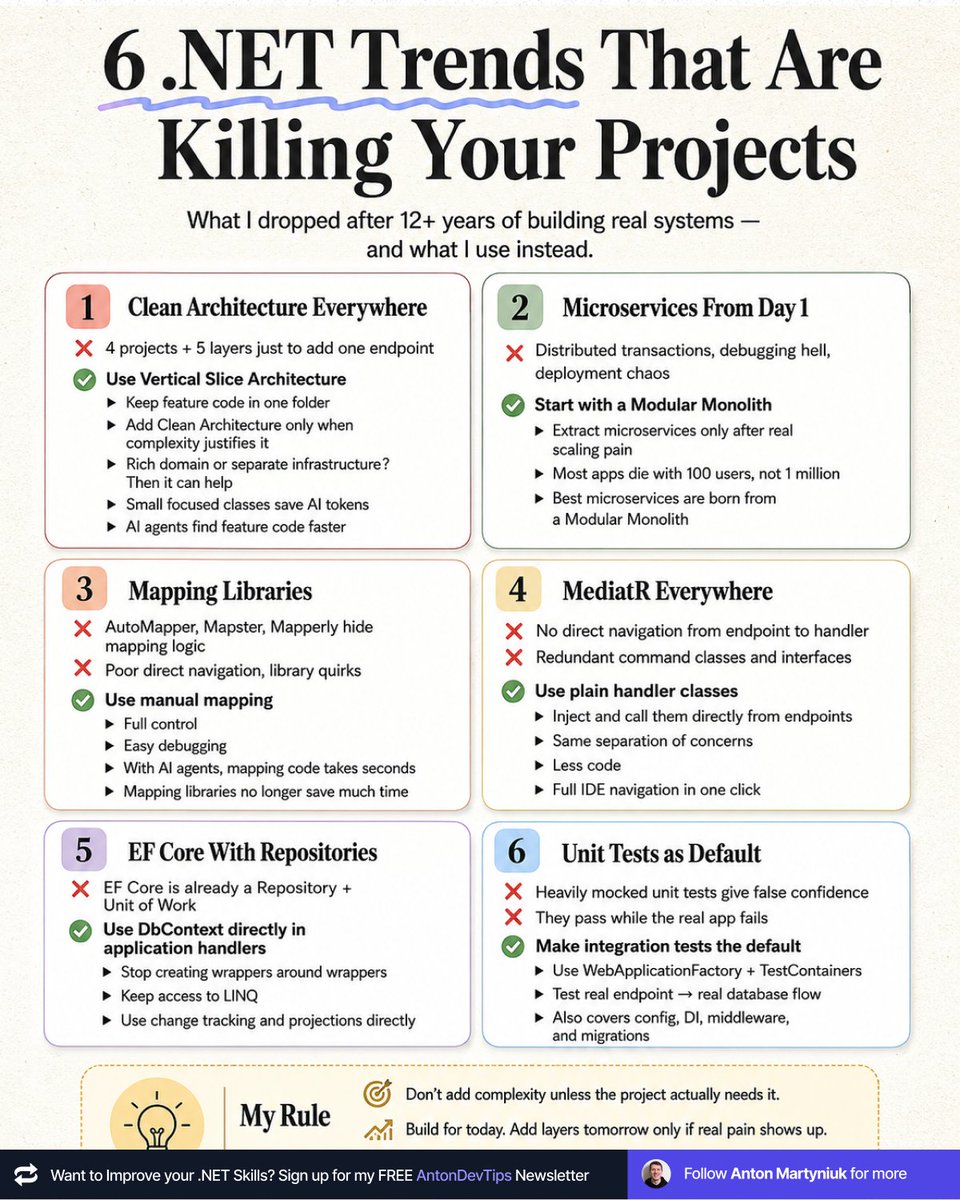
𝟲 .𝗡𝗘𝗧 𝗧𝗿𝗲𝗻𝗱𝘀 𝗧𝗵𝗮𝘁 𝗔𝗿𝗲 𝗞𝗶𝗹𝗹𝗶𝗻𝗴 𝗬𝗼𝘂𝗿 𝗣𝗿𝗼𝗷𝗲𝗰𝘁𝘀
Every .NET tutorial sells these as "best practice."
After 12+ years of building real systems, I dropped all 6.
Here's what I use instead 👉
𝟭. 𝗖𝗹𝗲𝗮𝗻 𝗔𝗿𝗰𝗵𝗶𝘁𝗲𝗰𝘁𝘂𝗿𝗲 𝗘𝘃𝗲𝗿𝘆𝘄𝗵𝗲𝗿𝗲
❌ 4 projects and 5 layers to navigate just to add one endpoint.
✅ Use Vertical Slice Architecture. All feature code lives in one folder.
Add Clean Architecture principles only when complexity justifies it, like rich domain models or separate infrastructure concerns.
↳ Small focused classes save tokens with AI.
↳ AI agents find your feature code much faster when it's all in one place.
𝟮. 𝗠𝗶𝗰𝗿𝗼𝘀𝗲𝗿𝘃𝗶𝗰𝗲𝘀 𝗙𝗿𝗼𝗺 𝗗𝗮𝘆 𝟭
❌ Distributed transactions, debugging hell, deployment chaos.
✅ Start with a Modular Monolith. Extract microservices only when you feel real scaling pain.
Most apps die with 100 users, not at 1 million.
The best microservices are born from a Modular Monolith.
𝟯. 𝗠𝗮𝗽𝗽𝗶𝗻𝗴 𝗟𝗶𝗯𝗿𝗮𝗿𝗶𝗲𝘀
❌ AutoMapper, Mapster and Mapperly hide your mapping logic.
❌ You lose direct navigation and fight library quirks for hours.
✅ Use manual mapping. Full control, direct navigation, easy debugging.
With AI coding agents, mapping code takes seconds to write.
Mapping libraries don't save you any time anymore.
𝟰. 𝗠𝗲𝗱𝗶𝗮𝘁𝗥 𝗘𝘃𝗲𝗿𝘆𝘄𝗵𝗲𝗿𝗲
❌ No direct navigation from endpoint to handler.
❌ Redundant command classes and interfaces just to satisfy the pattern.
✅ Use plain handler classes without interfaces. Inject and call them directly from your endpoints.
Same separation of concerns. Less code. Full IDE navigation in one click.
𝟱. 𝗘𝗙 𝗖𝗼𝗿𝗲 𝗪𝗶𝘁𝗵 𝗥𝗲𝗽𝗼𝘀𝗶𝘁𝗼𝗿𝗶𝗲𝘀
❌ EF Core is already a Repository and a Unit of Work.
✅ Use DbContext directly in your application handlers.
Stop creating wrappers around wrappers.
You only hide the real power of EF Core: LINQ, change tracking, and projections.
𝟲. 𝗨𝗻𝗶𝘁 𝗧𝗲𝘀𝘁𝘀 𝗮𝘀 𝗗𝗲𝗳𝗮𝘂𝗹𝘁
❌ Heavily mocked unit tests give false confidence.
❌ They pass while your real app crashes in production.
✅ Make integration tests your default.
Use WebApplicationFactory + TestContainers to verify the real endpoint → real database flow.
Your config, DI, middleware, and migrations get tested too.
📌 My rule:
Don't add complexity unless the project actually needs it.
Most "best practices" are someone else's solution to someone else's problem.
Build for today.
Add layers tomorrow only if real pain shows up.
Start simple, leaving room for extension in the future.
The last trend I dropped was MediatR.
Which of these trends will you drop first?
——
♻️ Repost to help other .NET devs ditch trends that introduce unnecessary complexity
➕ Follow me ( @AntonMartyniuk ) to improve your .NET and Architecture Skills
Working full swing on releasing fullstackhero v10 soon! Final stages of work are happening.
In case you have missed, we will have React frontend (admin + dashboard apps), and a .NET 10 supercharged backend, all running seamlessly with aspire!
All of the latest work is on the develop branch: https://t.co/gcJwq7x8r2
Release soon!
𝗦𝘁𝗼𝗽 𝘂𝘀𝗶𝗻𝗴 𝗗𝗮𝘁𝗲𝗧𝗶𝗺𝗲.𝗡𝗼𝘄 𝗶𝗻 𝘆𝗼𝘂𝗿 𝗰𝗼𝗱𝗲.
Here is why 👇
Almost every .NET project I review has the same hidden bug.
DateTime[.]Now is scattered everywhere: services, validators, business rules, even domain entities.
It looks innocent. But it quietly breaks your tests and your code's reliability.
📌 The real problem with DateTime[.]Now:
→ You can't test time-dependent logic
→ You can't simulate "tomorrow" or "1 year ago"
→ Your tests become flaky and timezone-dependent
→ Your business rules silently depend on the server clock
→ Switching environments breaks behavior in subtle ways
Want to test what happens when a subscription expires?
Or when a free trial ends?
Or when a discount window closes at midnight?
You can't! Unless you control time in your tests.
✅ The fix is simple: inject time as a dependency.
You have two clean options in modern .NET:
1. Custom IDateTimeProvider interface (works in any .NET version)
2. Built-in TimeProvider (available since .NET 8)
I prefer TimeProvider for new projects.
It's part of the framework, ships with FakeTimeProvider for testing, and supports timers and time zones out of the box.
Register it once in DI:
𝚋𝚞𝚒𝚕𝚍𝚎𝚛.𝚂𝚎𝚛𝚟𝚒𝚌𝚎𝚜.𝙰𝚍𝚍𝚂𝚒𝚗𝚐𝚕𝚎𝚝𝚘𝚗(𝚃𝚒𝚖𝚎𝙿𝚛𝚘𝚟𝚒𝚍𝚎𝚛.𝚂𝚢𝚜𝚝𝚎𝚖);
Then inject it like any other service and call GetUtcNow() instead of DateTime[.]UtcNow.
This one change makes your code testable, predictable, and ready for production.
Where do you still use DateTime[.]Now in your code? Leave a comment down below 👇
——
♻️ Repost to help others write testable, time-aware code
➕ Follow me ( @AntonMartyniuk ) to improve your .NET and Architecture Skills
90% of C# projects don't need in the beginning:
- Kubernetes
- Microservices
- Separate read/write databases
Instead, you need a simple and organized structure.
So you can move fast.
And get feedback from the market and the actual customers.
But you want to have some upfront design.
So you can evolve the application when the time comes for it.
A few months ago, I stumbled upon the following GitHub repository:
"Evolutionary Architecture by Example"
Link to the repo: https://t.co/ouWHBJ2TZT
This repository shows you how to evolve the .NET architecture of a web project.
It has 4 phases:
1. Initial Architecture: Focus On Simplicity
2. Modules Separation: Focus On Maintainability
3. Microservice Extraction: Focus On Growth
4. Applying Tactical Domain-Driven Design: Focus On Complexity
So, the application architecture starts small at the start.
But over time, it grows as new requirements appear.
Remember:
Simple scales. Complexity fails.
SignalR works great with one server.
Then you add a second instance behind a load balancer, and notifications start disappearing.
The code can be perfectly fine.
The problem is the connection map.
Each SignalR server only knows about the clients connected to that specific process.
So if an API request lands on Server 1, but the user is connected to Server 2, Server 1 has no idea that connection exists.
The message goes nowhere.
This is where a Redis backplane helps.
Every server publishes outgoing SignalR messages to Redis.
Every server subscribes to the same channel.
When a message comes in, each instance checks whether it has the target connection locally.
From your application code, `Clients.User(...)` still works the same.
But now it works across instances.
The setup is almost too simple:
builder. Services.AddSignalR().AddStackExchangeRedis(connectionString);
But there are two important things to remember:
1. You still need sticky sessions
2. SignalR does not buffer messages if Redis is down
The Redis backplane solves routing.
It does not make SignalR durable.
For order updates, live dashboards, and most real-time UI notifications, that’s usually fine.
For critical events, you need a reconciliation strategy or a durable queue alongside it.
I wrote a full breakdown of how SignalR scale-out works, how Redis fixes the routing problem, and what can still go wrong: https://t.co/MSVWlPMGJp
How to make your API endpoints 426x faster:
(hint: it's not cache)
When developers see slow APIs, their first reaction is to cure slowness with the wrong medicine: cache.
But that solution is built on a crucial misunderstanding:
The belief that caching can fix slowness caused by poor database queries.
That's why the first step in having more scalable systems is to fix them.
To prove this point, let's perform a small experiment.
I've created a small web API with a single endpoint, /products.
Before optimization:
- Number of processed requests: 378
- Average requests/second: 11.01
- Average request duration: ~4 seconds
After optimization:
- Number of processed requests: 140,331
- Average requests/second: 4,689.36
- Average request duration: 10.69ms
Fix the data access first.
Then use caching to scale, not to survive.
Most monoliths don’t fail because they’re monoliths.
They fail because everything can touch everything.
A modular monolith fixes this with clear boundaries, public APIs, and controlled coupling.
I break down the real difference here: https://t.co/MY4r6eAdzL
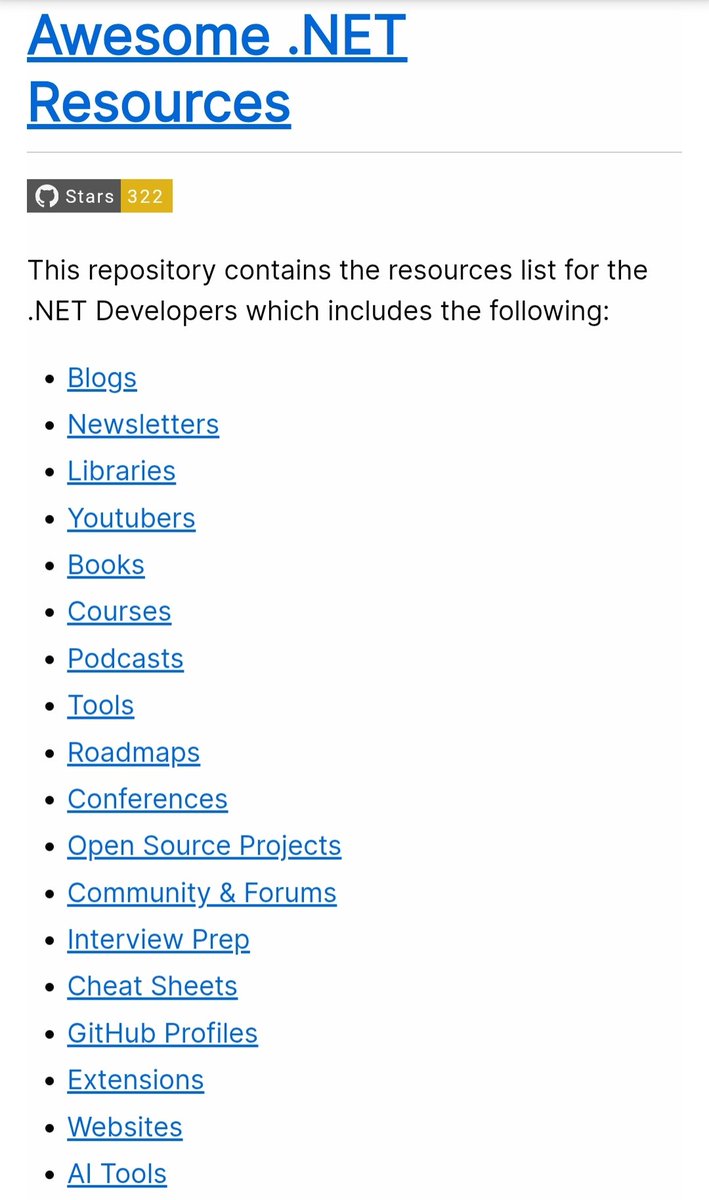
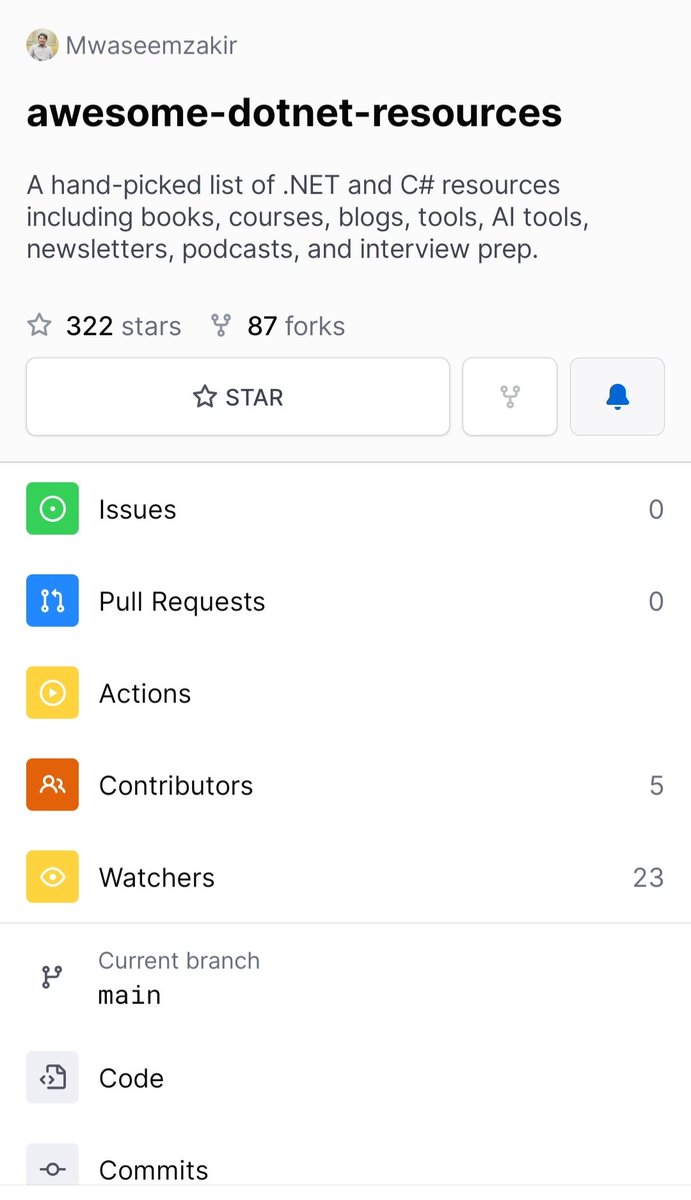
I have compiled a list of awesome dotnet resources which contains :
- Blog
- Newsletters
- YouTubers
- Books
- Courses
- Podcasts
- Tools
- Road maps
- Conferences
- Open source projects
And many more, I keep adding.
PRs are also welcome, I might have missed something.
Happy learning (dotnet)
Repo 👇
https://t.co/d5jh04v1o9
Este repositorio es una joya. Te da todos los pasos e instrucciones para proteger y asegurar tu servidor Linux.
Perfecto por si tienes un servidor propio o VPS:
https://t.co/yJD2GnXFPj
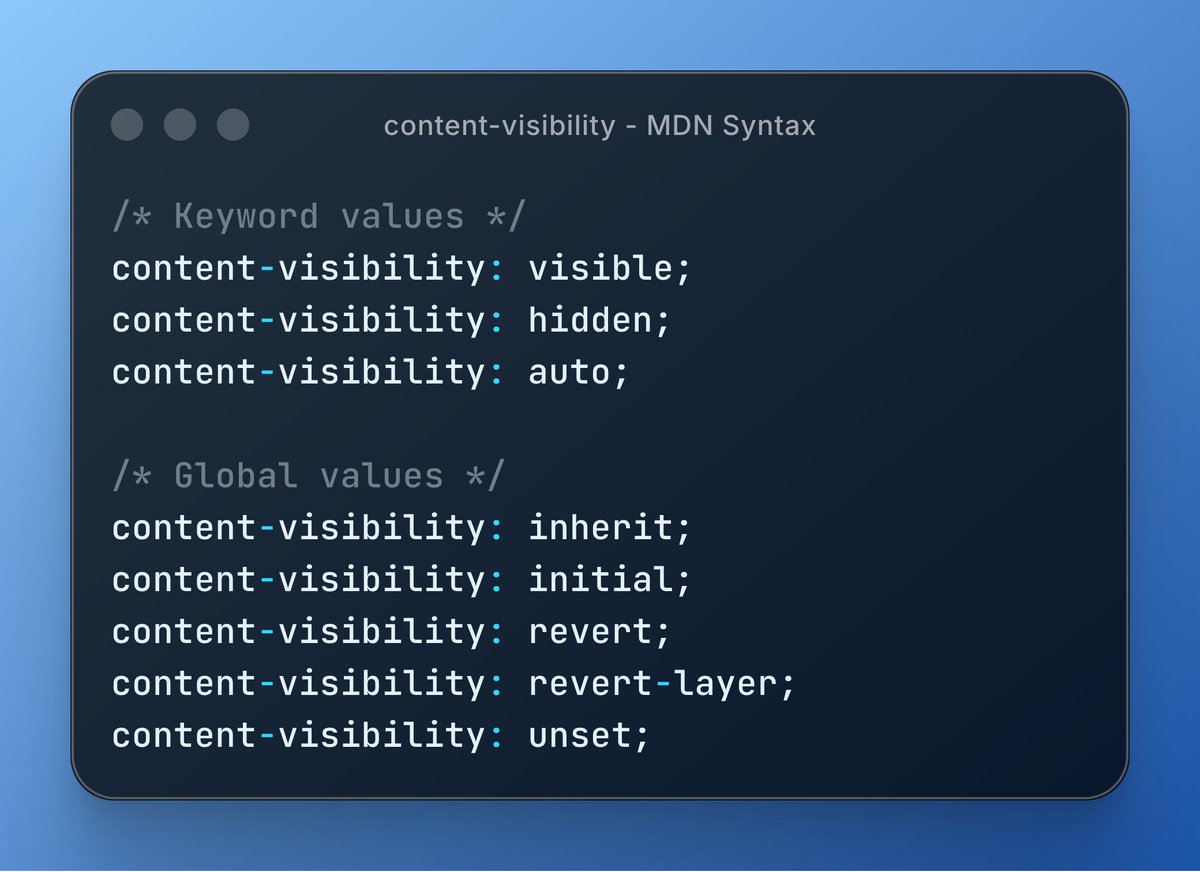
Speed up rendering with content-visibility: auto ⚡
This CSS property skips rendering off-screen content until needed, giving massive performance wins on long pages.
⋅ Pairs with contain-intrinsic-size
⋅ Zero-effort lazy rendering
Learn more 👇
https://t.co/aXEBbjqooA
I wrote two almost identical SQL queries.
One of them was 451 times faster.
I was implementing cursor pagination.
And I thought... Why don't I add an index to make my query faster?
This is where things went terribly wrong.
We have an Index Scan using the composite index. Seems good.
But the query is even slower than it was without an index.
What gives?
This might be because the dataset is too small to benefit from the index.
But that wasn't it...
What if we were to use a tuple comparison in SQL?
Finally, the index is working - 0.668 ms.
The query optimizer cannot determine whether the composite index can be used for row-level comparison.
However, the index is effectively used with a tuple comparison.
If I didn't look at the query plan, I wouldn't have figured this out.
Here's the complete performance analysis: https://t.co/tomzG7o5Vm
Your app needs to support time zones. Two approaches:
1. Store everything UTC in DB, convert at API layer
2. Store user's time zone per record, query converted
Which approach and why?











![AntonMartyniuk's tweet photo. 𝗦𝘁𝗼𝗽 𝘂𝘀𝗶𝗻𝗴 𝗗𝗮𝘁𝗲𝗧𝗶𝗺𝗲.𝗡𝗼𝘄 𝗶𝗻 𝘆𝗼𝘂𝗿 𝗰𝗼𝗱𝗲.
Here is why 👇
Almost every .NET project I review has the same hidden bug.
DateTime[.]Now is scattered everywhere: services, validators, business rules, even domain entities.
It looks innocent. But it quietly breaks your tests and your code's reliability.
📌 The real problem with DateTime[.]Now:
→ You can't test time-dependent logic
→ You can't simulate "tomorrow" or "1 year ago"
→ Your tests become flaky and timezone-dependent
→ Your business rules silently depend on the server clock
→ Switching environments breaks behavior in subtle ways
Want to test what happens when a subscription expires?
Or when a free trial ends?
Or when a discount window closes at midnight?
You can't! Unless you control time in your tests.
✅ The fix is simple: inject time as a dependency.
You have two clean options in modern .NET:
1. Custom IDateTimeProvider interface (works in any .NET version)
2. Built-in TimeProvider (available since .NET 8)
I prefer TimeProvider for new projects.
It's part of the framework, ships with FakeTimeProvider for testing, and supports timers and time zones out of the box.
Register it once in DI:
𝚋𝚞𝚒𝚕𝚍𝚎𝚛.𝚂𝚎𝚛𝚟𝚒𝚌𝚎𝚜.𝙰𝚍𝚍𝚂𝚒𝚗𝚐𝚕𝚎𝚝𝚘𝚗(𝚃𝚒𝚖𝚎𝙿𝚛𝚘𝚟𝚒𝚍𝚎𝚛.𝚂𝚢𝚜𝚝𝚎𝚖);
Then inject it like any other service and call GetUtcNow() instead of DateTime[.]UtcNow.
This one change makes your code testable, predictable, and ready for production.
Where do you still use DateTime[.]Now in your code? Leave a comment down below 👇
——
♻️ Repost to help others write testable, time-aware code
➕ Follow me ( @AntonMartyniuk ) to improve your .NET and Architecture Skills](https://pbs.twimg.com/media/HIa7GfeW4AAYFKW.jpg)