🚀 Harness the power of AI with Diagramming AI! Instantly design & edit UML, workflows, and more. Perfect for devs, PMs, analysts, students, and more.
📊 Generate diagrams on-the-fly.
💾 Project-based storage.
📥 Flexible exports.
🔗 Sign up for FREE now! #DiagrammingAI
We have launched the page https://t.co/S7fCZZNsSj, enabling you to effortlessly locate your preferred template and promptly create customized diagrams.
Introducing Diagramming AI’s one-click transformation: Convert Mermaid, PlantUML, or Graphviz diagrams into an interactive visual editor instantly. Embrace effortless editing and bring your diagrams to life with just one click!
Diagramming AI now offers a feature to effortlessly restore diagrams from AI generation history, allowing users to edit previously unsaved diagrams with ease !
Added a template for class diagrams with notes! Including notes in your diagrams makes everything more organized and clear. Introducing Diagramming AI, a tool that simplifies your diagramming process by allowing notes directly in class diagrams. #DiagrammingAI#Productivity
A fullscreen mode has been added to the visual editor of the diagramming AI. This enhancement provides a more immersive experience for users working on their diagrams.
Instantly transform text into powerful diagrams. Create UML, flowcharts, Mermaid, PlantUML, and Graphviz visuals with AI-driven ease. Fine-tune designs with our new visual editor (Excalidraw-powered).
#DiagrammingAI
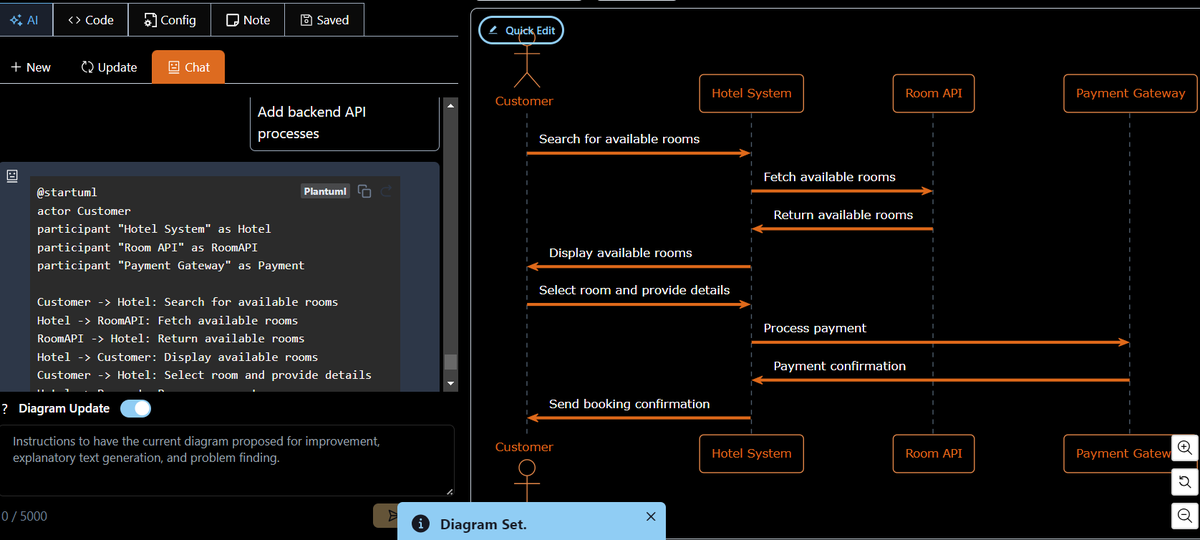
Diagramming AI introduces an improved chat interface, enabling easy restoration and refinement of past diagrams. Seamlessly switch between Mermaid, Graphviz, and PlantUML for enhanced flexibility.
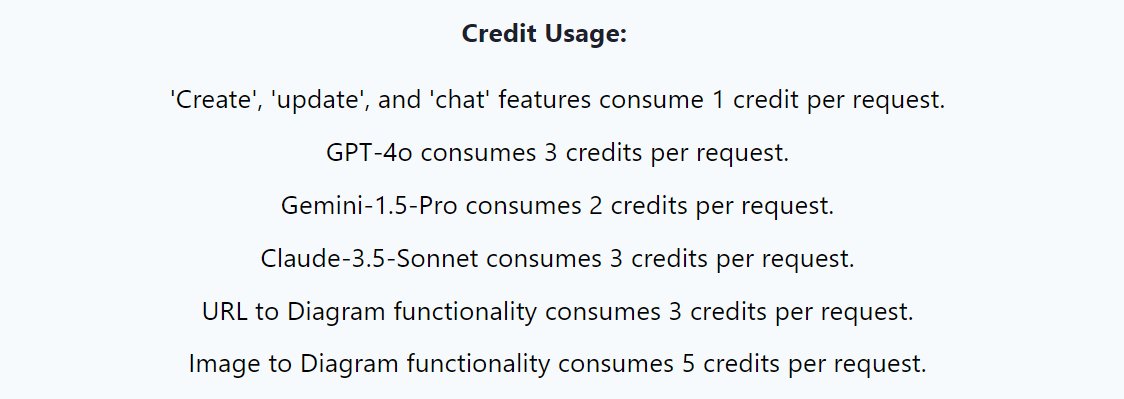
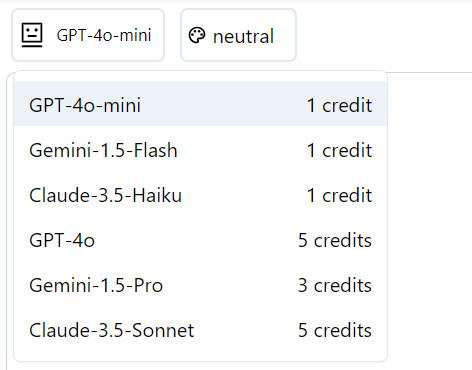
Introducing a new update to Diagramming AI: users can now choose from multiple LLMs, including Claude, Gemini, and GPT. Select the model that best suits your needs and generate the perfect diagram effortlessly.
@BrianAndrenNS Sure! State machines are quite popular and often created this way. Use case diagrams and block diagrams are also favorites for designing workflows.
🚀 Harness the power of AI with Diagramming AI! Instantly design & edit UML, workflows, and more. Perfect for devs, PMs, analysts, students, and more.
📊 Generate diagrams on-the-fly.
💾 Project-based storage.
📥 Flexible exports.
🔗 Sign up for FREE now! #DiagrammingAI
Honored to be cited in the research paper! AI-driven automatic design keeps advancing rapidly. DiagrammingAI continues to evolve. 📊
https://t.co/9LeKwpVUHa
Thanks for featuring DiagrammingAI! The platform's evolving with updates to enhance accuracy and instant diagram creation capabilities. More features coming soon! ✨
https://t.co/WaatywWXjI"
Thank you for introducing DiagrammingAI. With DiagrammingAI, creating and updating purpose-specific diagrams is instant, thanks to a variety of templates available.
https://t.co/um2dpLm3o8
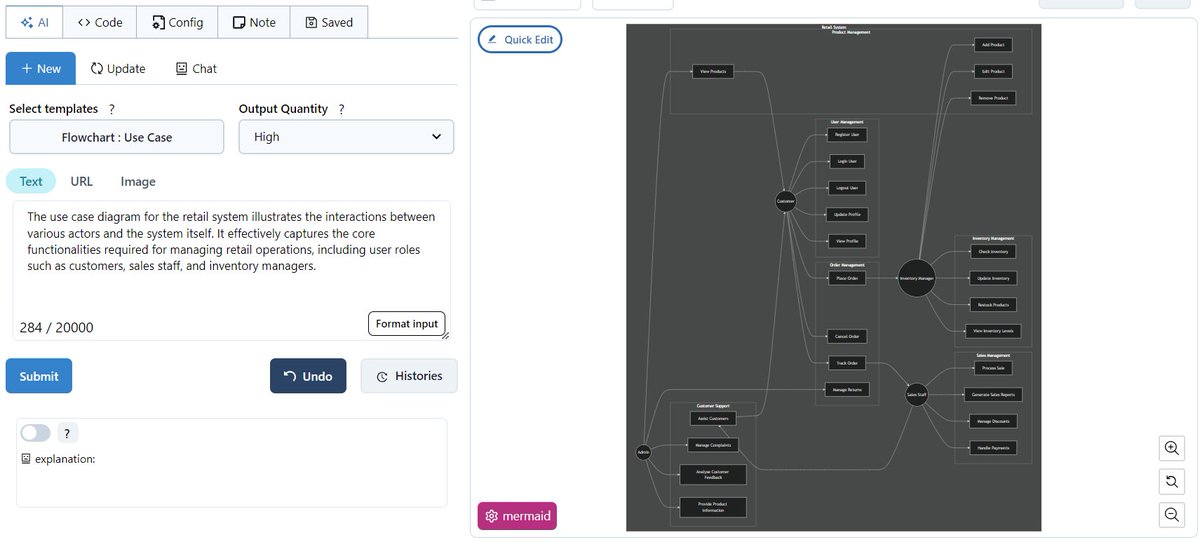
Just created an intricate retail system use case diagram in seconds with DiagrammingAI! 🛍️🛒 The tool effortlessly handles complex flows and even supports subgraphs for detailed clarity.
Instantly create cyber security framework diagrams with ease using Diagramming AI. Perfect for quick, clear visuals of complex security structures. Try it out and simplify your workflow! #CyberSecurity#AI#Diagramming