$DIVIDEND is live on @ponsdotfamily
0xd74E37C3b6D4a26DbaB57eb238068b337592456E
Tokenized stocks and RWAs generate income, but almost nobody catches it in time.
Dividend Garden is a non-custodial agent that does it for you. It catches the payout, verifies it onchain, splits it by the rules you set, and leaves a receipt at every step.
Your assets never leave your account. The agent has one key that can call exactly one function, inside the limits you signed and to the addresses you approved. Take the key back whenever you want.
The process is transparent:
detected → verified → calculated → checked against your rules → executed → recorded as a receipt.
If anything is off at any step, nothing happens.
Website: https://t.co/eNWyNUBmTL
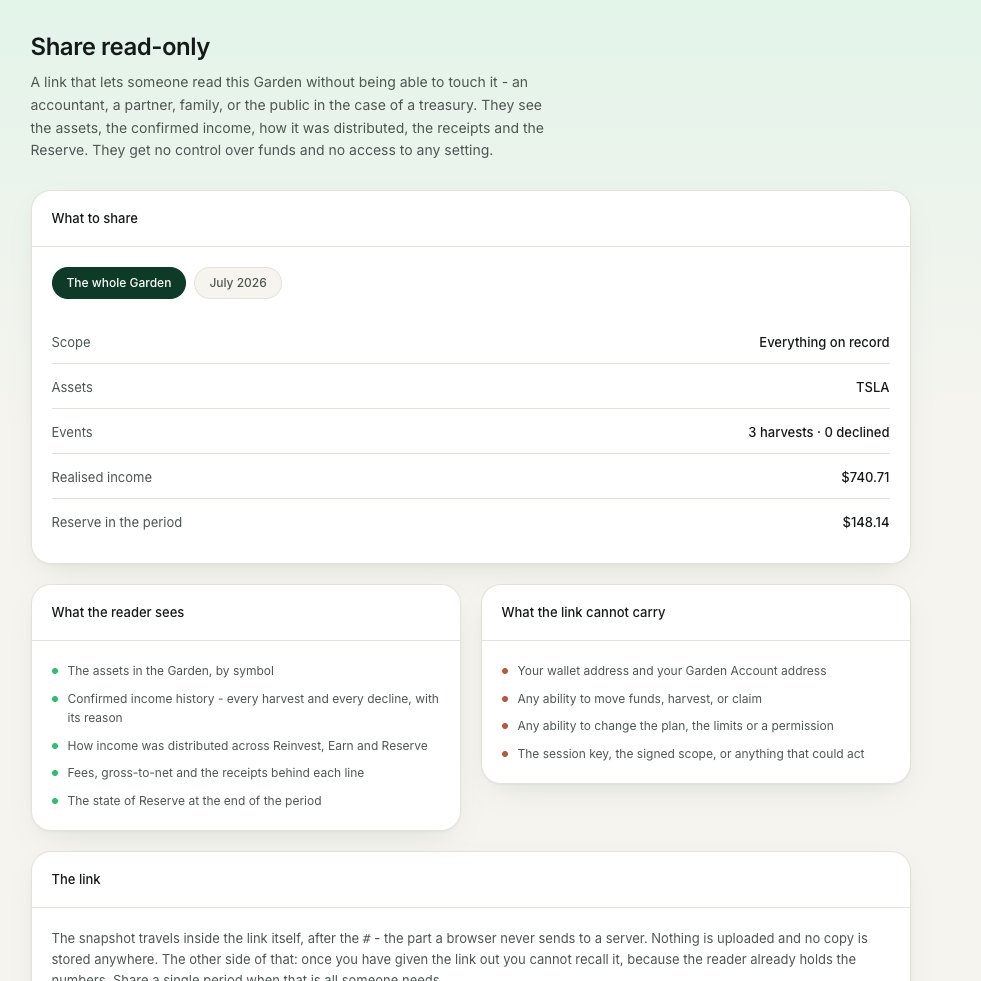
New update for Dividend Garden - Read-Only Garden Share.
You can now create a read-only link to a specific Garden or a single reporting period.
Whoever opens it can see the asset structure, the history of confirmed income, the distribution, the receipts and the Reserve state - but can't move funds or change any settings.
New update for Dividend Garden - Safe Mode.
One toggle puts a specific Garden Plan into safe mode.
In this mode Garden keeps doing everything except the last step: it still detects income events, calculates amounts and shows quotes - but it won't harvest or distribute automatically.
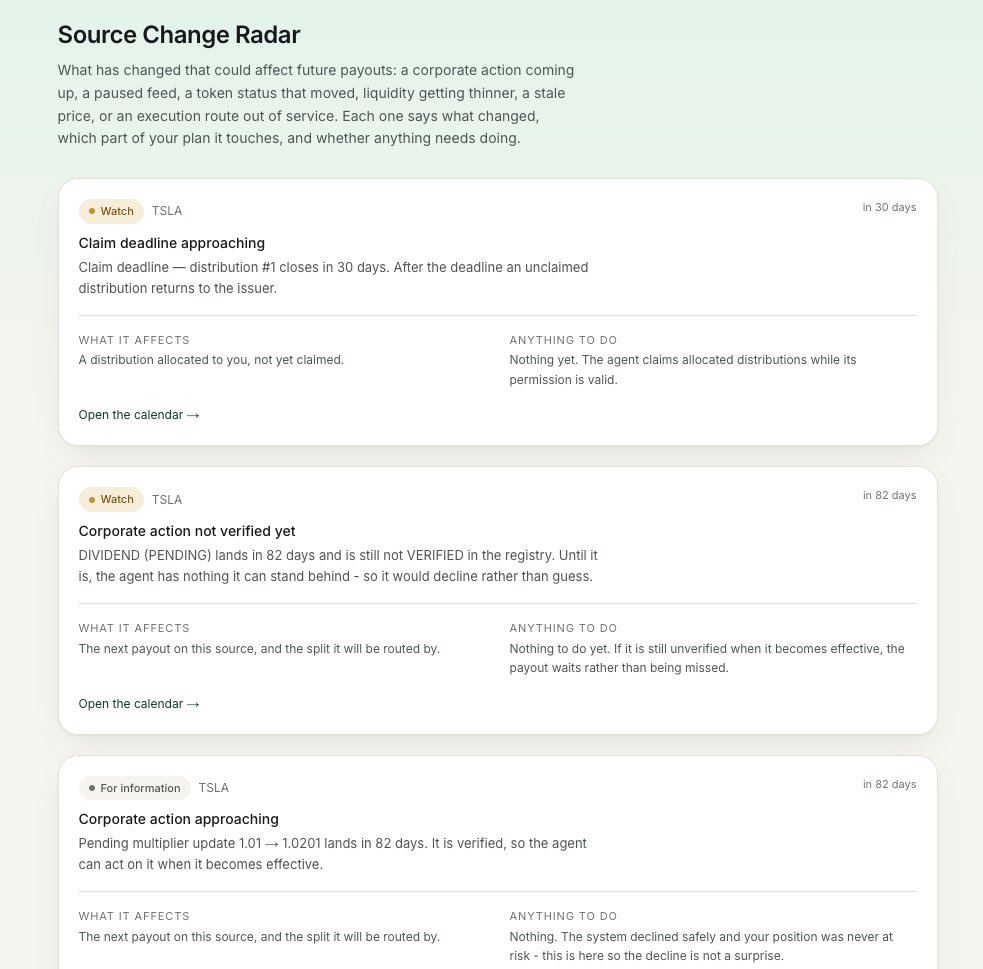
New update for Dividend Garden - Source Change Radar.
Garden now watches for changes that could affect future payouts: a corporate action, an issuer pause, a token status change, worsening liquidity, a stale oracle, or a supported execution route going offline.
What comes through isn't a vague anxious alert but a concrete explanation: what changed, which Garden Plan it affects, and whether you need to do anything.
New update for Dividend Garden - Realised Yield Review.
Once a month, Garden puts together a short review for each income source: how much income was detected, how much reached you after fees, and how much went to Reinvest, Earn and Reserve.
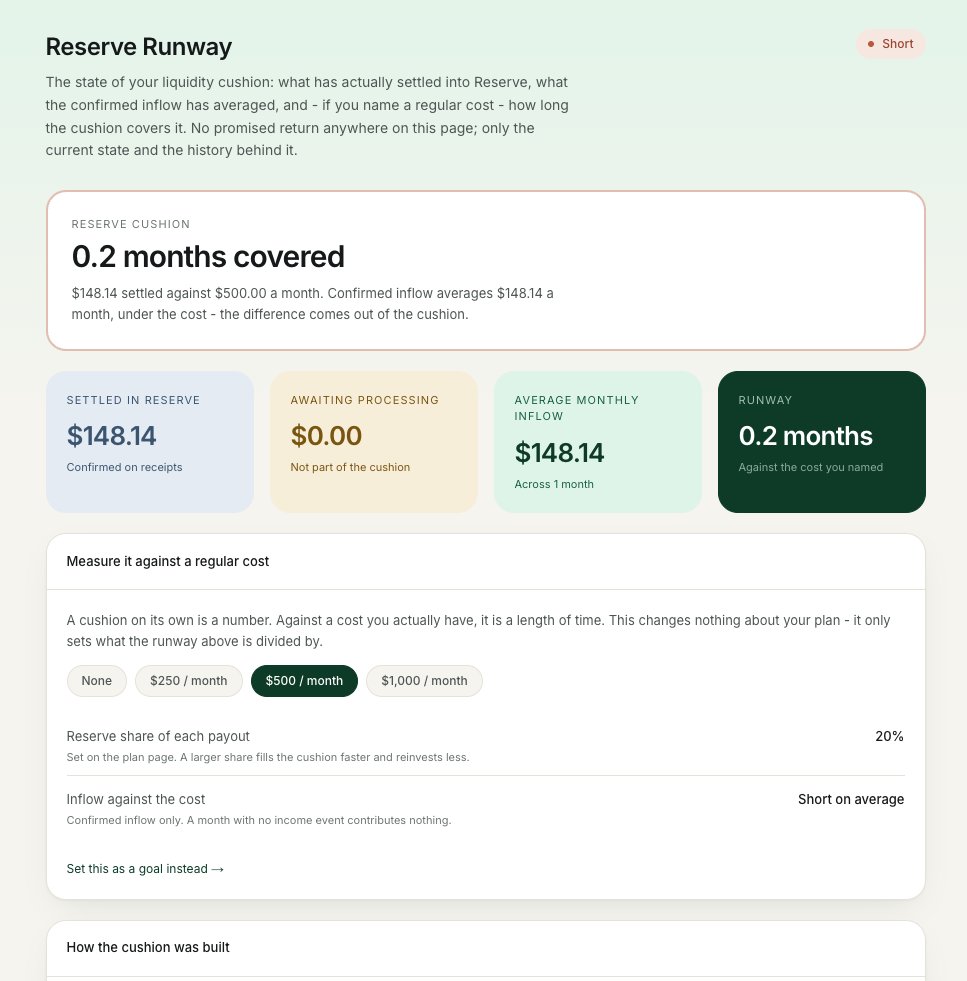
New update for Dividend Garden - Reserve Runway View.
For any Garden Plan with a Reserve, there's now a dedicated screen for your liquidity buffer.
It shows the current size of the Reserve, your average confirmed income inflow, and - if you've set a regular target - how long that Reserve would last.
You can also see the gap between what's actually saved up and what's still only waiting to be processed.
New update for Dividend Garden - Distribution Drift Monitor.
Garden now compares the plan you chose with how the money actually got distributed.
Say you wanted 50% to Reinvest, 30% to Earn and 20% to Reserve. But after a few NO-GO operations the real split ended up 35%, 20% and 45%. The dashboard shows that drift and explains it - no complex analytics needed.
Unallocated Income Inbox.
Income that arrives but can't be split under your Garden Plan no longer dissolves into the general balance. It goes into a separate inbox, with a clear reason: the amount is below the minimum batch, the chosen vault is temporarily unavailable, the quote went past your slippage limit, or the asset is no longer supported.
From there you can wait for the next batch, send the amount to Reserve, or pick another allowed action yourself.
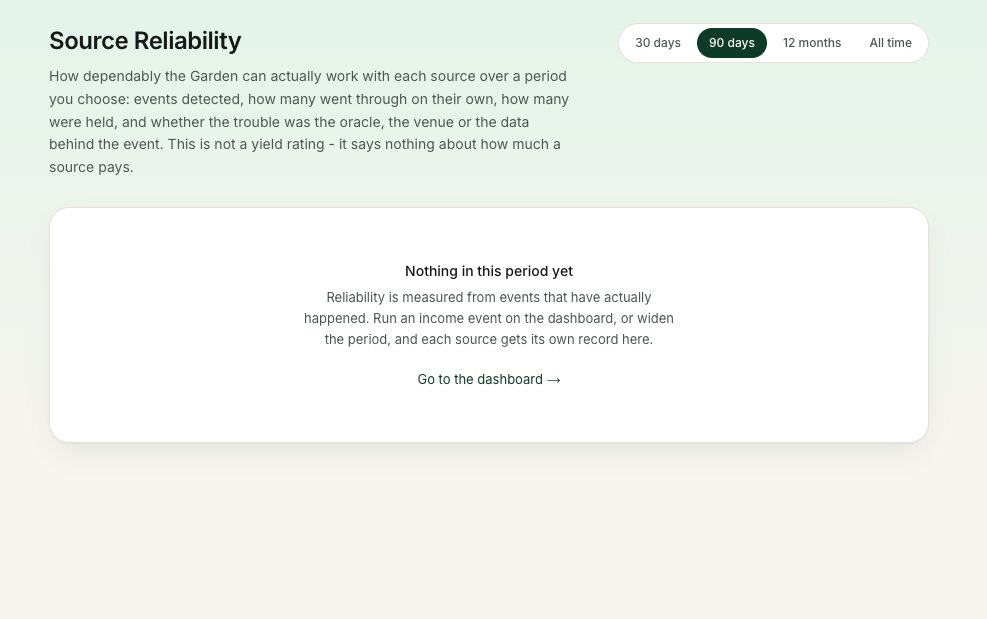
Income Source Reliability Timeline.
For every income source you now see how steadily it behaves over a chosen period: how many income events were detected, how many went through automatically, how many got a NO-GO, whether there were problems with the oracle, liquidity or the data source, and how long processing usually takes.
This isn't a yield rating - it just makes clear how steadily Garden can work with a particular asset.
New update for Dividend Garden - Plan History.
Every Garden Plan now keeps its own change log.
You can see when you changed the split between Reinvest, Earn and Reserve, what the previous version looked like, and why a new rule hasn't taken effect yet.
Open any past version and compare it with the current one.
New update for Dividend Garden - Garden Permission Center.
One screen with everything the agent is currently allowed to do.
What's on it:
- which assets are connected,
- the harvest limit you've set,
- how long the session permission is valid for,
- which contracts Garden can use
You can lower a limit, disconnect a single asset or revoke a permission at any moment. And if a permission is about to expire, you see it in advance - along with what exactly stops working when it does.
New update for Dividend Garden - Garden Statements.
One place for all your documents. What's inside:
- monthly and annual statements with the full history of payouts and harvests,
- gross-to-net breakdown,
- fees and rebates, realised income and Tax,Reserve movements
- links to the supporting receipts and on-chain transactions
Filter by asset, network, Garden Plan or income type, and export to PDF or CSV. Forecast amounts never make it into realised statements.
Work on Dividend Garden continues, and several new updates are in development right now.
They're still in the works, so we're not sharing the details yet - but we'll show them soon.
New update for Dividend Garden - Income Goals.
You can now tie a Garden Plan to a real goal, not just to distribution percentages.
What you can set:
• a target income per month,
• building up a Reserve,
• reinvesting a certain amount over a year,
• covering a regular expense.
The dashboard shows your current progress, your average confirmed income and the projected date you'd get there.
If the Garden is falling behind, it explains why and offers ways to fix it.
New update for Dividend Garden - Cost Leak Finder.
It goes through your receipt history and shows where you're quietly losing part of your income to poor settings.
For every issue it finds, you see the confirmed losses over the chosen period, the potential saving, and the exact change to your Garden Plan. And the Finder changes nothing automatically: the new setting is created as a draft and applies only after you confirm it.
New update for Dividend Garden - Asset Scorecard.
Every connected income source now has its own card, so you can see which assets actually produce cash flow.
On the card:
- income received and expected
- yield relative to the position
- how regular the payouts are, and what processing costs
- delays and NO-GO events
- contribution to your overall cash flow
- date of the next expected event
No single overall rating - every metric is broken out on its own, and forecasts stay visually separate from confirmed payouts.
New update for Dividend Garden - Benchmark.
A screen that shows not how much you earned, but whether the product changed anything at all.
It compares three scenarios:
• just holding the assets, no automation
• reinvesting everything
• the actual result of your Garden Plan
Routing rebates, Earn income, saved fees and every cost are broken out separately. Only confirmed operations count, and realised results never get mixed with forecasts.
Pick a period, an asset or a specific plan to see where the difference came from