The single most important Registry Tweak for gamers
If you play modern titles (COD, Apex, Fortnite), your CPU scheduling is likely wrong.
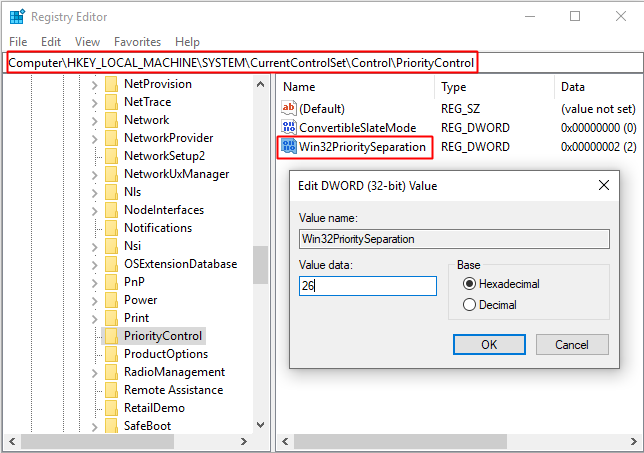
Run in Terminal (Admin): reg add "HKLM\SYSTEM\CurrentControlSet\Control\PriorityControl" /v Win32PrioritySeparation /t REG_DWORD /d 38 /f
(Note: 38 Decimal = 26 Hex)
Reboot.
Result: Better frametime consistency. Instantly.
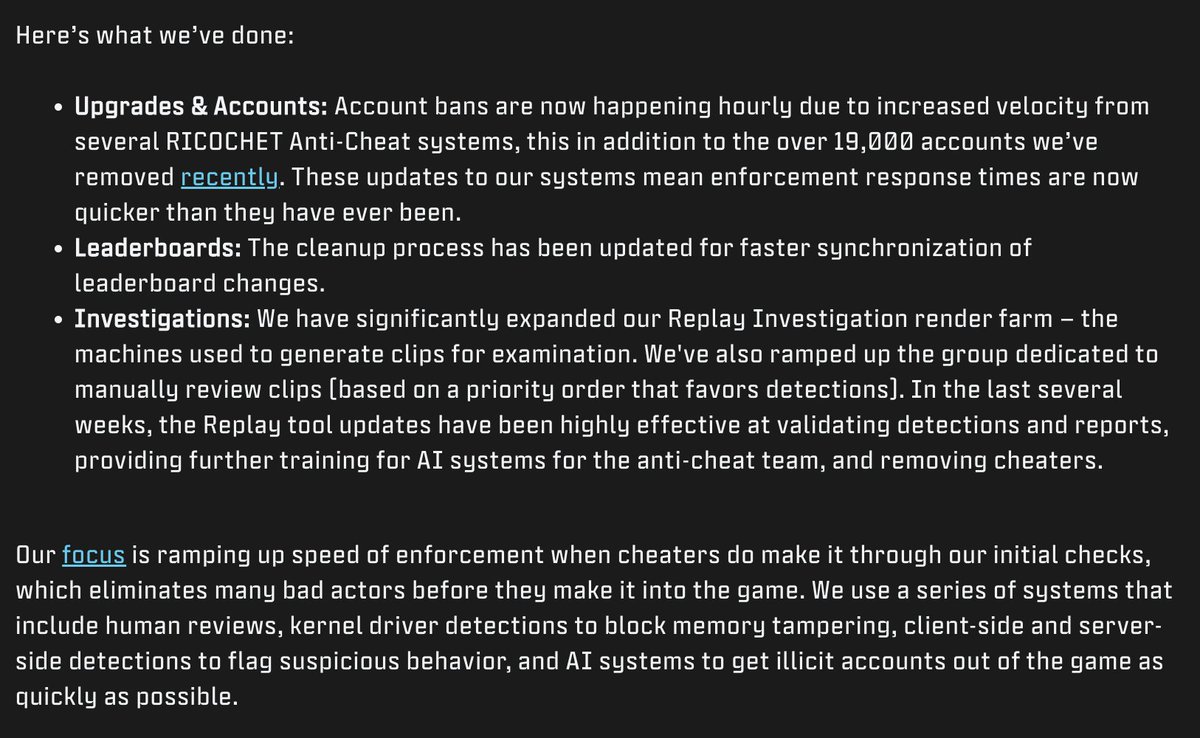
📰 UPDATE: A new @CallofDuty article reveals new updated regarding RICOCHET Anti-Cheat, including:
- 19,000 cheaters have been banned since the release of Ranked Play
- Bans are now happening on an hourly basis
- Increased resources provided for both Manual and AI detection
If you have an ASUS Motherboard in your Gaming PC, please uninstall these programs:
AI Suite 3
ASUS FC Notification
GameFirst
Armoury Crate
Norton 360 (Packet burst)
Your PC will instantly gain more performance and your bullet reg will be better.
Be mindful which USB you use for different things, to be efficient at best input delay/sound, but also having things documented makes it a lot easier to troubleshoot, also in the sense off if you are moving the setup to someone else,
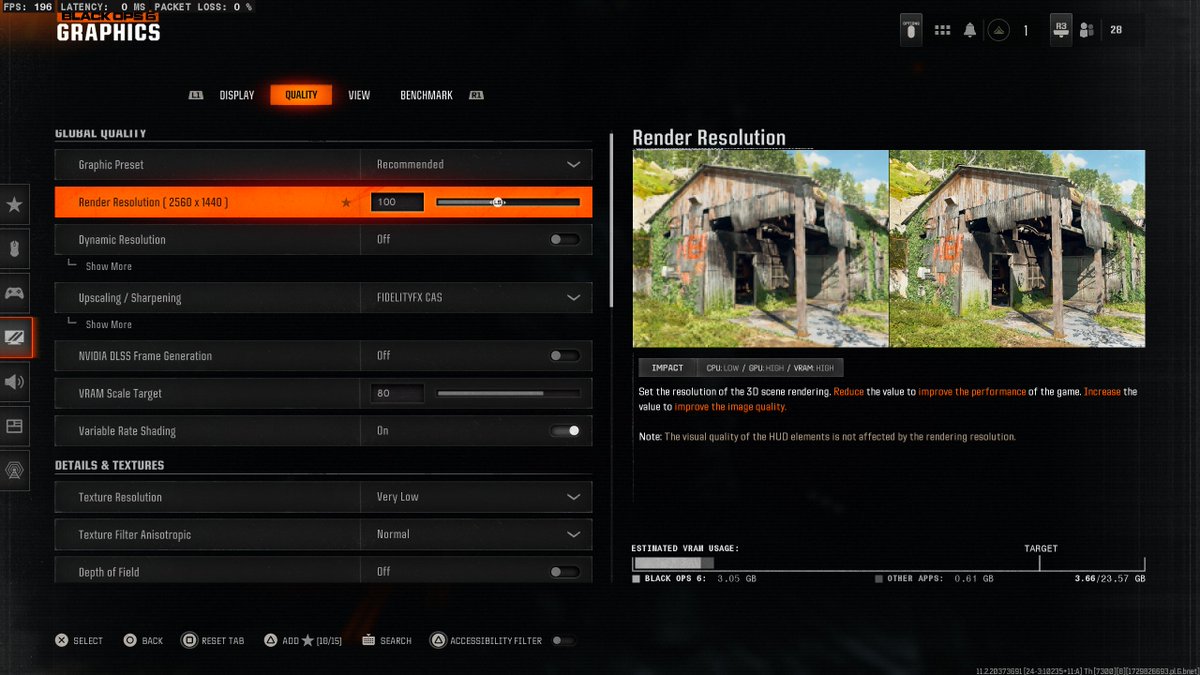
BLACK OPS 6 IS LIVE FOR ALL REGIONS AND WE HAVE THE BEST GRAPHICS SETTINGS FOR YOU!!
These are the best settings for high FPS, amazing visual clarity, and the least input delay!
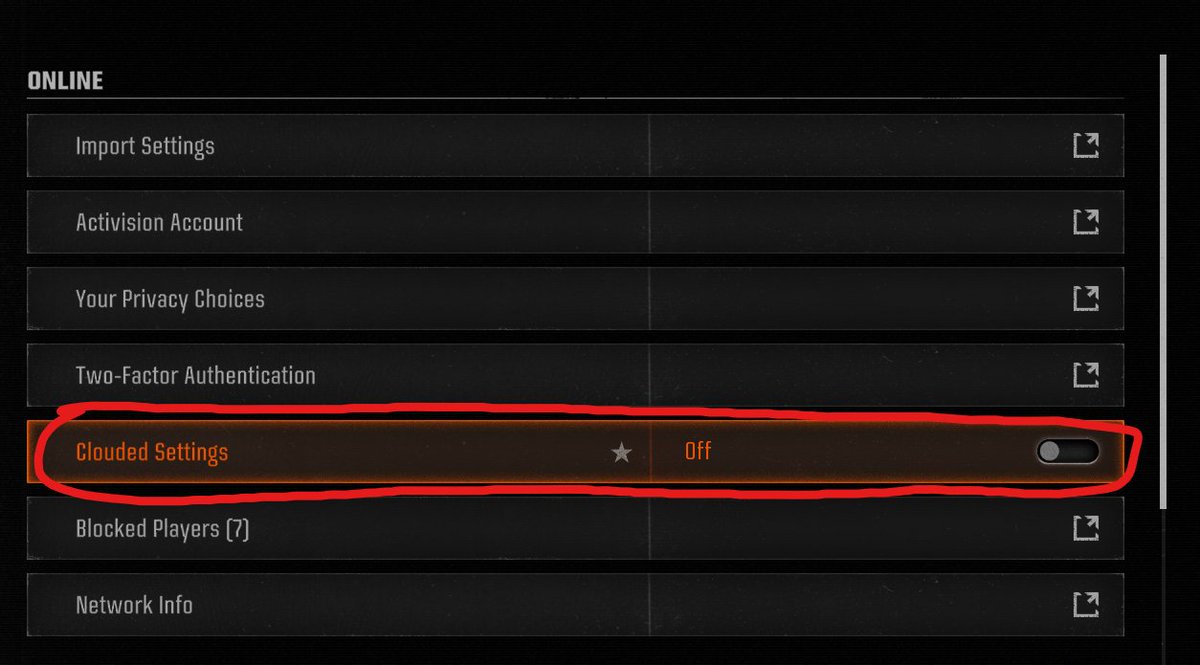
Make sure you turn "Clouded Settings" Off in Call of Duty Black Ops 6.
Multiplayer -> Tool bar (Top Right) -> Account & Network Settings -> Clouded Settings
This was the reason why my settings kept getting reset every time I launched the game.
It drove me nuts lol