Stop memorizing CI/CD commands. Understand the workflow instead.
Most people try to memorize hundreds of DevOps commands.The best DevOps engineers understand how everything connects.
This handwritten cheat sheet covers the complete CI/CD flow:
✅ Git
✅ Jenkins
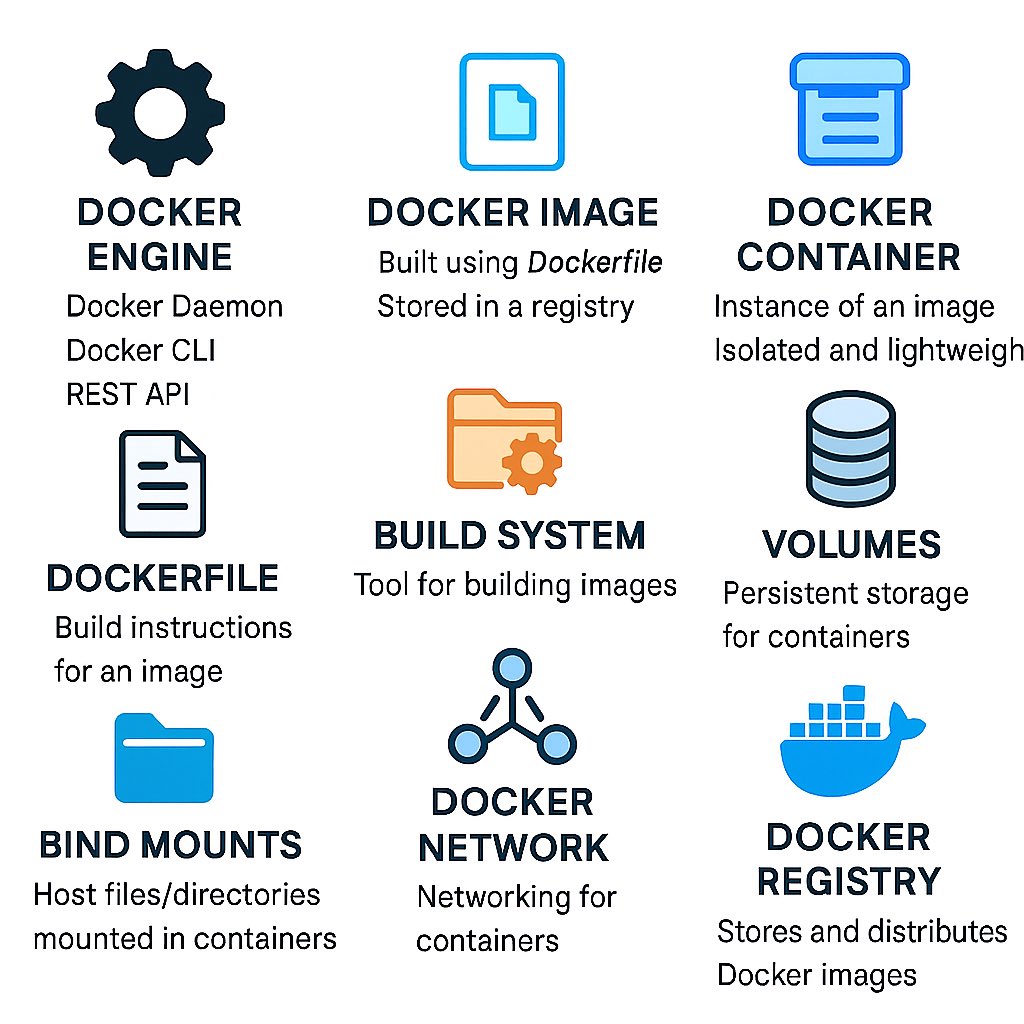
✅ Docker
✅ Terraform
✅ Kubernetes
✅ AWS
Learn the flow, not just the commands. Save this for your next deployment or DevOps interview, and share it with someone preparing for DevOps.
GOOGLE GEMINI HAS BRUTAL FEATURES THAT ALMOST NO ONE IS USING.
MOST PEOPLE ONLY USE GEMINI FOR BASIC PROMPTS… WHILE GOOGLE HAS QUIETLY LOADED IT WITH TOOLS THAT REPLACE HOURS OF WORK IN SECONDS.
YOU'RE PROBABLY USING LESS THAN 5% OF WHAT GEMINI REALLY DOES.
HERE ARE 10 HIDDEN GEMINI FEATURES THAT FEEL ALMOST UNFAIR ONCE YOU START USING THEM: 👇
🚨 I'm looking for 10 people who want a high-paid DevOps job in 2025. I will mentor you.
No tech background required, but its a plus.
You’ll follow the exact system that’s helped hundreds get hired.
Reply under this Tweet and I'll send you a DM (only 10 spots).
Play with Docker & Kubernetes 🔥🔥
Get your hands-dirty with these browser based platforms & start learning
Docker:
https://t.co/uE11wmHQQG
Kubernetes (K8s)
https://t.co/nu6gJWi5oQ
Before start: I am not prepared for interview
After 1st interview: Failed, need to learn
After 5th interview: I know most of questions
After 7th interview: I got an offer
After 10th interview: I can clear any interview.
This is the journey for every normal IT professional who make into devops.
Only thing that is stopping you is, not Starting
Start your journey before it's too late.
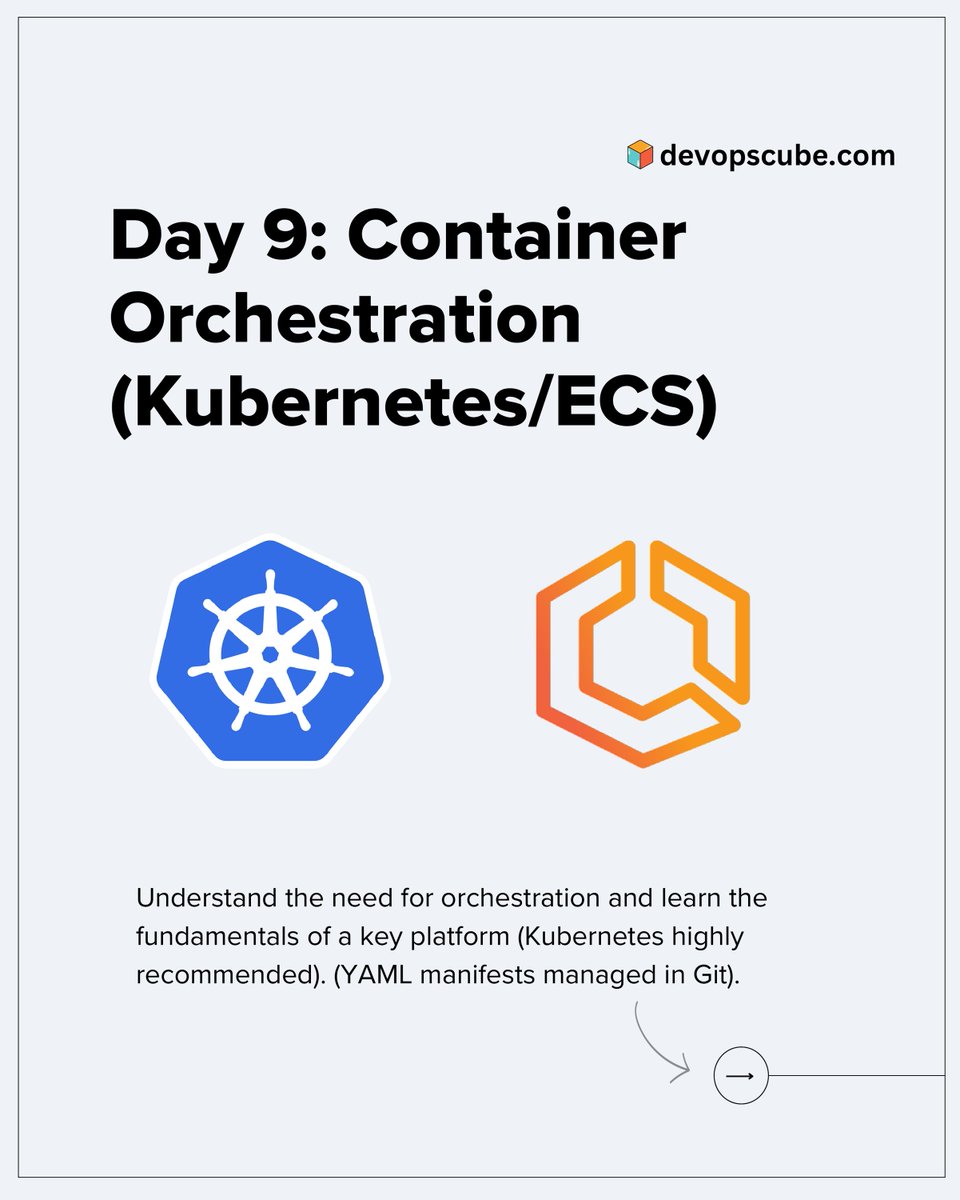
𝗗𝗮𝘆 𝟵: DevOps Interview Prep📝
Contained Orchestration(Kubernetes/ECS)
If you're aiming for a DevOps role, learn and understand Container Orchestration and how tools like Kubernetes help run, manage, and scale containers in production.👇
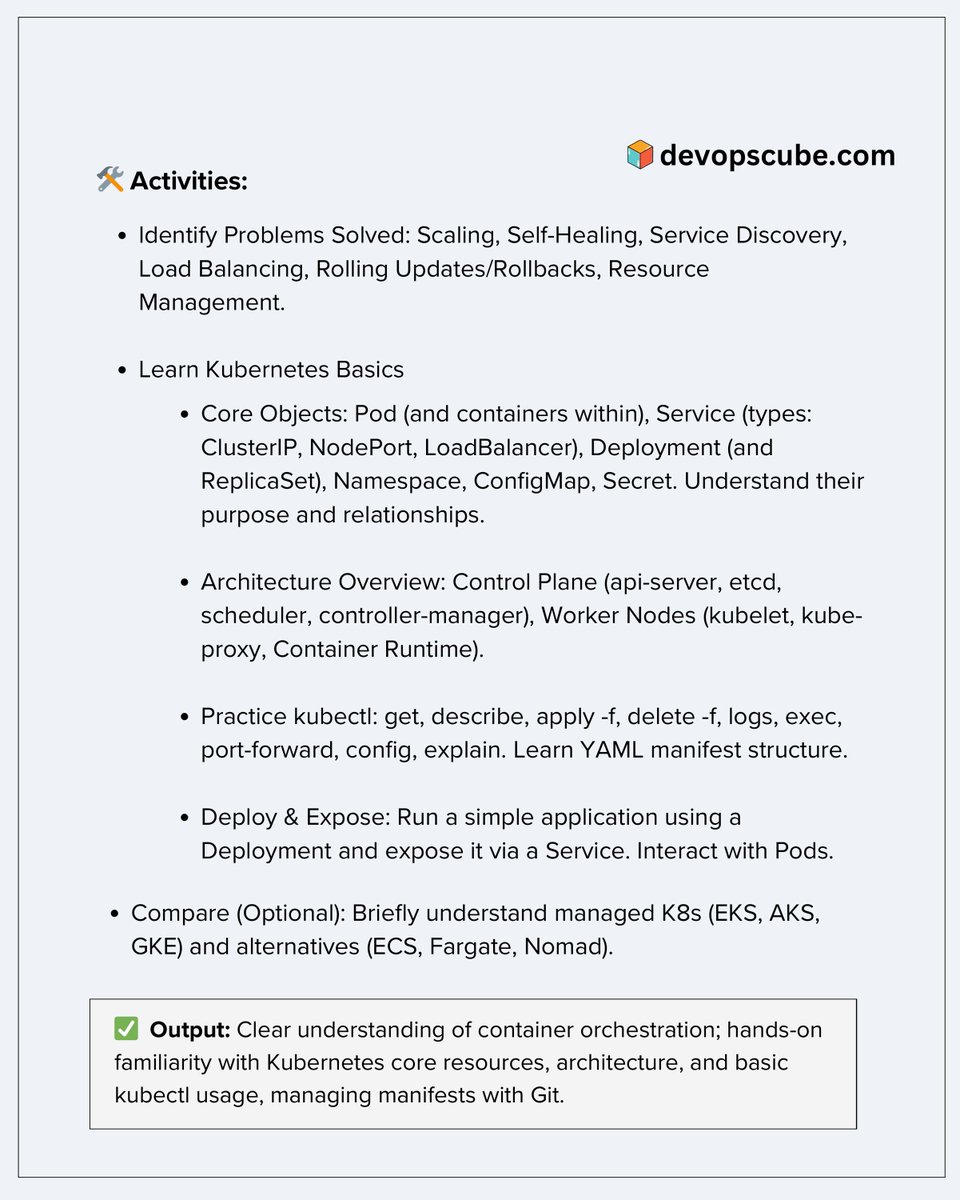
Here’s a quick checklist to guide your practice:
Understand the problems orchestration solves:
- Scaling
- Self-healing
- Load balancing
- Rolling updates & rollbacks
- Service discovery
- Resource limits & quotas
Learn Kubernetes core concepts:
- Pods, Deployments, Services (ClusterIP, NodePort, LoadBalancer)
- ReplicaSets, Namespaces, ConfigMaps, and Secrets
Get familiar with Kubernetes architecture:
- 𝗖𝗼𝗻𝘁𝗿𝗼𝗹 𝗣𝗹𝗮𝗻𝗲: API server, etcd, scheduler, controller-manager
- 𝗪𝗼𝗿𝗸𝗲𝗿 𝗡𝗼𝗱𝗲𝘀: kubelet, kube-proxy, container runtime
Also,
- Practice key kubectl commands.
- Deploy a sample app using a Deployment and expose it via a Service
- Use Git to manage your YAML manifests
- Optionally, explore managed Kubernetes services like EKS, AKS, GKE or alternatives like ECS, Fargate
PS: ♻️ Repost if you find this useful. It helps the DevOps community
Tomorrow we will look into CI/CD Pipelines & Tools.
𝗞𝟴𝘀 𝗦𝗲𝗿𝗶𝗲𝘀: https://t.co/lJ5FDopddI
Have any tips/insights to add?
Drop them in the comments below.
------
Want to Stay Ahead in DevOps & Cloud?
📢 Join Free Newsletter
→ Join Here (Its free): https://t.co/Sftwp9Vb4N
Get the latest tips, guides, and industry news delivered straight to your inbox.
#devops #devopsinterviewtips #devopsengineer
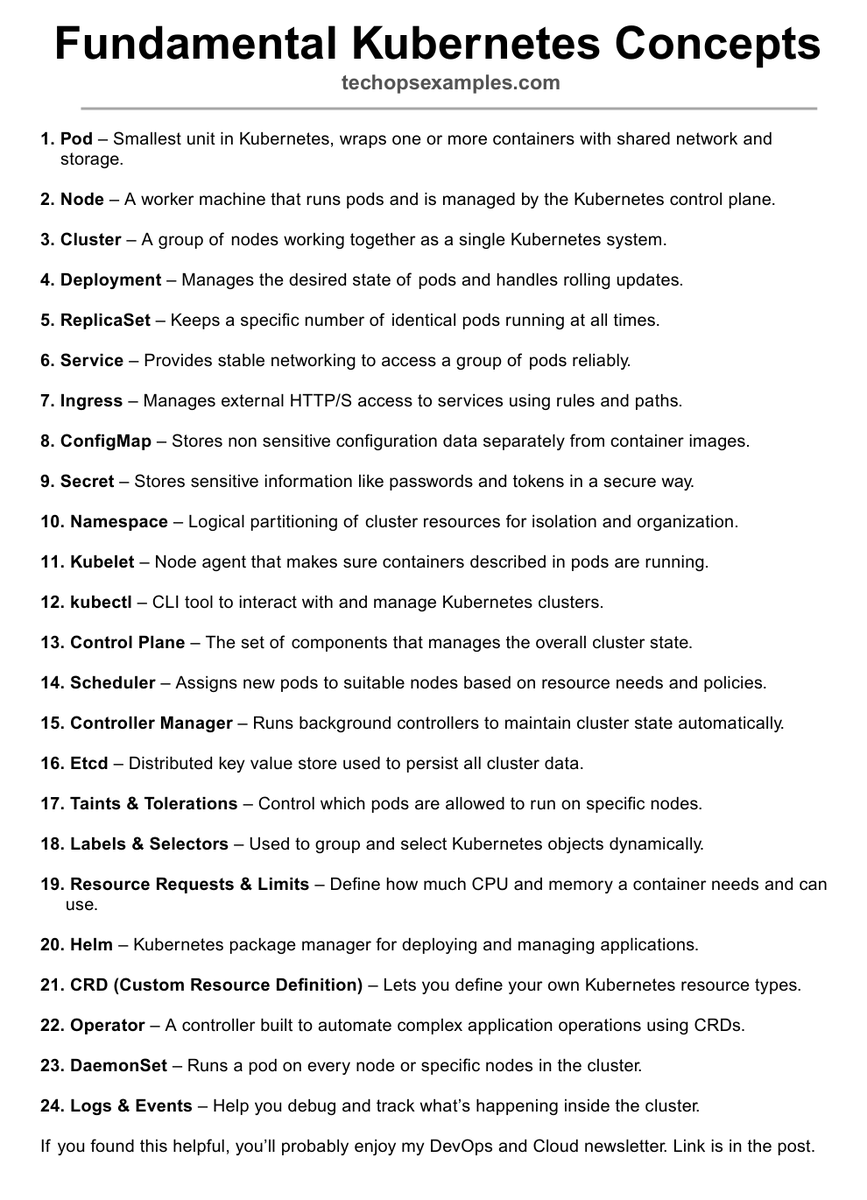
Fundamental Kubernetes Concepts.
Explained Simply 👇
47K+ read my TechOps Examples newsletter: https://t.co/UStCmOZawZ
What do we cover:
DevOps, Cloud, Kubernetes, IaC, GitOps, MLOps
🔁 Consider a Repost if this is helpful
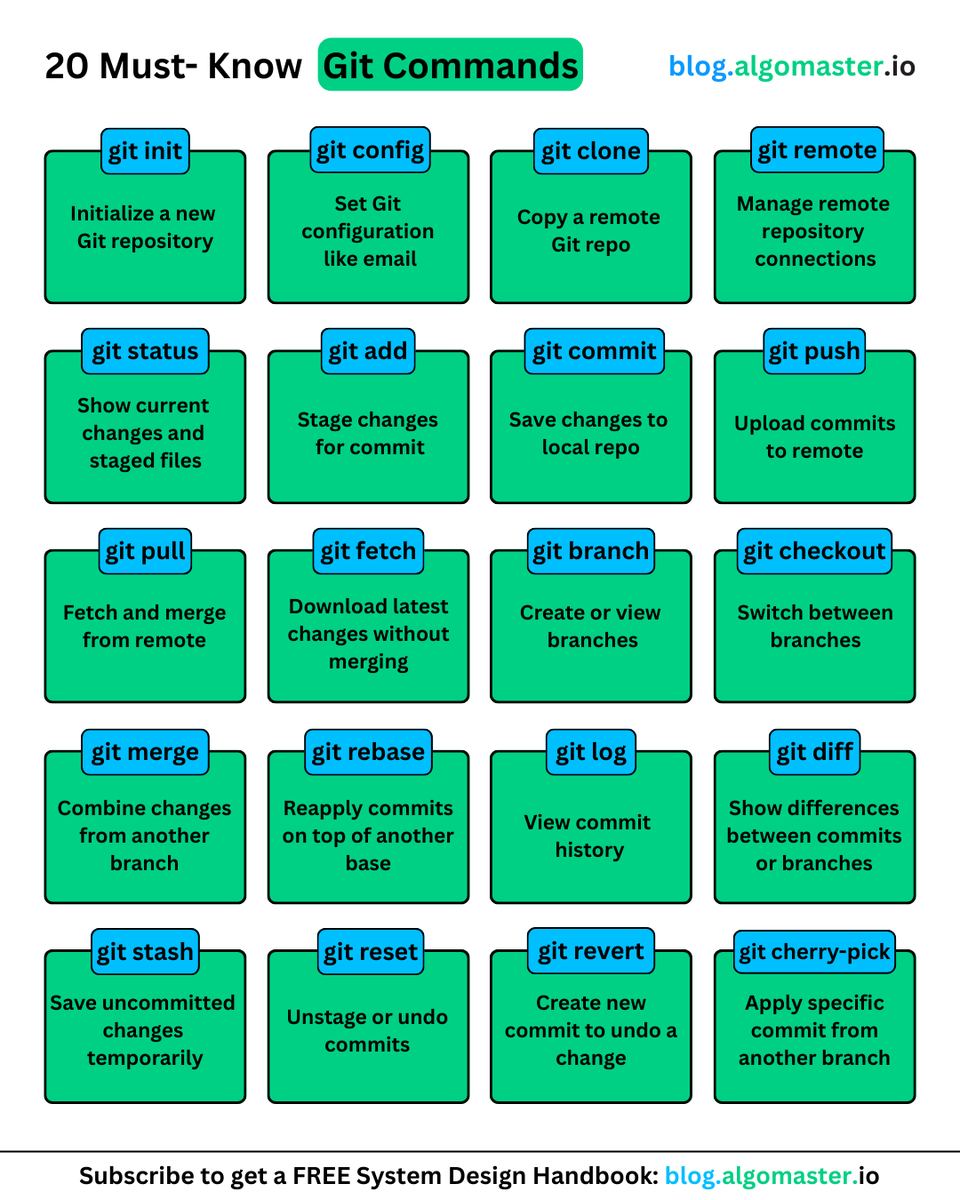
Top 20 Git Commands You Should Know:
1. 𝐠𝐢𝐭 𝐢𝐧𝐢𝐭: Initializes a new Git repository
- Example: git init my-new-project
2. 𝐠𝐢𝐭 𝐜𝐨𝐧𝐟𝐢𝐠: Set git configuration values like username/email
- Example: git config --global user .name "user123"
3. 𝐠𝐢𝐭 𝐜𝐥𝐨𝐧𝐞: Creates a copy of a remote repository
- Example: git clone remote_url
4. 𝐠𝐢𝐭 𝐫𝐞𝐦𝐨𝐭𝐞: Manages connections to remote repositories
- Example: git remote add origin remote_url
5. 𝐠𝐢𝐭 𝐬𝐭𝐚𝐭𝐮𝐬: Shows the current state of your working directory
- Example: git status
6. 𝐠𝐢𝐭 𝐚𝐝𝐝: Adds files to the staging area
- Example: git add file.js
7. 𝐠𝐢𝐭 𝐜𝐨𝐦𝐦𝐢𝐭: Record changes to local repository
- Example: git commit -m "Fix navigation bug"
8. 𝐠𝐢𝐭 𝐩𝐮𝐬𝐡: Uploads local commits to a remote repository
- Example: git push origin main
9. 𝐠𝐢𝐭 𝐩𝐮𝐥𝐥: Fetches and integrates changes from a remote repository
- Example: git pull origin main
10. 𝐠𝐢𝐭 𝐟𝐞𝐭𝐜𝐡: Downloads latest changes from a remote repository without merging
- Example: git fetch origin
11. 𝐠𝐢𝐭 𝐛𝐫𝐚𝐧𝐜𝐡: Lists, creates, or deletes branches
- Example: git branch feature/login
12. 𝐠𝐢𝐭 𝐜𝐡𝐞𝐜𝐤𝐨𝐮𝐭: Switches branches or restores files
- Example: git checkout feature/login
13. 𝐠𝐢𝐭 𝐦𝐞𝐫𝐠𝐞: Combines changes from different branches
- Example: git merge feature/login
14. 𝐠𝐢𝐭 𝐫𝐞𝐛𝐚𝐬𝐞: Reapplies commits on top of another base
- Example: git rebase main
15. 𝐠𝐢𝐭 𝐥𝐨𝐠: Shows commit history
- Example: git log --oneline --graph
16. 𝐠𝐢𝐭 𝐝𝐢𝐟𝐟: Shows differences between commits, branches, etc.
- Example: git diff HEAD~1 HEAD
17. 𝐠𝐢𝐭 𝐬𝐭𝐚𝐬𝐡: Temporarily stores uncommitted changes
- Example: git stash save "WIP: feature implementation"
18. 𝐠𝐢𝐭 𝐫𝐞𝐬𝐞𝐭: Undoes changes by moving HEAD
- Example: git reset --soft HEAD~1
19. 𝐠𝐢𝐭 𝐫𝐞𝐯𝐞𝐫𝐭: Creates a new commit that undoes a change
- Example: git revert abc123f
20. 𝐠𝐢𝐭 𝐜𝐡𝐞𝐫𝐫𝐲-𝐩𝐢𝐜𝐤: Applies specific commit from another branch
- Example: git cherry-pick abc123f
♻️ Repost to help others in your network.
Turn any GitHub repository into interactive diagrams!
Introducing GitDiagram, simply replace "hub" with "diagram" in a GitHub URL and instantly visualize the code base with interactive diagrams.
Not a joke, many DevOps Engineers don’t fully understand Kubernetes Observability Layers and their flow.
Here, I’ve made this to help you better understand.
47K+ read my TechOps Examples newsletter: https://t.co/WBucLdwdsb
What do we cover:
DevOps, Cloud, Kubernets, IaC, GitOps, MLOps
🔁 Consider a Repost if this is helpful
DevOps Project for Beginners: AWS S3 + CloudFront
Project: Host a Static Frontend on AWS
Want to deploy your frontend without servers? This one is for you!
1. Create an S3 bucket
Make sure it’s named to match your domain (if using one). Enable static website hosting.
2. Upload your static site files
Add your HTML/CSS/JS files (React, Vue, plain HTML, your choice).
3. Set proper bucket policy
Allow public read access to files (or restrict via CloudFront later).
4. Enable versioning (optional)
Track changes to your files over time.
5. Create a CloudFront distribution
Point it to your S3 bucket as the origin.
6. Configure cache settings
Control how long assets stay cached in the browser/edge.
7. Set custom error pages
Handle 404s or SPAs (Single Page Apps) gracefully.
8. Add a custom domain (optional)
Use Route 53 or your DNS provider to point your domain to CloudFront.
9. Configure SSL certificate (HTTPS)
Use AWS Certificate Manager to issue a free SSL certificate.
10. Automate future deployments
Use GitHub Actions and AWS CLI to push new builds to S3 automatically.
This project gives you a real-world feel of cloud-native frontend hosting with zero servers, global CDN, and fast load times. Perfect starter for DevOps and frontend engineers!
AWS Learning (Day 1 to Day 4) 🔥🔥
Day 1 – What is AWS
https://t.co/CBcoqpkqdq
Day 2 – Core AWS Services
https://t.co/u0Wo4LvC6q
Day 3 – AWS Console Tour
https://t.co/Nrns7Z5qjm
Day 4 – S3 Basics
https://t.co/blqEBZIjWc
Day 5 – EC2 Basics (Coming tomorrow)
Check & Share to support!! 🔥🔥
Sargodha, Kirana Hills, Nuclear Weapons and Missile Strike
- Why the US intervened?
- There is ONLY one possible scenario running in my head.
- Pakistanis being Pakistanis, they made a dog and pony show of moving their nuclear assets.
- It could be movement of missile TELs or nuclear weapons form known storage sites.
- Now we know we hit Kirana Hills next to Sargodha.
- Kirana Hills is the motherload of weapons, ammunition and of course, nuclear arsenal.
- Just look at the area -
- It houses a Central Ordnance Depot, Central Ammunition Depot and Pakistan's nuclear stockpile within those hills.
- Which should not be surprising if you consider the following facts -
(1) Kushab Nuclear Plant is ~50km from Kirana Hills as the crow flies. It is part of Pakistan nuclear weapons making infrastructure.
(2) Sargodha Air Base - Home to Pakistan's aerial nuclear delivery platform ->F-16s! Hardly 10km from Kirana Hills in a straight line.
See the map below - The tip of the triangle rests on Kushab Nuclear Plant.
- So, my guess on the sequence of events is something like this -
(1) Pakistanis moved nuclear weapons at a time or in a manner where they knew it would be picked-up by the Americans.
(2) It is very much likely that India also picked-up these events in parallel.
(3) And fired a missile right into their nuclear weapons mothership - No, not to destroy the weapons or make them explode but to tell the Pakistanis that 'We See You' and we're ready to call your nuclear bluff.
(4) But the Americans panicked and well, rest is history.
PS: To see details of where exactly strike hit and details of the area, please see excellent work by @JaidevJamwal on his TL.