🤖 Meet HexStrike AI: AI-Powered Pentesting with 150+ Security Tools
HexStrike AI is an open-source MCP cybersecurity automation platform that combines 150+ professional security tools with 12+ autonomous AI agents. It supports reconnaissance, web security testing, cloud security, reverse engineering, OSINT, binary analysis, vulnerability intelligence, CTF workflows, and bug bounty automation. Compatible with Claude, Cursor, VS Code Copilot, Roo Code, and other MCP-enabled AI clients, it streamlines complex security assessments through intelligent tool selection and automated workflows.
🔗 https://t.co/hSSDCyyDHQ
#CyberSecurity #AI #MCP #Pentesting #BugBounty
el ingeniero que construyó Claude Code acaba de publicar un video de 28 minutos sobre cómo escribir prompts que realmente funcionan
he visto cursos de 300$ que no cubren lo que él muestra en los primeros 5 minutos
todo en un video y completamente gratis
ESTA HERRAMIENTA REVELA EL PROMPT DETRÁS DE CUALQUIER REPOSITORIO DE GITHUB.
usarlo es muy sencillo:
→ cambia “github” por “gitreverse” en la url
→ te da el prompt para replicar el proyecto
sin instalar ni configurar nada.
solo editas la url.
ingeniería inversa de cualquier proyecto en segundos.
100% gratis.
enlace abajo 👇
ESTO ES UN PALANTIR GRATIS Y SE INSTALA EN UN SOLO COMANDO.
se llama OSIRIS.
abres un globo 3D en tu navegador y ves, en tiempo real:
→ +10.000 aviones en el aire
→ +2.000 satélites
→ cámaras CCTV de todo el mundo
→ incendios, terremotos, tráfico marítimo
→ 13 zonas de conflicto activas
todo en una sola pantalla.
y no se queda ahí.
trae un toolkit OSINT dentro:
port scanner, DNS, WHOIS, análisis de dominios.
Palantir cuesta millones.
esto es:
→ open source
→ MIT
→ docker compose up
→ listo
la mayoría de fuentes funcionan sin meter ni una API key.
por qué te importa:
el tipo de inteligencia que antes solo tenían gobiernos...
ahora la levantas tú en tu portátil en 5 minutos.
ideal para periodismo, seguridad o verificación.
repo 👇
PowerShell-Based Active Directory Lab Setup 🚨
🔥 Telegram: https://t.co/upuP8k8ckB
✴ Twitter: https://t.co/Za7rYILz6E
Automate your Active Directory lab using PowerShell and build a vulnerable environment for real-world penetration testing practice—fast, scalable, and efficient.
⚡ Lab Highlights
💻 Automate Domain Controller setup via PowerShell
🌐 Install & configure AD DS + DNS
🛠️ Promote server to Domain Controller
⚙️ Configure domain, users & OUs automatically
🚀 PowerShell Capabilities
📡 Install AD DS role using commands
🔐 Create domain (forest) via script
👤 Automate user & OU creation
🔥 Configure services & policies quickly
💡 PowerShell simplifies repetitive AD lab tasks and allows rapid deployment of test environments—ideal for red teamers and OSCP prep.
📖 Article: https://t.co/GRn6WbLOAU
#ActiveDirectory #PowerShell #CyberSecurity #Pentesting #RedTeam #EthicalHacking #Automation
⚠️⚠️🇲🇽Alerta: Se emite una alerta crítica ante el reporte de una filtración masiva de información perteneciente a la Administración del Sistema Portuario Nacional, relacionada con la plataforma Puerto Inteligente Seguro (PIS).
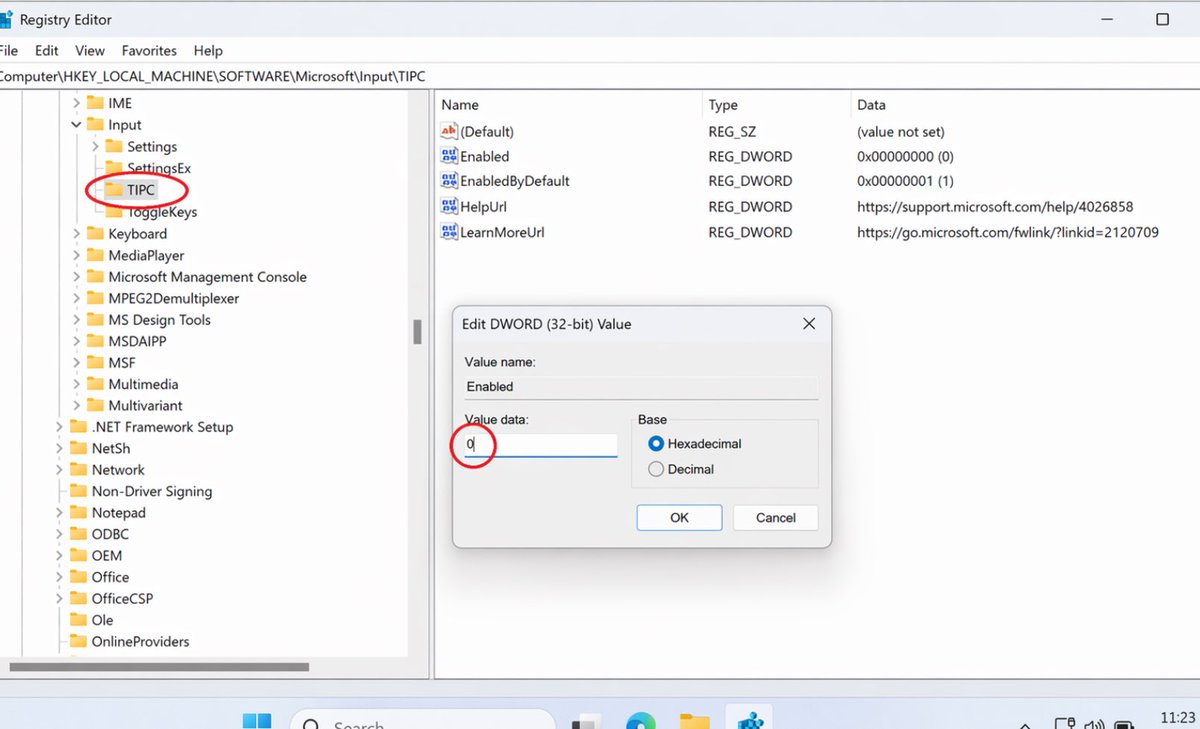
Windows 11 has been secretly running a keylogger on your browser
this whole time
and sending every password you type to Microsoft servers.
Here's the fix they don't want you to know about
Win+R → regedit → HKEY_LOCAL_MACHINE\SOFTWARE\Microsoft\Input\TIPC → Double click "Enabled" → Set value to 0 → Restart PC
Stop Microsoft from reading every password you type in Chrome, Discord, and Valorant.
Windows 11 has been secretly running a keylogger in the background
this whole time
and sending every keystroke to Microsoft servers.
Here's the fix they don't want you to know about
Win+R → regedit → HKEY_LOCAL_MACHINE\SOFTWARE\Microsoft\Input\TIPC → Double click "Enabled" → Set value to 0 → Restart PC
Stop Microsoft from reading every word you type in Valorant chat, Discord, and Chrome.
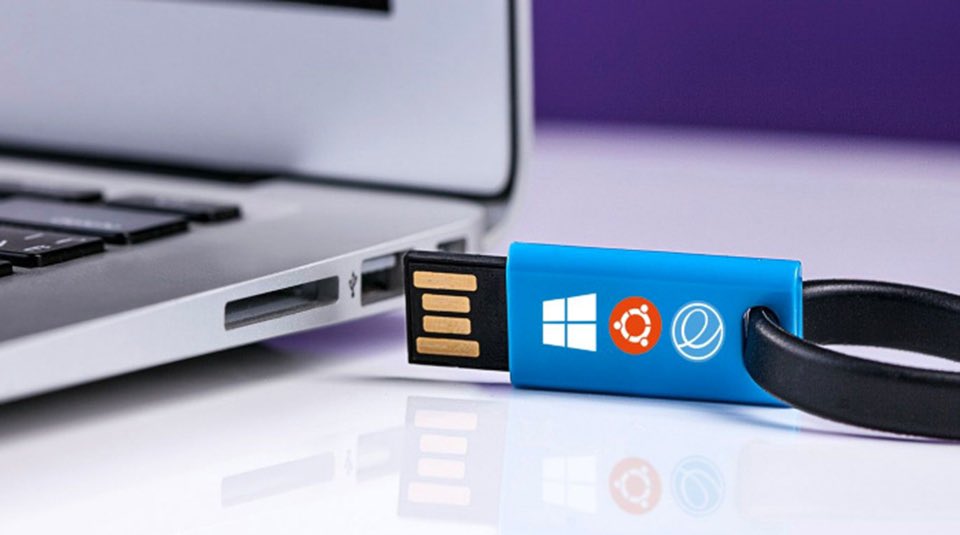
اذا عندك مشاكل بالفلاشة USB؟ هذي أهم الأدوات
المجانية اللي تحتاجها
Rufus
أفضل أداة فورمات + إصلاح + حرق أنظمة
(تهيئة الفلاش + إصلاح مشاكل كثيرة)
https://t.co/0PcIiALXSu
• USBDeview
يعرض كل أجهزة USB ويحذف التعريفات التالفة (حل مشاكل التعرف والتعارض)
https://t.co/COeY8Oy4oP
• TestDisk + PhotoRec
أقوى أدوات استرجاع وإصلاح
(استرجاع ملفات + إصلاح البارتشن)
https://t.co/8DEPWpctmJ
• USBDDFixer
ينقذ الفلاش بعد ما يخرب من الحرق !
(يرجع الفلاشة لوضعه الطبيعي)
https://t.co/Xb521jMW5F
احفظها عندك... بتنقذك وقت الأزمات
BİLGİSAYARINIZ "SU BÖREĞİ" KIVAMINDA MI?
Hantal, ağır, geç tepki veriyor... İşlemciyi uyku modundan çıkaralım, bir "su böreği" tadında değil, "çıtırt" diye açılan bir sistem olsun:
- Yönetici CMD'yi başlat.
- bcdedit /set disabledynamictick yes
- bcdedit /set useplatformclock true
- Yeniden başlat.
Sen aklını kaçırmışsın, bunu hala yapmadın mı? Sistemin resmen uçuşa geçecek.
---
MİNİ SSS:
- Riskli mi? Hayır, sadece Windows'un "tasarruf" ayarlarını kapatıyoruz.
- Yan etkisi var mı? Yok, istediğin an "no" ve "false" değerleriyle 10 saniyede eski haline dönebilirsin.
- Garantiyi bozar mı? Yazılımsal olduğu için asla bozmaz.