Hey there, We're sorry to hear about your refund experience. We take your concerns seriously. Please email [email protected] with your order details, refund request, and previous support ticket. Our team can review your case and explain the decision and available options.
Hey there, we're sorry you're experiencing this 💙 Please email [email protected] with your previous support ticket number and purchase details. Our team can review your original license terms, investigate the change and check why Filmora 16 isn't recognizing your access. Hope this helps escalate your case to the needed teams!
Try Filmora 16 now for FREE at https://t.co/5ZObIiz6Pa
The scariest horror scenes aren't always about jump scares or monsters. Sometimes, it's the subtle details that make your footage feel deeply unsettling. 🕷️
In this tutorial, we'll show you how to transform ordinary footage into a chilling horror scene using Filmora's color grading, eerie effects, AI-generated elements, and creative editing techniques.
Here's what you'll learn:
🎨 Horror Color Grading: Create dark, eerie tones with Auto Color, contrast adjustments, vignettes, and desaturation. https://t.co/qvPHnExDEO
🖌️ Color Mask: Select specific areas and adjust their colors to build an unsettling atmosphere. https://t.co/qvPHnExDEO
📼 Psychological Distortion: Add film grain, VHS horror effects, glitches, and subtle rotations to make your footage feel distorted and uncomfortable. https://t.co/OqWg7AGlKB
👻 AI Ghost Elements: Generate supernatural visuals with Seedance 2.0 Image-to-Video. https://t.co/2nUADmBFBi
🎭 Track Matte: Combine visual elements with precision for haunting compositions. https://t.co/XDaM5YV6aU
🎥 Camera Tracking: Track moving subjects to create immersive horror effects. https://t.co/VmiDCkzS0I
👁️ Subliminal Cuts: Hide a single-frame image in your edit to make viewers question what they just saw!
⏱️ Timestamps
00:00 – Introduction
01:44 – Horror Color Grading
02:35 – Color Mask
03:26 – Psychological Distortion
07:19 – AI Ghost Elements
08:22 – Track Matte
08:40 – Camera Tracking
09:02 – Subliminal Cuts
11:10 – Conclusion
The best horror edits don't always reveal what's lurking in the shadows. Sometimes, it's what you don't see that scares you the most. 😨
Experiment with Filmora's creative tools and combine different horror techniques to create your own chilling masterpiece!
💬 Which horror effect would you try first?
@Ivco00230976 This was simply a quick demonstration of an easy effect using Filmora 16's rectangular Color Mask! 🎬 The goal was to show how accessible the tool is, but thanks for the feedback to help us improve :)
Ever wanted to give your footage that sleek, high-tech matrix vibe with dynamic visual grid overlays?
🎬Introducing the Auto Colour Effect in Filmora 16!
✨ Effortlessly transform flat scenes with vibrant grid overlays and glowing color paths
✨ Instantly add high-energy visual flair and modern digital transitions to your videos
✨ Enhance contrast and dynamic color hues in just a few clicks
How are you going to use this grid effect in your next edit? Drop a comment below! https://t.co/5ZObIiz6Pa
#wondershare #filmora16 #madewithfilmora #filmoradesktop #AutoColour #VideoTransitions #VideoEditing #ContentCreator
Have you seen this upside down transition? 🔄🤯
The effects make your mind go round and round! Check out how the text behind the figure was made so engaging and satisfying.
🎬 Made with Filmora, try it out https://t.co/5ZObIiz6Pa
#wondershare#filmora16#UpsideDownTrend #TextEffect #VideoEditing #viral #trend #upsidedown #videoedit #transition
@nftminerca Thank you for supporting Filmora for 3 years! 💙 We understand how 500 credits per transcript adds up, your workaround shouldn't have to be so time-consuming. We'll share your feedback on more affordable STT options with our team. We truly appreciate your support!
Hey there, sorry to hear your projects were affected after updating. Please try opening a backup in your previous Filmora version. You can also email [email protected] with your version details and previous support ticket so our team can review the issue. We'll share your feedback on project compatibility testing, too.
Try Filmora 16 now for FREE at https://t.co/5ZObIizEEI
New Filmora AI works alongside your creative instincts. Opening more ways to explore, shape, and bring your ideas to life. One moment can hold more than a single frame.
✨ What's New in Filmora 16:
🔄 360° Video Reframing – Explore every direction https://t.co/79Er0699fd
🧠 AI Media Analysis – Automatically identifies and tags what's in every shot so you find what you need faster https://t.co/Ttd2wj9V5K
🎥 Camera Tracking – Makes every movement more engaging https://t.co/VmiDCkApQg
🎨 Color Mask – Shape colour to set the tone https://t.co/qvPHnEybum
🎙️ Multi-Source Recording – Captures every source in sync https://t.co/JvmsD0Wnkj
✨ Full Feature List in Filmora 16:
• Camera Tracking
• Track Matte
• Keyframe supports Motion Blur
• Color Mask
• Auto Color
• Smart Text Correction (STT intelligent subtitle error correction)
• Subtitle Track
• 360° Video Reframing
• AI Media Analysis
• Dynamic Caption
• Video Animation
• Game Recording
• Multi-Source Recording (Multi-Source Video and Audio Recording)
• XML Format Import/Export
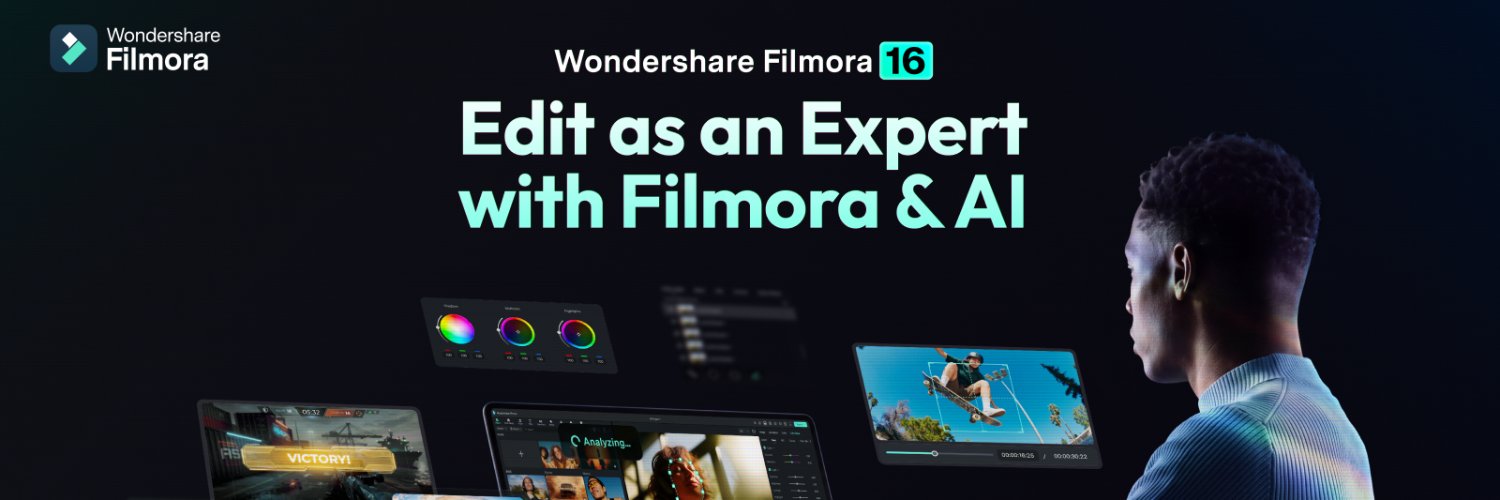
Filmora edits as an expert with Filmora and AI. From idea to video.
Discover Filmora 16 — a powerful video editor designed for faster video editing, smarter movie editing, and advanced AI video generator tools. 🚀
Built for creators of all levels, Filmora 16 combines intuitive design with AI-powered features to help you edit faster, reduce manual work, and focus on storytelling.
#wondershare #filmoradesktop #filmora16 #VideoEditing #AIVideoEditor #ContentCreator
@keekeexbabyy Hey there, thanks for reaching out! Yes- definitely! You can reach our customer support team at [email protected]. Please include your issue and order details (if applicable) so they can assist you!
@Ivco00230976 Thanks for keeping up with our content and sharing your thoughts! We occasionally adjust what's published on our channels as our content plans evolve. We appreciate your feedback and will keep working to make our videos more engaging and useful.
Your voice. Your words. Just cleaner. 🎙️✨
Made a mistake while recording? No need to start over.
With Smart Text Correct in Filmora, simply edit the transcribed text to fix typos and spoken mistakes — and Filmora corrects your voice automatically. 🤯
Try this new feature out! https://t.co/5ZObIiz6Pa
#wondershare #filmora16 #madewithfilmora #filmoradesktop #aivoice #aivideo #pets #aipet #animals #videoedit #voice #viral
Jittery mess footage? Fix all those chaotic action shots with these 4 steps. Smooth out micro jitters, lock onto your subject, and make every movement feel seamless.
Apply this 4-step guideline and see the difference yourself:
🎯 AI Stabilization – Analyzes your movement across frames and enhances and stabilizes your footage → https://t.co/p9RfPblCFv
🎥 Camera Tracking – Locks the focus of the camera completely on your subject, panning, tilting, and zooming to make sure they stay in focus → https://t.co/VmiDCkApQg
🔄 360° Video Reframing – Easily turn a wrapped bubble into a cinematic pan, an orbit, or a tiny planet transition → https://t.co/79Er0699fd
💨 Keyframe Motion Blur – Play around with shutter angle and phase for more seamless motion trails → https://t.co/yYxQsls8eH
⏱️ Timestamps:
Intro — 00:00
AI Stabilization — 1:08
Camera Tracking — 3:21
360° Video Reframing — 7:35
Keyframe Motion Blur — 10:12
Recap — 12:01
Outro — 13:03
Whether you're shooting handheld, action sports, or chaotic 360 footage, these four tools work together to turn shaky, unusable clips into smooth, cinematic shots.
Hey there, sorry to hear! Please check that you're signed into the account linked to your purchase. If exporting is still blocked, email [email protected] with your order details and a screenshot of the error so our team can investigate. Hope this helps and thanks for reaching out!
Thanks for asking! Filmora 16 supports XML timeline import and export, but Final Cut Pro XML compatibility may vary. Could you share your Final Cut Pro version and XML format so we can help confirm? [email protected] is an email you can reach for technical inquiries. Hope this helps:)
@Awesome_O_AI Absolutely! 🙌 Filmora 16’s XML support helps creators bring projects from other editors into a smoother workflow, making collaboration and creative flexibility easier!
What's New in the Filmora 16 Update?
Caption text, getting projects from different editors, exporting to different platforms — Filmora 16 puts all of this into one simple workflow.
Here are 4 brand new Filmora 16 features that will save you a ton of time:
📝 Smart Text Correction – Spot one mistake in your captions and replace them all in one click. See suggestions and add words to your dictionary for future accuracy. https://t.co/DzKOu40NFl
📦 Batch Export – No need to manually choose your aspect ratio. It doesn't just export — it can upload your video right away and even schedule posts. https://t.co/6vO8emVfej
📱 Live Photo Export – Export and get an option to scan a QR code, sending the file straight to your phone. https://t.co/IEny7Yf296
📂 XML Import and Export – Your entire project at your disposal through XML, making it easy to receive and send projects between editors and platforms. https://t.co/NYOjmS64fW
⏱️ Timestamps:
Introduction — 00:00
Smart Text Correction — 00:53
Batch Export — 2:19
Live Photo Export — 3:17
XML Import and Export — 3:39
Conclusion — 4:02
These four features are built to remove the busywork from your editing workflow — so you can spend more time creating and less time managing files, formats, and exports.
🔔 Subscribe for more Filmora 16 tutorials and updates!
@Awesome_O_AI Absolutely! Live Photo Export makes it even easier for mobile creators to bring their favorite moments to life. Can't wait to see what you create with it!
What's new in Filmora 16? 🎬 Here are 4 new features that will make your workflow more efficient.
📝 Smart Text Correction
📦 Batch Export
📱 Live Photo Export
📂 XML Import and Export
Be sure to watch the full YouTube video on our channel to learn more!
Try Filmora now https://t.co/5ZObIizEEI
#wondershare #filmora16 #VideoEditing #WhatsNew #ContentCreator #videoedit