The most powerful website and application blocker. Make your computer a productive place. Automatically block time-wasting websites, social media and games.
“You can decrease your problems by a bunch.” - Elia ⭐⭐⭐⭐⭐
That’s what a lot of blocking options and fast support can do.
Try FocusMe free for 14 days: https://t.co/IfM5khXOfS
#FocusMe#DigitalWellbeing
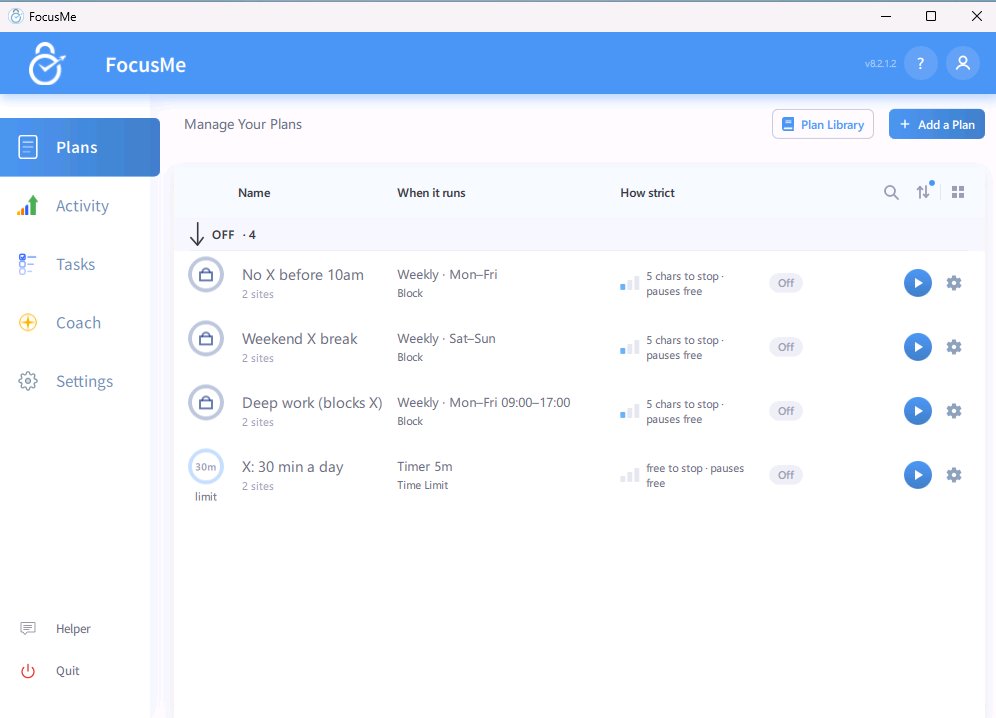
My Coach report still showed 1.3 hours on X last week. The plans don’t remove it. They keep it within a budget I chose.
One rule not working for a site? Try different rules for different times.
Free for 14 days: https://t.co/nwLyexUtLh
Closing your laptop should mean something.
Schedule your work apps to go quiet at a set time, on your laptop and your phone, so logging off isn’t something you have to keep deciding to do.
Airil Hakimi was looking for a distraction blocker that worked.
After discovering @FocusMe , he said it "worked too well".
He also appreciated the features and responsive support.
Try FocusMe free for 14 days: FocusMe: https://t.co/O64ko0zq9j
Keep disabling a plan at the last minute? Switch its protection to Random and set it to 40 or 60 characters.
Try FocusMe free for 14 days: https://t.co/ijuUzNQS5I
#FocusMe#Productivity
From our founder, Jon:
Here’s what it takes for me to disable one of my FocusMe plans:
J%87QG9xK&y69G8y9u$^(5#*x<EwKjsnj5%R3hj2cg@HF3@BqyomJ9o77s
Type that perfectly. No copy-paste.
Typing them takes about 90 seconds. That’s long enough for the rational part of your brain to catch up with the impulsive part.
By character 40, the urge has usually passed.
Each option has a short description, so you always know what it does.
Protection levels are on Android too.
It's in FocusMe 8.1.7.1, rolling out now.
https://t.co/ymgUyS0sff
New in FocusMe: Protection levels.
Pick Basic, Standard or Maximum in the new Protection tab in Settings,
and see exactly what each level turns on before you choose.
Before you download another productivity app, ask one question:
Will it help me do work that matters, or just give me another thing to manage? @FocusMe is the one that gets out of the way. Set it once, and it keeps distractions off your screen while you work.
Ever hit your time limit and the video just... kept playing behind the
block screen?
Not anymore. When FocusMe blocks your computer, or a Time Limit or
Session Limit runs out, the sound is muted until the block ends, and
on Windows the video pauses too.