Episode #31 is LIVE! Today @mrscarolnelson & @travistrue talk about updates that were announced/released by Google in April 2022. https://t.co/XlaL0DmRB1 #ksedchat
Episode #30 is LIVE! @TabHogan is the Library Media and Tech Specialist at Winfield HS @465USD. She shares about their VIIP program and how their teachers are focusing on aligning their lessons and projects around the @iste standards. #ksedcchat https://t.co/uaF3Tu1yDF
Psst: we’re launching a new how-to series—Teach with Chrome—for educators & IT admins who use #Chromebook & #ChromeOS! Join us throughout February & March for sessions jam-packed with insider tips to make life easier with Chrome. See the full lineup: https://t.co/sbkwZ5SJGh
Google announced a new virtual event series, Teach with Chrome. In these sessions, you will learn about the latest in Chrome devices and Chrome OS for EDU. The series starts 1/22 and runs through 3/31. Each session lasts 30 minutes. #ksedchat
https://t.co/H6GIS8Qm9j
Untitled Podcast #26 is live! In this episode Carol Nelson & Travis True share some updates Google released this winter. You can listen to this episode here: https://t.co/bChjQZl91j
You can find Untitled Podcast on Spotify, Apple Podcast, and Google Podcasts. #KSEdChat
Looking for an easy way to share #GoogleSlides, @googledocs, or #GoogleSheets class material with a larger audience? Publish your content to the web and share it publicly: Learn more https://t.co/sm0nMSz9hZ
Raise your hand 👋 if you use Google products in the classroom! To level up ⬆️, get your Educator Level 1 Certification and you’ll have new ways to organize, save time, and boost student engagement with #GoogleWorkspaceEdu. Learn more: https://t.co/pgbPS4WQhz
We’re serving up some creative ways to teach your students 🍎🍔🥦
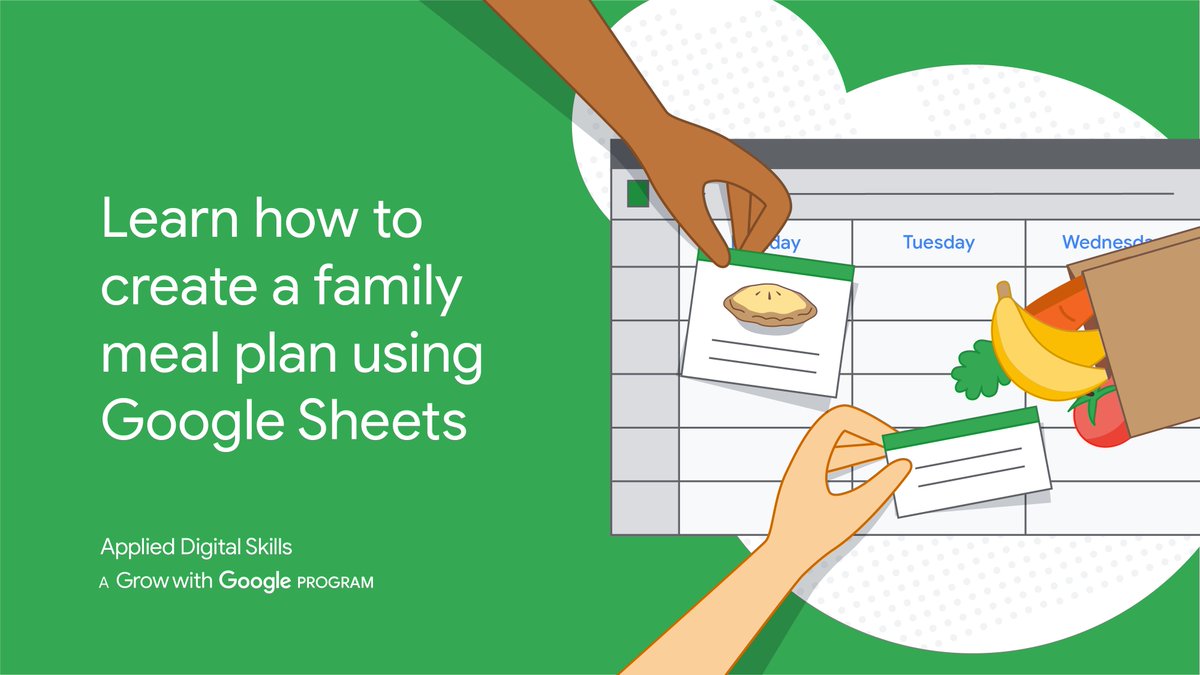
Check out this #AppliedDigitalSkills lesson to see how organization and time management can be taught by using #GoogleSheets to create a family meal plan. https://t.co/yDRzy8Yh1U #GrowWithGoogle
This #NativeAmericanHistoryMonth and every month, celebrate the culture and heritage of Native Americans who deeply enrich the quality and character of the United States. Use this resource with your students to learn about and honor their heritage: https://t.co/9Oey9x2fQt
Encourage your students to create one-of-a-kind kindness postcards this #NationalBullyingPreventionMonth. With our customizable #BeInternetAwesome templates, your students can share kind words with their families, friends, or peers: https://t.co/FerXUhfNGk
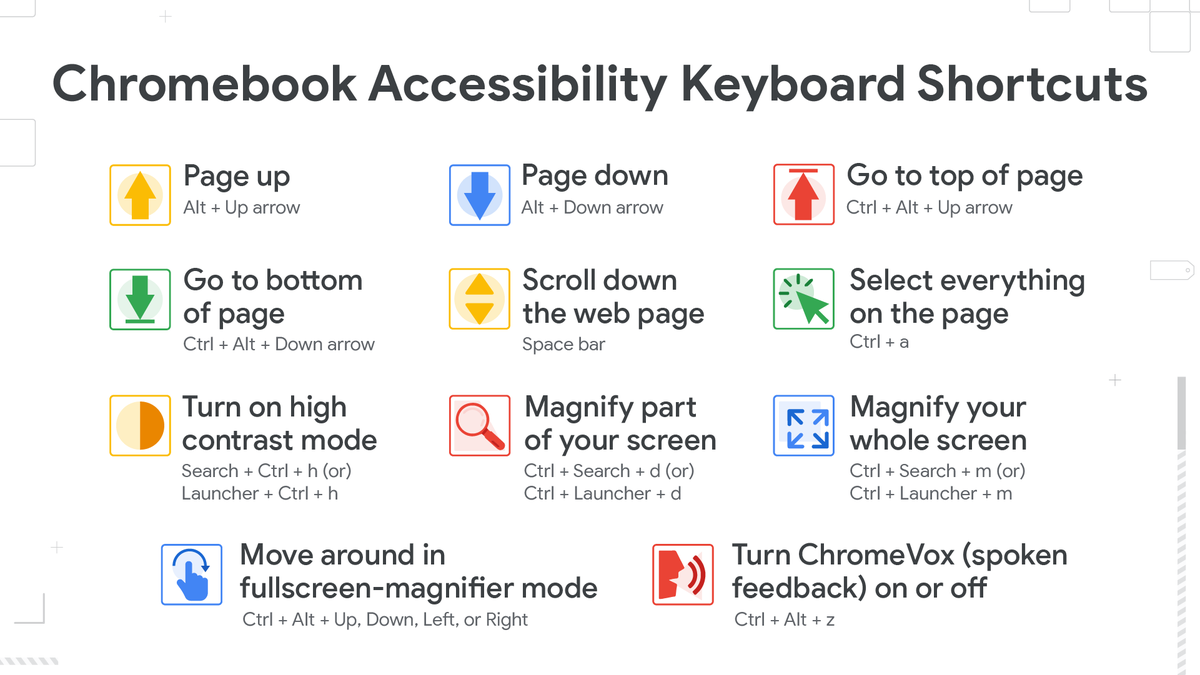
Check out these keyboard shortcuts to help you & your students navigate #Chromebooks with greater ease. There are also new #A11Y#ChromeOS features, like enhanced Select-to-speak, to better aid users with low vision or dyslexia. Learn more ➡️ https://t.co/JyQGPSv0uX #NDEAM
Happy 15th birthday, @googledocs! Cheers to your biggest milestones & many more to come: https://t.co/ZLvcG4kkmY
☆☆☆☆☆☆☆☆☆
╭┻┻┻┻┻┻┻┻┻╮
┃╱╲╱╲╱╲╱╲╱┃
╭┻━━━━━━━━━┻╮
┃╱╲╱╲╱╲╱╲╱╲╱┃
┗━━━━━━━━━━━┛
Your students will LOVE these free digital lessons!
💥 Create a comic strip
👾 Make pixel art
📖 Write a story with emojis
📷 Create a photo journal
Browse 150+ lessons from #AppliedDigitalSkills like these for FREE: https://t.co/0GaFqzTPCL
#GooglePartner@GoogleForEdu