Make collaboration and note taking easier in @MicrosoftTeams meetings by using the Meeting Notes functionality! @GCU_GSBS colleagues and students alike who are participants in the meeting can all view and share the notes. #GSBSTTotW
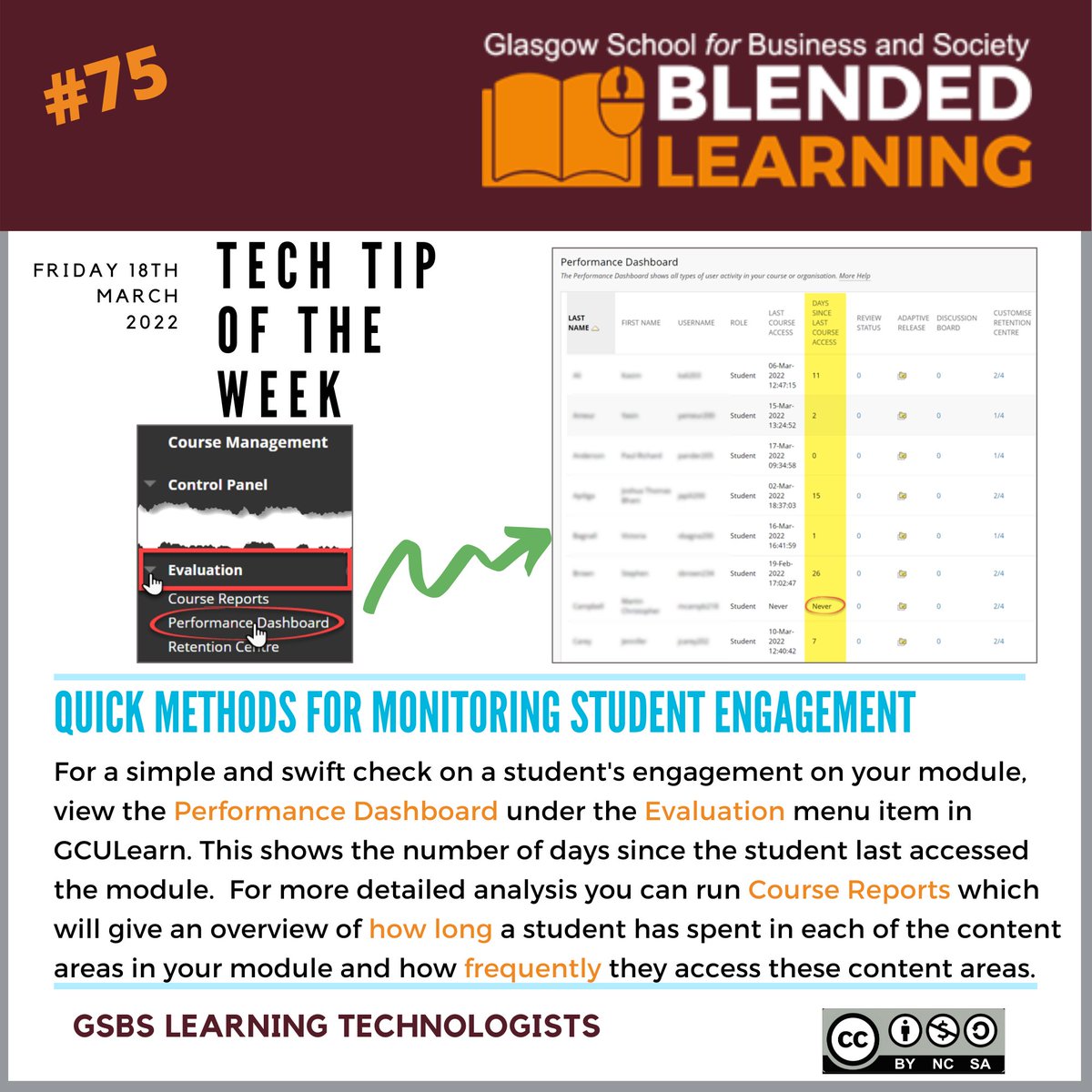
Are you worried about @GCU_GSBS student engagement? Here's a handy #GSBSTTotW illustrating how to check in and see how your students are faring, giving you the opportunity to intervene before the next assessment period.
This week's @GCU_GSBS#GSBSTTotW will help students in accessing resources in an format accessible to them via @blackboard Ally, blackboard's own accessibility tool.
Thanks to @ChalmersMedia for presenting our first #GSBSBBS of this academic year on using @Blackboard blogs! It really was a fascinating insight into his subject area in Media & Journalism, posing ethical dilemmas for the students to blog about, comment and discuss.
It's that time in the trimester when you may want to change the landing page on your module so your @GCU_GSBS students see the most important information first when they enter your module! #GSBSTTotW
Our @GCU_GSBS tech tip of the week is back for this academic session!! This week the focus is on copying content over ready for your new cohort! You can review our previous #GSBSTTotW here! https://t.co/hGYJMXR6GJ
Check out @GSBSlearntech Tip of the Week! Handy for anyone needing to set up Turnitin assignments or who have experienced this problem in the past! #gsbsTTotW