Upgraded Profile Section: Stream & Schedule ✨
Display multiple streams at once, manage them more easily, and enjoy a smoother mobile experience. Custom stream previews and cleaner layouts make your profile look better than ever.
#gaming
➤ https://t.co/KErhDxbPi4
Profile Analytics are here ✨
Your profile now has its own dashboard with insights just for you. Track your Follower Growth, Profile Views, and Search Appearances over time. More analytics and stats will be added in future updates.
#gaming
➤ https://t.co/4GXwlynwwu
Trying out this new (new to me anyhow) gamer social media platform called @GamerProfilesEN , come join me to connect and engage!
https://t.co/VtzsJ6wtRd
Find Players faster ✨
The “Want to Play Together” lists on game pages just got an upgrade! Browse more players, see clearer info, and connect instantly – right where you find your next teammates.
#gaming
➤ https://t.co/dE3M8mtHvP
Create your own Communities ✨
Build a place where you and others belong. Share game news, post content, start discussions, and find friends to play with. Create your own Communities for any game or topic you like.
#gaming
➤ https://t.co/daNGMoUkmh
Upgrades for Game Account IDs & Voice Chat IDs ✨
Much easier to manage, on mobile and on desktop. Display as many as you want, copy them with one click, and freely choose whom you want show them to: to everyone, friends only, or only you.
#gaming
➤ https://t.co/aDLH4w3Ryb
Reputation is live! ✨
Reputation shows how much the GamerProfiles community values your contributions. Improve your Reputation, increase your influence, earn unique titles and badges and unlock special features!
#gaming
➤ https://t.co/oilrGOCdQU
GamerProfiles Feed 2.0 is here! ✨
Your Home feed has been completely reworked from the ground up – now smarter, more personal, and more powerful than ever. Your feed. Your experience.
#gaming
➤ https://t.co/TkGcUWL3Nk
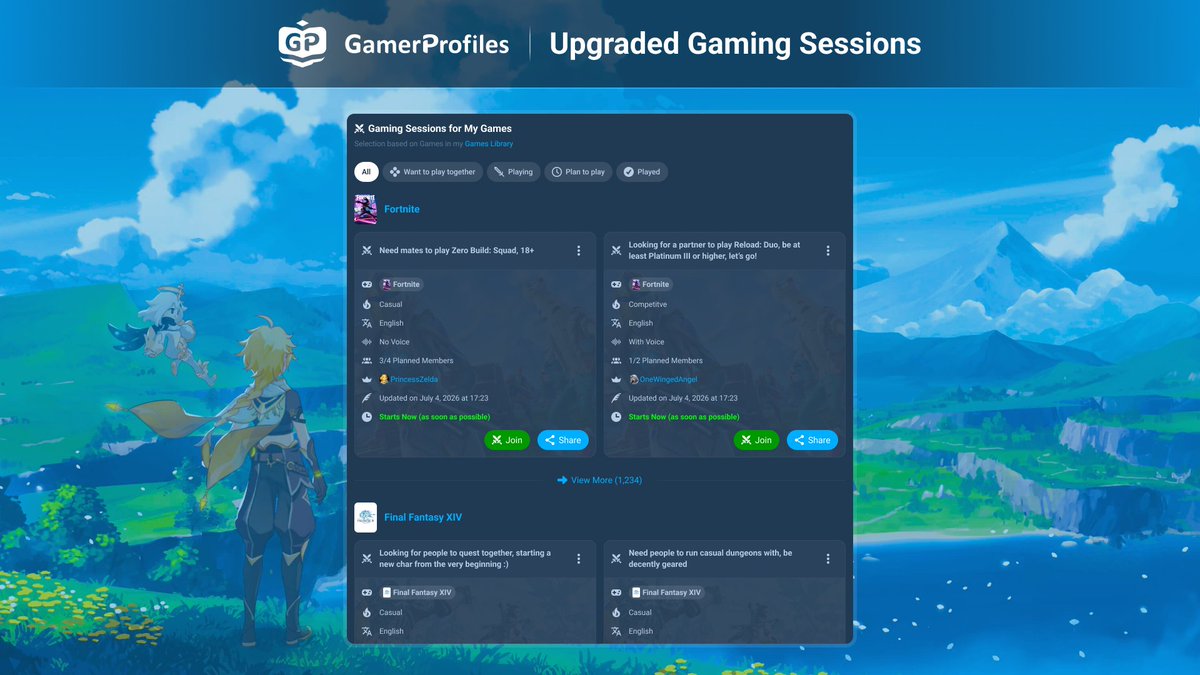
Upgraded Gaming Sessions ✨
Unlimited duration, join as many as you want, chat in sessions, notice what's new in your messages, and enjoy a better discovery. Create your own Session now and share the link to invite others!
#gaming
➤ https://t.co/wFxLoSqiXC
Links render GIFs, Players and Previews ✨
Links you add to a Post, Comment, Reply, or Chat Message can now render even more things! A YouTube Player, Twitch Player, TikTok Player, a website preview, an Image or even a GIF. Try it out!
#gaming
➤ https://t.co/eZUxhdyuWJ
Navigation Updates ✨
The navigation has been reworked from the ground up and is now even easier to use! Additionally, the mobile view now features a dynamic top and bottom bar for greater mobile-friendliness.
#gaming
➤ https://t.co/401rTFEClJ
Profile Section: Gaming Setup ✨
Your Gaming Setup on your profile has been upgraded! Upload up to 5 images and add as many items as you want. Manage it easily on desktop or your phone. Present your beautiful gaming room for all to see!
#gaming
➤ https://t.co/fzxhCuv2Ye
New on GamerProfiles: Customize Gamer Identity ✨
Customize your display name, appearance, bio, business contact info and more in one convenient place! Simply click on "Customize" in your profile to open this menu.
#gaming
➤ https://t.co/fCKGW37AYJ
New on GamerProfiles: Join & Log in with Google or Apple ✨
Log into GamerProfiles with one click using Google or Apple! Creating a new account is also faster now. Update the app to use this feature!
#gaming
➤ https://t.co/sxNlhmbrIn
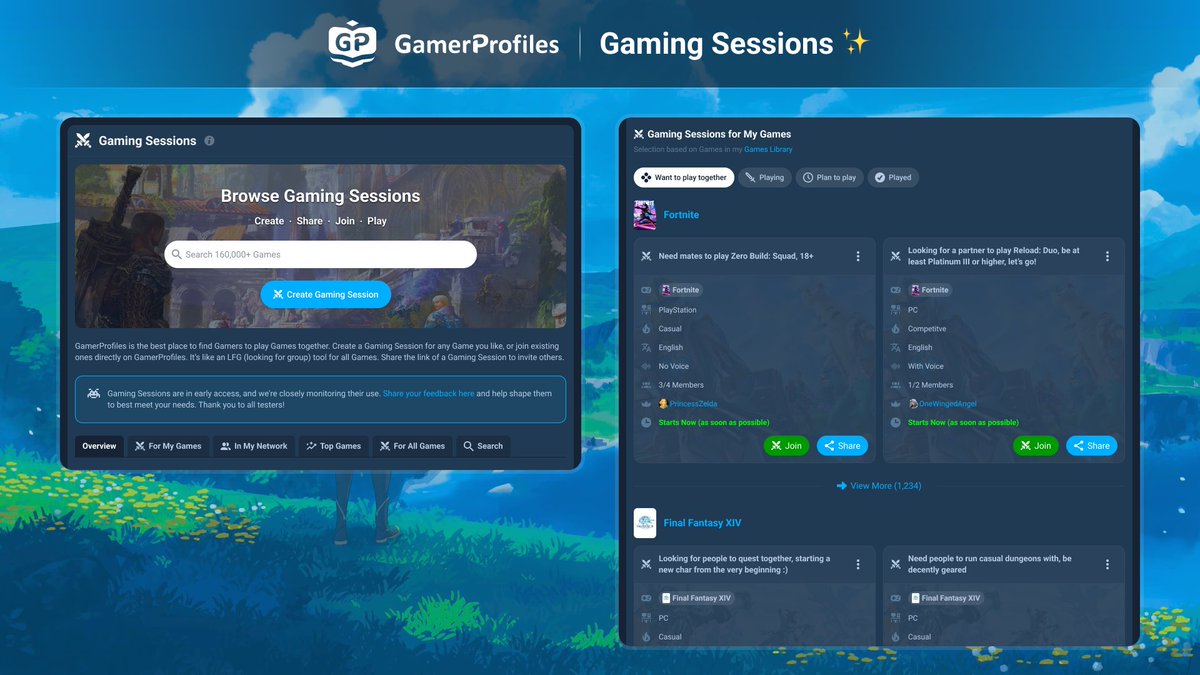
New on GamerProfiles: Gaming Sessions ✨
Find new friends to play with! Create a Gaming Session for any Game you like, or join existing ones directly on GamerProfiles! It’s like an LFG tool. Share the link of a Gaming Session to invite others!
#gaming
➤ https://t.co/g8hKu2a4BZ
@_Azarrys_ I want to give you a big ty for telling me about @GamerProfilesEN and wanted to share the news with you and everybody i am now a gamerprofiles partner if you're a gamer or streamer this is the place to be drop me a follow i am so happy 😊 https://t.co/kFQRlJvYBG
New on GamerProfiles: See Games In Common ✨
See how many Games you have in common with other Gamers at a glance! Click on the “In common” tab of their Games Library in their profile to see all Games in full detail.
#gaming
➤ https://t.co/sKiAMb6buX
New on GamerProfiles: Join & Log in with Google ✨
Log into GamerProfiles with one click using Google! Creating a new account is also faster. Update the app to the newest version to use this feature!
#gaming
➤ https://t.co/rF66TDXAW4
New on GamerProfiles: Customize your Display Name ✨
Customize your Display Name anytime! 1-50 characters, all characters allowed, even special characters, unicode and emojis! 🙂✨🌸🐉🐱⚡🎮 Visit your settings to customize.
#gaming
➤ https://t.co/Z9fCy0WuN2