Hey, I’m Gayani from Figma! The Figma agent is currently in beta and rolling out gradually to Pro, Organization, and Enterprise plans — so having a paid plan + beta enabled doesn't automatically grant access yet.
You can join the waitlist at https://t.co/BxdHzmbtRO to express interest (note: it doesn't guarantee access). Once selected, you'll get an email notification and see a popup directly in your Figma Design files.
Find more info here: https://t.co/jRdrTUjLJB.
@daveyheuser Hey, I'm Gayani from Figma! Really glad that's resolved, and glad you reviewed before publishing. Our team is aware and actively investigating this. If it happens again, please don't hesitate to reach out!
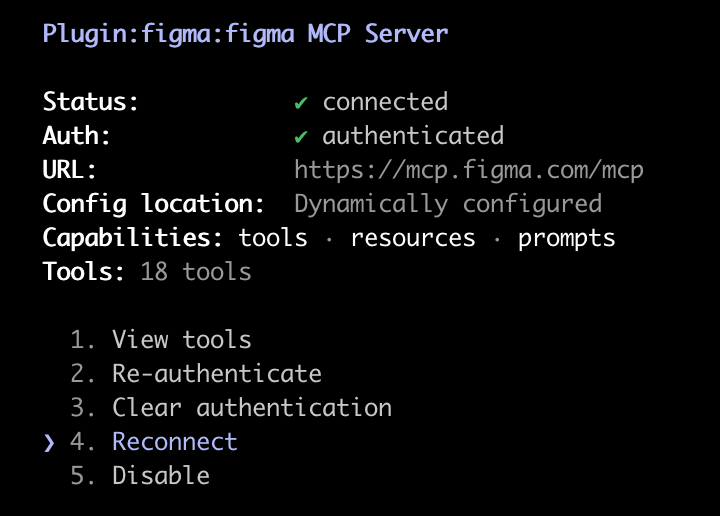
@vqw07 Hey everyone, I'm Gayani from Figma! Sorry for the wait on this, a fix is now out. Try again hitting Reconnect in your Figma MCP Server settings, and you should be back up. Let me know if you're still seeing issues!
@enakahn29 Hey, I'm Gayani from Figma! We've pushed a fix for this. Try hitting Reconnect in your Figma MCP Server settings, and it should be good to go. Let me know if you're still seeing issues!
Hey, I’m Gayani from Figma! Hope it’s okay if I reply in English. Is this happening in the desktop app, browser, or both? And does it only happen in one specific file or across multiple files? If you can DM me a screen recording, I’m happy to take a look and help connect you with our support team.
@laoruisi225 Hey, I’m Gayani from Figma! Thanks for flagging this. If you send me your support ticket number or your email address via DM, I’ll escalate this internally and do my best to help get this in front of the appropriate team as quickly as possible. https://t.co/7EnNUcnc70
Hey, I’m Gayani from Figma!
When an Education plan expires, the team downgrades to the free Starter plan, which has file limits. If you have more than the allowed number of files in your team when you downgrade, Figma will prevent you from being able to edit your files. To keep editing those files, move them to another team or to your team drafts.
I’ve also DM’d you options to unlock your team.
@LariLutke Hey both! The team is aware of the issue and is actively working on a fix. I’ll follow up as soon as it’s been resolved. Thank you for your patience in the meantime!
Hey, I’m Gayani from Figma! To be transparent, we’ve been seeing a high volume of submissions lately, which has impacted timelines, but we’re actively working on improvements to speed things up and make this process smoother. I’ve flagged your submission (Plugin: Code Sync) internally to help bring more visibility to it. We’ll reach out as soon as there’s an update, whether that’s approval or feedback.
Hey, I’m Gayani from Figma! Billing adjustments on Organization and Enterprise plans involve managing seat changes during the billing cycle. You can add or adjust seats anytime, with charges prorated from the date of change through the end of the annual term.
For security and privacy reasons, I’m not able to look into billing or account-specific details here on X. But I can see you’ve already reached out to our support team (Ticket #1884137), and someone should be following up with you shortly to take a closer look.
Hey, I’m Gayani from Figma!
I’m not seeing any issues on my end right now, but I’d really like to help figure out what’s happening for you. Could you share a bit more detail?
*Is this happening in the desktop app, browser, or both?
*Are your browser and Figma desktop app up to date?
If you’re open to it, feel free to DM me with more info (or a screenshot), and I’ll take a closer look with you!
Hey, I’m Gayani from Figma!
Sharing a prototype-only link is available on paid plans. On the free starter plan, you can still share your prototype. However, when you share from presentation view, viewers can access the full file by clicking the dropdown next to the file name and selecting “Open in editor”.
Hey, I’m Gayani from Figma!
I’m not seeing any issues on my end, but I’d really like to help figure out what’s going on for you. When you have a chance, could you DM me a bit more detail?
* Is this happening in the desktop app, browser, or both?
* Are you on the latest version of your browser and/or Figma desktop app?
@DesignVersePro Hey, I’m Gayani from Figma! This is something the team is already aware of and looking to improve. At the moment, this is expected behavior.
You can follow along on this forum thread for any updates: https://t.co/6n2SxR5WNl.
@parasdaryanani Hey, I’m Gayani from Figma!
Happy to help check on this for you. Could you send me a DM with the email associated with your Figma account? I’ll take a look at the plugin status. https://t.co/7EnNUcnc70
@ardaarican Hey Arda, would you mind sending me a DM with a bit more detail in English? I’m happy to help get you connected with our support team, so we can take a closer look at what’s going on. https://t.co/7EnNUcnc70
@bengold Hey, I’m Gayani from Figma! I’ve followed up with you via DM with support. Happy to take a closer look at this with you and help figure out what’s going on.