Use Google’s Chrome extension ‘Screencastify’ with Google Classrooms to let students easily create, edit,share and monitor their own learning through personalized videos for homework, projects, all for free!
https://t.co/qelAnSlotN
Want to keep your favourite apps just a click away? Want to have them on relaunching the browser?
Pin tabs!!
Lock most used tabs to the left of your browser, shrink them to icon sizes and manage multiple pages. See how!
#GEGMumbai#GEGIndia#pintabs
https://t.co/QefeeLCxVW
Did you know that you can toggle Google Slides using the extension Remote for Slides? Move away from your devices without losing the chance to go back and forth in your presentations in class or in meetings. You can download on the chrome webstore.
https://t.co/zKjCbtJ12O
Want to let people make copies of your Google Docs, Sheets, Slides, or Drawings files with a single click? Just make a simple change in the link you share!
#GEGMumbai#GEGIndia#Google#Googletools#makecopies#collab
https://t.co/tdRBWBKIXj
Want to bring your favorite content and activities from top EdTech tools right inside Classroom. Classroom add-ons is a new feature that allows you to to do so! To explore more click here: https://t.co/0vcOxtAM8i
Finding it hard to schedule a meeting? Are you fed up of an endless email threads with people sharing times that work for them? Use Doodle to figure out a meeting time.
Also it's a freemium model, so explore for free!
#GEGMumbai#GEGIndia#Doodle
https://t.co/WJcihtI0ho
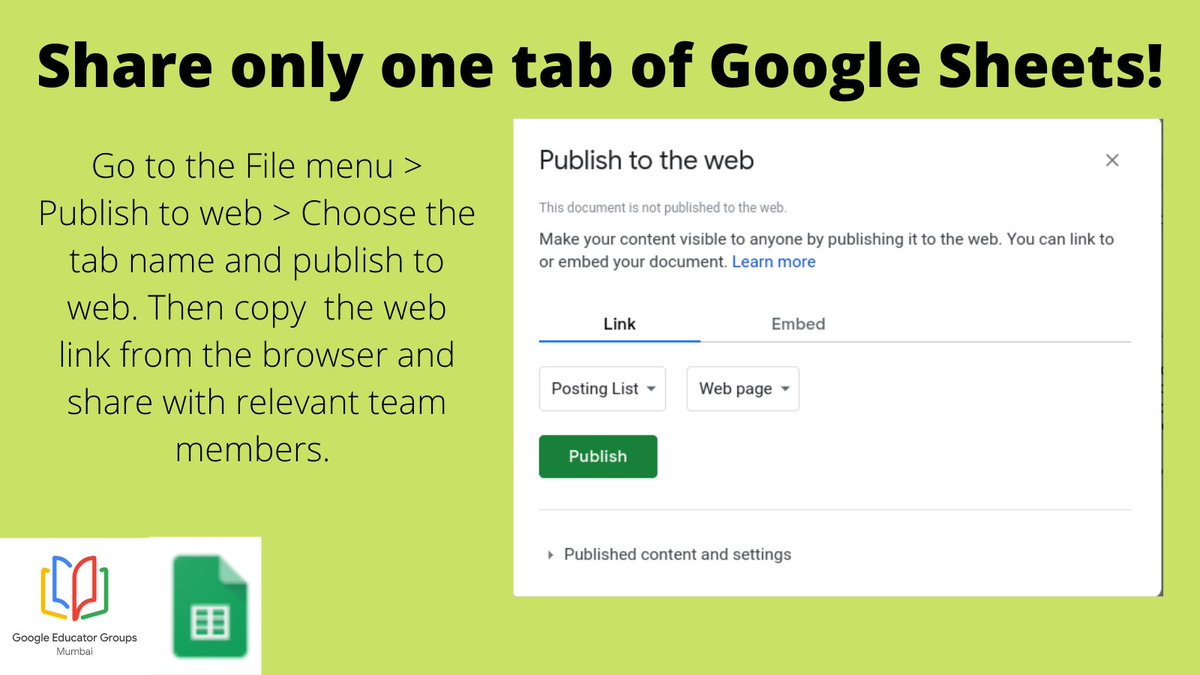
Ever wondered how to share only one tab of Google sheets with a few people? You can use the share option from the File menu > publish to web. In the pop up, select the option for the specific sheet> publish. Copy the shareable link from the browser and share it with your team!
Turn your data into compelling stories of data visualization art. Quickly build interactive reports and dashboards with Data Studio. Visit the website to know more! #GEGMumbai#GEGIndia#Google#GoogleDataStudio#Visualization
https://t.co/iQn55UoQ9w
https://t.co/cAAHLtJ4Qv
Writing an email draft with collaborators but you accidentally sent it half-way through by mistake? Check out Google's new Email Draft feature on Google Docs for easy, collaborative drafting.
#GEGMumbai#GEGIndia#Google#Googledocs#Gmail
https://t.co/98KisJ73q0
You can now embed Google form auto generated charts into your Google docs with this update! Finally! No more messy screenshots :) Here's how:
https://t.co/NOmVe3puOO
https://t.co/lHjJdh1h9I
#GEGMumbai#GEGIndia#Google#charts#Googleforms#Googledocs
Have you seen the new Google Docs 'Pageless' update? You can now use this setting for unlimited page space! No more tables getting split over 2 pages. Learn how here: https://t.co/fCto6yIz39
@radhikazahedi@SupuBit@Sethvrushus@sushmathur25@smri_p
Want to use creativity tools?
Use Chrome Canvas!Make quick doodles, take notes and express with Google's Canvas.Get your work saved automatically to your Google account!
https://t.co/CsxIa4SAOb
https://t.co/Yetpt45xhp
#GEGMumbai#GEGIndia#Google#creativitytool#Canvas