#Guardscope is live now. We are given away 100 free pro subscription codes to try it for 30 days. Try not to get fooled by phishing emails and links, use #guardscope. Get your free code here
https://t.co/YEIVG6zhix
What type of email would make you most likely to click without thinking?
A. Account suspended
B. Payment failed
C. Package delivery issue
D. Password reset alert
E. Invoice attached
That’s exactly how phishing works.
#GuardScope#Phishing
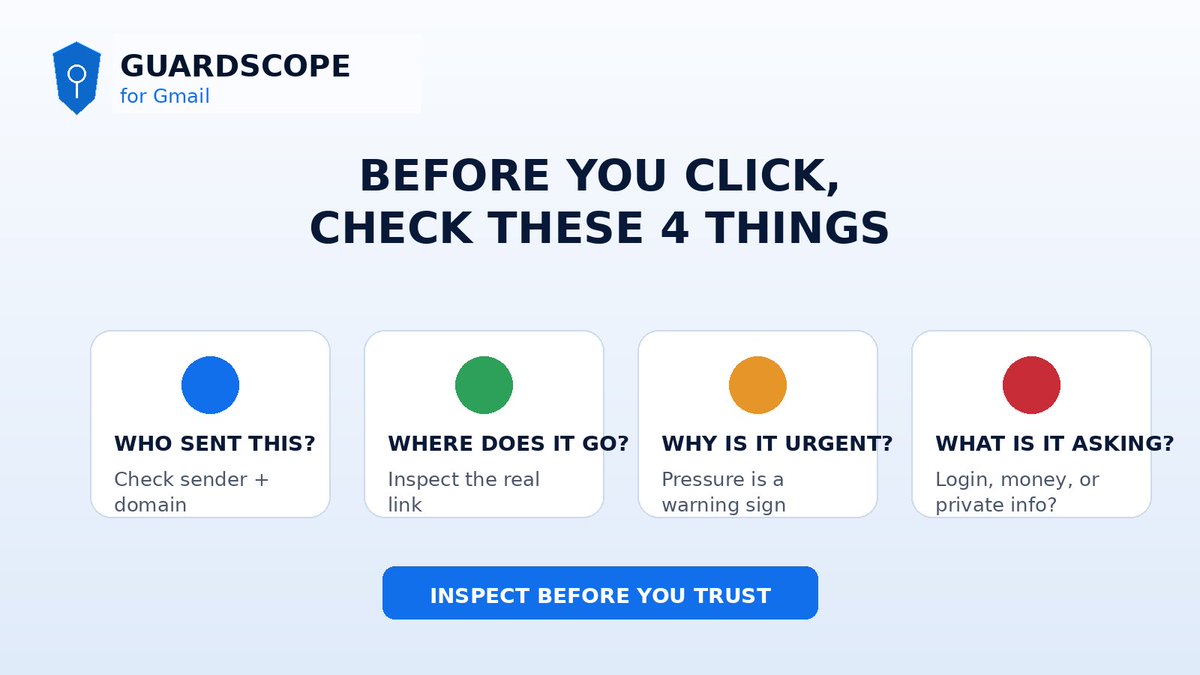
Before clicking any email link, ask:
✅ Who really sent this?
✅ Where does the link go?
✅ Why is the message urgent?
✅ Is it asking for login, money, or private info?
That 10-second pause can save you.
#GuardScope#EmailSecurity
Phishing emails don’t look fake anymore.
They look clean.
They sound urgent.
They push you to click fast.
GuardScope gives Gmail users a second opinion before they trust suspicious emails.
Scan. Review the risk. Decide smarter.
Inspect before you click.
#GuardScope#Phishing
Most phishing victims don’t fall because they are careless. They fall because the email looks normal. That’s the problem GuardScope is solving.
Open a suspicious Gmail message.
Click analyze. Get a risk score, red flags, and plain-English reasoning before you act.
#guardscope
It does not store your email content after analysis.
Inspect before you trust.
Install GuardScope from the Chrome Web Store.
#CyberSecurity#Phishing#EmailSecurity
I built GuardScope because phishing emails are getting too clean.
Bad grammar is no longer the obvious warning sign.
Now fake emails look professional.
Fake payment alerts look real.
Fake login warnings feel urgent.
Fake support emails copy the tone of real brands.
GuardScope gives Gmail users a second opinion before they click.
It checks suspicious emails for:
— sender authentication issues
— suspicious links
— risky domains
— urgency language
— impersonation patterns
— social-engineering signals
— plain-English red and green flags
GuardScope is live.
Inspect suspicious Gmail messages before you click.
AI-assisted phishing checks, link analysis, sender signals, and advisory risk scores.
User-triggered scans. No email storage.
Install:
https://t.co/hZU7ymQmfn
GuardScope is live on the Chrome Web Store.
Inspect suspicious Gmail messages before you click.
AI-assisted phishing checks, link analysis, sender signals, and advisory risk scores.
User-triggered scans. No email storage.
Install:
https://t.co/hZU7ymQmfn
Poll: When you get an email from Stripe, GitHub, or Notion — do you check the sender domain before clicking?
[ ] Always
[ ] Sometimes
[ ] Never thought about it
[ ] I have a process for this
Devs are the highest-value phishing target. And the least protected.
You get: GitHub notifications, npm alerts, Vercel deploy emails, Stripe billing, AWS warnings.
Attackers know exactly which emails you'll click on autopilot.
That's not paranoia. That's pattern recognition.
Quick rule: Before clicking any email link, hover for 2 seconds.
If the URL shown doesn't match where you expect to go — don't click.
2 seconds. Every time. No exceptions.
Devs are the highest-value phishing target. And the least protected.
You get: GitHub notifications, npm alerts, Vercel deploy emails, Stripe billing, AWS warnings.
Attackers know exactly which emails you'll click on autopilot.
That's not paranoia. That's pattern recognition.
SPF, DKIM, DMARC — in plain English:
SPF → did this email come from an IP the domain owner approves?
DKIM → was the content tampered with after sending?
DMARC → what should happen if SPF or DKIM fail?
Key insight: all 3 passing does NOT mean the email is safe. #scam#gmail
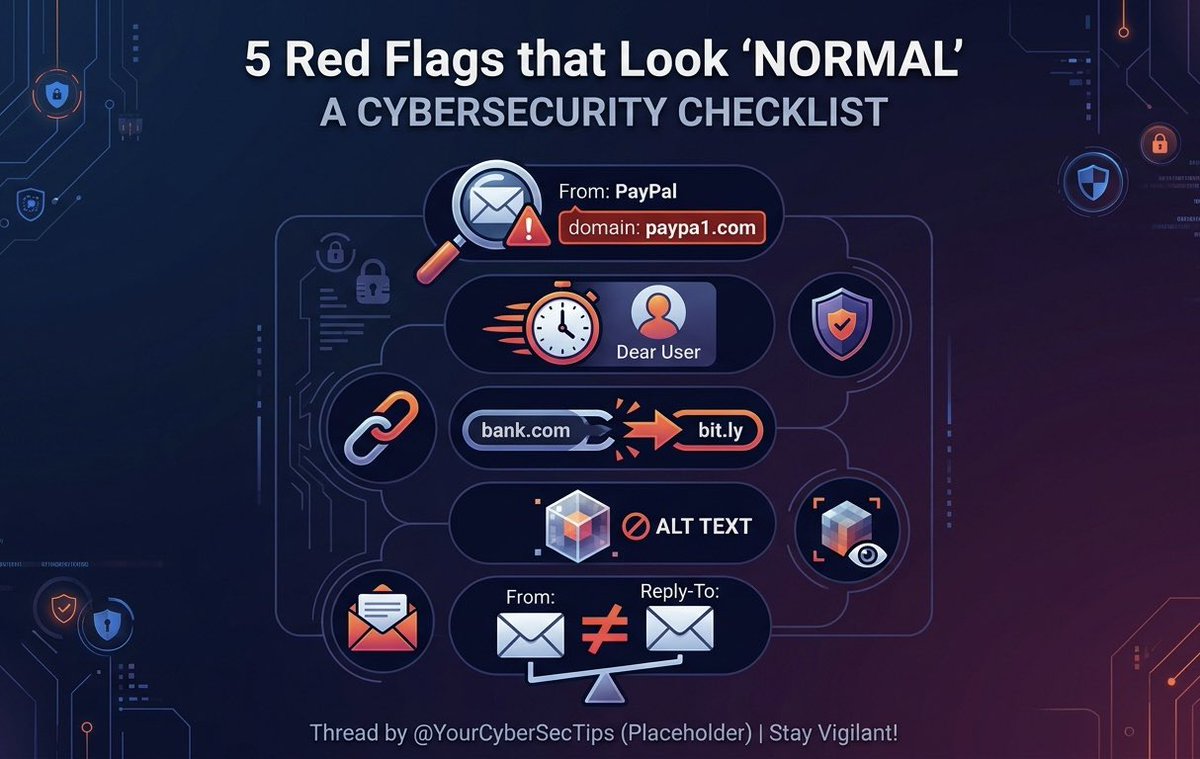
4️⃣ Hidden Pixels: Images with no alt-text are often tracking pixels used to confirm your email is active.
5️⃣ The Mismatch: Check the "Reply-To" address. If it doesn't match the "From" address, it’s a trap.
Save this. Use it as a checklist next time a message feels off. 🛡️
1️⃣ The "Lookalike" Domain: It says "From: PayPal" but the email is paypa1[.]com.
2️⃣ Generic Urgency: Subject says "ACTION REQUIRED" but starts with "Dear User."
3️⃣ The Bait & Switch: The text says "https://t.co/pSi9UIK7Dq" but hovering reveals a bit[.]ly redirect.



![GuardScopeai's tweet photo. Poll: When you get an email from Stripe, GitHub, or Notion — do you check the sender domain before clicking?
[ ] Always
[ ] Sometimes
[ ] Never thought about it
[ ] I have a process for this https://t.co/539rBrdjsf](https://pbs.twimg.com/media/HDyJ4EbXYAAsWxY.jpg)