What AI-Generated Video Content Can You Post on Social Media to Make Money?
Artificial intelligence has become one of the most powerful tools for creating video content. It can help you write scripts, generate images, create voiceovers, design scenes, translate content, and edit videos faster. However, the important point is this: not every AI-generated video will make money, and not every video made with AI will be accepted for monetization.
Making money from AI videos is possible, but only when the content is valuable, original, useful, and not misleading. You should use AI as a tool to improve your content, not as a way to create low-quality or copied videos.
Can AI Videos Really Make Money?
Yes, AI videos can make real money, but simply generating a video and uploading it is not enough. Profit comes when the video has a clear idea, good storytelling, useful information, or entertainment value.
For example, on YouTube, creators can earn money through the YouTube Partner Program after meeting the platform’s requirements. But platforms usually do not reward repetitive, copied, or low-effort content. Your videos should be original and provide real value to viewers.
The Best Types of AI Videos That Can Make Money
1. AI Story Videos
This is one of the best types of AI video content for beginners. You can create short stories using AI-generated images, voiceovers, background music, and simple editing.
Examples include horror stories, science fiction stories, mystery stories, success stories, historical stories, or moral stories.
You can make money from this type of content through YouTube ads, Shorts views, sponsorships, or by turning your stories into a podcast or digital product. The good thing about this type of content is that you do not need to show your face.
2. AI Fact and Information Videos
You can create short videos that share interesting facts or useful information using AI-generated images or scenes.
Examples include facts about space, animals, history, psychology, technology, inventions, or strange facts.
You can make money from ads, Shorts, Reels, sponsorships, and affiliate marketing. However, you must always check the information before publishing. If you post false information, people may lose trust in your content.
3. Educational AI Videos
Educational videos are one of the best types of content for long-term income. You can use AI to explain topics in a simple and attractive way.
Examples include explaining apps, AI tools, English lessons, marketing, design, programming, freelancing, or business skills.
You can make money through YouTube ads, selling courses, selling PDF guides, offering consultations, affiliate marketing, or paid memberships.
This type of content is stronger than random entertainment because it attracts people who are looking for solutions and are often willing to pay for knowledge.
4. AI Tool Review Videos
You can create videos reviewing AI tools. This is a very profitable niche because many people are searching for tools that can help them with writing, design, video editing, voiceovers, studying, and business.
Examples include the best AI tools for video creation, comparisons between AI image generators, tutorials on AI editing tools, or the best websites for converting text to speech.
You can make money through affiliate links, sponsorships, YouTube ads, selling templates, or selling a PDF guide about the best AI tools.
This niche is powerful because the audience usually wants a practical solution.
5. AI Advertisement Videos for Products
You can use AI to create short advertising videos for products or services.
Examples include ads for restaurants, skincare products, clothing stores, online courses, mobile apps, clinics, or small businesses.
This is one of the clearest ways to make money because you do not have to depend only on views. You can sell the service directly to clients. For example, you can offer AI video ads to restaurants, online stores, coaches, dentists, beauty salons, or local businesses.
6. AI Avatar Videos
You can create a virtual character that speaks and presents content. This character can be a virtual presenter, teacher, storyteller, or comedy character.
Examples include an AI presenter explaining tech news, a cartoon character giving advice, a virtual teacher explaining English, or a funny character reacting to daily situations.
You can make money from ads, sponsorships, subscriptions, selling digital products, or building a full brand around the character.
However, do not use the face or voice of a real person, celebrity, or influencer without permission. This can create legal and platform policy problems.
7. AI Videos for Children
You can create educational children’s videos using AI-generated cartoons, voices, and music.
Examples include teaching letters, numbers, colors, animals, good manners, or short moral stories.
You can make money from ads, educational products, children’s books, coloring books, or learning materials.
However, children’s content must be safe and suitable for kids. You also need to follow each platform’s rules for children’s content. In some cases, ads on children’s videos may earn less because of restrictions on personalized advertising.
8. AI History and Mini-Documentary Videos
You can create short documentary-style videos using AI images, maps, voiceovers, and cinematic editing.
Examples include ancient civilizations, historical figures, famous battles, inventions that changed the world, mysterious historical events, or stories from the past.
You can make money from YouTube ads, sponsorships, ebooks, podcasts, or a long-term documentary channel.
This type of content can perform very well, but it needs good research. You should not publish historical information without checking it first.
9. AI Motivational Videos
You can use AI to create motivational videos with cinematic scenes, powerful voiceovers, and inspiring scripts.
Examples include videos about discipline, success, confidence, time management, overcoming laziness, or changing your life.
You can make money from ads, ebooks, daily planners, courses, subscriptions, or affiliate marketing.
However, try not to make the videos too generic. A strong motivational video should include a story, a practical lesson, or clear steps that the viewer can follow.
10. AI Before-and-After Videos
This type of content is very attractive because people love seeing transformation.
Examples include turning an old room into a modern room, redesigning a logo, improving a product photo, transforming a simple text into a professional ad, or creating a brand identity using AI.
You can make money by selling design services, promoting AI design tools, getting sponsorships, or attracting clients from Instagram, TikTok, and YouTube Shorts.
The Best Practical Ways to Make Money from AI Videos
The first way is YouTube ads. You can create a channel, publish original videos, meet YouTube’s monetization requirements, and earn from ads. This method is real, but it needs time and consistency.
The second way is affiliate marketing. You explain or review a tool, product, course, or service and place your affiliate link. When someone buys through your link, you earn a commission. This works very well with AI tools, software, courses, and digital products.
The third way is sponsorships. When your account grows, companies may pay you to promote their products or services. This is common in technology, education, business, marketing, and AI-related content.
The fourth way is selling AI video services. This is one of the most practical methods. Instead of waiting for the platform to pay you, you can sell AI-generated videos to business owners. For example, you can create ads for restaurants, clinics, stores, coaches, courses, or local brands.
The fifth way is selling digital products. You can sell templates, scripts, prompts, ebooks, editing files, AI image packs, or video creation guides.
The sixth way is subscriptions and platform gifts. Some platforms allow creators to earn through subscriptions, exclusive content, live gifts, or Reels gifts if their accounts are eligible.
AI Videos You Should Avoid
Do not make repetitive AI videos that only contain random images and robotic voiceovers without a real idea. Do not steal scripts from other creators or simply translate foreign videos without adding your own value. Also, do not use the voices or faces of celebrities, influencers, or real people without permission.
You should also avoid misleading videos, fake news, fake medical advice, fake financial promises, or videos that make unrealistic claims such as “Earn $1,000 every day with no work.”
The Best Plan to Start
Start with one clear niche. Do not post horror stories today, cooking videos tomorrow, and business tips the next day. Choose one direction and build your page around it.
Good niches to start with include AI stories, AI tool reviews, educational videos, product ads, motivational videos, or mini-documentaries.
Write 30 video ideas before you begin. Then post consistently, either daily or at least three times per week. Make each video simple and clear: start with a strong hook, deliver value or a story, and end with a reason for the viewer to follow, comment, or watch more.
Conclusion
AI-generated videos can really make money, but not just because they are made with AI. The videos that make money are the ones that are original, useful, entertaining, and well-organized.
The best AI video ideas include stories, facts, educational videos, AI tool reviews, product ads, virtual avatars, children’s educational videos, mini-documentaries, motivational videos, and before-and-after transformations.
Use artificial intelligence as a tool to help you write, design, record, and edit faster. But add your own idea, your own style, and your own value. This will increase your chances of building a real audience and making money through ads, sponsorships, affiliate marketing, services, subscriptions, and digital products.
How to Build and Develop a Dream Platform: Transforming Human Imagination into Videos Through Artificial Intelligence
Since the beginning of human existence, dreams and imagination have been an essential part of life. Every person carries stories, scenes, and worlds inside their mind that others cannot see. However, most of these ideas remain hidden in the imagination and disappear shortly after waking up.
With the rapid development of artificial intelligence technologies, it has become possible to transform these ideas into visual experiences. This is where the concept of the Dream Platform comes in — a platform powered by artificial intelligence that transforms human dreams and creative ideas into videos containing images, sound, and cinematic scenes that can be shared with others.
The Platform Concept
The platform relies on an advanced AI agent that allows users to write their dreams or ideas in a simple way. The system then analyzes the text and understands the characters, locations, events, and emotions included in the dream.
After that, the artificial intelligence begins building a complete visual experience that includes:
Creating video scenes based on the dream.
Designing characters and environments.
Adding voice narration to tell the story.
Selecting music and atmosphere that match the events.
Producing a final video that represents the user's imagination.
In this way, imagination is transformed from simple written words into a visual experience that can be watched and shared.
The Main Components of Building the Platform
Building a Dream Platform requires several systems working together:
1. User Interface
The platform should have a simple and easy interface that allows users to:
Write their dreams.
Record their voice.
Choose the type of video.
Watch the final result.
Share their dreams with the community.
2. The AI Dream Agent
This is the main intelligence behind the platform. It is responsible for:
Understanding written descriptions.
Extracting dream details.
Turning ideas into scripts.
Dividing the dream into scenes.
Guiding AI tools for image and video creation.
3. AI Video Generation System
This system transforms the dream description into:
Realistic or fantasy images.
Animated scenes.
Moving characters.
High-quality short videos.
4. The Community Inside the Platform
The platform is not only a creation tool; it is also a social network where users can:
Watch other people's dreams.
Interact with videos.
Follow creative users.
Discover new ideas and imaginary worlds.
Future Development of the Platform
Many advanced features can be added in the future, such as:
Creating a Personal Dream Character
Users can create a unique character that appears in their different dreams and videos.
Building Complete Worlds
Instead of creating only one video, users can build entire worlds with their own characters and stories.
Interactive Dreams
In the future, dreams could become interactive experiences where users can explore the worlds they create.
Creativity Competitions
The platform can organize competitions for the best dream or the most creative AI-generated story.
Business Model
The platform can generate revenue through:
Subscriptions for higher-quality video generation.
Premium features for creating longer videos.
Selling creative tools inside the platform.
Advertising opportunities.
Content creation services for companies and creators.
The Future of the Dream Platform
The Dream Platform is not just a video creation application; it is a new way for humans to express themselves. It combines human imagination with artificial intelligence capabilities to create a new type of content where anyone can transform their inner ideas into visual stories.
In the future, creativity may no longer depend on a person's ability to draw, film, or produce movies. Instead, it may depend only on the ability to imagine — while artificial intelligence takes care of transforming that imagination into a visual reality.
Building and Developing the Opportunity Hunter Agent: The Future of Smart Investing for American Investors in the Stock Market
Introduction
The U.S. stock market is experiencing a major transformation driven by the rapid advancement of artificial intelligence technologies. Investors are no longer limited to manually tracking news, reading financial reports, and analyzing thousands of companies individually. Today, it is possible to build intelligent AI agents capable of collecting data, analyzing markets, and identifying potential investment opportunities.
The Opportunity Hunter Agent represents one of the most promising models in the future of smart investing. It acts as an advanced digital investment assistant for American investors by continuously monitoring the stock market, analyzing thousands of companies, and discovering potential opportunities hidden within massive amounts of financial information.
The goal of this agent is not to replace investors, but to enhance their ability to research, analyze, and make more informed investment decisions.
Understanding the Opportunity Hunter Agent
The Opportunity Hunter Agent is an integrated artificial intelligence system designed to monitor the U.S. stock market and identify stocks and companies that show positive indicators or potential investment opportunities.
Instead of spending countless hours searching through thousands of companies listed on major U.S. exchanges such as Nasdaq and the New York Stock Exchange, investors can rely on the agent to perform this research continuously and efficiently.
The agent works like a team of financial analysts by combining data analysis, financial research, news interpretation, and market monitoring into one intelligent system.
Building and Developing the Opportunity Hunter Agent
Phase 1: Data Collection System
The first step in building the agent is creating a powerful system capable of collecting financial data from multiple sources.
The collected data includes:
Real-time and historical stock prices.
Trading volume.
Company financial statements.
Quarterly earnings reports.
Company news.
Industry and sector news.
U.S. economic indicators.
The agent uses financial APIs to connect with market data providers and continuously receive updated information.
The purpose of this stage is to build a large and reliable data foundation that artificial intelligence can use for analysis.
Phase 2: Data Management and Storage System
After collecting data, the agent requires a strong infrastructure to organize and store information.
The system includes:
Stock price databases.
News databases.
Historical market records.
Company analysis profiles.
Previous evaluation results.
This allows the agent to compare companies over time and identify important changes in performance.
Phase 3: Financial Analysis Engine
At this stage, the agent transforms raw data into meaningful investment insights.
It uses two major types of analysis:
Fundamental Analysis
The system evaluates company strength through:
Revenue growth.
Earnings performance.
Debt levels.
Cash flow.
Business expansion.
Industry position.
Technical Analysis
The system studies stock price behavior using:
Price trends.
Moving averages.
Relative Strength Index (RSI).
Support and resistance levels.
Trading volume patterns.
The agent combines both approaches to create a more complete evaluation of potential opportunities.
Phase 4: AI Reasoning and Intelligence System
This is where artificial intelligence becomes the core decision-support engine.
The AI system understands complex information and connects different data points together.
For example, if the agent detects:
Increasing company revenue.
Expansion into new markets.
Positive analyst opinions.
Growing investor interest.
It can generate a report explaining why the company may represent an opportunity worth further investigation.
Phase 5: Opportunity Detection Engine
This is the primary function of the Opportunity Hunter Agent.
The system searches for:
Growth Stocks
Companies showing strong growth potential and expanding business opportunities.
Value Stocks
Companies with strong fundamentals but potentially undervalued stock prices.
Future Market Trends
The agent identifies opportunities in emerging sectors such as:
Artificial intelligence.
Semiconductor technology.
Clean energy.
Medical technology.
Early Market Opportunities
The system detects unusual changes in:
Trading volume.
Investor interest.
Market activity.
Company developments.
Phase 6: News and Market Sentiment Analysis
The U.S. stock market is highly influenced by news events.
Therefore, the agent includes a system capable of analyzing:
Financial news.
Company announcements.
Analyst reports.
Investor sentiment.
The AI evaluates whether news is positive, negative, or neutral and estimates its potential impact on stocks and industries.
Phase 7: Risk Management System
A professional investment AI system must focus on risk before potential returns.
The risk management module analyzes:
Stock volatility.
Possible downside risks.
Sector risks.
Economic conditions.
Portfolio concentration.
The system provides warnings when a potential opportunity carries a high level of risk.
Phase 8: Decision Engine and Final Evaluation
After completing all analysis processes, the agent generates a final opportunity evaluation.
Example:
Technology company analysis:
Financial strength: 85%.
Growth potential: 90%.
Technical position: 80%.
Risk level: Moderate.
Final assessment:
"Potential investment opportunity requiring further evaluation."
The agent provides guidance and analysis rather than making uncontrolled investment decisions.
Phase 9: User Interface and Interaction System
For American investors to easily use the agent, it must have a simple and accessible interface.
Possible platforms include:
Mobile applications.
Web platforms.
Chat-based assistants.
Voice assistants.
Example:
Investor:
"Find the best growth opportunities in the Nasdaq market."
The agent:
Analyzes thousands of companies.
Ranks potential opportunities.
Provides reports.
Explains reasons and risks.
Phase 10: Continuous Learning and Development
The agent improves over time through machine learning feedback.
It learns by:
Comparing previous predictions with actual market results.
Identifying analysis errors.
Improving evaluation models.
Developing better search strategies.
Recommended Technical Architecture
The Opportunity Hunter Agent can be developed using:
Python for data processing and financial analysis.
PostgreSQL or similar databases for information storage.
Data analysis frameworks.
Artificial intelligence models.
AI agent frameworks.
Cloud infrastructure for continuous operation.
Advanced Multi-Agent Architecture
A more advanced version of the system can operate as a team of specialized AI agents:
Data Collection Agent.
Financial Analysis Agent.
Technical Analysis Agent.
News Intelligence Agent.
Risk Management Agent.
Investment Manager Agent.
These agents collaborate to produce a complete investment research report.
Conclusion
Building and developing the Opportunity Hunter Agent represents a new era in smart investing for American investors. By combining artificial intelligence, financial analysis, and real-time market intelligence, the system helps investors understand complex markets and discover potential opportunities more efficiently.
As artificial intelligence continues to evolve, intelligent investment agents may become essential tools for modern investors, providing deeper market insights while maintaining the importance of human judgment, responsibility, and risk management.
Building and Developing an AI Agent for Sales Representatives Performance Analysis
Companies are increasingly relying on data to understand sales team performance and improve results. However, many companies have large amounts of sales data without having an intelligent way to analyze it and extract valuable insights.
This creates an opportunity to build and develop an AI agent for sales representatives performance analysis, a smart system that works as an assistant for sales managers by collecting sales data, analyzing representatives’ performance, detecting problems, and providing practical recommendations to improve productivity and increase revenue.
Product Concept
The product is an AI-powered agent connected to the company’s sales systems, such as Customer Relationship Management (CRM) platforms, to continuously monitor sales representatives’ performance and analyze the entire sales process.
Instead of relying on traditional reports filled with numbers, the AI agent transforms raw data into clear business answers, such as:
Who is the top-performing sales representative?
Why are they achieving better results?
Which representatives need training?
Where are sales opportunities being lost?
Which deals are at risk?
What actions should be taken to improve performance?
Key Features of the AI Agent
1. Sales Representative Performance Analysis
The AI agent analyzes important sales metrics, including:
Number of calls.
Number of meetings.
Leads generated.
Closed deals.
Revenue generated.
Sales cycle duration.
Conversion rates.
Then it creates an intelligent performance evaluation for each sales representative.
Example:
"The sales representative has a high level of customer engagement, but the deal closing rate is below the team average, indicating a need to improve negotiation skills."
2. Early Problem Detection
The agent continuously monitors performance and identifies potential issues before they impact revenue.
Example:
"The representative’s number of customer meetings has decreased by 30% over the last two weeks, which may affect monthly sales targets."
This allows sales managers to take action early.
3. Smart Recommendations
The system does not only display data; it provides actionable recommendations.
Examples:
Assign more leads to representatives with high closing rates.
Provide training for representatives who struggle with objections.
Improve customer follow-up processes.
Redistribute sales opportunities among team members.
4. Sales Forecasting
By analyzing historical data, the AI agent can predict:
Expected monthly sales.
Deals most likely to close.
Risks that may prevent reaching sales targets.
Practical Explanation: How to Build and Develop the Application
Building this product requires several technical components working together.
First: Collecting Sales Data
The first step is connecting the AI agent to the company’s data sources.
The system can integrate with:
CRM platforms such as Salesforce or HubSpot.
Company databases.
Excel files or Google Sheets.
Call tracking and meeting management tools.
Technologies used include:
REST APIs for connecting different systems.
Webhooks for receiving real-time updates.
ETL tools for cleaning and preparing data before analysis.
Practical example:
When a sales representative closes a deal inside the CRM system, the information is automatically sent to the AI agent database, where it is analyzed.
Second: Data Storage
The application needs databases to store and organize sales information.
Possible technologies:
PostgreSQL for structured sales data.
MongoDB for flexible and unstructured data.
Redis for fast access to frequently used information.
Stored data includes:
Sales representatives’ information.
Customers.
Deals.
Call results.
Historical performance data.
Third: Building the AI Analysis Engine
This is the core part responsible for intelligence and decision-making.
Possible technologies:
Large Language Models (LLMs) such as GPT for analyzing reports and generating recommendations.
AI agent frameworks such as LangChain or LlamaIndex.
Machine Learning models for sales forecasting and performance prediction.
Practical example:
The system sends sales data to the AI model:
"Sales representative: 120 calls, 25 meetings, 5 closed deals, average deal value $8,000."
The AI agent analyzes the information and responds:
"The representative performs well in generating opportunities, but the conversion rate from meetings to closed deals can be improved."
Fourth: Building the Dashboard
Sales managers need an easy interface to monitor results.
Possible technologies:
React or Next.js for the user interface.
Tailwind CSS for UI design.
Chart.js or D3.js for data visualization.
The dashboard can include:
Sales representative rankings.
Performance indicators.
Smart alerts.
Sales forecasts.
AI-generated recommendations.
Fifth: Smart Notification System
The application can send automatic alerts when important changes occur.
Technologies include:
Email APIs for sending reports.
Slack or Microsoft Teams integrations.
Scheduling services for running daily or weekly analysis.
Example:
Every Monday, the sales manager receives a report:
"Weekly Summary:
Top performer: Ahmed.
Biggest opportunity requiring attention: ABC Company.
Largest performance decline: Sales representative Khaled.
Recommendation: Review follow-up strategy."
Sixth: Developing the MVP Version
To launch quickly, the first version can include:
Uploading sales data files.
Analyzing team performance.
Generating AI-powered reports.
Providing recommendations.
After validating the product, advanced features can be added:
Sales call analysis.
Communication quality evaluation.
AI assistant for sales managers.
Revenue prediction.
Suggested Technical Architecture
Example architecture:
Frontend:
React / Next.js
Backend:
Python FastAPI or Node.js
Database:
PostgreSQL
AI Layer:
OpenAI API
LangChain
Data Processing:
Python
Pandas
Integrations:
CRM APIs
Cloud Deployment:
AWS, Google Cloud, or Microsoft Azure
Business Value of the Product
This AI agent provides companies with direct benefits:
Saves sales managers’ time.
Improves sales team performance.
Detects problems before they impact revenue.
Increases deal closing rates.
Converts raw data into actionable business decisions.
Conclusion
Building and developing an AI agent for sales representatives performance analysis is not just a reporting tool; it is an intelligent assistant that continuously helps companies understand their sales teams and make better decisions.
The real power of this product comes from combining data analytics, artificial intelligence, and practical recommendations. This transforms the system from a simple dashboard into an intelligent partner that helps sales managers achieve their goals and improve business results.
How to Build and Develop Profitability AI Software for Businesses to Analyze and Increase Their Profits
Introduction
Many businesses generate strong sales but still struggle to achieve healthy profit margins.
The reason is simple: revenue does not tell the full story.
A company may generate millions of dollars in sales while losing a significant amount of profit through high advertising costs, product costs, shipping, discounts, returns, payment fees, inefficient pricing, poor customer targeting, and unnecessary operating expenses.
This creates a major business opportunity for a new type of software:
Profitability AI Software
Profitability AI is business software designed for companies to analyze their own financial, sales, marketing, customer, and operational data in order to understand where they make money, where they lose money, and what actions can increase profitability.
The software does not simply report profit.
Its real purpose is to help companies answer three critical questions:
Where are we making money?
Where are we losing money?
What should we do next to increase profit?
The ultimate goal is to transform business data into practical, measurable profit opportunities.
What Is Profitability AI Software?
Profitability AI is intelligent business software that connects to a company's existing systems and analyzes its data.
The software is used directly by the business itself.
It can connect to systems such as:
E-commerce stores
CRM software
ERP systems
Accounting software
Advertising accounts
Payment processors
Shipping providers
Inventory systems
Sales systems
Customer databases
The software collects and organizes data from these systems and creates a complete picture of the company's profitability.
Instead of looking at multiple disconnected reports, management can use one intelligent software system to understand the financial performance of the business.
Main Goal of Profitability AI
The main goal of Profitability AI is not simply to increase sales.
The goal is to increase:
Profitable Growth
A company can increase sales and still make less money.
For example, sales may increase because of aggressive advertising and large discounts, but profit can decrease because customer acquisition costs become too high.
Profitability AI focuses on increasing sales while protecting or improving profit margins.
Core Objectives of the Software
Profitability AI can be built around several core business objectives.
1. Calculate True Business Profit
The software should calculate real profitability after considering all relevant costs.
A simple calculation could include:
**Revenue
Product Cost
Advertising Cost
Shipping Cost
Returns
Discounts
Payment Processing Fees
Variable Operating Costs
= Contribution Profit**
The company can then understand the real financial performance of its products and customers.
2. Identify Where Profit Is Being Lost
The software continuously searches for profit leakage.
For example, it may identify:
Products with high sales but low margins
Advertising campaigns that generate revenue but little profit
High shipping costs
Excessive discounts
Increasing return rates
High customer acquisition costs
Unprofitable customer segments
Payment processing costs
Low-performing sales channels
Expensive fulfillment processes
Instead of simply reporting that profit decreased, the software explains why.
For example:
“Profit decreased by 8% this month. The main causes were higher advertising costs and increased returns for Product A.”
3. Discover Hidden Profit Opportunities
One of the most important features of the software should be an:
AI Profit Opportunity Finder
The software continuously analyzes business data and searches for ways to increase profit.
For example:
Opportunity 1
Product B has a high profit margin but receives a low advertising budget.
Recommended Action:
Increase advertising spend by 20%.
Estimated additional monthly profit:
+$14,500
Opportunity 2
2,400 previous customers have a high probability of purchasing again.
Recommended Action:
Launch a customer reactivation campaign.
Estimated additional profit:
+$18,000
Opportunity 3
Product C may support a 5% price increase.
Recommended Action:
Test a higher price.
Estimated monthly profit increase:
+$9,300
The software should rank these opportunities so management knows which actions should be taken first.
4. Product Profitability Analysis
Profitability AI should analyze every product and SKU.
For each product, the software can show:
Revenue
Units sold
Product cost
Advertising cost
Shipping cost
Returns
Discounts
Payment fees
Gross margin
Contribution margin
Contribution profit
Profit growth
Profit trend
The software can then rank products by profitability.
For example:
Most Profitable Products
Product B
Monthly Revenue: $240,000
Contribution Profit: $82,000
Product F
Monthly Revenue: $180,000
Contribution Profit: $64,000
Product A
Monthly Revenue: $450,000
Contribution Profit: $39,000
This shows management that the highest-selling product is not always the most profitable product.
5. Customer Profitability Analysis
The software should calculate profitability for each customer.
Some customers generate large amounts of revenue but may not generate strong profit.
For example, a customer may:
Use large discounts
Return products frequently
Require expensive customer service
Have a high customer acquisition cost
Purchase only low-margin products
Another customer may spend less but generate much more profit.
Profitability AI can calculate a:
Customer Profit Score
The score could range from 0 to 100.
For example:
Customer Profit Score: 94/100
The score may consider:
Lifetime value
Contribution profit
Customer acquisition cost
Purchase frequency
Average order value
Return rate
Discount usage
Customer service cost
Repeat purchase behavior
This can help the company identify its most valuable customers.
6. Customer Segmentation by Profitability
The software can automatically divide customers into groups.
For example:
High-Profit Customers
Customers who generate strong profit and purchase regularly.
Growth Customers
Customers with strong potential to become more profitable.
Low-Profit Customers
Customers who generate revenue but low margins.
At-Risk Customers
Profitable customers who are reducing their purchasing activity.
Lost Customers
Previous customers who have stopped buying.
This allows the company to create different marketing and sales strategies for each group.
7. Advertising Profitability Analysis
One of the biggest problems in digital marketing is that businesses often optimize advertising based only on revenue or ROAS.
Profitability AI should analyze the real profit generated by every advertising campaign.
For example:
Meta Ads
Revenue: $200,000
Advertising Cost: $40,000
ROAS: 5x
But after:
Product costs
Shipping
Returns
Discounts
Payment fees
Contribution Profit may only be:
$18,000
Google Ads
Revenue: $140,000
Advertising Cost: $35,000
But Contribution Profit may be:
$31,000
The software can then tell management:
“Google Ads generates lower revenue than Meta Ads but produces significantly more profit.”
This can completely change how the company allocates its marketing budget.
8. Marketing Channel Profitability
The software should compare all marketing channels.
For example:
Google Ads
Meta Ads
TikTok Ads
Email Marketing
Influencer Marketing
Affiliate Marketing
Organic Search
Direct Traffic
Each channel can be evaluated based on:
Revenue
Acquisition cost
Customer quality
Repeat purchase rate
Return rate
Lifetime value
Contribution profit
This allows management to identify the channels that produce the most profitable customers.
9. AI Advertising Budget Optimizer
The software can recommend how advertising budgets should be distributed.
For example:
Current monthly marketing budget:
$100,000
Current allocation:
Meta Ads: $50,000
Google Ads: $30,000
TikTok Ads: $20,000
After profitability analysis, the AI may recommend:
Meta Ads: $35,000
Google Ads: $50,000
TikTok Ads: $15,000
The reason:
Google Ads produces customers with higher profitability and lower return rates.
The software can estimate the expected financial impact of the new allocation.
10. Pricing Optimization
Pricing is one of the most important profit drivers.
Profitability AI can analyze pricing data and recommend opportunities to increase margins.
The software may consider:
Sales volume
Historical pricing
Conversion rates
Customer behavior
Product demand
Discount usage
Customer segments
Margin changes
For example:
Current Price:
$49
Recommended Test Price:
$52
Estimated Unit Sales:
-3%
Estimated Revenue:
+2%
Estimated Profit:
+9%
The software should present this as an estimated scenario rather than a guaranteed result.
11. Discount Optimization
Many businesses use discounts without understanding their real impact on profit.
Profitability AI can analyze which discounts actually increase total profit.
For example:
A 20% discount may increase sales by 15% but reduce total profit.
A 10% discount may increase sales by 10% while producing significantly higher profit.
The AI can recommend:
“Reduce the discount from 20% to 10% for this customer segment.”
12. Upsell Opportunities
The software can identify customers who are likely to buy a more expensive product or service.
For example:
A customer regularly purchases a basic subscription.
The AI identifies that customers with similar behavior often upgrade to the premium package.
The software creates an:
Upsell Opportunity
Potential Customers: 850
Estimated Conversion Rate: 12%
Estimated Additional Profit:
+$21,000
13. Cross-Sell Opportunities
Profitability AI can identify products frequently purchased together.
For example:
Customers who purchase Product A may have a high probability of purchasing Product C.
The software can identify:
Eligible Customers: 2,200
Expected Conversion Rate: 10%
Expected Additional Profit:
+$16,500
The company can use this information to create targeted campaigns.
14. Customer Reactivation
The software can identify profitable customers who have stopped purchasing.
For example:
1,350 profitable customers have not purchased in the last 120 days.
The software can estimate which customers have the highest probability of returning.
Management can then create a reactivation campaign.
The system can prioritize customers based on:
Previous profit
Purchase frequency
Last purchase date
Customer lifetime value
Product preferences
15. Customer Churn Prediction
For subscription businesses or companies with repeat customers, Profitability AI can predict which customers are likely to stop buying.
The software may display:
Customer Churn Risk: 84%
It can then recommend actions such as:
Send a retention offer
Contact the customer
Offer a loyalty benefit
Recommend a new product
Assign the customer to a sales representative
This allows the company to protect future profit before the customer is lost.
16. Profit Anomaly Detection
The software should constantly monitor profitability and identify unusual changes.
For example:
Profit Alert
Product B's profit margin decreased from 31% to 19% during the last 7 days.
The AI then investigates the causes.
Possible explanation:
Advertising Cost: +18%
Return Rate: +9%
Shipping Cost: +6%
This allows management to act quickly.
17. Real-Time Profit Alerts
Profitability AI can send notifications when important changes occur.
Examples:
Advertising Alert
Customer acquisition cost increased by 24%.
Product Alert
Product A's contribution margin dropped below 15%.
Customer Alert
A highly profitable customer has reduced purchasing activity.
Return Alert
Product C's return rate increased significantly.
Opportunity Alert
A high-margin product is experiencing increased demand.
These alerts make the software useful every day.
18. Profit Simulator
A major feature of the software should be an:
AI Profit Simulator
Management can test decisions before implementing them.
For example:
“What happens if we increase Product A's price by 5%?”
The software may estimate:
Sales Volume: -3%
Revenue: +2%
Contribution Margin: +8%
Estimated Monthly Profit Increase:
+$13,700
Management can also ask:
“What happens if we increase Google Ads spending by $20,000?”
Or:
“What happens if we stop free shipping for orders under $75?”
The software can simulate different business scenarios.
19. Profit Forecasting
Profitability AI can forecast future profitability.
For example:
Next Month Forecast
Expected Revenue:
$1.8M
Expected Contribution Profit:
$385,000
Expected Margin:
21.4%
The system can also display:
Best-Case Scenario
Expected Scenario
Worst-Case Scenario
This helps management plan budgets and make better decisions.
20. Ask Profitability AI
The software should include an AI business assistant.
Management should be able to ask questions in natural language.
For example:
“Why did profit decrease this week?”
The AI may respond:
“Revenue increased by 5%, but contribution profit decreased by 4%. The main causes were higher Meta advertising costs and an increase in returns for Product X.”
Other questions could include:
“What are our five most profitable products?”
“Which campaigns should we stop?”
“Which products should receive more advertising budget?”
“Which customers should our sales team contact?”
“Where is our biggest profit opportunity?”
“What would happen if we increased prices by 3%?”
This makes advanced business analysis easy for managers.
21. AI Executive Summary
The software can generate a daily or weekly executive report.
For example:
Weekly Profitability Report
Revenue increased by 8%.
Contribution profit increased by 4%.
Meta advertising costs increased by 13%.
Product B became the most profitable product.
Product C returns increased by 7%.
AI identified six profit opportunities worth an estimated $43,000 per month.
This gives business owners and executives a quick understanding of performance.
22. Profit Opportunity Ranking
Not all opportunities have the same value.
The software should rank opportunities based on:
Estimated profit impact
Probability of success
Cost of implementation
Risk
Time required
Business complexity
For example:
Opportunity Score: 94/100
Estimated Profit:
$24,000/month
Confidence:
88%
Difficulty:
Low
Priority:
High
This helps management focus on the highest-value decisions first.
23. AI Recommendations
Profitability AI should provide clear recommendations.
For example:
Recommendation
Increase Google Campaign B budget by 15%.
Estimated additional profit:
+$9,700/month
Confidence:
82%
Reason:
Campaign B generates customers with higher margins, lower return rates, and stronger repeat purchase behavior.
The software should explain every recommendation.
This is important because businesses need to understand why the AI is making a decision.
24. Action Tracking
The software should track what happens after the company follows a recommendation.
For example:
AI Recommendation:
Increase Product B advertising budget.
Expected Profit Increase:
$10,000/month
After 30 Days:
Actual Profit Increase:
$11,400
Result:
Recommendation Successful
This allows the company to measure the real value of the software.
25. Profit Generated by AI
A powerful dashboard metric could be:
Profit Generated Through AI Recommendations
For example:
This Month:
+$47,800
This Year:
+$312,500
This can become one of the strongest reasons for customers to continue paying for the software.
26. Product Performance Score
Each product can receive an AI-generated score.
For example:
Product Profit Score: 88/100
The score may consider:
Profit margin
Sales growth
Return rate
Marketing efficiency
Customer repeat rate
Inventory movement
Pricing strength
Management can quickly identify strong and weak products.
27. Marketing Campaign Profit Score
Every advertising campaign can also receive a score.
For example:
Campaign Profit Score: 92/100
The AI may recommend:
Scale
Maintain
Optimize
Reduce
Stop
This gives marketing teams a simple decision system.
28. Sales Team Profitability
For B2B companies, the software can analyze sales performance.
Instead of measuring sales representatives only by revenue, the system can measure the profit generated by each salesperson.
For example:
Sales Representative A
Revenue:
$750,000
Profit:
$180,000
Sales Representative B
Revenue:
$620,000
Profit:
$240,000
Representative B is generating less revenue but more profit.
This allows management to evaluate sales teams more accurately.
29. Geographic Profitability
The software can analyze profit by:
State
City
Region
Country
Store location
For example:
California
Revenue:
$400,000
Profit Margin:
12%
Texas
Revenue:
$300,000
Profit Margin:
26%
The AI may recommend increasing marketing investment in Texas because customers there are more profitable.
30. Inventory Profitability
Profitability AI can analyze inventory performance.
It can identify:
Slow-moving products
High-margin products
Low-margin products
Overstocked products
Products at risk of running out
Products with high holding costs
For example:
Inventory Opportunity
Product D has $120,000 of excess inventory.
Recommended Action:
Create a targeted promotion.
Estimated recovered cash:
$68,000
31. Return and Refund Analysis
Returns can have a major impact on profitability.
The software can analyze:
Return rate by product
Return rate by customer
Return rate by advertising campaign
Return reasons
Financial cost of returns
For example:
Product X
Revenue:
$200,000
Return Rate:
18%
Return Cost:
$36,000
The AI may recommend investigating product quality, advertising expectations, sizing information, or customer targeting.
32. Cost Monitoring
The software should monitor changing costs.
For example:
Product cost
Shipping cost
Advertising cost
Payment fees
Fulfillment cost
Customer service cost
If costs suddenly increase, management receives an alert.
Example:
Cost Alert
Shipping cost per order increased from $8.40 to $10.10.
Estimated monthly profit impact:
-$16,700
33. Business Profit Dashboard
The main dashboard should focus on what business owners care about most.
For example:
Profit Overview
Revenue:
$1,850,000
Gross Profit:
$760,000
Marketing Cost:
$205,000
Returns:
$74,000
Contribution Profit:
$368,000
Contribution Margin:
19.9%
Then:
AI Found $86,000 in Profit Opportunities
The system displays the most important opportunities immediately.
34. Integrations
Profitability AI can connect to business software such as:
E-Commerce
Shopify
WooCommerce
Amazon
Advertising
Google Ads
Meta Ads
TikTok Ads
Payments
Stripe
PayPal
Accounting
QuickBooks
Xero
CRM
Salesforce
HubSpot
ERP
NetSuite
Microsoft Dynamics
Shipping and Fulfillment
Shipping carriers
3PL providers
Warehouse systems
The first version should start with a small number of high-value integrations.
Building the First MVP
The first version of Profitability AI should remain focused.
A strong MVP can include:
Shopify Integration
Import:
Orders
Products
Customers
Refunds
Discounts
Advertising Integration
Connect:
Google Ads
Meta Ads
Cost Management
Allow businesses to enter:
Product costs
Shipping costs
Payment fees
Other variable expenses
Profit Dashboard
Calculate:
Product profitability
Campaign profitability
Customer profitability
AI Profit Opportunity Finder
Identify the highest-value opportunities.
AI Assistant
Allow managers to ask questions about profit.
Profit Alerts
Notify companies about important changes.
The main goal of the MVP is to prove:
The software can discover profit opportunities worth significantly more than the monthly subscription price.
Technology for Building Profitability AI
A possible technology stack could include:
Frontend
React
Next.js
Backend
Python
FastAPI
Database
PostgreSQL
AI and Machine Learning
Machine learning models
Large Language Models
Forecasting models
Recommendation systems
Anomaly detection models
Cloud Infrastructure
AWS
Google Cloud
Microsoft Azure
Payments
Stripe
Data Processing
Background processing systems
Data pipelines
Scheduled analytics jobs
The software should be built as a web-based business application first.
How Profitability AI Can Make Money
The software can operate using a SaaS subscription model.
For example:
Starter
$199/month
For smaller businesses.
Features:
Basic profitability analysis
Product profitability
Basic AI insights
Growth
$499/month
Features:
Advanced profitability analysis
Customer profitability
Marketing profitability
Profit Opportunity Finder
AI recommendations
Pro
$999/month
Features:
Advanced forecasting
Profit Simulator
Multiple stores
Advanced AI analysis
Team accounts
Additional integrations
Enterprise
Custom pricing.
Designed for larger companies.
Features can include:
Custom integrations
Advanced security
Dedicated support
Custom analytics
Multi-business reporting
Advanced AI models
Performance-Based Pricing
Another future revenue model is performance-based pricing.
For example:
Monthly subscription:
$500
Plus a percentage of verified additional profit.
If the software helps the company generate:
$100,000 in additional profit
Profitability AI could receive an agreed percentage.
However, this should only be introduced when the software has strong systems for measuring and proving incremental profit.
Selling the Software to Businesses
The software should not be marketed primarily as an AI product.
Businesses care about results.
A weak marketing message would be:
“Advanced AI Analytics Software.”
A stronger message is:
“Your Business Has Hidden Profit. We Help You Find It.”
Other possible messages include:
“Stop Optimizing for Revenue. Start Optimizing for Profit.”
“Find the Products, Customers, and Campaigns That Actually Make You Money.”
“Turn Business Data Into Profit Opportunities.”
“Know Where You Make Money. Know Where You Lose It. Know What to Do Next.”
Free Profit Audit
A powerful customer acquisition strategy could be:
Free AI Profit Audit
The company connects its business data.
Profitability AI analyzes the business.
The software may say:
We Found 9 Profitability Problems and 6 Profit Opportunities.
It shows one or two opportunities for free.
For example:
Potential Additional Monthly Profit: $42,000
To unlock the complete report, the business subscribes.
This allows the customer to understand the financial value of the software before purchasing.
Why Companies Would Pay for Profitability AI
The most important factor is return on investment.
If a company pays:
$499/month
and the software consistently identifies:
$10,000, $20,000, or $50,000 in additional profit opportunities
the software becomes easy to justify financially.
Profitability AI is therefore not simply selling software.
It is selling:
Better Business Decisions
and ultimately:
Higher Profit.
Long-Term Vision
The first generation of the software analyzes data.
The second generation recommends decisions.
The third generation helps execute approved decisions.
For example:
Profitability AI says:
“Increase Google Campaign A's budget by 15%.”
Estimated additional monthly profit:
+$12,000
The manager clicks:
Approve
The software executes the change.
Or:
“2,100 profitable customers are suitable for a cross-sell campaign.”
The software can prepare the customer segment, recommended product, offer, and marketing campaign.
Management approves the action.
The system then tracks the results.
This transforms Profitability AI into:
AI Profit Management Software
The software continuously:
Collects Data → Calculates Profit → Finds Opportunities → Recommends Actions → Tracks Results → Learns → Finds New Opportunities
Final Vision
Profitability AI should become the software a business owner opens every morning to answer:
How much profit did we make?
What changed?
Where are we losing money?
What products are making us the most money?
Which customers are the most profitable?
Which advertising campaigns should we scale?
Which campaigns should we stop?
Where is our biggest profit opportunity?
What should we do today to increase profit?
The software should then provide a clear answer.
For example:
Today’s Top Profit Opportunities
1. Scale Product B
Estimated Additional Profit:
+$18,400/month
2. Reduce Meta Campaign #9
Estimated Savings:
+$11,200/month
3. Reactivate 870 High-Profit Customers
Estimated Additional Profit:
+$15,600/month
4. Test a 4% Price Increase on Product C
Estimated Additional Profit:
+$8,300/month
Total Estimated Profit Opportunity:
+$53,500 Per Month
That is the core value of the product.
Building and Developing an AI-Powered Competitive Motorcycle Racing Game
Introduction
The project is based on creating a competitive motorcycle racing game for mobile devices that combines speed, player skill, vehicle progression, online competition, and artificial intelligence.
AI is not just a marketing feature in the game. It is intended to analyze how each player drives, adapt the difficulty level, create smarter opponents, and make races feel different as the player becomes more skilled.
The long-term goal is to build more than a traditional motorcycle racing game. The game should become a competitive platform where players can improve their accounts, climb the rankings, participate in tournaments, unlock motorcycles, build a reputation inside the community, and potentially benefit financially through legitimate creator and esports programs.
At the same time, the game owner can generate revenue through advertisements, cosmetic purchases, subscriptions, sponsorships, partnerships, and a creator marketplace.
1. Core Game Concept
When a player enters the game for the first time, they receive a basic motorcycle for free.
Every player starts at:
Bronze
They can then progress through the competitive ranking system:
Silver → Gold → Platinum → Diamond → Master → Legend
Players participate in short motorcycle races against either real players or AI-controlled competitors.
A standard race could contain four to eight racers.
For mobile gameplay, an ideal race duration would be approximately:
2 to 4 minutes
Players receive ranking points depending on their finishing position.
For example:
PositionRank PointsXP1st+25+1002nd+12+703rd+5+454th-5+25
Rank Points cannot be purchased.
They can only be earned through competitive performance.
This helps keep the main ranking system based on skill rather than spending.
2. No Gambling System
One of the most important principles of the game is that it should not depend on gambling.
The system should not work like this:
Pay money → enter a race → win another player's money.
The game should not include:
Player-to-player betting
Purchased points that can later be converted into cash
Losing real money after losing a race
Betting on race results
Random cash-prize gambling systems
A system where spending more money guarantees financial rewards
If a player loses a normal competitive race, they may lose some Rank Points, but they do not lose real money.
This positions the game closer to competitive gaming and esports rather than gambling.
3. Motorcycles
Every motorcycle should have several performance attributes.
Speed
Maximum top speed.
Acceleration
How quickly the motorcycle reaches higher speeds.
Handling
How easily the motorcycle takes corners.
Brakes
Braking performance.
Nitro
The power and duration of the Nitro boost.
Stability
How stable the motorcycle remains at high speed and after collisions.
The first version of the game could contain motorcycles such as:
Street 125
The free beginner motorcycle.
Falcon 300
A balanced motorcycle for early levels.
Viper 600
Better speed and handling.
Thunder 900
A powerful sport motorcycle with strong acceleration.
Shadow X
Designed for advanced competitors.
Titan R
One of the highest-level motorcycles available in the game.
4. Competitive Balance
Owning the most expensive motorcycle should not automatically mean winning every race.
Motorcycles can therefore be divided into competitive classes:
Class D
Class C
Class B
Class A
Class S
When a player enters a Ranked Race, the matchmaking system should try to place them against motorcycles with a similar performance rating.
Some tournaments could also force every participant to use identical motorcycle specifications.
In those competitions, the winner is determined mainly by:
Driving skill + Nitro timing + cornering ability + overtaking decisions + knowledge of the track.
This prevents the game from becoming heavily Pay-to-Win.
5. Artificial Intelligence
Artificial intelligence should be one of the game's major competitive features.
The system could be called:
AI Rival System
The AI analyzes the player's driving behavior.
For example, it can monitor:
Average speed
Nitro usage
Number of collisions
Cornering performance
Overtaking style
Win rate
Average lap time
Sections of tracks where the player regularly makes mistakes
The AI then adjusts its opponents.
A beginner receives AI racers suited to a beginner's level.
An experienced player encounters smarter, faster, and more aggressive AI competitors.
6. The Personal AI Rival
One of the game's signature features could be a personal AI-controlled rival.
For example, the character could be called:
ZERO
Players encounter ZERO several times throughout their progression.
At first, ZERO is simply another competitor.
Over time, however, the AI studies the player's racing style.
If the player always activates Nitro after the same corner, ZERO can learn to anticipate it.
If the player usually overtakes from the inside, ZERO can begin defending the inside line.
If the player performs well on straight roads but struggles with corners, ZERO may deliberately apply more pressure during technical sections.
Therefore, ZERO develops alongside the player.
A strong marketing slogan for this feature could be:
The faster you become, the smarter your rival gets.
7. Game Modes
The game should contain several modes so players do not feel that every race is identical.
Career Mode
Players compete through a progression-based campaign against AI opponents.
They can unlock:
Motorcycles
Tracks
Characters
Skins
Special challenges
Quick Race
A simple race that does not strongly affect competitive ranking.
Ranked Race
The primary competitive game mode.
Winning increases Rank Points, while poor results may reduce them.
1 vs 1
A direct race between two players.
Multiplayer Race
A race between four or eight players.
Time Attack
The player races alone and attempts to record the fastest possible time.
Their time can then be compared with friends and global players.
AI Challenge
Special races against advanced AI opponents.
Daily Challenge
A new track or special objective each day.
Weekly Tournament
A weekly skill-based tournament.
Entry can be free, particularly if external rewards are involved.
8. Tracks and Environments
The game can contain a variety of environments, including:
Modern cities
Mountain roads
Deserts
Coastal highways
Industrial areas
Forests
Futuristic cities
Professional racing circuits
Night highways
The same track can also change depending on environmental conditions.
For example:
Day
Night
Rain
Fog
Sandstorms
Wet roads
Traffic
This allows the development team to reuse locations while still making races feel different.
9. The Garage
The Garage should become one of the most important areas of the game.
Players can view and customize their motorcycles.
Possible customization options include:
Motorcycle paint
Wheels
Lights
Exhausts
Stickers
Nitro effects
Engine sounds
Rider helmets
Rider clothing
Victory animations
Starting effects
Player nameplates
These cosmetic items are especially useful for monetization because they can generate revenue without giving players an unfair competitive advantage.
10. Motorcycle Upgrades
Players can upgrade areas such as:
Engine
Acceleration
Brakes
Handling
Nitro
Stability
However, each motorcycle class should have a performance limit.
For example, a Class B motorcycle should not be upgraded until it becomes stronger than every Class S motorcycle.
This keeps the progression system understandable and balanced.
11. In-Game Currencies
The economy can use several clearly separated systems.
Credits
Credits are earned through:
Racing
Missions
Daily login rewards
Achievements
Challenges
They can be used for standard upgrades and purchases.
Gems
Gems are the Premium currency.
Players may earn small quantities through gameplay, while additional Gems can be purchased.
They can primarily be used for:
Skins
Clothing
Special effects
Premium content
Rank Points
Rank Points cannot be purchased.
They cannot be sold or exchanged for money.
They must be earned through competitive gameplay.
12. How the Game Owner Can Make Money
The game can have several revenue sources without depending on gambling.
1. Optional Rewarded Advertisements
For example:
Watch an advertisement and receive bonus Credits.
Or:
Watch an advertisement to double your race reward.
Or:
Watch an advertisement to receive another attempt at today's challenge.
Rewarded advertisements are generally better than forcing advertisements after every race.
2. Cosmetic Skins
Players can purchase special motorcycle designs.
For example:
Cyber Skin
Fire Skin
Neon Skin
Desert Skin
Carbon Skin
These items change appearance without increasing racing performance.
3. Rider Customization
The game can sell:
Helmets
Jackets
Gloves
Shoes
Racing suits
Animations
4. Battle Pass
Each season could last approximately 30 days.
There can be:
Free Pass
and
Premium Pass
The Premium version could contain:
Exclusive skins
Characters
Gems
Visual effects
Badges
Emotes
5. VIP Subscription
A monthly VIP membership could offer:
Fewer or no advertisements
Daily rewards
Additional Garage slots
Monthly cosmetic items
VIP profile badge
Early access to selected events
It should not provide a major advantage in Ranked competition.
6. Premium Currency Purchases
Players can purchase Gem packages such as:
500 Gems
1,200 Gems
3,000 Gems
However, Gems should not be used to purchase Rank Points.
7. Advertising Inside Tracks
Real brands can advertise inside the game's world.
For example, a sponsor could appear on a billboard beside the race track.
Possible advertisers could include:
Motorcycle companies
Energy drink brands
Technology companies
Online retailers
Sports brands
8. Sponsorships
Companies can sponsor:
Tournaments
Seasons
Tracks
Special motorcycles
Events
For example:
Speed Championship — Sponsored by Brand X
If the game develops a large player base, sponsorships could become a major source of revenue.
9. Partnerships With Real Brands
If the game becomes successful, it may be possible to work with real motorcycle manufacturers.
Official motorcycle models could be added through licensing agreements.
The game could also collaborate with companies that manufacture helmets, clothing, or motorcycle accessories.
10. Seasonal Content
Special themed content can be introduced throughout the year.
For example:
Ramadan Season
Summer Season
Winter Season
Future City Pack
Desert Racing Pack
Seasonal content can increase engagement and create additional sales opportunities.
11. Cosmetic Marketplace
The game can sell items such as:
Bike Paints
Helmet Designs
Victory Effects
Nitro Effects
Profile Frames
Garage Decorations
12. Membership Club
A Premium community membership could provide additional social and cosmetic benefits.
This creates recurring monthly revenue without affecting race fairness.
13. How Players Can Benefit Financially
The game can also create legitimate opportunities for talented players and creators.
The objective is not to pay players simply for winning ordinary races.
Instead, the game can build a broader competitive and creator economy.
1. Free-Entry Sponsored Tournaments
The game can organize tournaments where players do not pay money to participate.
The prize pool can be funded by:
The developer
Sponsors
Advertising partners
Promotional events
For example:
Weekly Sponsored Championship
The first-place player receives a prize.
Second and third place receive smaller prizes.
The prize does not come from the money of losing players.
Any cash-prize tournaments would still need to comply with local laws, age requirements, app-store policies, and competition regulations.
2. Creator Program
The game can establish a:
MotoRival Creator Program
Players who create successful content around the game on platforms such as:
YouTube
TikTok
Facebook
Twitch
could receive rewards from the developer.
These rewards could include:
Financial payments
Special in-game items
Creator badges
Promotional codes
3. Referral and Affiliate Programs
Every player can receive a unique invitation code.
Standard players may receive in-game rewards when they invite new users who genuinely play the game.
Successful creators could later join an official Affiliate Program.
They could earn commission on eligible purchases generated through their referral links or promotional codes.
Strong anti-fraud rules would be required to prevent fake accounts and abuse.
4. Player-Created Skins
In the future, the game could allow talented creators to design motorcycle skins.
The player submits the design.
The development team reviews it.
If approved, the skin becomes available in the official marketplace.
For example, a creator could design:
Dragon Bike Skin
When other players purchase it, the creator could receive an agreed percentage of eligible revenue.
This creates a creator economy rather than a gambling economy.
5. Player-Created Tracks
A feature called:
Track Creator
could allow community members to design race tracks.
Popular tracks could be reviewed by the development team.
If selected as official content, their creators could receive rewards or financial compensation.
6. Esports Competitions
As the game grows, professional competitive tournaments can be organized.
Prize pools could be funded through:
The developer
Sponsors
Advertising
Broadcasting partnerships
Top players could eventually become professional competitors.
7. Community Competitions
The developer could organize contests for:
Best gameplay video
Best overtake
Best motorcycle design
Best custom track
Funniest race moment
Best creative content
Winners could receive prizes funded directly by the game company or sponsors.
8. Coaching Program
If the competitive community becomes large enough, professional players could provide coaching to less experienced players.
An official system could connect coaches with players.
The platform could charge a small service fee from completed coaching sessions.
9. Tournament Commentary and Streaming
Community members could eventually become:
Commentators
Streamers
Tournament hosts
Analysts
They could receive payment from the developer, sponsors, or broadcasting partnerships.
10. Creator Marketplace
One of the strongest long-term ideas is a complete creator marketplace.
Players could create:
Skins
Stickers
Helmets
Garage decorations
Track decorations
All content would first be reviewed by the development team.
Once approved, it could be sold through the official marketplace.
Revenue could then be shared between:
The creator
and
The game owner
This creates an ecosystem where both sides benefit.
14. The Ideal Game Economy
The ecosystem could eventually include several types of users.
Casual Player
Plays races and collects normal rewards.
Competitive Player
Climbs the rankings and enters tournaments.
Professional Player
Competes in esports events.
Content Creator
Creates videos, streams, and promotional content.
Designer
Creates skins and cosmetic content.
Track Creator
Builds community racing tracks.
Coach
Helps other players improve their skills.
Game Owner
Generates revenue from advertising, Premium purchases, subscriptions, sponsorships, brand partnerships, and marketplace commissions.
15. Practical Development: How the Game Can Be Built
A suitable development stack would be:
Unity + C#
Unity can support:
Android
iPhone
3D graphics
Racing physics
Multiplayer
Artificial intelligence
Advertisements
In-app purchases
User interfaces
Online services
16. Development Stage One: Prototype
The team should not begin by building the entire project.
The first prototype should contain only:
One race track
One player motorcycle
Three AI opponents
Three laps
Nitro
Finish line
Basic race results
The only question that matters at this stage is:
Is the motorcycle fun to drive?
If the driving experience is not enjoyable, there is no reason to build the rest of the game's systems yet.
17. Development Stage Two: Bike Controller
The basic controls should include:
Gas
Brake
Steering
Nitro
Simple drifting
Collisions
Racing camera
The physics do not need to be perfectly realistic.
For a mobile racing game, fun and responsive handling are usually more important than perfect simulation.
18. Development Stage Three: AI Racers
Waypoints can be positioned throughout the track.
AI racers initially follow these Waypoints.
After that, the system can be improved with:
Overtaking behavior
Driving mistakes
Different racing personalities
Nitro strategies
Cornering skills
Defensive driving
For example, one AI racer may be aggressive while another races more carefully.
19. Development Stage Four: Race Manager
The Race Manager controls:
Laps
Checkpoints
Racer positions
Finish order
Lap times
Final race results
This becomes one of the central systems in the game.
20. Development Stage Five: Garage
The Garage should allow the player to:
Select a motorcycle
Upgrade it
Change its color
Apply skins
View performance statistics
Customize the rider
21. Development Stage Six: Progression
The game can then add:
XP
Player Level
Rank
Daily Missions
Achievements
Rewards
Unlockable motorcycles
22. Development Stage Seven: AI Rival
Player driving data is collected.
The system creates a value called:
Player Skill Rating
For example:
0–100
A player with a Skill Rating of 30 receives AI competitors around that skill level.
A player with a rating of 75 receives stronger opponents.
The AI Rival system can additionally study the player's specific habits rather than only their overall skill score.
23. Development Stage Eight: Backend and Database
After the offline version works properly, an online backend can be added.
Possible technologies include:
Firebase
PlayFab
Custom Backend Infrastructure
The backend can store:
Player Data
User ID
Username
Level
Rank
Credits
Gems
XP
Motorcycle Data
Bike ID
Owner ID
Upgrade Level
Speed Upgrade
Handling Upgrade
Nitro Upgrade
Race Data
Race ID
Players
Finishing times
Winner
Track
Date
Purchase Data
Transaction ID
Product
Amount
Date
Status
24. Development Stage Nine: Multiplayer
Multiplayer should not be the first feature built.
A safer development order is:
Offline AI → 1 vs 1 Online → 4 Players → 8 Players
Possible networking technologies include:
Photon Fusion
Unity Netcode
Nakama
Custom multiplayer servers
25. Matchmaking
When the player presses:
Find Race
the system can use information such as:
Rank
Skill Rating
Motorcycle Class
Region
Network latency
The system then searches for suitable opponents.
For example:
Player Rank:
1,200
Matchmaking may initially search between:
1,100–1,300
with similar motorcycle classes and acceptable network performance.
26. Anti-Cheat Protection
Anti-cheat systems become extremely important once the game has competitive rankings, tournaments, or rewards.
The server should detect things such as:
Impossible motorcycle speeds
Skipping checkpoints
Unrealistically fast race times
Unauthorized currency changes
Modified game clients
Automated bots
Fake referral accounts
Manipulated race results
For important competitions, the player's phone should not be treated as the final authority.
The server should verify the race data.
27. Development Stage Ten: Monetization
Monetization should be introduced only after the core game is enjoyable.
The order could be:
Ads → Cosmetics → Battle Pass → VIP → Premium Currency → Creator Marketplace → Sponsorships → Brand Events
There is no need to launch every monetization feature immediately.
28. Game Release Roadmap
MotoRival AI Alpha
One track
Four motorcycles
AI racing
Garage
Ranking system
Beta
Five tracks
Ten motorcycles
AI Rival
Daily Challenges
Leaderboards
Online Version
Player accounts
Multiplayer
1 vs 1
Four-player races
Matchmaking
Competitive Version
Ranked Seasons
Clans
Tournaments
Spectator Mode
Replays
Creator Version
Skin Creator
Track Creator
Creator Program
Marketplace
Esports Version
Official tournaments
Sponsors
Sponsored prizes
Live broadcasts
Professional rankings
29. Long-Term Vision
The final goal should not be to create only another motorcycle racing game.
The larger vision is:
An AI-powered competitive racing platform.
Some players may enjoy casual racing.
Others may enjoy upgrading and customizing motorcycles.
Others may become highly competitive Ranked players.
Some may become esports competitors.
Others may create videos or livestreams.
Some may design skins or tracks.
Each type of user should have a reason to remain inside the ecosystem.
At the same time, the business model can generate revenue for the developer while creating legitimate opportunities for players, creators, designers, and professional competitors.
Main Revenue Sources for the Game Owner
The strongest potential revenue channels include:
Advertising + Cosmetic Skins + Premium Currency + Battle Pass + VIP Membership + Sponsorships + In-World Advertising + Brand Partnerships + Creator Marketplace Commissions + Seasonal Events.
Main Ways Players Can Benefit
Players may potentially benefit through:
Free-entry sponsored tournaments + Creator Program + Affiliate Program + Skin creation + Track creation + Community competitions + Esports + Coaching + Streaming and content creation.
Conclusion
The correct way to develop the project is not to begin with hundreds of motorcycles and an enormous online world.
The development order should be:
Fun Driving → Racing System → AI → Progression → Ranking → Multiplayer → Community → Monetization → Tournaments → Creator Economy.
The first version succeeds when a player finishes one race and immediately thinks:
“I want to race again.”
Once that happens, the project has a strong foundation.
From there, MotoRival AI can gradually develop into a large competitive racing ecosystem where artificial intelligence makes every player's experience more adaptive and challenging.
The central principle of the project should remain:
Skill determines the winner. AI makes the competition smarter.
AI Data Scientist Agent: An Intelligent System for Selecting the Best Machine Learning Model and Reducing Overfitting
With the rapid growth of artificial intelligence and machine learning, one of the biggest challenges is no longer the lack of algorithms. The real challenge is choosing the right algorithm for a specific dataset, tuning it properly, and making sure the model performs well not only on training data but also on unseen data.
This is where the idea of an AI Data Scientist Agent becomes valuable.
An AI Data Scientist Agent is an intelligent system that can analyze a dataset, understand the machine learning problem, test multiple models, evaluate their generalization ability, detect signs of overfitting, and recommend the most suitable model for deployment.
The goal is not simply to find the model with the highest accuracy. The goal is to identify the model that provides the best balance between predictive performance, stability, complexity, and generalization.
What Is an AI Data Scientist Agent?
An AI Data Scientist Agent is a semi-autonomous or autonomous system that performs many of the tasks normally handled by a data scientist.
Instead of requiring the user to manually inspect the dataset, preprocess the data, test different algorithms, tune hyperparameters, compare evaluation metrics, and study overfitting, the agent can automate a large part of this workflow.
For example, a user could upload a CSV file, and the agent could answer questions such as:
What type of machine learning problem is this?
Is it classification, regression, or another task?
Are there missing values?
Is the dataset imbalanced?
Are there suspicious features that may cause data leakage?
Which models are suitable for this dataset?
Which model performs best on validation data?
Which model is the most stable?
Is there evidence of overfitting?
Which model should be used in production?
The system therefore acts as an intelligent decision-support tool for machine learning projects.
How Does the System Work?
The workflow of the AI Data Scientist Agent can be divided into several stages.
1. Automatic Data Analysis
The first task of the agent is to understand the dataset.
It can examine:
Number of rows and columns.
Numerical and categorical features.
Target variable.
Missing values.
Duplicate records.
Outliers.
Class distribution.
Feature cardinality.
Correlation between variables.
Potential data leakage.
This stage is critical because the quality of a machine learning model depends heavily on the quality and structure of the data.
The agent should not immediately start training models before understanding possible problems in the dataset.
2. Identifying the Machine Learning Problem
The agent can determine the nature of the machine learning task automatically.
For example, if the target variable contains values such as:
Approved / Rejected
the system may classify the task as:
Binary Classification
If the target is a continuous value such as house price, revenue, or temperature, the agent may classify it as:
Regression
Future versions of the system could also support:
Multi-class classification.
Time-series forecasting.
Clustering.
Text classification.
Image classification.
Anomaly detection.
3. Intelligent Data Preprocessing
After analyzing the dataset, the agent can recommend or automatically apply the appropriate preprocessing steps.
These may include:
Handling missing values.
Encoding categorical variables.
Standardization.
Normalization.
Removing irrelevant features.
Treating outliers.
Handling class imbalance.
Feature selection.
Feature engineering.
An important advantage is that preprocessing should not follow exactly the same pipeline for every dataset.
The agent should adapt its decisions according to the characteristics of the data.
4. Testing Multiple Machine Learning Models
Instead of selecting one algorithm from the beginning, the agent can test several candidate models.
For classification problems, it may evaluate models such as:
Logistic Regression.
Decision Tree.
Random Forest.
Support Vector Machine.
XGBoost.
LightGBM.
CatBoost.
Neural Networks.
For regression problems, it may test:
Linear Regression.
Random Forest Regressor.
Gradient Boosting.
XGBoost Regressor.
LightGBM Regressor.
CatBoost Regressor.
Neural Networks.
The agent then compares the models using appropriate evaluation metrics.
For classification, common metrics include:
Accuracy.
Precision.
Recall.
F1 Score.
ROC-AUC.
For regression, useful metrics include:
MAE.
MSE.
RMSE.
R².
The agent should select metrics based on the actual business or research objective rather than always relying on accuracy.
5. Detecting Overfitting
One of the most important features of the system is detecting signs of overfitting.
A model may achieve extremely high performance on the training data while performing significantly worse on unseen data.
For example:
Model A
Training Accuracy = 99%
Validation Accuracy = 85%
This large difference may indicate overfitting.
Now consider another model:
Model B
Training Accuracy = 94%
Validation Accuracy = 92%
Although Model B has slightly lower training performance, it may be a better model because it generalizes better.
The AI Data Scientist Agent can therefore compare results across:
Training Set.
Validation Set.
Cross Validation.
Test Set.
The model with the highest training score should not automatically be considered the best model.
6. Cross-Validation
Cross-validation provides a more reliable estimate of model performance.
Instead of evaluating the model using only one train-validation split, the dataset can be divided into multiple folds.
The model is trained and evaluated multiple times.
This makes it possible to measure:
Average model performance.
Variance across folds.
Stability.
Sensitivity to data splitting.
Generalization ability.
A model that achieves highly inconsistent results across folds may be less reliable than another model with slightly lower but more stable performance.
7. Automatic Hyperparameter Optimization
The AI Data Scientist Agent can also optimize model hyperparameters automatically.
Instead of relying only on default values, the system can search for better settings such as:
Learning Rate.
Maximum Tree Depth.
Number of Trees.
Regularization Strength.
Minimum Samples per Leaf.
Number of Estimators.
Subsampling Ratio.
Optimization frameworks can be used to intelligently search for strong configurations while reducing unnecessary experimentation.
8. Overfitting Risk Score
A valuable feature of the platform could be a custom metric called:
Overfitting Risk Score
This score would estimate how likely a model is to overfit.
The score could consider factors such as:
Difference between training and validation performance.
Variance between cross-validation folds.
Model complexity.
Number of features relative to dataset size.
Stability on test data.
Sensitivity to hyperparameter changes.
For example:
ModelValidation ScoreOverfitting RiskRandom Forest91%MediumXGBoost93%HighCatBoost92%LowLogistic Regression88%Very Low
Although XGBoost has the highest validation score, the agent may still recommend CatBoost if it offers better stability and a lower risk of overfitting.
9. Selecting the Best Model Using Multiple Criteria
The best model should not necessarily be the model with the highest single metric.
The AI Data Scientist Agent could calculate a global model score.
For example:
Model Score = Performance - Overfitting Penalty - Instability Penalty - Complexity Penalty
The agent could therefore evaluate models based on:
Predictive performance.
Generalization.
Cross-validation stability.
Model complexity.
Training time.
Inference time.
Interpretability.
Overfitting risk.
This approach makes model selection more realistic and closer to how an experienced data scientist would make a decision.
Key Features of the AI Data Scientist Agent
Automatic Model Selection
The user does not need to know in advance which machine learning algorithm is best.
The agent evaluates several candidates and recommends the most suitable model.
Overfitting Detection
The system does not evaluate training performance alone.
It analyzes the gap between training, validation, cross-validation, and testing results to detect potential overfitting.
Time Saving
Manual model experimentation can require hours or even days.
The AI Data Scientist Agent can automate much of the process.
Accessible to Non-Experts
The platform can be designed with a simple interface.
A user could upload a dataset, choose the target variable, and receive an understandable analysis without requiring deep expertise in machine learning.
Explainable Recommendations
One of the strongest features of the system is that it should explain its recommendations.
Instead of saying:
“CatBoost is the best model.”
the agent could say:
“CatBoost is recommended because it achieved strong validation performance, showed stable cross-validation results, and maintained a relatively small gap between training and validation scores. Therefore, its overfitting risk is lower than the competing models.”
This transforms the system from a simple AutoML tool into an intelligent decision-support system.
Automatic Data Quality Detection
The system can identify issues before model training, including:
Missing values.
Imbalanced classes.
Duplicate data.
Data leakage.
Irrelevant features.
High-cardinality categorical variables.
Strong feature correlation.
Potential outliers.
This can significantly improve the reliability of the final model.
Automated Reporting
After the analysis is completed, the agent could generate a full report containing:
Dataset overview.
Data quality issues.
Preprocessing decisions.
Models tested.
Model evaluation results.
Cross-validation performance.
Overfitting risk.
Best hyperparameters.
Recommended model.
Explanation of the recommendation.
Deployment considerations.
Practical Example
Assume a user uploads a customer churn dataset.
The goal is to predict whether a customer will leave a telecommunications company.
The AI Data Scientist Agent analyzes the dataset and identifies the problem as:
Customer Churn Classification
The agent also discovers that customers who leave the company represent a much smaller percentage of the dataset.
It therefore identifies:
Class Imbalance
After preprocessing, the agent tests several models.
The results may look like this:
XGBoost
Train AUC = 0.99
Validation AUC = 0.89
CatBoost
Train AUC = 0.94
Validation AUC = 0.92
Logistic Regression
Train AUC = 0.88
Validation AUC = 0.87
Although XGBoost has very high training performance, the difference between training and validation results suggests a greater risk of overfitting.
CatBoost provides stronger validation performance and better generalization.
The final recommendation might be:
Recommended Model: CatBoost
Reason: The model provides a strong balance between predictive performance, validation stability, and generalization, while showing lower signs of overfitting than the competing models.
AI Data Scientist Agent vs. Traditional AutoML
AutoML platforms already exist and can automatically train and compare machine learning models.
However, the AI Data Scientist Agent can go beyond traditional AutoML.
A traditional AutoML workflow may look like:
Train → Compare → Select
The AI Data Scientist Agent could provide a more intelligent workflow:
Understand Data → Detect Problems → Plan Experiments → Preprocess Data → Train Models → Optimize Hyperparameters → Evaluate Generalization → Detect Overfitting → Explain Results → Recommend a Model
The main difference is that the AI agent does not only perform model training.
It also reasons about the dataset, identifies risks, explains decisions, and communicates recommendations in natural language.
Proposed System Architecture
The project can be designed using multiple specialized AI agents.
Data Analysis Agent
Responsible for understanding the dataset and detecting data quality issues.
Preprocessing Agent
Selects suitable preprocessing strategies.
Model Selection Agent
Chooses which algorithms should be tested.
Hyperparameter Optimization Agent
Searches for better model configurations.
Evaluation Agent
Compares model performance using appropriate metrics.
Overfitting Detection Agent
Measures generalization gaps and estimates overfitting risk.
Explainability Agent
Explains important features and model behavior.
Recommendation Agent
Generates the final model recommendation and explains why it was selected.
The overall workflow may be represented as:
Dataset → Data Analysis → Preprocessing → Model Selection → Model Training → Cross Validation → Hyperparameter Optimization → Overfitting Detection → Model Ranking → Recommendation
Technologies That Can Be Used
The system could be implemented using Python and modern machine learning tools.
Possible technologies include:
Pandas for data processing.
NumPy for numerical operations.
Scikit-learn for machine learning pipelines.
XGBoost.
LightGBM.
CatBoost.
Optuna for hyperparameter optimization.
SHAP for model explainability.
MLflow for experiment tracking.
FastAPI for backend services.
Streamlit for an interactive prototype.
Large Language Models for natural-language explanations and agent reasoning.
Who Could Benefit From This System?
The AI Data Scientist Agent could be useful for:
Students.
Researchers.
Data Analysts.
Data Scientists.
Machine Learning Engineers.
Startups.
Small and medium-sized companies.
Universities.
Research centers.
Product teams.
It could also be developed into a SaaS platform where users upload datasets and receive automated machine learning analysis and recommendations.
Major Challenges
Although the idea is powerful, there are important limitations.
No system can guarantee that a machine learning model will never overfit.
The realistic objective is to reduce the risk of overfitting and detect it as effectively as possible.
The platform must also handle challenges such as:
Data leakage.
Very small datasets.
Highly imbalanced datasets.
Distribution changes over time.
Incorrect target variables.
Poor feature quality.
Wrong evaluation metrics.
Bias in the dataset.
Concept drift after deployment.
For high-risk applications, the system should support human review rather than completely replacing professional judgment.
The Real Value of the Idea
The most important value of the AI Data Scientist Agent is not simply its ability to train many models.
Its real value is answering three important questions:
What is the best model for this dataset?
Why is this model the best choice?
How confident are we that it will perform well on unseen data?
If the system can answer these questions reliably, it becomes much more than an AutoML tool.
It becomes a form of digital data scientist that supports the user from initial data analysis to final model recommendation.
Conclusion
The AI Data Scientist Agent is an intelligent platform that combines artificial intelligence, machine learning, AutoML, data analysis, explainability, hyperparameter optimization, and overfitting detection.
The user provides a dataset, and the agent analyzes it, detects data quality issues, identifies the machine learning task, prepares the data, tests several models, performs cross-validation, tunes hyperparameters, measures overfitting risk, and recommends the model with the strongest generalization ability.
The key difference is that the final result is not simply:
“This model achieved the highest accuracy.”
Instead, the system provides a more meaningful recommendation:
“This is the most suitable model for your dataset, these are the reasons it was selected, this is its estimated overfitting risk, and these are the issues you should consider before deploying it.”
That is what makes the AI Data Scientist Agent a promising idea that can evolve from an academic project into a practical intelligent platform for real-world machine learning development.
Top Countries and Investment Destinations Open to Foreign Investors
Countries around the world are increasingly competing to attract foreign investors by creating special economic zones, free zones, business districts, industrial hubs, and advanced technology centers. Many governments also offer incentives and facilities designed to help international businesspeople establish companies, launch projects, and access new markets.
The best investment destination depends on the type of business, the size of the capital, and the target market. Some countries are particularly strong in manufacturing and technology, while others offer major opportunities in trade, financial services, real estate, energy, tourism, and logistics.
Below are some of the most important countries and locations that foreign investors can consider.
United States
The United States is one of the largest investment markets in the world and allows foreign investment in most sectors, although certain sensitive and strategic industries are subject to additional regulations.
Foreign investors can establish businesses across different U.S. states. The country also has Foreign-Trade Zones, which can be attractive for companies involved in importing, manufacturing, warehousing, distribution, and re-exporting goods.
Some of the states that attract significant investment include Texas, Florida, California, New York, Arizona, Georgia, North Carolina, and others.
The United States is particularly suitable for investments in technology, advanced manufacturing, energy, commercial real estate, services, and logistics.
United Kingdom
The United Kingdom is one of Europe’s leading destinations for international investors and offers opportunities in technology, financial services, energy, manufacturing, real estate, and research.
The country also has a number of Freeports and Investment Zones designed to attract businesses and investors.
Important locations include Liverpool, Teesside, the Thames region, East Midlands, and Humber, in addition to other areas focused on industrial and technology investment.
London remains one of the world’s major financial and commercial centers for international investors and global companies.
Germany
Germany is one of the strongest industrial economies in the world and is an important destination for foreign investors seeking to establish industrial or technology-based businesses in Europe.
Strong investment opportunities can be found in Berlin, Munich, Frankfurt, Hamburg, Stuttgart, and many other industrial regions.
Germany is particularly strong in automotive manufacturing, engineering, electronics, renewable energy, technology, software, and research and development.
France
France welcomes foreign investment across many sectors and actively works to attract international companies into industrial and technology projects.
Major investment locations include Paris and the surrounding region, Lyon, Toulouse, Marseille, and Lille.
France offers strong opportunities in artificial intelligence, aviation, aerospace, healthcare, pharmaceuticals, automotive manufacturing, batteries, clean energy, and advanced industries.
Spain
Spain offers a wide range of opportunities for foreign investors, especially in Madrid, Barcelona, Valencia, Malaga, and Seville.
The Spanish market is attractive for investment in real estate, tourism, renewable energy, technology, logistics, food industries, and transportation.
Spain’s geographic position also makes it an important gateway connecting Europe with North Africa and Latin America.
Netherlands
The Netherlands is one of Europe’s most important centers for trade and international business.
Amsterdam, Rotterdam, and Eindhoven are among the country’s most important investment locations.
Rotterdam is home to one of Europe’s largest ports, making it highly suitable for international trade, logistics, and industrial investment.
Eindhoven is particularly strong in technology, electronics, and semiconductor-related industries.
Ireland
Ireland has become an important European base for international companies, particularly in technology, software, financial services, pharmaceuticals, and life sciences.
Dublin is one of Europe’s leading locations for international businesses and regional headquarters.
Switzerland
Switzerland is an important destination for international capital, especially in financial services, pharmaceuticals, technology, luxury goods, and scientific research.
Major investment cities include Zurich, Geneva, Basel, and Lausanne.
Egypt
Egypt offers a wide range of investment opportunities that may be attractive to international investors due to its large domestic market, strategic geographic location, the Suez Canal, and its direct connections with African, Arab, and European markets.
One of Egypt’s most significant investment destinations is the New Administrative Capital, one of the country’s largest new urban development projects.
The New Administrative Capital includes the Central Business District, the Iconic Tower, commercial districts, office developments, residential communities, hotels, schools, universities, hospitals, and technology and service projects.
For this reason, the New Administrative Capital can be attractive for investment in real estate, hotels, shopping centers, offices, education, healthcare, technology, and services.
Another major investment destination is the Suez Canal Economic Zone, which is particularly important for industrial, logistics, and export-oriented projects.
The zone includes areas such as Ain Sokhna, East Port Said, West Qantara, and East Ismailia.
These locations can be suitable for manufacturing, logistics, ports, automotive industries, energy, food industries, textiles, warehousing, and re-export activities.
Egypt also offers investment opportunities in New Alamein City, as well as other new cities and free zones.
Turkey
Turkey offers foreign investors a wide range of opportunities through free zones, organized industrial zones, and technology development zones.
Major investment opportunities are located in Istanbul, Ankara, Izmir, Bursa, Antalya, and other cities.
Turkey is suitable for investment in manufacturing, textiles, food production, tourism, real estate, trade, logistics, and technology.
Singapore
Singapore is one of the world’s most important business and investment centers and serves as a major gateway to Asian markets.
The country is especially strong in technology, financial services, semiconductors, artificial intelligence, logistics, international trade, and research and development.
Singapore also hosts the Asian regional headquarters of many global companies.
United Arab Emirates
The United Arab Emirates is one of the most important investment destinations in the Middle East and offers foreign investors access to a large number of free zones and economic zones.
In Abu Dhabi, major investment destinations include KEZAD, Masdar Free Zone, Abu Dhabi Airport Free Zone, and the Abu Dhabi Global Market, or ADGM.
Dubai also has numerous free zones specializing in trade, technology, financial services, media, manufacturing, and logistics.
The UAE can be particularly attractive for investors seeking to establish a regional headquarters serving the Gulf, Middle East, Africa, and Asia.
Saudi Arabia
Saudi Arabia is actively working to attract international investment and diversify its economy.
Major special economic zones include King Abdullah Economic City, Jazan, Ras Al-Khair, and the Cloud Computing Special Economic Zone.
Saudi Arabia offers opportunities in manufacturing, automotive industries, mining, energy, tourism, logistics, technology, real estate, and large-scale development projects.
Qatar
Qatar offers designated areas aimed at attracting international investors.
One of the most important is Ras Bufontas Free Zone, located near Hamad International Airport.
This area is suitable for technology, aviation, logistics, and light manufacturing.
Another important location is Umm Alhoul Free Zone, located near Hamad Port and suitable for industry, international trade, maritime activities, and logistics.
Oman
Oman has an important strategic location along major international trade routes.
One of its leading investment destinations is the Special Economic Zone at Duqm, along with Sohar, Salalah, and Al Mazunah.
Investment opportunities are available in ports, manufacturing, energy, petrochemicals, mining, logistics, tourism, and trade.
Bahrain
Bahrain allows foreign investment in many sectors and has a strong financial industry and a business environment that targets international companies.
One of its leading investment locations is the Bahrain International Investment Park, alongside other industrial, logistics, and commercial areas.
Bahrain can be attractive for companies seeking access to Gulf markets through a relatively compact and flexible business hub.
How Should an Investor Choose the Right Country?
A businessperson should not choose a country simply because it has a large economy. Several factors should be studied before making an investment decision.
An investor looking for access to one of the world’s largest consumer and technology markets may consider the United States.
Those seeking to establish industrial or technology operations within Europe may consider Germany, France, or the Netherlands.
Investors interested in a strategic location connecting Europe, Africa, and the Middle East may consider Egypt, either through the New Administrative Capital for real estate, commercial, and service-based projects, or through the Suez Canal Economic Zone for industrial, logistics, and export-oriented investments.
Those looking to establish a regional headquarters in the Gulf may consider the United Arab Emirates, Saudi Arabia, Qatar, Bahrain, or Oman.
Investors targeting Asian markets may find Singapore to be one of the strongest international business hubs to consider.
Conclusion
Foreign investors today have access to a broad network of opportunities around the world.
The United States offers a massive market and major opportunities in technology and manufacturing, while the United Kingdom, Germany, France, the Netherlands, Spain, Ireland, and Switzerland provide a wide range of investment options across European markets.
Egypt also stands out as an important investment destination because of its strategic location, large market, and major development projects, particularly the New Administrative Capital, the Suez Canal Economic Zone, New Alamein City, and its free zones.
Turkey provides opportunities in manufacturing, trade, tourism, and logistics, while Singapore is a powerful gateway to Asian markets. The United Arab Emirates, Saudi Arabia, Qatar, Oman, and Bahrain continue to offer growing opportunities across the Gulf region.
The best investment decision therefore should not begin with choosing a country alone. It should begin with choosing the country, then the city or investment zone, then the sector, followed by a careful review of regulations, incentives, ownership rights, costs, and long-term growth opportunities before committing capital.
Baby and Infant Supplies Store Project in the United States
A baby and infant supplies store can be a promising commercial project in the United States because families continuously need to purchase baby products from pregnancy through the first years of a child’s life. The project also offers a wide variety of products and can start on a small scale, then gradually expand as sales increase.
The business idea is to create a specialized store that sells baby and infant necessities. It can be a physical store in a residential area, an online store, or a combination of both. The target customers include mothers, fathers, pregnant women, and people looking for gifts for newborn babies.
The store can sell products such as baby clothes, blankets, towels, feeding supplies, bibs, bath products, toys, diaper bags, strollers, car seats, diaper-changing supplies, baby monitors, and selected nursery products.
How Does the Business Make a Profit?
The main source of profit comes from purchasing products at wholesale prices and selling them at retail prices. For example, if the store owner buys a product for $10 and sells it for $18 or $20, the difference represents the gross profit margin before expenses.
It is better to focus on products that offer reasonable profit margins rather than only selling expensive items. Baby clothing, blankets, bibs, accessories, small toys, and gift items can often provide attractive margins while requiring relatively little storage space.
Profits can also be increased by creating ready-made newborn gift boxes. For example, a gift box may include a blanket, baby clothes, a bib, a small toy, and other baby essentials. The complete package can then be sold at a higher price than the total cost of the individual products.
The store can also offer discounts to customers who purchase several items, newborn promotions, gift cards, and loyalty programs for repeat customers.
Suppliers and Wholesale Sources in the United States
Choosing reliable suppliers is one of the most important steps in this business because the purchase price and product quality directly affect profitability. It is advisable to work with several suppliers and compare their prices, minimum order requirements, shipping costs, and return policies.
1. Kelli's Gift Shop Suppliers
Kelli's is a well-known wholesale supplier in the United States and offers a large selection of baby products, including baby clothing, blankets, bibs, teething products, pacifiers, toys, gifts, and bath supplies.
Company address:
Kelli's Gift Shop Suppliers
3311 Boyington Drive, Suite 400
Carrollton, Texas 75006
The company offers thousands of wholesale products and works with hundreds of suppliers. A store owner may need to provide a state resale certificate in order to purchase qualifying wholesale merchandise without paying sales tax at the time of purchase.
2. DollarDays
DollarDays can be another useful source for a baby supplies store because it sells products in wholesale quantities and offers a wide variety of baby items, including diapers, clothing, blankets, baby bottles, feeding products, pacifiers, hygiene products, and toys.
Headquarters address:
DollarDays
7350 N. Dobson Road, Suite 104
Scottsdale, Arizona 85256
One advantage of this supplier is that some products can be purchased in relatively small wholesale quantities. This may be helpful for a new business owner who does not want to invest a large amount of money in inventory at the beginning.
3. Faire Wholesale Marketplace
Faire is not a single supplier. It is a large wholesale marketplace that connects retailers with many different brands and suppliers.
A baby store owner can open a business account and search for baby and infant products from multiple suppliers in one place. Products available on the platform may include baby clothing, feeding products, bags, blankets, toys, and nursery items.
Brands available on the platform may include companies such as Burt's Bees Baby, Itzy Ritzy, Bebe au Lait, Green Toys, and many others.
Minimum order requirements vary by brand, which can allow the store owner to test small quantities from different suppliers before making larger purchases.
4. Infinity Distributor LLC
Another possible wholesale source is Infinity Distributor LLC, which offers baby care products in addition to several other product categories.
Published company address:
Infinity Distributor LLC
1210 E Hufsmith Road
Tomball, Texas 77375
This supplier may be useful for certain baby care and consumer products. However, the business owner should compare prices, minimum order requirements, and shipping costs with other suppliers before placing an order.
5. Gembah
If the business owner eventually wants to create products under a private brand instead of only reselling existing brands, a company such as Gembah may be considered.
Published company address:
Gembah
201 W 5th Street, 16th Floor
Austin, Texas 78701
This option may be more suitable during the expansion stage of the business. For example, the store owner may eventually create private-label blankets, bags, clothing, or baby accessories carrying the store’s own brand name.
How Should the Store Owner Buy from Suppliers?
It is usually better not to purchase very large quantities immediately. The store owner should first create wholesale accounts with suppliers, request wholesale pricing information, and review minimum order quantities, shipping costs, payment terms, and return policies.
For example, if the initial merchandise budget is $10,000, the owner could divide the money among several product categories instead of spending the entire amount with one supplier.
The store could initially purchase limited quantities of clothing, blankets, feeding supplies, gifts, toys, and accessories. Sales can then be monitored for two or three months.
After that, the owner can increase purchases of fast-selling products and reduce or discontinue products that sell slowly.
Good Products to Start With
Instead of beginning with many large and expensive products, the store can initially focus on items such as:
Newborn clothing
Blankets and swaddles
Bibs
Baby bottles and feeding products
Baby eating utensils
Pacifiers and teething products
Towels and bath supplies
Small toys
Baby socks and shoes
Diaper bags
Newborn gift sets
Once the business becomes established, the owner can consider adding strollers, car seats, cribs, furniture, and other higher-priced baby products.
Product Safety Is Very Important
Product safety is especially important in the United States because many baby and children’s products are subject to strict safety requirements.
The store owner should purchase merchandise from reputable suppliers and keep invoices, supplier information, and product documentation.
Products intended for children age 12 and younger may be subject to requirements established by the U.S. Consumer Product Safety Commission, or CPSC. Manufacturers and importers of certain regulated children’s products may be required to provide a Children’s Product Certificate, commonly known as a CPC, based on the applicable testing requirements.
Retailers should therefore pay careful attention to the safety and compliance of the products they sell.
If the business owner decides to import products directly from another country instead of purchasing them from a U.S. distributor, the owner may take on additional responsibilities as the importer.
Because import and product-safety requirements can change, the business owner should always verify the latest CPSC and customs requirements before placing an international order.
A Simple Profit Example
Suppose the store generates monthly sales of:
$30,000
If the cost of the merchandise sold is approximately:
$19,500
The gross profit before operating expenses would be:
$30,000 - $19,500 = $10,500
The business would then need to pay expenses such as:
Rent
Employee wages
Electricity and utilities
Insurance
Advertising
Credit card processing fees
Shipping
Software and business services
Other operating expenses
If these expenses total approximately $6,000 per month, the business could have around:
$4,500 remaining before taxes
This is only an example and is not a guarantee of profit. Actual results can vary significantly depending on the city, rent, product costs, sales volume, competition, and operating expenses.
How to Increase the Store’s Profits
One way to increase profits is to combine a physical store with online sales. The business can also offer local delivery, newborn gift packages, bundled products, and promotions that encourage customers to purchase several items at the same time.
The owner can also focus on products that customers need to purchase repeatedly, while also offering gift products that may provide higher profit margins.
As the business grows, the owner can study which products sell best and eventually create a private-label brand for selected items. This may provide higher profit margins and help build a recognizable brand that can expand into other cities or states.
A baby and infant supplies store can therefore begin as a small commercial project and gradually grow into a larger retail, e-commerce, or distribution business. The key factors are choosing reliable suppliers, managing inventory carefully, controlling expenses, providing good customer service, and complying with U.S. safety requirements for children’s products.
Practical Explanation of an AI-Powered Early Warning System for Car Problems
The idea behind an AI-powered early warning system for car problems is to create a small device that is installed inside the vehicle and connected to a mobile application and an artificial intelligence system. The goal is not only to detect a problem after it happens, but also to identify unusual changes in the vehicle’s performance before they develop into a major failure or cause the car to break down unexpectedly.
How Would the System Work in Practice?
A small device would be connected to the vehicle’s OBD-II port, which is available in most modern cars and is usually located under the steering wheel.
The OBD-II port allows the device to access different types of vehicle data, such as:
Engine RPM
Engine temperature
Battery voltage
Fuel consumption
Sensor readings
Diagnostic Trouble Codes (DTCs)
Vehicle speed and other available performance data
The device would collect this information and send it to a mobile application using Bluetooth. More advanced versions could include a cellular internet connection so the device can work even when the driver’s phone is not nearby.
The mobile application would show the driver a simple overview of the vehicle’s condition, while the AI system analyzes the collected data in the background.
Learning the Vehicle’s Normal Behavior
One of the most important parts of the idea is that the system would not depend only on general values that apply to all vehicles.
Instead, the AI would gradually learn the normal behavior of each individual car.
For example, during the first one or two weeks, the system could collect information such as:
Normal engine temperature while driving
Engine RPM while idling
Battery voltage
How long the engine takes to reach its normal operating temperature
Average fuel consumption
Vehicle behavior at different speeds
After collecting enough information, the AI could create a baseline representing the vehicle’s normal condition.
If one of these measurements begins to change gradually, the system may be able to identify the change and notify the driver.
Practical Example: Detecting a Weak Battery
Imagine that the vehicle’s battery voltage is approximately 12.6 volts when the car is turned off.
Over several weeks, the system records the following readings:
Week 1: 12.6 volts
Week 3: 12.4 volts
Week 6: 12.2 volts
Week 8: 12.0 volts
The vehicle may still start normally, and there may be no warning light on the dashboard.
However, the AI system notices that battery performance has been gradually declining.
The application could then send a warning such as:
“A gradual decrease in battery performance has been detected over the past several weeks. We recommend having the battery tested before starting problems occur.”
The value of the system is that it may warn the driver before the battery completely fails and leaves the vehicle unable to start.
Practical Example: Detecting an Engine Cooling Problem
The system could also continuously monitor engine temperature.
Suppose the engine normally operates within a consistent temperature range. After several days, however, the system begins to notice that the temperature is becoming higher than usual, especially when the vehicle is stopped in traffic.
The application could send a message such as:
“Engine temperature has been higher than usual while the vehicle is stationary. We recommend checking the cooling system.”
The application could also suggest areas that a mechanic may want to inspect, such as:
Radiator fan
Coolant level
Thermostat
Cooling system components
However, the system should not claim that one specific component has definitely failed.
Instead, it should present these possibilities as areas that may need professional inspection.
Adding Vehicle Sound Analysis
A more advanced version of the device could include a small microphone that monitors the normal sound patterns of the vehicle.
Initially, the system would learn what the engine normally sounds like during:
Idling
Acceleration
Normal driving
Different RPM ranges
If a new sound appears, such as knocking, clicking, squealing, or grinding, the AI could compare it with the vehicle’s previous sound patterns.
For example, if a clicking noise begins to appear only when the engine reaches a certain RPM range, the system could record the event and compare it with other vehicle data.
The application might display:
“A new and unusual sound has been detected at higher engine RPM. If the sound continues, we recommend having the vehicle inspected.”
Adding a Vibration Sensor
The device could also contain an accelerometer or vibration sensor.
This sensor would monitor the vehicle’s normal vibration patterns while driving and while the engine is idling.
If the system detects a new vibration that was not previously present, it could notify the driver.
For example:
“An unusual increase in vibration has been detected while the vehicle is stationary with the engine running.”
The AI could then compare the vibration pattern with engine data and diagnostic trouble codes to identify which areas may require inspection.
Combining Multiple Sources of Data
The real strength of the system would come from combining different types of information rather than relying on a single measurement.
For example, the system may detect all of the following at the same time:
A new vibration
Changes in engine RPM
Changes in fuel consumption
A new diagnostic trouble code
An unusual sound
By analyzing these signals together, the AI could provide a more useful assessment of the possible problem.
Instead of displaying a vague warning such as:
“There is a problem with your car.”
The application could provide something more useful:
Risk Level: Moderate
Possible area of concern: Engine performance
Recommended action: Schedule an inspection within the next few days
What Would the Driver See in the App?
The application should be designed to be very simple.
When the driver opens it, they could see something like:
Vehicle Health Score: 84/100
Engine: Normal
Battery: Needs Monitoring
Cooling System: Normal
Vibration: Minor Change Detected
Diagnostic Codes: No Serious Active Codes
The driver could select any section to receive a simple explanation.
For example, selecting the battery section could display:
“Battery performance has gradually decreased during the past 30 days. The vehicle is currently operating normally, but we recommend testing the battery soon.”
Showing the Severity of the Problem
Each warning could have a simple severity level.
For example:
Green: Everything appears normal.
Yellow: A change has been detected and should be monitored.
Orange: The vehicle should be inspected soon.
Red: A potentially serious issue has been detected and continuing to drive may not be safe. Professional inspection is recommended.
This makes it easier for drivers to understand the seriousness of a problem without needing to understand technical diagnostic codes or sensor readings.
Creating a Report for the Mechanic
One of the most practical features would be the ability to generate a report that the driver can send directly to a mechanic.
For example:
Vehicle: 2019 Honda Accord
Mileage: 87,300 miles
Detected Issue: Unusual vibration
First Detected: Five days ago
When It Occurs: Between 1,700 and 2,100 RPM
Diagnostic Trouble Codes: No active codes
Engine Temperature: Normal
Battery Voltage: Normal
The driver could send this report to the repair shop before arriving.
This information could help the mechanic understand where to begin the inspection and may reduce diagnostic time.
How Could the First Version Be Built?
The company would not need to manufacture its own hardware immediately.
The first version could use an existing Bluetooth OBD-II device that is already available on the market.
The company could focus primarily on developing the mobile application and AI software.
The first version could work like this:
Existing OBD-II Device
↓
Mobile Application
↓
Vehicle Data Collection
↓
AI Data Analysis
↓
Detection of Unusual Changes
↓
Driver Warning
↓
Mechanic Report
The first version could focus on only a few types of alerts, such as:
Weak battery detection
Abnormal engine temperature
New diagnostic trouble codes
Unusual fuel consumption
Changes in engine performance
After validating the product and collecting enough data, the company could develop its own dedicated hardware.
That device could later include:
Microphone
Vibration sensor
Cellular connectivity
Additional sensors
More advanced onboard processing
How Could the Product Be Improved in the Future?
As more vehicles use the system, the AI could potentially learn from a much larger dataset.
For example, if thousands of vehicles of the same make, model, year, and engine type are connected to the platform, the system could begin identifying patterns that commonly appear before certain failures.
The AI may eventually learn that a specific combination of temperature changes, vibration patterns, and sensor readings often occurs before a certain component fails.
This could make the system increasingly effective at providing early warnings.
Additional features could also be added, including:
Oil change reminders
Battery life monitoring
Pre-trip vehicle health checks
Monthly vehicle health reports
Connections with nearby repair shops
Vehicle maintenance history
Comparison of vehicle performance over time
The Main Value of the Project
The core value of the idea is to change vehicle maintenance from a reactive process into a more proactive one.
Today, many drivers only discover a problem when a warning light appears, the vehicle starts making a strange noise, or the car stops working.
This system would continuously monitor the health of the vehicle and look for early signs that something is beginning to change.
In the same way that a smartwatch monitors a person’s heart rate, activity, and health signals, this device could act as a health monitor for the vehicle.
Instead of waiting for a major breakdown, the driver may receive an early warning that allows them to inspect and repair a small problem before it becomes larger and more expensive.
The entire concept can be summarized in one sentence:
“A smart device that continuously monitors your vehicle, learns its normal behavior, and warns you when it detects changes that may indicate an upcoming problem before the car breaks down.”
https://t.co/Iz9zqk9B26
How to Build Android Doctor AI: An Intelligent Agent for Diagnosing Android Phone Problems via USB
Introduction
Android Doctor AI is an AI-powered desktop agent designed to diagnose Android phone problems through a USB connection.
Instead of behaving like a normal chatbot that guesses what might be wrong, the system connects directly to the Android device, collects real diagnostic data, analyzes that information, and then uses an AI agent to decide what tests to run and explain the likely cause of the problem.
For example, a user might say:
My phone gets hot and the battery drains very quickly.
The AI should not immediately answer with generic advice.
Instead, it should inspect the device, check battery activity, CPU usage, background applications, memory usage, system logs, and other relevant signals.
The basic architecture looks like this:
Android Phone
│
│ USB
▼
Android Doctor Desktop App
│
▼
ADB / Diagnostic Tools
│
▼
Diagnostic Engine
│
▼
AI Agent
│
▼
Diagnosis + Recommended Action
The goal is to build an AI diagnostic agent with real tools, not just a troubleshooting chatbot.
1. Connecting the Android Phone
The first version of Android Doctor AI does not require custom hardware.
The user only needs a normal USB data cable.
Android Phone
│
│ USB Data Cable
▼
Windows or macOS Computer
The desktop application can use Android SDK Platform Tools, especially:
ADB
Fastboot
ADB is used when Android is running normally.
Fastboot may be used later for supported devices that are in bootloader or Fastboot mode.
For the first MVP, ADB should be the main communication layer.
2. Detecting the Connected Device
When the user connects a phone, Android Doctor AI should first check whether the device is available.
The software can run:
adb devices
A successful connection may look like:
List of devices attached
R58M1234567 device
If the result is:
unauthorized
the application should display a message such as:
Unlock your phone and approve the USB debugging request.
The user must enable USB Debugging and explicitly authorize the computer.
This security model is important because the application should never bypass Android authorization.
3. Building the Device Detector
The first major software module can be called:
DeviceDetector
Its responsibility is to identify the connected phone.
For example:
adb shell getprop ro.product.manufacturer
can be used to identify the manufacturer.
adb shell getprop ro.product.model
can retrieve the model.
adb shell getprop https://t.co/LM776DTM3K.version.release
can retrieve the Android version.
Instead of sending raw command output directly to the AI model, the application should convert everything into structured data.
For example:
{
"manufacturer": "Samsung",
"model": "SM-S911B",
"android_version": "16",
"connection": "adb",
"status": "online"
}
This is an important design decision.
The AI agent should operate on structured tools and structured results rather than directly controlling a terminal.
4. Creating Diagnostic Tools
The agent should receive access to a limited set of trusted diagnostic tools.
For example:
get_device_info()
scan_battery()
scan_storage()
scan_memory()
scan_cpu()
scan_background_apps()
scan_crashes()
collect_logs()
collect_bugreport()
run_performance_trace()
test_sensors()
Each tool performs a specific task and returns normalized JSON.
This means the AI is responsible for deciding which diagnostic tool to call, while the application controls exactly what commands are allowed to run.
This architecture is much safer and easier to test.
5. Building the Battery Diagnostic Tool
Suppose the user says:
My battery drains too fast.
The AI agent may decide to call:
scan_battery()
The tool could collect information from commands such as:
adb shell dumpsys battery
and:
adb shell dumpsys batterystats
The raw output should then pass through a parser.
The parser may produce:
{
"battery_level": 61,
"charging": false,
"temperature_status": "normal",
"high_background_activity": true,
"suspected_packages": [
"https://t.co/2tqiFl69jB"
]
}
The AI agent receives this smaller structured result instead of thousands of lines of raw data.
This reduces token usage and improves reliability.
6. Building the Storage Diagnostic Tool
If a user reports that the phone has become very slow, storage should be one of the possible causes.
The agent can call:
scan_storage()
The diagnostic layer may inspect storage information using commands such as:
adb shell df -h
The parser can convert the result into:
{
"storage_total_gb": 128,
"storage_used_gb": 123,
"storage_free_gb": 5,
"usage_percentage": 96,
"status": "critical"
}
The AI now has useful evidence:
Storage usage: 96%
and can include storage pressure as a possible reason for poor performance.
7. Diagnosing Memory and CPU Problems
For a slow or unresponsive phone, the system should also inspect RAM and CPU activity.
A memory tool could use information from:
adb shell dumpsys meminfo
The diagnostic parser could return:
{
"memory_pressure": "high",
"available_memory_mb": 740,
"heavy_processes": [
{
"package": "https://t.co/MlQUYweHOH",
"memory_mb": 1850
}
]
}
A CPU-related tool can inspect active processes and abnormal resource usage.
The important principle is that the application converts operating-system data into structured findings before the AI sees it.
8. Analyzing Application Crashes
Crash diagnosis can become one of the most valuable features of Android Doctor AI.
Suppose a user says:
This application keeps closing.
or:
My phone randomly restarts.
The agent can call:
scan_crashes()
The diagnostic engine can inspect relevant logs and search for patterns such as:
FATAL EXCEPTION
ANR
Process died
Repeated service failure
System crash
The parser might return:
{
"crashes_found": 7,
"repeated_crash": true,
"package": "https://t.co/2tqiFl69jB",
"error_category": "memory"
}
The AI can then determine whether the issue appears isolated to one application or may be part of a wider system problem.
9. Using Android Bug Reports
For more complicated problems, Android Doctor AI can include:
collect_bugreport()
This tool can execute:
adb bugreport
A bug report may contain a very large amount of system information.
The wrong architecture would be:
Huge Bug Report
↓
LLM
A better architecture is:
Bug Report
↓
Parser
↓
Important Events
↓
Diagnostic Rules
↓
Structured Findings
↓
AI Agent
This design makes the system faster, cheaper, and more reliable.
10. Adding Performance Tracing
Advanced versions of the product can use performance tracing tools such as Perfetto.
For example, the agent may call:
run_performance_trace()
when the user reports:
The phone freezes every few seconds.
or:
Scrolling has become extremely slow.
Performance tracing can help identify CPU pressure, scheduling problems, excessive activity, or performance bottlenecks.
However, this should not be included in the earliest MVP.
Start with simpler diagnostic signals first.
11. Building an Android Companion App
ADB can provide a large amount of diagnostic information, but it cannot perform every hardware test we may want.
A useful extension is a small Android application called:
Android Doctor Companion
The desktop agent can instruct the companion app to run interactive tests.
Examples include:
Touchscreen Test
Camera Test
Microphone Test
Speaker Test
Vibration Test
Accelerometer Test
Gyroscope Test
Proximity Sensor Test
For example, the AI might say:
I am going to test the accelerometer. Move your phone from left to right.
The Android app records sensor values and sends back a result such as:
{
"sensor": "accelerometer",
"available": true,
"responsive": true,
"status": "passed"
}
The complete system then becomes:
ADB Diagnostics
+
Interactive Phone Tests
+
AI Reasoning
This makes the product much more powerful than a simple USB scanner.
12. How the AI Agent Actually Works
Suppose the user says:
My phone gets hot and loses battery very quickly.
The AI first converts that complaint into structured symptoms:
{
"complaints": [
"overheating",
"battery_drain"
]
}
It then decides which tools are relevant:
Battery Scan
CPU Scan
Memory Scan
Background Application Scan
The tools may return:
{
"battery": {
"status": "abnormal_drain"
},
"cpu": {
"status": "high_usage",
"suspected_package": "https://t.co/oE8rCRc2PX"
},
"memory": {
"status": "normal"
},
"background_apps": {
"status": "abnormal",
"package": "https://t.co/oE8rCRc2PX"
}
}
Now the AI can reason from real evidence.
For example:
Primary hypothesis:
Abnormal background application activity.
Evidence:
- High CPU usage
- Excessive background activity
- Battery drain detected
- Memory usage is normal
The user may then receive:
An application appears to be consuming unusually high resources in the background. This is currently the strongest explanation for the battery drain and overheating. There is not enough evidence yet to conclude that the phone has a hardware failure.
That is what makes the system an agent, rather than a chatbot.
13. Building a Diagnostic Rules Engine
The AI model should not make every decision by itself.
A rules engine should evaluate objective conditions.
For example:
if storage_usage > 95:
add_finding("critical_storage")
if repeated_crashes > 5:
add_finding("repeated_app_crash")
if battery_drain and high_background_cpu:
add_hypothesis("background_app_battery_drain")
The rules engine handles measurable evidence.
The AI handles:
Understanding the user's complaint
Selecting diagnostic tests
Connecting related findings
Asking follow-up questions
Explaining the problem
Recommending the next action
This hybrid approach is safer and more accurate than allowing the language model to invent diagnoses.
14. Building the Tool Registry
Every tool should have metadata.
For example:
{
"name": "scan_battery",
"description": "Analyze battery and charging behavior",
"risk": "read_only"
}
A tool that changes something may look like:
{
"name": "restart_device",
"description": "Restart the connected Android device",
"risk": "write"
}
A destructive operation could be defined as:
{
"name": "factory_reset",
"description": "Erase the device and return it to factory state",
"risk": "destructive"
}
The AI agent should never directly execute unrestricted shell commands.
It should only call approved tools.
15. Creating a Safety and Permission System
Operations should be classified by risk.
For example:
GREEN
Read-only diagnostics
YELLOW
Low-risk changes
ORANGE
Actions with possible user-data impact
RED
Destructive operations
Examples:
Read battery information
→ GREEN
Collect system logs
→ GREEN
Restart the phone
→ YELLOW
Change important system settings
→ ORANGE
Factory reset
→ RED
Bootloader unlock
→ RED
Firmware flashing
→ RED
Any action that can erase data or significantly modify the system should require explicit confirmation.
The AI should never automatically perform a destructive operation just because it believes it may solve the problem.
16. Diagnosing Phones That Do Not Boot
This should be a later development phase.
The desktop application can first check:
adb devices
If nothing appears, it can check:
fastboot devices
If Fastboot detects the phone, the system may know that Android itself is not currently running.
The diagnostic flow could become:
Phone Does Not Boot
↓
Check ADB
↓
Not Detected
↓
Check Fastboot
↓
Device Detected
↓
Identify Device
↓
Inspect Boot State
↓
Determine Recovery Options
This part is significantly more difficult because bootloader behavior and recovery procedures vary across Android manufacturers.
For that reason, it should not be part of the first MVP.
17. Recommended System Architecture
A practical architecture could look like this:
┌─────────────────────────────┐
│ Desktop Interface │
│ Windows / macOS │
└──────────────┬──────────────┘
│
▼
┌─────────────────────────────┐
│ AI Agent Core │
│ │
│ Understand complaint │
│ Select diagnostic tools │
│ Analyze findings │
│ Recommend next action │
└──────────────┬──────────────┘
│
▼
┌─────────────────────────────┐
│ Tool Registry │
│ │
│ Device Info │
│ Battery Scan │
│ Storage Scan │
│ Memory Scan │
│ CPU Scan │
│ App Scan │
│ Crash Scan │
│ Bug Report │
│ Sensor Tests │
└──────────────┬──────────────┘
│
▼
┌─────────────────────────────┐
│ Diagnostic Engine │
│ │
│ Parsers │
│ Rules │
│ Thresholds │
│ Error Patterns │
└──────────────┬──────────────┘
│
┌────┴─────┐
▼ ▼
ADB Companion App
18. Suggested Technology Stack
For the first version, the desktop application could use:
Frontend:
React
Desktop Framework:
Tauri
or
Electron
The local diagnostic service could be written in:
Python
Python is a good option for an early prototype because it is convenient for:
Parsing logs
Processing JSON
Running ADB commands
Building diagnostic rules
Integrating AI models
A possible stack is:
React
Tauri
Python
FastAPI
SQLite
ADB Platform Tools
LLM API
The architecture could work like this:
React Interface
↓
Local API
↓
Python Diagnostic Service
↓
ADB
↓
Android Phone
19. Creating a Diagnostic Knowledge Base
The system should have a structured knowledge base describing common problems.
For example:
{
"problem": "battery_drain",
"symptoms": [
"battery drains quickly",
"phone gets warm",
"battery drops while idle"
],
"tests": [
"battery_scan",
"cpu_scan",
"background_scan"
],
"possible_causes": [
"background_app",
"poor_network_signal",
"software_bug",
"battery_degradation"
]
}
Another problem may look like:
{
"problem": "slow_phone",
"tests": [
"storage_scan",
"memory_scan",
"cpu_scan",
"background_scan"
]
}
Over time, the knowledge base can improve using real diagnostic cases.
20. Do Not Let the AI Invent Confidence Scores
If the application displays:
85% Software Issue
15% Hardware Issue
those values should not be generated randomly by the language model.
Instead, the diagnostic engine should calculate a score from actual evidence.
For example:
Repeated application crashes +30
High background CPU activity +25
Storage almost full +20
System services otherwise healthy +15
The result may become:
Software Evidence Score = 90
The AI can then explain the score.
This makes the diagnosis more transparent and testable.
21. Example User Experience
The user opens the application.
The first screen shows:
ANDROID DOCTOR AI
Connect your Android phone
[ Waiting for device... ]
The user connects a phone.
The application displays:
Samsung Galaxy S23
Android 16
Connected successfully ✓
Then:
What problem are you experiencing?
The user writes:
Battery drains very quickly and the phone gets hot.
The agent responds:
I will run the relevant diagnostics.
No data will be deleted.
The interface then shows:
Battery Analysis ✓
CPU Analysis ✓
Background Apps ✓
Memory Analysis ✓
System Logs ✓
After testing:
2 Problems Found
The report may show:
LIKELY CAUSE
Abnormal background application activity
Evidence:
• High background CPU activity
• Excessive battery activity
• Repeated activity from the same application
• Memory status is normal
Then:
Recommended Action
Update or temporarily stop the affected application
and monitor battery usage.
The user can choose:
[ Apply Safe Fix ]
[ Show Technical Report ]
22. The First MVP Should Stay Small
The first version should not attempt to diagnose every Android problem.
A practical MVP could support only ten categories:
Battery drain
Overheating
Slow phone
Storage full
Application crashes
Random restarts
High memory usage
High CPU usage
Abnormal background applications
Basic connectivity problems
Do not begin with:
Automatic firmware flashing
Bootloader unlocking
Advanced motherboard diagnosis
Automatic hardware repair
Those features introduce much more complexity and risk.
23. Practical Development Roadmap
Phase 1: Device Detection
Make the application detect an Android device using:
USB
↓
adb devices
↓
Phone Detected
Phase 2: Device Information
Retrieve:
Manufacturer
Model
Android Version
Battery Status
Storage Information
Phase 3: Diagnostic Tools
Build individual modules for:
Battery
Storage
Memory
CPU
Applications
Logs
Phase 4: Parsers
Convert raw command outputs into consistent JSON.
Phase 5: Rules Engine
Define thresholds, patterns, and diagnostic findings.
Phase 6: AI Agent Integration
Give the AI access to the approved diagnostic tools.
Phase 7: Complaint-Based Diagnostics
Allow the user to describe the problem naturally and let the agent decide which tests to run.
Phase 8: Diagnostic Report
Generate a clear report with:
Symptoms
Tests performed
Evidence found
Likely cause
Recommended action
Phase 9: Safe Fixes
Add low-risk actions that the user can approve.
Phase 10: Companion Android Application
Add interactive testing for sensors and hardware-related functions.
24. The Most Important Design Principle
The AI model should not be the measurement device.
The correct architecture is:
Real Android Data
↓
Diagnostic Tools
↓
Rules Engine
↓
Evidence
↓
AI Agent
↓
Explanation + Decision
Not:
User Complaint
↓
AI Guess
This is the difference between a simple troubleshooting chatbot and a real diagnostic product.
Conclusion
Android Doctor AI can be built without custom hardware in its first version.
The user only needs:
Android Phone
+
USB Data Cable
+
Windows or macOS Computer
+
Android Doctor AI Software
The desktop application collects real Android diagnostic information through ADB and related tools.
A diagnostic engine converts raw system information into structured evidence.
A rules engine detects abnormal conditions.
Finally, the AI agent chooses the appropriate tests, connects the findings, explains the likely problem, and recommends the next action.
The complete experience becomes:
User describes the problem
↓
AI understands the symptoms
↓
Agent selects diagnostic tools
↓
Phone is scanned through USB
↓
Diagnostic engine collects evidence
↓
Rules engine evaluates findings
↓
AI determines the likely cause
↓
User receives a clear explanation
↓
Safe fixes can be performed with approval
This turns Android Doctor AI into a genuine AI-powered Android diagnostic agent, rather than a chatbot that simply provides generic troubleshooting advice.
How to Create AI Infinite Zoom Videos and Publish Them on TikTok for Monetization
AI Infinite Zoom videos are a visually engaging form of entertainment content that can be created with artificial intelligence without programming skills or advanced 3D design experience.
The basic idea is simple: the camera continuously zooms into one object, revealing a completely different world inside it.
For example, a video might begin with a human eye. The camera enters the pupil and discovers a massive galaxy. It then zooms toward a planet, enters a futuristic city, moves through the window of a skyscraper, finds a cup of coffee, dives into the coffee, and suddenly arrives in an underwater civilization.
This type of content can work especially well on short-form platforms because viewers immediately want to discover one thing:
Where will the camera go next?
What Is an AI Infinite Zoom Video?
An Infinite Zoom video is built around a continuous visual journey.
Each object becomes an entrance to another environment.
For example:
Human Eye → Galaxy → Planet → Futuristic City → Car → Coffee Cup → Ocean → Underwater City
The goal is not simply to create random transitions.
A successful video creates curiosity and makes viewers want to continue watching until the final scene.
Step 1: Plan the Visual Journey
Before generating any images or videos, decide exactly where the journey will go.
Instead of asking an AI tool to simply "create an infinite zoom video," write a complete sequence first.
For example:
Scene 1: Extreme close-up of a human eye.
Scene 2: The camera enters the pupil and reveals a galaxy.
Scene 3: The camera travels toward a distant planet.
Scene 4: The planet becomes a futuristic city.
Scene 5: The camera enters a skyscraper.
Scene 6: Inside the building, there is a table with a cup of coffee.
Scene 7: The camera enters the coffee and discovers an ocean.
Scene 8: The camera dives beneath the ocean and discovers a massive underwater city.
Now you have a clear visual story instead of relying on the AI to invent everything.
Step 2: Generate the Images With AI
You can use an AI image generator to create the main image for each scene.
Try to maintain the same visual style throughout the video.
If your first image uses realistic cinematic lighting, the following images should have a similar level of realism, lighting, and detail.
For example:
Extreme close-up of a human eye, cinematic lighting, ultra realistic, highly detailed iris, mysterious atmosphere, centered composition, vertical 9:16
For the next scene:
A breathtaking galaxy emerging from the center of a human eye, millions of stars, colorful nebula, cinematic, realistic 3D depth, vertical 9:16
Creating the main images first gives you much more control over the final video.
Step 3: Turn the Images Into Video
After creating the images, use an AI Image-to-Video tool to animate them.
It is usually better to create several short clips instead of trying to generate an entire one-minute video with a single prompt.
For example, each transition could last approximately four to seven seconds.
For the eye transition, you could use:
Camera slowly pushes forward directly into the pupil, extremely smooth cinematic zoom, the pupil gradually transforms into a massive galaxy, seamless transition.
For the galaxy-to-planet transition:
The camera flies rapidly through the galaxy toward one distant planet, continuously zooming until the planet fills the entire frame, seamless cinematic transition.
Continue using this method until every scene has been animated.
Step 4: Make the Transitions Feel Seamless
The most important part of an Infinite Zoom video is not simply the quality of the images.
It is the transition between them.
A useful technique is to make the final shape of one scene visually similar to the beginning of the next.
For example:
Eye → Circular Galaxy
Planet → Glass Sphere
Glass Sphere → Water Droplet
Water Droplet → Ocean
Ocean → Whale Eye
Whale Eye → Another Galaxy
The more naturally one object transforms into another, the more satisfying the video becomes.
Step 5: Edit the Final Video
After generating your clips, combine them using a simple video editor such as CapCut or another mobile editing application.
Use a vertical 9:16 format for TikTok.
You can also add sound effects during each zoom.
Whoosh effects, deep cinematic sounds, environmental audio, and music can make the transitions feel much more powerful.
You can place a very short English hook at the beginning, such as:
“Keep watching… it gets crazier.”
“Where will we end up?”
“Don’t blink.”
“How deep can we go?”
The text should be simple because the visuals are the main attraction.
Make the Content Easy to Understand
One major advantage of Infinite Zoom videos is that they do not require complicated dialogue.
The story can be understood almost entirely through visuals.
You can begin with familiar objects and locations and then transform them into impossible worlds.
For example:
Coffee Shop → Coffee Cup → Ocean → Submarine → Futuristic City → Spaceship → Mars
Another example:
City Street → Taxi → Car Mirror → Desert → Pyramid → Secret Portal → Alien Planet
The viewer does not need a long explanation.
They simply follow the journey.
Turn the Zoom Into a Story
Random zoom transitions can become repetitive.
A stronger strategy is to give each video a simple concept.
For example:
How Deep Can We Go?
The camera continuously enters smaller objects and discovers increasingly strange environments.
Can We Reach Another Universe?
The video starts inside an ordinary bedroom and eventually travels through space into another dimension.
What Is Inside This?
The video begins with an everyday object, but inside it is an unexpected world.
Examples could include:
Inside a Watch
Inside a Coffee Cup
Inside an Apple
Inside a Smartphone
Inside a Basketball
Inside a Water Droplet
This gives the audience a reason to follow your account because they understand what type of experience they will receive.
Create Perfect Loops
Another interesting strategy is creating a video where the ending connects directly back to the beginning.
For example:
Eye → Galaxy → Planet → City → Room → Painting → Human Face → Same Eye
If the final transition is smooth enough, viewers may watch the video again without immediately realizing that it restarted.
This can make the viewing experience more satisfying.
Content Series Ideas
Instead of creating unrelated videos, build recurring series.
Inside Everything
Zoom inside ordinary objects and reveal unexpected worlds.
Infinite Worlds
Each video takes viewers through multiple impossible environments.
What's Inside?
Start with a mystery object and reveal what exists inside it.
Impossible Places
Explore places that could never exist in reality.
Possible videos include:
A Human Eye → A Galaxy
An Apple → A Tiny City
A Watch → A Mechanical World
A Smartphone → A Digital City
A Coin → A Golden Civilization
A Water Droplet → An Entire Ocean
A Book → A Fantasy Kingdom
A Mirror → A Parallel Universe
A Basketball → A Giant Arena
A Coffee Cup → An Underwater City
Publishing the Videos on TikTok
The opening of the video is extremely important.
Avoid long introductions.
Start immediately with the visual effect.
You can use short captions such as:
“Wait for the final world ”
“How far can we zoom?”
“This gets stranger every second.”
“The ending is unexpected.”
At the end, you can ask:
“Where should we zoom next?”
This gives viewers an easy reason to leave a comment and can also provide ideas for future videos.
How Can These Videos Make Money?
The first objective should be building an audience, not immediately earning money from the first few videos.
Test different concepts and observe which videos attract the strongest viewer interest.
You might discover that space-related videos perform better than underwater scenes.
Or viewers may prefer videos that begin with ordinary objects and reveal fantasy worlds.
Once the account grows, several monetization opportunities may become available.
One possible route is TikTok's creator monetization programs, depending on your country, account eligibility, video length, originality, views, followers, and TikTok's current requirements.
If direct TikTok monetization is important to your strategy, longer Infinite Zoom videos can be useful.
Instead of creating only ten-second clips, you could create a journey lasting more than one minute:
Eye → Galaxy → Planet → City → House → Television → Video Game → Spaceship → Ocean → Cave → Portal → Another Universe
This allows you to maintain the Infinite Zoom concept while creating a more substantial entertainment experience.
Other potential revenue opportunities as the account grows may include brand collaborations, sponsored content, affiliate marketing, or using the audience to promote your own digital products or creative services.
None of these income sources are guaranteed. Earnings depend on audience growth, content quality, platform eligibility, advertiser interest, and your ability to consistently create original content.
Keep the Content Original
Avoid downloading someone else's Infinite Zoom video and simply reposting it.
Create your own scenes, transitions, concepts, and visual identity.
You could even give your account a recognizable style.
For example, every video could begin with an ordinary object and eventually end somewhere in outer space.
Or every video could contain one hidden object that viewers must find during the journey.
The goal is to create something viewers can recognize as your series, rather than generic AI-generated clips.
AI Content Disclosure
Because these videos use artificial intelligence, pay attention to TikTok's current policies regarding AI-generated or significantly altered content.
This becomes especially important when a video looks highly realistic or depicts events, locations, or people in ways that viewers could mistake for reality.
Use the platform's appropriate AI-generated content disclosure tools whenever required.
A Practical Starting Strategy
Do not spend a huge amount of time trying to make your first video perfect.
Create your first 10 to 20 videos as experiments.
Try different themes:
Space.
Underwater worlds.
Tiny civilizations.
Future cities.
Fantasy environments.
Everyday objects containing impossible worlds.
After publishing several videos, look at which concepts generate stronger watch time, rewatches, shares, and comments.
Then focus the account around the ideas viewers respond to most.
For example, if videos based on “What's Inside This?” consistently perform better than the others, turn that concept into the main identity of your account.
AI Infinite Zoom can then become more than a visual effect.
It can become a complete entertainment channel built around curiosity, surprise, and continuous visual discovery—without requiring programming skills or appearing on camera.
https://t.co/WS4Yyp2d2a
How to Build an AI Document Assistant and Make Money From It — A Practical Guide
Introduction
The idea behind an AI Document Assistant is to create software that helps companies and employees work with documents faster using artificial intelligence.
Instead of an employee opening dozens of PDF and Word files and manually searching for information, they can add the documents to the software and ask a question such as:
What is the warranty period stated in this contract?
The software searches through the documents and provides the answer along with the file name and page number.
The software can later evolve into a complete document-management platform that includes search, summarization, data extraction, file conversion, document comparison, and more.
The commercial goal is not simply to sell “artificial intelligence.” The goal is to sell something that saves employee time, reduces manual work, and makes information easier to access.
1. What Will the Software Do?
Before writing any code, you need to define the software’s core features.
The first version can start with the following features.
1. Upload Documents
Allow users to add files such as:
PDF
Word
Excel
PowerPoint
TXT
Scanned images
For example, a construction company employee may upload:
Contracts
Invoices
Project reports
Quotations
Supplier documents
2. Ask Questions About Documents Using AI
Instead of searching manually, the employee can type:
What is the contract value with ABC Company?
Or:
When does this contract expire?
Or:
What are the contract termination terms?
The system searches through the documents and returns an answer.
Ideally, it should also display:
Answer + Document Name + Page Number
This allows the user to verify the information.
3. Document Summarization
A user may upload an 80-page contract.
Instead of reading the entire document, they can click:
Summarize
The software can then show:
Contract value
Contract duration
Start date
Expiration date
Payment terms
Termination conditions
Major obligations
Important deadlines
This feature can provide significant value to businesses.
4. Data Extraction
The software can extract structured information from documents.
For example, the user uploads 100 invoices.
The system automatically extracts:
FieldExampleVendorABC SuppliesInvoice NumberINV-8432Date12/08/2026Amount$4,250Tax$340
The employee can then export the results to Excel or CSV.
5. Document Comparison
The user can upload two contracts:
Contract V1
and
Contract V2
Then ask:
What are the differences between these two contracts?
The system may respond with information such as:
The contract duration has changed.
The price changed from $40,000 to $47,000.
A new termination clause was added.
The warranty period was changed.
This can be very useful for legal, procurement, and project-management departments.
6. File Conversion
You can add tools that turn the software into a complete document utility center.
For example:
PDF → JPG
PDF → PNG
Images → PDF
Word → PDF
Excel → PDF
PDF → Word
You can also provide:
Merge PDF
Split PDF
Compress PDF
Extract images from PDF
Reorder PDF pages
Delete pages
Rotate pages
This means employees do not need to use several different websites for basic document operations.
7. OCR for Scanned Documents
Sometimes a PDF is actually made up of scanned images and does not contain searchable text.
In this case, the software can use:
OCR — Optical Character Recognition
to convert the image into readable text.
The workflow becomes:
Image or Scan
↓
OCR
↓
Text Extraction
↓
AI
���
Search, Summarization, and Analysis
8. The Technical Structure of the System
The software can be divided into several major components.
Frontend
The Frontend is the part that employees see and interact with.
For example:
Login screen
File upload
Document list
Document chat
File conversion tools
Settings
If you are building a desktop application, you could use technologies such as:
C# + .NET
or:
Electron + JavaScript
or:
Python + PySide
Backend
The Backend contains the application’s logic.
It may be responsible for:
User management
Document processing
Sending text to the AI model
Searching documents
Subscription management
Permissions
Database operations
The Backend can be built using:
Python
Node.js
C#
Java
Python is a popular option for artificial intelligence projects.
Database
The Database stores information such as:
Users
Companies
Files
User permissions
Searches
Subscriptions
Company settings
You could use:
PostgreSQL
or:
SQL Server
or a local database such as:
SQLite
for a simpler version.
Artificial Intelligence
There are several ways to integrate AI into the software.
For example, you can use an API for an AI model.
The workflow could look like this:
User
↓
Desktop App
↓
Backend
↓
AI API
↓
Backend
↓
User
However, sending an entire document to an AI model every time the user asks a question is usually not the best approach.
A better solution is to build an intelligent search system for the documents.
9. How Can AI Search Thousands of Documents?
A common technique for this is called:
RAG — Retrieval-Augmented Generation
In simple terms, when the user uploads a document, the system first extracts the text.
The system then divides the document into smaller sections.
For example:
Document
↓
Page
↓
Paragraphs
↓
Chunks
The system then converts those chunks into numerical representations called:
Embeddings
These embeddings are stored in a database that supports similarity search.
When the user asks:
What is the warranty period?
the system searches for the document sections most relevant to the question.
Only the relevant information is then sent to the AI model.
The workflow becomes:
Question
↓
Search Documents
↓
Find Relevant Paragraphs
↓
Send Relevant Content to AI
↓
Generate Answer
↓
Show Source
This is much more efficient than sending thousands of pages to the AI model for every question.
10. Local Storage or Cloud?
There are several possible approaches.
Option 1: Cloud
Documents are uploaded to a server.
Advantages include:
Access from multiple devices
Easier administration
Backups
Team collaboration
However, security and privacy become extremely important.
Option 2: Local
Documents stay on the company’s computers.
The software reads and processes the files locally.
Advantages include:
Greater privacy
Useful for sensitive documents
Some features can work without an internet connection
Option 3: Hybrid
This can be one of the best approaches for business software.
The application is installed on the employee’s computer.
Some operations are performed locally.
Account management, subscriptions, and administration are handled through a Cloud Backend.
For example:
Desktop Application
↓
Local Documents
↓
AI Processing
At the same time:
Desktop App
↓
API
↓
Cloud Backend
↓
Subscriptions / Users / Administration
This gives you a combination of a Desktop Application and SaaS.
11. Users and Permissions
This is extremely important for business software.
Not every employee should have access to every document.
For example:
HR
can access employee documents.
Accounting
can access invoices.
Sales
can access contracts and quotations.
Management
may have access to everything.
Therefore, the system needs:
Roles & Permissions
For example:
Admin
Manager
Employee
Viewer
Each role has different permissions.
12. Building the First MVP
One of the biggest mistakes a developer can make is trying to build every possible feature from the beginning.
The first version could contain only:
Login
PDF upload
Text extraction
Ask AI questions about a document
Document summarization
Source citations
PDF-to-image and image-to-PDF conversion
File storage
A basic monthly subscription
That is enough to create a real working demo.
After getting customers, you can add features based on what they actually request.
13. A Practical Example
Imagine a construction company with thousands of project documents.
An employee opens the application.
They see:
Projects
and select:
Hilton Renovation Project
Inside the project, they see:
Contract.pdf
Electrical.pdf
HVAC.pdf
Invoice-102.pdf
Warranty.pdf
The employee asks:
What is the warranty period for the HVAC system?
The system searches the documents and answers:
The warranty period is 5 years.
Below the answer, it displays:
Source: HVAC-Warranty.pdf — Page 14
This type of demo is much more powerful than explaining complicated AI technologies to the business owner.
14. How Does the Software Become a Business?
Building the software is not necessarily the hardest part.
The harder part is finding a business that has a problem it is willing to pay to solve.
Do not start by saying:
I will sell an AI Document Assistant to every company.
It is better to choose one industry.
For example:
AI Document Assistant for Construction Companies
or:
AI Document Assistant for Accounting Firms
or:
AI Document Assistant for Insurance Agencies
or:
AI Document Assistant for Real Estate Companies
The more specific your target industry is, the easier your marketing and sales can become.
15. What Are You Actually Selling to the Company?
Do not tell the company:
Our software uses LLMs, Vector Databases, Embeddings, and RAG.
Those details matter to developers, but they are not usually the main thing the customer cares about.
Instead, say:
Your employees can search thousands of project documents in seconds instead of manually opening files.
Or:
The software can automatically extract information from hundreds of invoices instead of having employees enter the data manually.
You are selling:
Less Time
Lower Costs
Higher Productivity
not simply AI.
16. How to Find the First Customers
Start by finding companies in one specific industry.
For example, if you choose construction companies, look for people with job titles such as:
Owner
Operations Manager
Project Manager
Office Manager
IT Manager
You can reach them through:
LinkedIn
Email
Networking
Trade shows and conferences
Partnerships
IT companies that serve the same customers
17. The Right Way to Sell the Software
Do not make your first message:
Buy our software.
Instead, offer:
A 15–20 minute demo.
For example, prepare realistic sample documents.
Ask the software a question during the demo.
The answer appears immediately with the source.
Then you can tell the company:
We can test the system with one department for two weeks.
This is called a:
Pilot
18. The Pilot
A Pilot is extremely important.
For example, a company has 10 employees.
You let them use the software for 14 or 30 days.
Then measure the results.
Before the software:
An employee needs 20 minutes to find specific information in company documents.
After the software:
The employee needs 2 minutes.
If employees perform this task dozens of times every week, the company can clearly see the financial value.
This makes the buying decision easier.
19. Subscription Model
You can sell the software using a SaaS subscription model even if it is a Desktop Application.
Here is an example pricing structure for testing.
Starter
$99/month
Suitable for a small company.
For example:
5 users
Limited number of documents
AI Search
Summarization
Business
$299/month
For example:
20 users
Document Search
OCR
File Conversion
Document Comparison
Admin Dashboard
Professional
$699/month
For example:
More users
Integrations
Advanced permissions
Audit logs
API access
Priority support
Enterprise
Custom Pricing
For larger businesses.
For example:
SSO
Private deployment
Custom integrations
Advanced security
Dedicated support
These prices are examples for testing and are not fixed market prices.
20. Other Pricing Models
You do not have to charge only per company.
You can use:
Per User
For example:
$20 per user per month.
Or:
Per Document
Or:
AI Usage
Or:
Storage
Or a combination of several models.
For example:
$199/month includes 10 users and 10,000 document pages.
21. Revenue Example
Suppose the average subscription is:
$300 per company per month.
If you have:
10 companies:
$3,000/month
50 companies:
$15,000/month
100 companies:
$30,000/month
However, you still need to subtract expenses such as:
AI API costs
Servers
Storage
Customer support
Sales and marketing
Payment processing
Development costs
The important equation is:
Revenue - Costs = Profit
22. Managing AI Costs
If every AI request costs you money through an API, you need usage limits.
For example, instead of allowing unlimited AI usage on a $99 plan, you could include:
5,000 AI queries per month
or:
50,000 document pages per month
Then charge additional fees for extra usage.
This protects your profit margin.
23. Features That Can Increase the Price
After getting customers, you can add more advanced features.
Company Knowledge Base
The company uploads internal policies and documents.
An employee can ask:
What is our vacation policy?
Folder Monitoring
The software monitors a folder.
Whenever a new document appears, it automatically processes and analyzes it.
Automatic Classification
The AI recognizes the document type.
For example:
Invoice
↓
Move it to:
Invoices
Contract
↓
Move it to:
Contracts
Automatic File Naming
Instead of:
scan001.pdf
the software can rename it to:
ABC-Supplies-Invoice-2026-08-12.pdf
Duplicate Detection
The system can identify duplicate documents.
Document Alerts
For example:
This contract will expire in 30 days.
Or:
This invoice is due next week.
Workflow Automation
For example:
Invoice Arrives
↓
AI Extracts Amount
↓
Manager Approval
↓
Export to Accounting System
These features make the product a real business tool rather than simply a “Chat with PDF” application.
24. Integrations With Other Software
Businesses do not like isolated applications.
Later, you can integrate your software with services such as:
Google Drive
OneDrive
SharePoint
Dropbox
CRM systems
Accounting systems
Email
Cloud storage
using APIs.
For example:
AI Document Assistant
↓
API
↓
Google Drive
This allows the software to access authorized documents without requiring employees to upload every file manually.
25. Security
If you sell to businesses, security is not just an extra feature. It is a core part of the product.
You need to think about:
Encryption
Secure login
Access permissions
Audit logs
Backups
Secure API keys
Company data separation
Data deletion
Session management
Secure file storage
An employee at Company A must never be able to access Company B’s documents.
26. Privacy
The company should clearly understand:
Where are the files stored?
Are documents sent to an external AI service?
What information is stored?
How long is the data retained?
Can all company data be deleted?
Are their documents used to train any AI model?
You will hear these questions frequently when selling software to businesses.
27. How to Differentiate From Competitors
Simply offering “Chat with PDF” is usually not enough.
You can create a stronger competitive advantage by focusing on a specific industry.
Instead of:
AI Document Assistant
build:
AI Construction Document Assistant
with specialized support for:
Contracts
RFIs
Submittals
Specifications
Invoices
Change Orders
Project Documents
This makes it easier for the customer to understand why the software was built specifically for them.
28. Start With the Problem, Not the AI
Before building the software, speak with potential customers.
Ask them:
What document-related task wastes the most time in your company?
They may say:
Searching for old contracts.
Then that should be one of your first features.
Another company may say:
Manually entering invoice information.
In that case, an:
AI Invoice Processor
may be a better product than a general Document Assistant.
The market should help determine what product you build.
29. Practical Development Roadmap
Phase 1 — Research
Choose one industry.
Speak with 10–20 companies or employees in that industry.
Identify the three most common problems.
Phase 2 — MVP
Build:
Desktop App
Backend
Database
AI
Document Search
Avoid unnecessary features.
Phase 3 — Demo
Prepare realistic sample documents.
Demonstrate:
Upload → Ask → Answer → Source
in less than one minute.
Phase 4 — Pilot
Offer your first companies a:
14–30 Day Pilot
Measure usage and time savings.
Phase 5 — First Paying Customer
Do not wait until the software is perfect.
If the company is using the software and receiving value from it, offer a paid subscription.
Phase 6 — Improve the Product
Measure:
Which features are used the most?
What problems do users encounter?
What features do they request?
Build based on real customer data.
Phase 7 — Case Study
If your software helps a company, turn the results into a case study.
For example:
Reduced document search time from 15 minutes to 2 minutes.
Then use that case study to sell the software to similar companies.
30. Example Technical Project Structure
The project could look like this:
AI-Document-Assistant/
Desktop-App/
UI
File Viewer
Upload
Converter
Backend/
Authentication
AI
Document Processing
Search
Subscription
API
Database/
Users
Companies
Files
Permissions
Usage
AI/
OCR
Embeddings
RAG
Summarization
Extraction
Cloud/
Backend Server
Storage
Admin Dashboard
31. User Workflow
A practical user workflow could look like this:
Employee Opens the Application
↓
Login
↓
Selects a Project
↓
Uploads a PDF
↓
System Extracts the Text
↓
Stores Document Information
↓
Creates Embeddings
↓
Employee Asks a Question
↓
System Searches for Relevant Pages
↓
Sends Relevant Information to the AI
↓
AI Generates the Answer
↓
Displays the Answer and Its Source
32. The Most Important Factor in the Project’s Success
A developer can build an excellent application and make no money from it.
Another developer can build a simpler product and create a successful business.
The difference is often:
Choosing the right problem.
The question should not be:
What can artificial intelligence do?
A better question is:
What work are companies currently paying employees to spend hours doing that my software could significantly reduce?
If you find a strong answer to that question, AI becomes the technology you use to solve the problem rather than the product itself.
Conclusion
To build a successful AI Document Assistant, do not start by developing a massive application with dozens of features.
Start with:
A Specific Industry
↓
A Clear Document Problem
↓
A Simple MVP
↓
Upload a Document
↓
AI Search
↓
Summarization
↓
Data Extraction
↓
Source References
↓
Testing With Real Companies
↓
Monthly Subscription
Then gradually expand into:
OCR + File Conversion + Document Comparison + Automation + Integrations + Admin Dashboard + Security
The ultimate goal is to transform the product from:
An application that lets users ask AI questions about PDFs
into:
A complete system that helps companies search, understand, organize, convert, and process documents while saving employees hours of work every week.
At that point, the product becomes much easier to sell as a subscription because its value is directly connected to time savings, lower operational costs, and increased employee productivity.
https://t.co/p4fD9C9CWo
AI Agent for Discovering Acquisition Targets and Turning Them Into Profitable Opportunities
Imagine an AI agent that works around the clock, searching for strong small businesses, collecting information about them, analyzing their quality, estimating their potential value, and ranking the best companies that may represent attractive acquisition opportunities.
The idea is to build an AI Business Broker Scout.
The goal is not to create another massive business directory or simply list companies that are already for sale.
The real opportunity is to build an intelligent acquisition radar that discovers promising businesses—especially off-market companies that have not publicly announced that they are for sale—and turns them into actionable acquisition leads.
The Problem the AI Agent Solves
Someone who wants to acquire a small business usually faces a major problem:
There are thousands of companies, but finding a genuinely attractive acquisition target requires researching many different sources.
A buyer may want to know:
How long has the company been operating?
Is the business stable?
Are customers satisfied?
Is the company growing?
How many employees does it have?
Is the local market attractive?
How strong is the competition?
What could its annual revenue be?
Can the acquisition potentially be financed?
Could the owner be open to selling?
What might the business be worth?
Are there obvious risks?
Collecting all this information manually for every company can take hours.
That is where the AI agent comes in.
How the Product Works in Practice
Consider a buyer looking to acquire an HVAC company.
The buyer enters criteria such as:
Find HVAC companies in Texas that have been operating for more than 10 years, have estimated annual revenue between $1 million and $4 million, customer ratings above 4.3, and approximately 8 to 40 employees.
From that point, a network of AI agents begins working.
Stage 1: Finding Businesses
The Scout Agent searches for businesses that match the buyer's criteria.
The system can collect information from legally accessible sources such as:
Company websites
Business directories
Google Business profiles
Review platforms
Job listings
Public licensing databases
Public business records
Commercial business databases
Business-for-sale marketplaces
Other publicly available business information
Suppose the system identifies:
1,842 HVAC companies
The buyer does not want to manually review 1,842 companies.
So the AI begins filtering them.
Stage 2: Initial Filtering
The agent removes companies that do not match the acquisition criteria.
For example:
1,842 businesses found.
After filtering:
720 have operated for more than 10 years.
Of those:
410 have strong customer ratings.
Of those:
186 appear to be within the target size range.
And finally:
63 businesses show characteristics that make them potentially attractive acquisition targets.
Instead of researching thousands of companies, the buyer now has only a few dozen worth reviewing.
Stage 3: Building a Business Profile
Next, the Research Agent creates a structured profile for each company.
For example:
Johnson Air Services
Location: Dallas, Texas
Years in Business: 19
Customer Rating: 4.7
Reviews: 638
Estimated Employees: 22
Website Quality: Average
Hiring Activity: Low
Local Competition: Moderate
Customer Reputation: Strong
Business Stability: High
The system converts scattered information into a profile that an investor can understand quickly.
Stage 4: Acquisition Score
The AI then calculates an overall score.
For example:
Acquisition Score: 91/100
The score can be based on factors such as:
Business stability
Company age
Reputation
Market size
Competition
Growth potential
Owner dependency
Operational quality
Financing potential
Business risks
The higher the score, the more likely the company deserves deeper investigation.
Stage 5: Detecting Possible Seller Intent
This could become one of the most valuable parts of the entire product.
Instead of searching only for:
Businesses For Sale
the system tries to discover businesses whose owners may potentially be open to selling, even if they have never publicly listed the company.
This is where the platform introduces a:
Seller Intent Score
For example:
Seller Intent Score: 82/100
The system should never claim that an owner definitely wants to sell.
Instead, it identifies signals that may make contacting the owner more worthwhile.
Possible signals could include:
The company has been operating for several decades.
The founder is still the primary owner.
There has been little recent expansion.
The company is hiring a general manager.
Operations appear highly dependent on the owner.
There are signs of management transition.
The company has strong fundamentals but weak digital infrastructure.
Growth appears to have slowed despite a healthy market.
Public information suggests succession planning or leadership changes.
None of these signals proves that an owner wants to sell.
They simply help the AI prioritize which companies may be more promising to contact.
Stage 6: Preliminary Business Valuation
The Valuation Agent creates an initial estimate.
For example:
Estimated Annual Revenue:
$2.7M
Estimated EBITDA:
$450K
Estimated Valuation Range:
$1.4M–$1.8M
These numbers should never be presented as a substitute for professional valuation or due diligence.
Their purpose is much simpler:
Should the investor spend more time investigating this company?
Stage 7: Estimating the Buyer's Profit Potential
The AI can go beyond finding a business and begin analyzing whether the acquisition might generate an attractive return.
Suppose the business could potentially be acquired for:
$1.5M
and generates estimated EBITDA of:
$450K per year
The AI can create a simple scenario:
Purchase Price:
$1,500,000
Estimated EBITDA:
$450,000
Estimated Annual Debt Payments:
$190,000
Operating Reserve:
$40,000
Estimated Pre-Tax Cash Flow:
$220,000 per year
The system can then calculate potential returns based on how much capital the buyer invests.
This turns the product from a business-discovery tool into an acquisition economics engine.
Stage 8: Finding Ways to Increase Profit After the Acquisition
Another AI agent can analyze how the buyer might improve the company after acquiring it.
This could be called the:
Growth Agent
Suppose the HVAC company has:
650 strong customer reviews.
But it also has:
A weak website.
No effective online booking system.
No recurring maintenance membership.
No structured retargeting campaigns.
No automated system for reactivating previous customers.
The AI can identify specific opportunities.
Growth Opportunity 1: Launch a Maintenance Membership
Suppose the company signs:
500 customers
at:
$25 per month
That could generate:
$150,000 in annual recurring revenue
before considering costs and churn.
Growth Opportunity 2: Reactivate Previous Customers
Suppose the company has:
8,000 previous customers
If the AI helps reactivate only 3% of them:
240 customers return.
With an average transaction of:
$450
the potential additional revenue could be:
$108,000
before expenses.
Growth Opportunity 3: Improve Lead Conversion
Suppose the company receives:
700 leads per month
but closes only:
30%
If better follow-up systems, AI scheduling, automated reminders, and sales processes increase the close rate to:
35%
the company could generate more customers without necessarily increasing advertising spending.
This means the system does not simply identify companies to buy.
It can also show the buyer how the acquired company might become more profitable afterward.
Stage 9: Risk Analysis
Next comes the Risk Agent.
A business may look excellent from the outside while containing serious weaknesses.
Possible risks include:
A large percentage of revenue comes from one customer.
The business depends heavily on the owner.
Customer ratings are beginning to decline.
Employee turnover appears unusually high.
The company has difficulty recruiting skilled workers.
Public records reveal regulatory or legal concerns.
Marketing depends on one acquisition channel.
Local demand appears to be declining.
A major competitor is expanding aggressively.
The system could generate:
Risk Score: 34/100
A higher score indicates that the opportunity requires deeper investigation.
Stage 10: Financing Analysis
The Financing Agent can model possible acquisition structures.
For example:
Estimated Purchase Price:
$1.5M
Buyer Equity:
$250K
Seller Financing:
$150K
Potential Bank or SBA Financing:
$1.1M
The system could calculate:
Estimated debt payments
Cash flow after debt service
Debt-service coverage
Safety margin
Maximum affordable acquisition price
Sensitivity to lower revenue or higher costs
The platform could then generate:
Deal Financing Score: 88/100
The actual financing decision would still belong to lenders and financial professionals.
Stage 11: Contacting the Owner
If the buyer approves a target, the Outreach Agent can help prepare personalized communication.
Instead of sending thousands of generic messages such as:
Are you interested in selling your business?
the system researches the company and creates a more professional message.
For example:
We noticed that your company has built a strong reputation over many years in the Dallas HVAC market. We are interested in speaking with owners of established businesses in the sector regarding potential long-term acquisition opportunities. If discussing such a possibility now or in the future is something you would consider, we would be happy to have a confidential conversation.
If the owner does not respond, the platform can organize appropriate follow-ups without turning the process into mass spam.
Stage 12: Managing the Deal Pipeline
If an owner responds:
I'm interested.
the opportunity moves into the:
Deal Pipeline
Possible stages could include:
New Opportunity
Owner Contacted
Owner Interested
Financials Requested
NDA Signed
Initial Review
LOI
Due Diligence
Financing
Closing
The Deal Agent can organize documents, reminders, deadlines, follow-ups, and status changes.
What the User Sees Every Morning
Instead of opening dozens of websites, the buyer opens one dashboard.
For example:
Today's Acquisition Opportunities
3,420 businesses scanned
86 matched your criteria
14 high-quality opportunities
4 businesses with strong Seller Intent signals
Opportunity #1
ABC Plumbing
Austin, Texas
Acquisition Score:
94/100
Seller Intent Score:
86/100
Estimated Revenue:
$3.1M
Estimated EBITDA:
$510K
Estimated Value:
$1.6M–$2M
Risk:
Low
Growth Potential:
High
Status:
Recommended
Actions:
Analyze Deal
Contact Owner
How the Owner of the AI Platform Makes Money
There are several possible revenue models.
The strongest business may combine multiple revenue streams instead of relying on only one.
Revenue Model 1: Monthly Subscriptions
The simplest model is SaaS subscriptions.
Starter
$99/month
Possible features:
Limited searches
Up to 100 business profiles per month
Basic Acquisition Scores
Basic alerts
Investor
$299/month
Possible features:
More searches
Seller Intent Scores
Valuation estimates
Risk analysis
Deal alerts
Professional
$799/month
Possible features:
High-volume business research
AI outreach tools
CRM
Deal pipeline
Financing scenarios
Advanced reports
Suppose the platform acquires:
500 customers
with an average subscription of:
$250 per month
That would represent:
$125,000 in monthly revenue
or theoretically:
$1.5 million in annual revenue
before expenses, customer churn, data costs, infrastructure, sales expenses, and taxes.
Revenue Model 2: Selling Qualified Leads
Some buyers may not want a subscription.
The company could sell individual acquisition leads.
For example:
Basic Lead:
$50
Strong Lead:
$150
High-Quality Lead:
$300
Exclusive Opportunity:
$500+
If the platform sold:
1,000 leads per month
at an average price of:
$120
the theoretical monthly revenue would be:
$120,000
The real value of this model would depend heavily on lead quality and exclusivity.
Revenue Model 3: Institutional Subscriptions
The larger opportunity may be B2B.
Potential customers include:
Search Funds
Independent Sponsors
Private Equity Firms
Family Offices
Business Buyers
M&A Advisors
Instead of charging $299 per month, the platform could offer:
Team Plan: $2,000/month
or:
Enterprise Plan: $5,000–$15,000/month
depending on data access, number of users, integrations, search volume, and custom features.
For example:
10 enterprise clients
paying an average of:
$5,000/month
would generate:
$50,000 in monthly recurring revenue
from institutional customers alone.
Revenue Model 4: Selling Research Reports
The company could sell specialized acquisition intelligence reports.
For example:
Top 100 HVAC Acquisition Targets in Florida
Price:
$499
More advanced custom reports could potentially cost:
$1,000–$5,000
depending on the depth of research.
Revenue Model 5: White-Label Software
Business brokers and M&A advisory firms could use the platform under their own brand.
Imagine a brokerage with 20 employees.
Instead of having analysts search manually for acquisition targets, they use the AI platform internally.
The software could be licensed for:
$2,500–$10,000 per month
depending on usage and customization.
Revenue Model 6: API Access
Once the platform has strong business intelligence and proprietary scoring systems, other companies may want access to its data through an API.
For example, another application sends:
Business Name
Location
Industry
The API returns:
Acquisition Score
Seller Intent Score
Estimated Revenue
Estimated Valuation
Risk Score
Growth Score
The company could charge based on API usage.
Revenue Model 7: Additional Services
After identifying an acquisition opportunity, the platform can potentially generate more revenue from related services.
Examples include:
Financial analysis
Market research
Due diligence support
Financing introductions
Legal referrals
Accounting referrals
Insurance referrals
CRM integrations
Depending on applicable laws and agreements, the platform may earn service fees or referral revenue.
Can the Platform Earn a Percentage of the Deal?
A success-fee model can look extremely attractive.
For example:
Acquisition Value:
$2M
Success Fee:
2%
Revenue:
$40,000
However, this business model requires careful legal and regulatory review.
Depending on how the transaction is structured, what is being sold, the platform's involvement, and the applicable state and federal rules, licensing or regulatory requirements may apply.
A simpler early-stage business model is therefore:
Software + Data + Research + Lead Generation
rather than immediately positioning the company as a transaction broker paid only when deals close.
Example of a Combined Revenue Model
The platform could combine several revenue streams.
For example:
300 individual subscribers × $199
=
$59,700/month
20 Professional users × $799
=
$15,980/month
5 Enterprise clients × $5,000
=
$25,000/month
Reports and acquisition leads:
$15,000/month
Total theoretical monthly revenue:
$115,680
These figures are only an example and do not include customer acquisition costs, data costs, employees, infrastructure, churn, compliance, support, taxes, or other operating expenses.
How to Start With a Low-Cost MVP
The founder does not need to build the complete platform immediately.
A basic MVP could be much simpler.
The user enters:
Industry
State
Revenue Range
Company Age
Company Size
The system then:
Finds businesses.
Collects public information.
Filters the companies.
Calculates an Acquisition Score.
Creates short reports.
Delivers the strongest opportunities to the buyer.
That alone can be a paid product.
Phase Two
Add:
Seller Intent Score
Phase Three
Add:
Valuation Agent
Phase Four
Add:
Outreach Agent
Phase Five
Add:
Deal Pipeline
Phase Six
Add:
Risk Agent + Financing Agent + Growth Agent
This allows the company to validate demand before spending heavily on building a large platform.
How to Get the First Customers
The easiest early customers may be people who are already searching for businesses to acquire.
Examples include:
Search fund entrepreneurs
SMB acquisition entrepreneurs
Independent sponsors
Serial business buyers
M&A professionals
The first offer does not even need to be a complex SaaS product.
It could be something simple:
Tell us what type of business you want to acquire, your preferred location, company size, and acquisition budget. Every week, we will send you a ranked list of companies that match your criteria, including an Acquisition Score for each company.
That is easier to sell and easier to build.
Example of the First Paid Product
The startup could launch:
Weekly Acquisition Scout
Price:
$199/month
The user chooses:
Industry:
HVAC
Location:
Texas
Revenue:
$1M–$5M
Each week the user receives:
20 new companies
including:
Company information
Reason the company was selected
Acquisition Score
Seller Intent Score
Key risks
Growth opportunities
Available contact information
Estimated valuation range
If customers are willing to pay for this service, the founder can gradually automate it and turn it into a full SaaS platform.
Where the Real Value Comes From
The real value is not discovering the name of a company.
Anyone can find company names.
The value comes from turning:
100,000 businesses
into:
1,000 possible targets
then:
100 qualified businesses
then:
10 strong acquisition opportunities
and perhaps eventually:
one excellent acquisition.
That filtering process is the product.
The Long-Term Competitive Advantage
Over time, the platform can learn from its own acquisition pipeline.
It can understand:
Which companies investors select
Which owners respond to outreach
Which industries generate higher response rates
Which Seller Intent signals actually work
Which companies reach the LOI stage
Which opportunities enter due diligence
Which transactions eventually close
That data can make the product increasingly valuable.
After several years, the company's strongest competitive advantage may not be the AI model itself.
It may be the proprietary dataset that answers a far more valuable question:
Which businesses have the highest probability of becoming real acquisition opportunities?
The Final Vision
A buyer enters the platform and says:
I want to acquire a strong plumbing or HVAC company in Texas for less than $3 million.
Then a network of AI agents begins working.
Scout Agent finds companies.
Research Agent investigates them.
Seller Intent Agent detects possible willingness to sell.
Valuation Agent estimates business value.
Risk Agent identifies potential problems.
Growth Agent finds ways to increase profitability.
Financing Agent models acquisition financing.
Outreach Agent helps contact business owners.
Deal Agent manages the acquisition pipeline.
In the end, the user does not simply receive a list of businesses.
The user receives:
A potential company to acquire, an explanation of why it may be attractive, possible financing scenarios, risks that require investigation, and a practical strategy for increasing profitability after the acquisition.
At the same time, the company behind the AI platform can generate revenue through subscriptions, qualified leads, institutional accounts, research reports, APIs, white-label software, and related services.
That transforms the idea from a simple AI Business Broker Scout into a complete intelligence platform for finding, analyzing, prioritizing, and pursuing business acquisition opportunities before the rest of the market discovers them.
https://t.co/CHvuCtx4AI
How to Build a Cloud Computer System That Allows Users to Choose Different Hardware Specifications
Cloud computing has become one of the most important technologies in recent years. One of its most useful applications is the concept of a Cloud PC, where users can access a virtual computer running on a remote server through the internet.
A complete cloud computer platform can allow users to choose the specifications they need, such as CPU cores, RAM, storage capacity, GPU type, and operating system. After selecting the desired configuration and completing payment, the platform automatically creates the virtual computer and provides the user with access to it.
What Is a Cloud Computer?
A cloud computer is a virtual machine that runs on a powerful physical server located in a data center. Instead of purchasing an expensive physical computer, users can rent the computing resources they need for a specific period of time.
For example, a user may choose:
2 CPU cores and 4 GB of RAM for basic tasks.
4 or 8 CPU cores with 16 or 32 GB of RAM for professional work.
A powerful GPU for gaming or 3D design.
A specialized GPU for artificial intelligence and machine learning.
Storage starting from 100 GB and reaching several terabytes.
This allows users to pay only for the resources and usage time they actually need.
Does This Type of System Already Exist?
Yes. This concept already exists and is widely used by major technology companies.
Cloud providers such as Amazon Web Services, Microsoft Azure, and Google Cloud allow customers to create virtual machines with different combinations of CPU, RAM, storage, networking, and GPU resources.
However, it is also possible to create your own independent platform with your own brand. Customers can visit your website, select the computer specifications they need, make a payment, and receive their cloud computer without dealing directly with the underlying cloud provider.
How Does the System Work?
The system starts with a simple website or application.
The customer creates an account and selects the type of cloud computer they need.
For example, the platform may offer several packages.
Basic Package:
2 vCPU, 4 GB RAM, and 80 GB SSD storage.
Professional Package:
4 vCPU, 16 GB RAM, and 200 GB SSD storage.
Design Package:
8 vCPU, 32 GB RAM, NVIDIA GPU, and 500 GB SSD storage.
Artificial Intelligence Package:
16 vCPU, 64 GB RAM, a powerful GPU, and 1 TB storage.
The customer then chooses an operating system such as Windows or Linux, selects the required usage period, and completes payment.
Once the payment is successfully processed, the platform sends a request to the infrastructure management system to create the virtual machine automatically.
After the machine is ready, the customer receives access to the cloud computer.
Main Components of the Project
A cloud computer platform consists of several connected components.
1. Website or Application
The website or application is the main interface used by customers.
It may include:
User registration and login.
Cloud computer configuration.
Pricing plans.
Payment processing.
User dashboard.
Computer management.
Billing and subscriptions.
From the dashboard, users should be able to view their computers, start them, stop them, restart them, upgrade them, or delete them.
2. Backend System
The backend is responsible for managing the main operations of the platform.
It can be developed using technologies such as:
Python with FastAPI.
Python with Django.
Node.js.
Java.
Go.
The backend may handle:
User authentication.
Cloud computer packages.
Pricing calculations.
Payments.
Virtual machine creation.
Starting and stopping machines.
Subscription management.
Resource monitoring.
Notifications.
Administrative controls.
3. Database
The platform also needs a database to store information about users, virtual machines, subscriptions, invoices, and payments.
PostgreSQL or MySQL can be used.
The database may store information such as:
User name.
Email address.
Virtual machine ID.
CPU configuration.
RAM size.
GPU type.
Storage size.
Operating system.
Machine status.
Creation date.
Subscription expiration date.
Payment records.
4. Virtual Machine Management System
This is one of the most important parts of the project.
When a customer selects a specific configuration, the backend sends a request to create a virtual machine with those specifications.
There are two main ways to do this.
The first method is to connect the platform to a public cloud provider such as AWS, Microsoft Azure, or Google Cloud.
The second method is to operate your own physical servers and use virtualization software such as Proxmox or OpenStack.
5. Remote Access to the Cloud Computer
After the virtual machine has been created, the customer needs a way to access it.
For Windows machines, technologies such as Remote Desktop Protocol, or RDP, can be used.
For Linux systems, SSH or remote desktop software can be used.
A more advanced platform can allow customers to access the cloud computer directly through a web browser.
For example, the customer could simply click:
Open Computer
The remote desktop would then appear directly inside the browser without requiring additional software.
Different Ways to Build the Platform
There are two main approaches to building this type of business.
Method One: Use an Existing Cloud Provider
This is usually the easiest method for launching the project.
Instead of purchasing expensive servers, the platform can use infrastructure provided by companies such as AWS, Azure, or Google Cloud.
Your company would be responsible for:
Building the website.
Creating the customer dashboard.
Managing user accounts.
Managing payments.
Creating pricing plans.
Automating cloud computer deployment.
The cloud provider would be responsible for the physical servers, networking, storage, and data center infrastructure.
This approach reduces the initial investment and makes scaling easier.
For example, if the platform has only ten customers, it can create resources for those ten customers.
If the number of customers increases to hundreds or thousands, the infrastructure can be expanded gradually.
Method Two: Own Your Physical Servers
Once the business becomes larger, it may become more economical to purchase physical servers and place them in a professional data center.
A powerful server may contain:
Dozens of CPU cores.
Hundreds of gigabytes of RAM.
Several terabytes of NVMe storage.
Multiple powerful GPUs.
High-speed networking.
Virtualization software such as Proxmox or OpenStack can then divide one powerful physical server into many smaller virtual computers.
Each virtual computer can be rented to a different customer.
This method may reduce long-term infrastructure costs, but it requires higher initial investment and greater expertise in server administration, networking, cybersecurity, and hardware maintenance.
Example of the User Experience
A typical customer experience could work as follows.
The user visits the website and creates an account.
They then click:
Create New Computer
The customer chooses Windows 11 as the operating system.
Next, they select:
8 CPU cores.
32 GB RAM.
GPU.
500 GB SSD storage.
The platform calculates the price.
The customer may be able to choose hourly, daily, weekly, or monthly billing.
After payment is completed, the platform starts creating the computer automatically.
A few minutes later, the new computer appears in the customer's dashboard.
The customer clicks:
Start Computer
The cloud computer opens, allowing the user to install software, save files, browse the internet, develop applications, design graphics, or perform other tasks.
Pricing System
A cloud computer business can use several pricing models.
Hourly Pricing
Customers are charged according to the number of hours they use the computer.
This model is suitable for users who only need powerful computing resources for short periods.
Monthly Subscription
Customers pay a fixed monthly amount for access to a specific cloud computer configuration.
This model is easier for customers who need a computer every day.
Specialized Packages
The platform can also offer packages designed for specific types of customers, such as:
Student Cloud PC.
Developer Cloud PC.
Business Cloud PC.
Designer Cloud PC.
Gaming Cloud PC.
Artificial Intelligence Cloud PC.
The final price should be calculated based on infrastructure costs such as CPU, RAM, storage, GPU usage, internet traffic, software licensing, backup, support, and data center expenses.
A profit margin can then be added.
Security
Security is one of the most important parts of a cloud computer platform because the system handles customer accounts, personal data, payments, and private virtual machines.
Each customer's virtual machine must be isolated from other customers.
The platform should also use:
Encrypted connections.
Strong authentication.
Secure password storage.
Firewalls.
Access control.
Monitoring systems.
Activity logs.
Regular software updates.
Backup systems.
Protection against unauthorized access.
Payment systems and administrative dashboards also need strong protection.
Future Development
A cloud computer platform can grow significantly over time.
The company could eventually provide cloud computers for:
Students.
Software developers.
Graphic designers.
Video editors.
Engineers.
Gamers.
Businesses.
Artificial intelligence developers.
Additional features could also be introduced, such as automatic backups, snapshots, one-click upgrades, storage expansion, GPU upgrades, usage monitoring, mobile applications, team accounts, and enterprise management.
The system could also allow users to upgrade their computers without creating a completely new machine.
For example, a user with 8 GB of RAM could upgrade to 16 GB directly from the dashboard.
Conclusion
Building a platform that allows customers to choose the specifications of a cloud computer is completely possible and can become a scalable technology business.
The project does not necessarily require purchasing physical servers at the beginning.
A startup can begin by using infrastructure from existing cloud providers while developing its own website, customer management system, billing system, and automation platform.
As the number of customers grows, the company may later move part or all of its infrastructure to privately owned servers.
The success of the project depends on several factors, including a simple user interface, reliable infrastructure, competitive pricing, automated virtual machine management, strong cybersecurity, and excellent customer support.
With the right architecture, the platform can turn complex cloud infrastructure into a simple service where customers choose the computer they need, pay for it, and start using it from anywhere in the world through the internet.
https://t.co/tMGVrEM7aa
What Should a Company Do If It Suffers a Cyberattack That Disrupts Its Systems and Leaks Customer Data?
Cyberattacks have become one of the most serious risks facing American companies today. Most businesses depend heavily on technology to store customer information, process payments, manage sales, communicate with employees, and operate their daily activities. Therefore, if a U.S. company suffers a cyberattack that shuts down its systems and exposes customer data, the situation becomes much more than a technical problem. It can quickly turn into a financial, legal, operational, and reputational crisis. The company must respond quickly and carefully to reduce the damage and restore normal operations.
The company’s first priority should be to stop the attack and prevent further damage. The cybersecurity team should isolate affected computers, servers, and networks, disable compromised accounts, and secure important systems. At the same time, the company should preserve digital records and evidence that may help investigators understand how the attack happened. The main goal at this stage is to contain the incident before the attackers gain access to more systems or information.
After containing the attack, the company should create an emergency crisis-management team. This team should include senior management, cybersecurity specialists, legal advisers, public relations staff, customer service representatives, finance managers, and human resources professionals. The team should determine the full extent of the attack. For example, it should investigate how the hackers entered the system, what information was stolen, which customers were affected, and which business operations were interrupted.
Protecting customers should also be a major priority. If personal information such as names, addresses, passwords, payment details, or other sensitive data has been exposed, the company should determine which customers are affected and notify them according to the laws and regulations that apply. Because data-breach notification requirements in the United States may differ depending on the state, industry, and type of information involved, the company should work closely with its legal team.
The company should also be honest and transparent with customers. Trying to hide the incident can cause even more damage if customers later discover that management knew about the breach but failed to communicate it. The company should explain what happened, what information may have been affected, what actions are being taken, and what customers can do to protect themselves. Depending on the type of information stolen, the company may recommend changing passwords, monitoring financial accounts, or using identity-protection services.
Another important step is to restore business operations safely. The company should not simply turn all systems back on as quickly as possible because the attackers may still have access. Instead, systems should be restored gradually after cybersecurity experts confirm that they are safe. Critical functions such as customer service, payment systems, sales, and supply-chain operations should normally receive priority. The company should also make sure that backup data is secure before using it to restore its systems.
The company must also consider its legal and regulatory responsibilities. Depending on the nature of the business and the information involved, the incident may need to be reported to law-enforcement agencies or government regulators. Publicly traded American companies may also have disclosure responsibilities if a cybersecurity incident is considered financially significant to investors. Therefore, legal advisers should be closely involved throughout the response process.
From a financial perspective, management should calculate the total cost of the cyberattack. The company may face lost sales, business interruption, cybersecurity investigation expenses, legal fees, system-recovery costs, customer compensation, lawsuits, and damage to its reputation. Management should also review its insurance policies to determine whether cybersecurity insurance can cover some of these losses.
However, the company’s responsibility does not end when its systems return to normal. It should conduct a complete investigation into the root cause of the attack. For example, the attack may have resulted from a weak password, an employee responding to a phishing email, outdated software, poor access controls, or a security problem involving a third-party supplier. The company should identify the real cause and correct it so that the same problem does not happen again.
To prevent future cyberattacks, the company should strengthen its cybersecurity systems. It can introduce multi-factor authentication, stronger passwords, regular software updates, secure backups, limited employee access to sensitive information, continuous network monitoring, and cybersecurity training for employees. Employees should be trained to recognize phishing emails and suspicious links because human error is often an important cybersecurity risk. The company should also regularly test its emergency response plan.
In addition, the company should reconsider how much customer information it stores. Keeping unnecessary personal information increases the possible damage if another breach occurs. The company should keep only the information it genuinely needs and securely delete data that is no longer required.
In conclusion, the best response to a major cyberattack is to treat it as a company-wide crisis rather than only an IT problem. The company should immediately contain the attack, protect customers, investigate the incident, communicate clearly, meet its legal obligations, and restore its operations safely. After the crisis is controlled, management should strengthen cybersecurity and improve its emergency plans. By responding quickly and responsibly, an American company can reduce financial and legal damage, rebuild customer trust, and become better prepared for future cyber threats.
https://t.co/edYh9SDWnh
How to Build an AI Library Builder: A Practical Guide from Idea to a Ready-to-Use Python Library
Introduction
The idea behind AI Library Builder is to create an AI-powered system that can transform a Python library idea into a real, installable, testable, and maintainable software project.
Instead of asking AI to write a single Python file, a user could simply say:
I want a simple Python library for cleaning CSV files, detecting duplicate rows, and identifying missing values.
The AI Library Builder would then execute a complete software development workflow:
Understand the idea
↓
Write requirements
↓
Design the API
↓
Create the project structure
↓
Write the code
↓
Write tests
↓
Run tests
↓
Fix errors
↓
Review code quality
↓
Run benchmarks
↓
Generate documentation
↓
Build the package
↓
Generate a quality report
↓
Prepare for publishing
The goal is not to create another AI Code Generator. The goal is to create something closer to an AI software engineer specialized in building Python libraries.
1. The Core Components
A strong design for the project is to divide the system into multiple AI agents, with each agent responsible for a specific task.
The first version could start with six main agents:
Requirements Agent
Architect Agent
Builder Agent
Test Agent
Repair Agent
Reviewer Agent
Later, more advanced agents can be added:
Security Agent
Benchmark Agent
Breaker Agent
Documentation Agent
Release Agent
Research Agent
An agent framework can be used to coordinate these components. For example, an agent system can provide agents, tools, handoffs, guardrails, and an execution runner.
2. AI Library Builder Architecture
The overall system could look like this:
User
│
▼
Web / Desktop UI
│
▼
Orchestrator
│
┌────────────┼────────────┐
▼ ▼ ▼
Requirements Architect Research
Agent Agent Agent
│ │
└──────┬─────┘
▼
Package Spec
│
▼
Builder Agent
│
▼
Generated Repo
│
▼
Isolated Sandbox
│
┌────────┼─────────┐
▼ ▼ ▼
Tests Ruff Benchmarks
│
▼
Repair Agent
│
▼
Reviewer / Security
│
▼
Documentation
│
▼
Package Builder
│
▼
Final Report
The most important component is the Orchestrator.
The Orchestrator acts as the manager of the entire system. It decides:
Which agent should run next.
What information each agent receives.
When tests should be executed.
When code should be sent back to the Repair Agent.
When the library is considered ready.
When the process should stop after repeated failures.
3. Creating the Main Project
Start with a normal Python project:
ai-library-builder/
│
├── https://t.co/Gl0KTq2Omh
├── https://t.co/sRwdZlanxh
│
├── agents/
│ ├── https://t.co/JBt2ZioMMb
│ ├── https://t.co/2JhZynYN0y
│ ├── https://t.co/H5ozJuJEbV
│ ├── https://t.co/CPtnaIQFe4
│ ├── https://t.co/707qJmDBEj
│ └── https://t.co/nIfbE7NuMp
│
├── tools/
│ ├── https://t.co/rJFgLFgmRq
│ ├── https://t.co/TZ8RnSyVqe
│ ├── https://t.co/XLV9eFDo47
│ └── https://t.co/Gp5j3pTRNk
│
├── schemas/
│ ├── https://t.co/ZrDtydLQGN
│ └── https://t.co/TG3VIInVmM
│
├── prompts/
│
├── workspaces/
│
└── database/
Create a virtual environment:
python -m venv .venv
Then install the tools needed for the first version, for example:
pip install openai-agents pytest ruff build
The exact framework is not the most important part. What matters is having a system capable of coordinating agents and giving them controlled access to tools.
4. Requirements Agent
The first agent should not write code.
Its job is to convert the user's idea into a clear technical specification.
For example, the user may say:
Create a CSV-cleaning library.
It should be easy for beginners.
It should detect duplicate rows
and missing values.
The Requirements Agent could transform that into structured data such as:
{
"library_name": "csvclean",
"description": "Simple CSV cleaning library",
"target_python": ">=3.11",
"features": [
"detect missing values",
"remove duplicates",
"clean column names"
],
"public_api": [
"clean_csv",
"find_duplicates",
"missing_report"
]
}
This step is extremely important.
The other agents should not all work directly from the original user prompt. Instead, they should work from a shared, structured Specification.
That reduces misunderstanding between agents.
5. Architect Agent
The Architect Agent receives the specification before any implementation begins.
Its role is to design the structure of the library.
For example:
csvclean/
│
├── pyproject.toml
├── README.md
├── LICENSE
│
├── src/
│ └── csvclean/
│ ├── __init__.py
│ ├── https://t.co/RIg7ywhv5t
│ ├── https://t.co/GNfXsQBYTP
│ └── https://t.co/TG3VIInVmM
│
└── tests/
├── test_cleaner.py
├── test_duplicates.py
└── test_reports.py
The Architect Agent should determine things such as:
Project structure.
Public API.
Internal modules.
Dependencies.
Error-handling strategy.
Testing strategy.
Supported Python versions.
This separates design decisions from code generation.
6. Creating pyproject.toml
The AI should not build Python libraries using random project structures.
AI Library Builder should generate a standard Python package with a proper:
pyproject.toml
For example:
[build-system]
requires = ["setuptools>=68"]
build-backend = "https://t.co/gNQDRxak88_meta"
[project]
name = "csvclean"
version = "0.1.0"
description = "Simple CSV cleaning library"
requires-python = ">=3.11"
dependencies = []
[project.optional-dependencies]
dev = [
"pytest",
"ruff"
]
This makes the generated project compatible with modern Python packaging workflows.
7. Builder Agent
Now the system can start writing code.
However, there should be an important rule:
The Builder Agent should not generate the entire project as one giant text response.
Instead, it should have controlled filesystem tools such as:
create_file()
read_file()
update_file()
list_files()
The agent might create:
src/csvclean/cleaner.py
and then:
tests/test_cleaner.py
and continue file by file.
For example, it might generate:
def find_duplicates(rows):
seen = set()
duplicates = []
for row in rows:
key = tuple(row.items())
if key in seen:
duplicates.append(row)
else:
seen.add(key)
return duplicates
The Builder Agent should also create tests for the functions it generates.
8. Never Give the AI Unrestricted Access to the Main Machine
This is one of the most important parts of the project.
AI Library Builder will generate code and then execute it.
Therefore, generated code should not be allowed to run directly on the main server without isolation.
For example, you do not want arbitrary generated code to have unrestricted access to:
Files
Network
Environment variables
API keys
System processes
Other user projects
Instead, create an isolated Sandbox.
The architecture could be:
AI
↓
Generated Code
↓
Temporary Workspace
↓
Isolated Container
↓
Tests
↓
Destroy Container
Docker containers can be one option for building such an environment.
The sandbox should ideally restrict:
Access to secrets
Unnecessary network access
Access to host files
Privileged execution
Unlimited RAM usage
Unlimited CPU usage
Unlimited execution time
Every execution should also have a timeout.
9. Test Agent
After the library has been generated, the Test Agent begins its work.
Its goal is not primarily to repair the code.
Its job is to try to prove whether the implementation is correct or find evidence that it is not.
For example:
from csvclean import find_duplicates
def test_duplicates():
rows = [
{"name": "Ali"},
{"name": "Ali"},
{"name": "Sara"},
]
result = find_duplicates(rows)
assert len(result) == 1
Then the system runs:
pytest
inside the sandbox.
Tests should be actual executable tests, not an AI statement such as:
The code appears correct.
That distinction is fundamental.
10. Building the Repair Loop
This is where AI Library Builder becomes much more powerful.
Suppose the tests return:
38 passed
4 failed
The system should not stop immediately.
Instead, the failed-test report should be sent to the Repair Agent:
FAILED:
test_empty_file
test_unicode_column
test_duplicate_nan
test_invalid_path
The Repair Agent receives:
Current code
+
Failed test
+
Error message
+
Original specification
It analyzes the problem and modifies the required files.
The workflow becomes:
Build
↓
Test
↓
Fail
↓
Analyze Error
↓
Repair
↓
Test Again
A maximum number of repair attempts should be defined:
MAX_REPAIR_ATTEMPTS = 5
This prevents the system from entering an endless loop.
11. A Simplified Orchestrator
The core orchestration logic might look conceptually like this:
async def build_library(user_request):
specification = await requirements_agent(user_request)
architecture = await architect_agent(specification)
await builder_agent(
specification,
architecture
)
for attempt in range(5):
report = await run_tests()
if report.all_passed:
break
await repair_agent(
specification=specification,
test_report=report
)
review = await reviewer_agent()
return {
"specification": specification,
"tests": report,
"review": review
}
This is the core of AI Library Builder.
The first version does not need twenty agents.
If you can make this workflow reliable:
Prompt
→ Build
→ Test
→ Fix
→ Package
you already have a real MVP.
12. Reviewer Agent
Passing tests does not automatically mean the library is well designed.
That is why a Reviewer Agent is useful.
It can inspect:
API Design
Naming
Code duplication
Error handling
Type hints
Documentation
Dependencies
Complexity
Public API
Static analysis tools such as Ruff can also be integrated.
For example:
ruff check .
and:
ruff format --check .
The AI can then receive the real linting results and decide what should be repaired.
Again, the important principle is:
Use deterministic development tools whenever possible instead of asking the AI to judge everything by itself.
13. Breaker Agent
Once the basic system works, you can introduce a more aggressive agent:
Breaker Agent
Its job is simple:
Try to break the library.
For a CSV-processing library, it might test:
Empty files
Very large files
Unicode
Arabic text
Millions of rows
Duplicate columns
None values
NaN values
Missing files
Permission errors
Unexpected encoding
Corrupted data
It can automatically create new tests based on these scenarios.
The cycle becomes:
Builder Agent
↓
Test Agent
↓
Breaker Agent
↓
Repair Agent
This can make the system much more useful than a normal code generator.
14. Performance Agent
Once correctness has been established, the system can start measuring performance.
The Performance Agent can create real benchmarks.
For example:
import time
start = time.perf_counter()
run_operation()
elapsed = time.perf_counter() - start
The result can be stored as structured data:
{
"operation": "clean_1m_rows",
"time": 1.82,
"memory_mb": 146
}
Later, the system could compare:
Generated Library
vs
Competitor A
vs
Competitor B
A crucial rule is:
The LLM must never invent benchmark numbers.
Every performance number shown to the user should come from a benchmark that was actually executed.
15. Compatibility Agent
A library that works only on the developer's computer is not enough.
A Compatibility Agent or compatibility pipeline can test the package against multiple environments.
For example:
Linux
Windows
macOS
and multiple Python versions:
Python 3.11
Python 3.12
Python 3.13
A CI matrix can automatically run these combinations.
For example:
strategy:
matrix:
os:
- ubuntu-latest
- windows-latest
- macos-latest
python-version:
- "3.11"
- "3.12"
- "3.13"
Then:
pytest
is executed for each environment.
16. Documentation Agent
After the library becomes stable, the Documentation Agent generates:
README.md
API Reference
Getting Started
Examples
Migration Guide
Changelog
For example:
# csvclean
Simple Python library for cleaning CSV files.
## Installation
pip install csvclean
## Usage
from csvclean import clean_csv
result = clean_csv("data.csv")
The Documentation Agent should always inspect the final version of the code, not an earlier draft.
Otherwise, it may document functions that were renamed or removed during the repair process.
17. Building a Quality Score
One feature that could make AI Library Builder stand out is a measurable:
Library Quality Score
After the build finishes, the system might display:
AI Library Builder Report
Tests
✓ 143 tests passed
Coverage
94%
Lint
✓ Passed
Compatibility
✓ Linux
✓ Windows
✓ macOS
Python
✓ 3.11
✓ 3.12
✓ 3.13
Security
89 / 100
Performance
91 / 100
Documentation
95 / 100
Overall Quality
92 / 100
However, there is an important rule:
The AI should not simply invent these scores based on its opinion.
Each score should be based on measurable evidence.
For example:
Testing Score
=
Passed tests
+
Coverage
+
Mutation testing
+
Edge-case testing
The score should be reproducible and explainable.
18. Release Agent
When the library is ready, the Release Agent can prepare:
Version number
Changelog
Build
Wheel
Source distribution
Release notes
Later, publishing to PyPI can also be added.
However, permanent publishing credentials should be handled carefully.
A secure publishing workflow should avoid exposing long-lived secrets to AI agents whenever possible.
19. Do Not Make Publishing Fully Automatic in V1
For the first version of AI Library Builder, the recommended workflow is:
Build
↓
Test
↓
Review
↓
Package
↓
USER APPROVAL
↓
Publish
Not:
AI
↓
Publish directly to PyPI
Publishing is an important external action.
The user should retain clear control over it, especially during the early versions of the product.
20. Database Design
AI Library Builder will need a database to store project history and execution results.
Possible tables include:
projects
builds
agent_runs
test_results
benchmarks
security_reports
versions
artifacts
A project record could contain:
project_id
user_id
name
description
status
created_at
A build record could contain:
build_id
project_id
version
tests_passed
tests_failed
quality_score
created_at
This makes it possible to display progress such as:
Build #1
Score: 71
Build #2
Score: 84
Build #3
Score: 93
Over time, users can see how their library improves.
21. User Interface
The first version does not need a complex interface.
It could begin with a simple text field:
What Python library do you want to build?
Then:
[ Build Library ]
During execution, the UI can display:
✓ Understanding requirements
✓ Designing architecture
✓ Creating package
✓ Writing code
● Running tests
○ Breaking library
○ Security review
○ Performance testing
○ Documentation
○ Final package
When the build completes:
Library ready
Tests: 148 / 148
Quality: 92 / 100
[Download Package]
[View Code]
[View Report]
[Publish]
This provides a much better experience than showing users raw agent messages.
22. What Should Be Built First?
The biggest mistake would be trying to build everything at once.
Do not start with:
Research Agent
Security Agent
Rust optimization
PyPI search
Competitor analysis
Competitor benchmarks
Automatic maintenance
Autonomous releases
Instead, start with:
AI Library Builder V1
The first version should contain only:
1. User Prompt
2. Requirements Agent
3. Architect Agent
4. Builder Agent
5. Sandbox
6. pytest
7. Repair Agent
8. Reviewer
9. README Generator
10. Package Export
If this workflow becomes reliable, you have a genuine product prototype.
23. Phase Two
After V1 works well, create:
AI Library Builder V2
Add:
Breaker Agent
Security Scanner
Coverage
Benchmarks
Compatibility Tests
GitHub Integration
Quality Score
The workflow becomes:
Prompt
↓
Build
↓
Test
↓
Break
↓
Repair
↓
Security
↓
Benchmark
↓
Compatibility
↓
Quality Report
This is where the product starts becoming significantly more powerful.
24. Phase Three
This is where the project can become much more distinctive.
AI Library Builder V3
Add:
PyPI Research
Competitor Research
Gap Discovery
Automatic Library Ideas
Benchmark Against Competitors
API Optimization
Dependency Analysis
Version Management
Maintenance Agent
Issue Analysis
Automatic Pull Requests
Instead of saying:
Build library X.
The user could say:
I want to create a new library in the data-analysis space.
The system could then perform:
Research
↓
Analyze existing libraries
↓
Discover an unsolved problem
↓
Suggest a library idea
↓
Validate the need
↓
Design the library
↓
Build the library
↓
Test it
↓
Compare it with competitors
At this stage, the system is no longer just generating requested software.
It starts helping discover what software should be built.
25. Autonomous Library Lab
A highly advanced version could become:
Autonomous Library Lab
Its architecture might look like:
Research Agent
↓
Gap Discovery
↓
Product Agent
↓
Architect Agent
↓
Builder Agent
↓
Test Agent
↓
Breaker Agent
↓
Repair Agent
↓
Security Agent
↓
Performance Agent
↓
Compatibility Agent
↓
Documentation Agent
↓
Release Agent
↓
Maintenance Agent
At that point, the system begins to resemble an autonomous software-development team specialized in Python libraries.
26. The Most Important Rule
Do not make the LLM the final judge of code quality.
This principle is critical.
Do not simply ask:
Is this code good?
and accept:
Yes, the code is excellent.
Instead, quality should come from real tools and measurements:
LLM
+
pytest
+
static analysis
+
coverage
+
benchmarks
+
compatibility tests
+
security checks
+
package build
In other words:
The AI writes and reasons, but tools provide the evidence.
This could become one of the strongest differences between AI Library Builder and ordinary AI code generators.
Conclusion
To build AI Library Builder, do not start by trying to create a system capable of automatically producing a replacement for NumPy or pandas.
Start with a smaller system that can perform one workflow extremely well:
Library description
↓
Requirements analysis
↓
Project design
↓
Code generation
↓
Test generation
↓
Run inside a sandbox
↓
Detect errors
↓
Automatic repair
↓
Run tests again
↓
Quality review
↓
Documentation
↓
Ready-to-use package
Once that works reliably, gradually add:
Breaker
Security
Benchmarks
Compatibility
Research
Competitor Analysis
Publishing
Maintenance
At its most advanced stage, AI Library Builder would no longer be a program that simply “writes Python libraries.”
It could become a system capable of researching library opportunities, designing libraries, building them, testing them, attempting to break them, improving performance, proving quality, preparing releases, and helping maintain and evolve them over time.
The best practical starting point is therefore:
Requirements Agent + Architect Agent + Builder Agent + Sandbox + Test Agent + Repair Agent
If these six components work together reliably, you have built the real core of AI Library Builder.
https://t.co/D2v0aRaLY8
How to Build an AI Face Swap Video App
What Is the App Idea?
The basic workflow is simple:
The user uploads a clear photo of their face.
They select a video from their phone or choose from ready-made video templates provided by the app.
The app sends the image and video to an AI model.
The AI model processes the video.
The user receives a new video containing the selected face.
The user can download or share the generated video.
You can also provide ready-made templates such as dance videos, funny scenes, fantasy characters, cinematic scenes, birthday videos, and other entertainment content.
For the first version of the app, it is better not to allow users to directly import videos of celebrities or other people from the internet.
Instead, users should work with videos they have permission to use or with licensed templates provided inside the app.
Do You Need to Build Your Own AI Model?
No.
For a new application, the easiest approach is to use an existing AI API instead of purchasing GPU servers and training or hosting your own model.
There are platforms that provide AI models for image and video processing through APIs, such as https://t.co/EzWGGiZjr6 and Replicate.
These services can also support asynchronous processing, which is especially useful because video generation and Face Swap operations may take longer than normal app requests.
This means your application mainly needs to handle:
User Interface → File Upload → AI Processing Request → Wait for Result → Display Final Video
Technologies You Can Use
A possible technology stack could include:
Mobile App:
Flutter or React Native.
Backend:
Node.js with Next.js or Express, or Python with FastAPI.
Database:
PostgreSQL.
Image and Video Storage:
Amazon S3, Cloudflare R2, or another cloud storage service.
Face Swap Processing:
An AI API provider that supports face replacement or video processing.
Payments:
Apple App Store and Google Play in-app purchases and subscriptions if you are building a mobile application.
You do not need to use exactly these technologies. The important part is separating the mobile interface, backend server, storage system, and AI processing service.
Basic App Architecture
The system could work like this:
User
↓
Face Swap App
↓
Your Backend Server
↓
Cloud Storage
↓
AI API
↓
Generated Video
↓
Your Backend
↓
User
Having your own backend between the mobile app and the AI provider is important.
You should never expose private AI API keys directly inside your mobile application.
The backend can also handle payments, usage limits, security checks, and user credits.
Step 1: Create the Video Generation Screen
Start with a simple interface.
The first section allows users to upload a face image.
Face Image
The app can display a message such as:
Upload a clear photo of your face.
For better results, recommend that:
The face is clearly visible.
The lighting is good.
The face is not heavily covered.
The image contains only one face in the first version of the app.
Under the upload button, you can add a consent checkbox such as:
I confirm that I own this image or have permission from the person shown in it to use it.
This is especially important for clearly defining how the application is intended to be used.
Step 2: Select a Video
There are two main approaches.
Option 1: Upload a Video
The user uploads a video from their phone.
For the MVP version, you can limit uploads to:
A maximum duration of 10 or 15 seconds.
A maximum file size.
Specific supported video formats.
One person in the scene.
These limitations can significantly reduce processing costs and make the application easier to test.
Option 2: Ready-Made Video Templates
For an entertainment app, this can be an even better approach.
Create a template library containing categories such as:
Funny Dance
Astronaut
Action Scene
Fantasy Character
Birthday Video
Sports Video
The user selects a template, uploads their photo, and generates the Face Swap video.
One major advantage of this method is that you control the original videos, making it easier to manage copyright, quality, and inappropriate content.
Step 3: Upload the Files to Cloud Storage
After the user chooses an image and video, avoid sending everything directly from the mobile application to the AI provider in a way that exposes your API credentials.
The app can first request a temporary upload URL from your backend.
The image and video are then uploaded to cloud storage.
You could end up with values such as:
face_image_url
and:
video_url
Your backend can then use these URLs to start the video-processing job.
Step 4: Create a Face Swap Job
Your backend creates a record in the database.
For example:
job_id
user_id
face_image
source_video
status
output_video
created_at
The initial job status could be:
pending
The backend then sends the face image and video to the AI provider.
Conceptually, the request works like this:
Create processing job
Face image = image URL
Video = video URL
Completion callback = your backend webhook URL
The exact API fields will depend on the AI model and provider you choose.
Always follow the current documentation of the provider you integrate with.
Step 5: Use Asynchronous Processing
Video Face Swap is different from fast operations such as user login.
Processing may take some time.
Instead of forcing users to stay on one loading screen while keeping the connection open, use an asynchronous job system.
Your application sends the processing request and receives a job ID.
The user can then see something like:
Your video is being created...
Possible statuses include:
Queued
Processing
Completed
Failed
Platforms such as https://t.co/EzWGGiZjr6 and Replicate provide systems designed for longer-running AI jobs.
A Webhook can notify your backend when processing is complete instead of having the app constantly check for the result.
Step 6: Receive the Final Video
When the AI model finishes processing, your backend receives a notification.
The job status changes from:
processing
to:
completed
Your database then stores the URL of the generated video.
The user can open the result screen and watch the final video.
You can provide buttons such as:
Play
Download
Share
Create Another Video
Add an AI-Edited Label
Consider adding a small label to generated videos, such as:
AI Edited
or your application's logo.
For some types of content, removing a visible watermark could be offered as a paid feature.
However, even when the visible watermark is removed, it can still be useful to maintain internal information showing that the content was generated or modified through your service.
This is useful not only for branding but also for reducing misuse and making manipulated media easier to identify.
Add a Credit System
A Face Swap application works well with a credit-based business model.
For example:
A short video = 1 credit.
Higher-quality processing = 2 credits.
A longer video = 3 credits.
You could give new users their first video for free.
Then sell packages such as:
5 Videos
20 Videos
50 Videos
Another option is a monthly subscription that gives users a certain number of generation credits every month.
This model works particularly well because every AI video generation costs your business money.
Create a “My Videos” Section
Another important feature is a user video history page.
Create a section called:
My Videos
It can display:
Video thumbnail.
Creation date.
Processing status.
Watch button.
Delete button.
Share button.
Users should also have a clear way to permanently delete their original images and videos from their account.
Privacy Is Extremely Important
Face Swap applications process facial images, so privacy should be treated as a major product requirement.
A good approach is to avoid keeping original photos and videos longer than necessary unless the user specifically chooses to save them in their account.
For example, temporary processing files could automatically be deleted after a defined period.
Your privacy policy should clearly explain:
What files are collected.
Why they are collected.
How long they are stored.
Which third-party AI providers process them.
How users can request deletion.
For a U.S.-focused application, you should also review privacy and biometric-data laws that may apply depending on the states where your users live and how facial information is processed.
This part of the product should be reviewed by a qualified legal professional and should not rely solely on a technical article.
Preventing Misuse
Misuse prevention should not be treated as an optional feature.
It should be part of the application's core design.
Possible rules include:
Do not allow sexual or intimate Face Swap content.
Do not allow non-consensual intimate content involving real people.
Do not allow minors' images to be used in adult-oriented Face Swap features.
Do not allow the app to be used for fraudulent impersonation.
Require users to confirm that they own the image or have permission to use it.
Provide an abuse-reporting feature.
Provide a content-removal request process.
Suspend users who repeatedly attempt to generate prohibited content.
These protections are particularly important when operating in the U.S. market.
What About Google Play and the App Store?
If you plan to distribute the application through Google Play or Apple's App Store, you also need to consider platform rules.
For AI-generated content applications, moderation and user-reporting tools can be important requirements.
If your application later includes a public feed where users can upload and share their generated videos, the moderation requirements become even more important.
You may need systems for:
Reporting inappropriate content.
Blocking abusive users.
Reviewing reported material.
Removing prohibited content.
Responding to abuse complaints.
For this reason, a simpler first version of the product would be:
Private video generation → Download to device → No built-in social network
You can add social and community functionality later after developing a stronger moderation system.
The MVP I Recommend Building
Do not start with an extremely large application.
Your first version could contain only:
1. User registration and login
2. Face image upload
3. A selection of 10 licensed video templates
4. Consent confirmation
5. Face Swap generation
6. Processing screen
7. Final video preview
8. Video download
9. Credit system
10. Problem and abuse reporting
This is enough to test whether people are actually interested in using and paying for the service before investing in more advanced features.
How to Expand the App Later
Once the initial product proves that users are interested, you can add more advanced features.
Multiple Face Swap
Allow users to upload multiple photos and choose which faces should be replaced inside a video.
Weekly Templates
Release new video templates every week.
Regularly adding new content can encourage users to return to the app.
Holiday and Event Templates
Create special categories for events such as:
Halloween.
Christmas.
New Year's Eve.
Valentine's Day.
Birthdays.
Turn One Photo Into a Video
Instead of selecting an existing video, users could upload one image and choose an animation or scene.
An image-to-video AI model could then generate an entirely new entertainment clip.
Add Audio
You could add music, sound effects, and licensed voice or audio templates.
Friend Challenges
Create weekly templates that users can generate with their own faces and share with friends outside the app.
Monetization Model
You can combine several monetization strategies.
Credits: Users pay for a specific number of generated videos.
Subscriptions: Users pay monthly and receive a larger number of video generations.
Premium Templates: Some templates are free while others require payment.
The application's core value proposition could be:
Turn your photo into a fun AI video in just a few steps.
This is easier for users to understand than attempting to compete directly with professional video-editing software.
Conclusion
Building an AI Face Swap video application does not mean you have to create and train an entire artificial intelligence model yourself.
A practical product architecture can be:
Mobile App + Backend Server + Cloud Storage + AI API + Processing Queue + Payments + Abuse Prevention
Start with short, licensed video templates.
Ask users to upload images they own or have permission to use.
Send the video-processing task to an AI service, use a queue and Webhook system to manage the job, and return the final video to the user when processing is complete.
After validating the idea and gaining paying users, you can consider investing in your own AI infrastructure or GPU servers to reduce long-term costs and gain greater control.
For an application aimed at U.S. users, consent, privacy, abuse prevention, and content-removal mechanisms should be part of the product from the first version—not features added later.
https://t.co/Q4U13HjOF4
Smart Clothing and Color Description App for Blind and Visually Impaired Users
Introduction
Blind and visually impaired people may face difficulties identifying clothing colors, recognizing clothing types, understanding patterns, or knowing whether different pieces of clothing match well together.
The idea of this project is to develop a mobile application that uses artificial intelligence and the smartphone camera to help users identify and describe clothing through clear voice feedback.
The application would not only identify colors. It could also become a personal clothing assistant that helps users organize their wardrobe, choose outfits, and receive suggestions based on different occasions.
Project Idea
The user points the smartphone camera toward a piece of clothing. The application captures an image and analyzes it using artificial intelligence and computer vision.
After analyzing the image, the application provides a spoken description such as:
“This is a dark blue, long-sleeve, solid shirt that appears suitable for formal wear.”
The user can also ask questions using voice commands, such as:
“What color is this shirt?”
or:
“Do this shirt and these pants match?”
The application analyzes the clothing and responds through voice.
How the Application Works
The application can operate through several main stages.
1. Capturing an Image of the Clothing
The user opens the application and selects the Describe Clothing feature.
The camera opens, and the user points the phone toward the clothing item.
Because a blind user may not know whether the item is correctly positioned inside the camera frame, the application can provide voice instructions such as:
“Move the phone slightly to the right.”
“Move closer to the clothing item.”
“The clothing item is clearly visible. Capturing the image now.”
The application can then capture the image automatically.
2. Identifying the Clothing Type
The captured image is processed by an artificial intelligence model that can understand visual content.
The model identifies the type of clothing, such as:
Shirt
T-shirt
Pants
Jacket
Dress
Skirt
Shoes
Coat
Suit
Bag
For example, the application may say:
“This item is a long-sleeve shirt.”
3. Detecting the Clothing Color
After identifying the clothing type, the application analyzes the colors in the image.
Instead of providing only basic colors such as blue, red, or green, the system can provide more detailed descriptions, including:
Light blue
Dark blue
Navy blue
Light gray
Dark gray
Beige
Dark brown
Olive green
Burgundy
For example:
“This is a light blue shirt.”
If the item contains more than one color, the application may say:
“This is a white shirt with dark blue stripes.”
4. Recognizing Patterns and Designs
The AI system can also identify common clothing patterns and visual details.
Examples include:
Solid
Striped
Checkered
Polka dot
Printed
Text-based design
Graphic design
For example:
“This is a black T-shirt with white text in the center.”
or:
“This is a white shirt with blue vertical stripes.”
5. Converting the Description into Speech
Once the image analysis is complete, the application creates a short and clear description.
Text-to-Speech technology is then used to read the description aloud.
The process can be represented as:
Phone Camera → Image Capture → AI Image Analysis → Clothing and Color Detection → Description Generation → Voice Output
This allows the user to understand the result without needing to read anything on the screen.
Clothing Matching Feature
The application can include a feature that allows the user to compare two or more pieces of clothing and determine whether they match.
For example, the user can scan a shirt and a pair of pants.
The AI analyzes their colors, patterns, and styles and may respond:
“The dark blue shirt matches well with the black pants.”
Or:
“These colors are very similar. A white shirt may create better contrast with these pants.”
This feature can be useful when preparing for work, an interview, a social event, or another occasion.
Smart Digital Wardrobe
One of the most useful advanced features would be a Smart Digital Wardrobe.
The user photographs each clothing item once, and the application stores information about it.
For example:
Shirt 1
Color: White
Style: Formal
Sleeves: Long
Shirt 2
Color: Light Blue
Style: Casual
Pants 1
Color: Black
Style: Formal
Shoes 1
Color: Brown
The user can later ask:
“What black clothes do I have?”
or:
“Choose an outfit for work.”
The application searches the user's digital wardrobe and recommends suitable items.
Outfit Recommendations Based on the Occasion
The application can include an AI clothing assistant that asks the user about the occasion.
For example, the user may say:
“I have a job interview.”
The system reviews the saved wardrobe and responds:
“I suggest Shirt 1, which is white, with Black Pants 2 and Black Shoes 1.”
The same feature could provide recommendations for situations such as:
Work
Job interviews
Parties
Formal events
Casual outings
Exercise
Travel
Detecting Stains and Clothing Problems
The application could also be developed to identify visible problems with clothing.
These may include:
Stains
Significant discoloration
Visible tears
Missing buttons
Visible dust or hair
For example, the application might say:
“There appears to be a light-colored stain near the lower part of the shirt.”
These results should be presented as estimates because lighting conditions, camera quality, fabric texture, and image angle may affect accuracy.
Reading Clothing Labels
Optical Character Recognition, or OCR, can be used to read text printed on clothing labels.
The user points the camera toward the label, and the application reads the available information aloud.
For example:
“Size: Large.”
“Material: 100% Cotton.”
The application could also read washing instructions when they are available as clear text.
Voice Control
The application should be designed primarily around voice interaction.
The user could say commands such as:
“Describe this clothing item.”
“What color is this shirt?”
“Do these clothes match?”
“Add this item to my wardrobe.”
“Choose an outfit for work.”
“What white clothes do I have?”
The application would recognize the command and perform the requested action.
Application Interface Design
The application interface should be simple, accessible, and compatible with screen readers.
The main screen could contain four primary options:
Describe Clothing
Allows the user to photograph an item and identify its type, color, pattern, and visible details.
Match Clothing
Allows the user to compare multiple pieces of clothing.
My Wardrobe
Stores and organizes clothing items previously added by the user.
Clothing Assistant
Allows the user to ask questions and receive outfit recommendations through voice interaction.
The application should also include:
Large accessible buttons
Voice commands
Haptic feedback
Spoken camera guidance
Screen reader support
Minimal steps to complete important actions
Technologies Used
Several technologies can be combined to build the application.
Mobile Application Development
The application can be developed using:
Flutter
or:
React Native
These technologies can be used to create applications for multiple mobile platforms.
Native development using Swift or Kotlin could also be considered when deeper integration with accessibility features is required.
Artificial Intelligence and Computer Vision
A vision-capable AI model can analyze clothing images and identify:
Clothing type
Color
Pattern
Style
Visible details
A separate color-processing system could also be used to improve the consistency of color identification.
Speech-to-Text
Speech-to-Text technology allows the application to understand voice commands.
For example, the user says:
“What color is this shirt?”
The application converts the voice command into text, understands the request, activates the camera, and performs the required analysis.
Text-to-Speech
After the AI generates the clothing description, Text-to-Speech technology converts the result into spoken audio.
For example, the system generates:
“This is a dark blue, long-sleeve shirt.”
The application then reads the sentence aloud.
Database
The application can use a database to store information about the user's clothing.
Each item could contain:
Item ID
Image
Clothing type
Color
Pattern
Style
Occasion
Season
Date added
User notes
For example:
Item ID: 120
Type: Shirt
Color: Navy Blue
Style: Formal
Pattern: Solid
This structure allows the application to search and organize the user's wardrobe efficiently.
Practical Example
The user opens the application and says:
“Describe this shirt.”
The application opens the camera and says:
“Point the phone toward the clothing item.”
Once the shirt is detected, the application says:
“The clothing item is clearly visible. Analyzing now.”
The AI processes the image and responds:
“This is a white, long-sleeve, solid shirt that appears suitable for formal wear.”
The user then says:
“Add it to my wardrobe.”
The application saves the item.
On another day, the user says:
“Choose an outfit for a job interview.”
The application checks the stored wardrobe and responds:
“I suggest White Shirt 1 with Black Pants 3 and Black Shoes 2.”
In this way, the application becomes more than a simple color detector. It becomes a complete personal clothing assistant.
Minimum Viable Product
The first version of the project does not need to include every advanced feature.
A practical MVP could include:
Opening the camera.
Capturing an image of a clothing item.
Identifying the clothing type.
Detecting the main color.
Recognizing basic patterns.
Generating a short clothing description.
Reading the description aloud.
After testing the first version, additional features could be introduced, including:
Smart digital wardrobe
Clothing matching
Voice commands
Clothing label reading
Stain detection
Occasion-based outfit recommendations
Starting with a focused MVP makes the project easier to develop and allows the team to test AI accuracy and accessibility before adding more complex features.
Conclusion
This project is an AI-powered mobile assistant designed to help blind and visually impaired users identify clothing, understand colors and patterns, and make more independent decisions when choosing what to wear.
The main value of the application is not limited to telling the user that a shirt is blue or that a pair of pants is black. The goal is to transform the smartphone into a personal clothing assistant that can describe clothing, read important details, organize a digital wardrobe, recommend matching outfits, and help the user choose suitable clothing for different occasions.
By combining computer vision, artificial intelligence, voice interaction, and accessibility-focused design, the project can become a practical everyday tool that provides meaningful independence and convenience to its users.
https://t.co/aLg8IMgQ4a
Project Idea: An AI Platform That Lets Users Live Through History and Scientific Events Instead of Just Reading About Them
Introduction
The idea is to create an interactive web platform that combines artificial intelligence, interactive storytelling, maps, voice, images, historical sources, and game-like mechanics.
Instead of visiting a website and reading an article titled “World War II,” the user enters an entire interactive world representing that historical period.
For example, the experience might begin with:
London — September 1940
Air-raid sirens begin to sound.
A map of London appears.
Aircraft can be heard in the distance.
The platform tells the user:
You are 18 years old and living in London. Air-raid sirens have just started. You have only a few minutes to reach safety. What will you do?
The user then makes decisions, speaks with characters, explores locations, discovers historical information, and progresses through the story.
The core message of the platform could be:
Don’t read history. Live it.
What Are We Actually Building?
This project is not simply ChatGPT with a beautiful interface.
It is not another online encyclopedia either.
The goal is to build an:
AI Interactive World Engine
Every world contains:
Locations
Maps
Historical events
Characters
Documents
Timelines
Interactive stories
Missions
AI conversations
User decisions
Achievements
Educational content
Initially, worlds would be created manually with AI assistance.
Examples could include:
World War II
The Space Race
Ancient Rome
Ancient Egypt
Later, once the platform becomes more advanced, a user might simply type:
Ancient Egypt
and the system could help generate an entire interactive educational world around that subject.
The User Experience
Imagine an American user named Alex visiting the website.
The homepage displays the question:
Where do you want to go?
Below it are different interactive worlds.
Alex chooses:
World War II
Instead of immediately showing hundreds of paragraphs, the platform asks:
Who do you want to be?
Possible roles could include:
Civilian
Journalist
Soldier
Doctor
Engineer
Nurse
Student
Alex chooses:
Civilian
Then selects:
London — 1940
The interface gradually transforms into an interactive representation of London.
Background sound begins.
The current date appears.
A mission is displayed.
The experience begins.
Making the User Feel Like They Are Inside the Event
The interface could be divided into several important areas.
At the center is the interactive map.
On one side are characters the user can interact with.
At the bottom is a text box and microphone button.
At the top is the current date inside the historical experience.
Another section displays missions and events.
For example:
September 7, 1940
Current Mission
Find your family before the air raid begins.
The user can click on places such as:
A railway station
A hospital
An underground shelter
A newspaper office
A military facility
A residential street
Each location opens a new scene.
That scene could contain:
An image
Background audio
Characters
Documents
Historical information
Missions
Objects to investigate
The map therefore becomes part of the storytelling system rather than just a decorative feature.
One Critical Rule: The User Cannot Change Real History
This is extremely important.
The player should be able to change their personal story, but not rewrite established historical facts.
For example, the system should not allow:
You successfully prevented World War II from happening.
That would destroy the educational credibility of the platform.
Instead, the player's decisions affect their own journey.
For example:
They decide to help an injured civilian.
They go to a hospital instead of a shelter.
They search for a missing family member.
They become a journalist.
They move to another city.
They meet different characters.
Their personal story changes.
But major historical events remain historically accurate.
This creates a balance between interactive storytelling and educational accuracy.
Where Does the AI Get Its Information?
This is one of the most important technical parts of the project.
We should not simply ask an AI model:
Tell me what happened in 1940.
The platform needs to be more reliable than a normal chatbot.
Each world should therefore contain its own:
Knowledge Pack
A World War II Knowledge Pack could contain verified information about:
Events
People
Cities
Dates
Documents
Military operations
Political developments
Social conditions
Historical terminology
When the user asks a question, the system first searches the relevant Knowledge Pack.
It then gives the relevant information to the AI model.
The AI uses those verified facts to create a natural response.
This approach can use technologies such as:
Embeddings
Vector Search
Retrieval-Augmented Generation — RAG
This helps reduce hallucinations and improves historical accuracy.
A Practical Example
Imagine a fictional character called:
Thomas Miller
Thomas lives in London in 1940.
The user asks him:
Do you know when the war will end?
We do not want Thomas to answer:
The war will end in 1945.
Why?
Because Thomas is living in 1940.
He does not know the future.
The system should send instructions such as:
Current date: September 1940.
Thomas must not know events that happen after this date.
Thomas is not a historian speaking from the future.
Answer only with information someone like Thomas could reasonably know at this moment.
The AI can then respond naturally from Thomas's historical perspective.
This creates a much stronger sense of immersion.
AI Character System
Every character inside the world has a profile.
For example:
Name: Thomas Miller
Age: 38
Location: London
Occupation: Railway worker
Personality: Calm, protective, skeptical
Current knowledge date: September 1940
Family: Wife and two children
Relationship with player: Stranger
But the character should not remain static.
Characters need memory.
Suppose the user speaks to Thomas, completes a mission, and later returns.
Thomas might say:
You found your sister, didn’t you?
Now the character feels like a living part of the world.
The platform can store character memories and important conversation summaries in the database.
Recommended Technology Stack
A practical first version of the project could use:
ComponentSuggested TechnologyFrontendNext.js + ReactStylingTailwind CSSHostingVercelDatabasePostgreSQL / SupabaseAuthenticationSupabase AuthFile StorageSupabase StorageAIOpenAI APIKnowledge RetrievalVector Search / File SearchInteractive MapsMapboxPaymentsStripeProduct AnalyticsPostHogError MonitoringSentryVoiceRealtime AI in a later phase
Why Next.js?
This project will be much more than a landing page.
The platform could contain routes such as:
/worlds
/world/ww2
/world/ww2/london
/play/session-id
/profile
/achievements
/education
/pricing
There will also be backend logic, APIs, authentication, dynamic content, and user sessions.
Next.js provides a strong foundation for this type of full web application.
Interactive Maps
A tool such as Mapbox can be used for the map system.
However, the map should not simply look like a modern navigation application.
Each historical world can have its own visual style.
For example:
World War II
A map styled like a 1940s military or newspaper map.
Ancient Rome
A historical map showing regions of the Roman Empire.
Space Race
Instead of a traditional map, the interface could show:
Earth
Launch sites
Spacecraft trajectories
The Moon
Mission stages
The map should behave as part of the world engine.
What Happens When the User Clicks Paris?
Imagine the user is exploring World War II and selects Paris.
The application sends information such as:
world_id = ww2
location_id = paris
current_date = 1940-06-15
The system searches the database for information relevant to Paris at that time.
It retrieves:
Current events
Available characters
Relevant missions
Documents
Locations
Historical context
The platform then builds the scene around that information.
Interactive Timeline
Each world should contain a timeline.
For example:
1939 → 1940 → 1941 → 1942 → 1943 → 1944 → 1945
However, there could be two different modes.
Experience Mode
The user lives through events gradually.
They cannot see future events.
This creates immersion.
Explore Mode
The user can freely move through different dates and study events.
This creates a more educational experience.
The same content can therefore support both entertainment and learning.
How AI Is Used
Artificial intelligence acts as the layer that makes the world feel alive.
It can be used for:
Character conversations
Personalized explanations
Mission generation
Story personalization
Student questions
Quiz evaluation
Historical explanations
Summaries
Adaptive difficulty
AI tour guides
However, the AI should not control everything.
For example:
AI does not decide the current historical date.
The World Engine does.
AI does not decide where the player is.
The application state does.
AI does not invent major historical events.
The Knowledge System provides them.
The AI's job is to make those systems feel natural and interactive.
The World Engine
This is one of the most important technical parts of the project.
The platform needs its own:
World Engine
The World Engine controls the state of the experience.
It knows:
Where the player is
What time it is
Which characters are nearby
Which mission is active
What decisions have already been made
What locations have been discovered
What documents have been collected
The player's relationship with characters
What information the user already knows
This does not require Unity or Unreal Engine in the first version.
A web-based World Engine can initially be built using:
TypeScript + Next.js + PostgreSQL
Player Sessions
When a user begins a historical experience, the platform creates a session.
It might store:
session_id
user_id
world_id
character_role
current_location
current_date
current_mission
xp
decisions
discovered_locations
characters_met
session_memory
Every important action updates the session.
This allows the user to leave the site and return later without losing progress.
Database Structure
Important database tables could include:
users
Stores user accounts.
worlds
Stores the available interactive worlds.
locations
Stores locations within each world.
historical_events
Stores verified historical events.
characters
Stores historical and fictional characters.
documents
Stores historical documents and sources.
missions
Stores missions and objectives.
sessions
Stores active user experiences.
session_choices
Stores player decisions.
character_memories
Stores important character memories.
achievements
Stores badges and achievements.
subscriptions
Stores subscription information.
This is enough for the initial architecture.
Historical Sources
Every important historical claim should ideally contain metadata such as:
Title
Description
Date
Location
Historical period
Source
Reference
Confidence level
Content category
The platform can display a button such as:
View Source
Users, teachers, and students can then see where the information came from.
This will be particularly valuable if the platform later sells educational plans to schools.
Using Real Historical Material and AI-Generated Images
The platform could use two categories of visual material.
Real Historical Material
Examples:
Public-domain photographs
Historical maps
Newspaper pages
Letters
Government documents
Museum archives
AI-Generated Reconstructions
AI can create illustrative scenes where real visual material is unavailable.
However, AI-generated images should be clearly labeled.
For example:
AI-generated historical reconstruction
This prevents users from confusing fictional reconstructions with real historical photographs.
Voice Interaction
Voice does not have to be part of the first prototype.
But it can significantly improve the experience later.
Imagine entering a historical location and speaking directly to a character.
You say:
What's happening outside?
The character responds with voice:
The sirens started a few minutes ago. We need to get underground.
Meanwhile, air-raid sounds play in the background.
This could make the platform feel closer to an interactive film than a traditional educational website.
Do We Need 3D?
Not initially.
A beautiful first version can be created using:
Maps
Historical images
AI illustrations
Animation
Sound effects
Parallax
Dynamic lighting
Characters
Smooth transitions
Cinematic interface design
Building full 3D worlds from the beginning would significantly increase cost and development complexity.
3D should be introduced only after proving that users actually want the experience.
Do We Need VR Headsets?
No.
The first product should work on:
Laptop
Desktop
Tablet
Mobile
VR can become a premium future product.
For example:
Explore Ancient Rome in VR
Experience Apollo 11 in VR
Walk Through Historical London
The core product must be valuable without requiring additional hardware.
Mission System
Users should not simply wander around without a purpose.
Each world can contain missions.
For example:
Main Mission
Find your family before the air raid begins.
Side Mission
Help the injured shopkeeper.
Completing missions could reward the player with:
+100 XP
New locations
New documents
New characters
New story branches
This creates engagement without turning serious historical suffering into entertainment.
Achievement System
Every user could have a profile showing:
Worlds explored
Historical periods visited
Characters met
Documents discovered
Missions completed
Total XP
Achievements
Possible badges include:
Roman Explorer
Moon Pioneer
History Detective
WWII Researcher
Gamification can encourage users to return and explore more worlds.
History Detective Mode
A particularly interesting feature could be:
History Detective
The user receives a historical mystery.
For example:
Who sent this message?
or:
Why did this event happen?
To solve the mystery, the user must:
Visit locations
Question characters
Read documents
Analyze evidence
Understand historical context
This could make the educational experience much more engaging for students.
Teacher Mode
This could become one of the strongest commercial features.
A teacher logs into a dashboard.
They select:
World War II
Then:
The London Blitz
They choose:
Experience Length: 30 Minutes
The teacher creates a classroom session.
Students receive a link.
Each student enters the world and completes the experience.
At the end, the system creates a quiz.
The teacher dashboard could show:
Completion rate
Quiz score
Time spent
Locations explored
Documents viewed
Questions asked
Missions completed
This turns the project into a potential:
B2B Education SaaS Platform
Subscription Model
The product could use a freemium business model.
Free
Limited worlds and limited play time.
Explorer
Access to the main interactive worlds.
Premium
Voice conversations, deeper experiences, advanced features, and additional worlds.
Family
Multiple family profiles.
Education
Teacher dashboards and classroom tools.
The final pricing should be tested with real users rather than decided before launch.
Admin Dashboard
The platform will eventually need an internal administration system.
The team should be able to create a new world without rewriting the application.
For example:
Create New World
Then enter:
World name
Description
Time period
Timeline
Locations
Characters
Events
Historical sources
Missions
Images
After review:
Publish World
This makes it possible to gradually build dozens or even hundreds of experiences.
Do Not Generate the Entire World With AI Every Time
This is an important architectural decision.
Generating an entire world dynamically for every user would be:
Expensive
Slow
Inconsistent
Difficult to fact-check
The better approach is a hybrid architecture.
Major content is stored in advance:
Historical events
Locations
Key characters
Timelines
Sources
Main missions
AI handles the dynamic parts:
Conversations
Explanations
Personalized dialogue
Small story variations
Adaptive questions
Mission descriptions
Session summaries
This gives the project both reliability and flexibility.
Simplified System Architecture
The architecture could look like this:
User
↓
Next.js Web Application
↓
World Engine
↓
Database
↓
Knowledge Retrieval System
↓
AI Model
The AI response returns to the World Engine.
The World Engine checks the current state.
Then the final response is shown to the user.
Other systems connect around this core:
Mapbox → Maps
Stripe → Payments
Storage → Images and documents
Analytics → User behavior
What Happens Technically When a User Talks to a Character?
The user asks:
Why is everyone leaving the street?
The platform should not simply send that sentence to the AI.
The server first creates context.
For example:
World: World War II
Location: London
Date: September 1940
Character: Thomas
Relationship: Stranger
Current Event: Air raid
Player Mission: Find family
The Knowledge System searches for relevant verified historical information.
Then the AI receives instructions similar to:
You are Thomas.
You currently live in London in September 1940.
You must not know about future historical events.
The player asks why everyone is leaving the street.
Use only the supplied historical context.
The response will therefore match both the story and the historical period.
Safety and Age Controls
Because students and children may use the platform, safety must be built into the system.
This is particularly important for topics involving:
War
Violence
Genocide
Slavery
Racism
Political extremism
Human suffering
The platform could offer different content levels.
Age 8–12
Simplified educational explanations.
Teen
More historical detail without unnecessary graphic content.
Adult
More complete historical context.
Sensitive historical subjects should be treated with educational seriousness rather than turned into casual entertainment.
The First MVP
One of the biggest mistakes would be launching with 30 different worlds.
The first release only needs one excellent experience.
A strong starting choice could be:
The Apollo 11 Moon Landing
Why?
It is:
Internationally recognizable
Educational
Visually powerful
Popular in the United States
Relevant to European audiences
Less sensitive than starting with World War II
Well documented
The first experience could last around 15–25 minutes.
The user could play the role of an engineer or mission team member.
They experience:
Preparation
Launch
Mission stages
Engineering problems
Communications
Lunar approach
Moon landing
If users enjoy the experience, the platform can then add its second world.
Practical Development Roadmap
Phase 1 — Design the Experience
Choose the first world.
Create:
Story structure
Locations
Missions
Characters
Historical sources
Timeline
Phase 2 — Build the Core Website
Build:
Homepage
Authentication
User profiles
World selection
Basic dashboard
Phase 3 — Build the World Engine
Implement:
Sessions
Player state
Locations
Timeline
Mission system
Decisions
Phase 4 — Add AI Characters
Connect AI models.
Build:
Character prompts
Context management
Character memory
Conversation system
Phase 5 — Build the Knowledge System
Create:
Source database
Embeddings
Vector search
Citation system
Phase 6 — Add Maps and Timelines
Create the interactive world interface.
Phase 7 — Add Gamification
Implement:
XP
Achievements
Missions
Unlockable content
Phase 8 — Test the Product
Measure:
Performance
AI accuracy
User engagement
Cost per session
Completion rate
Phase 9 — Launch
Release the first world publicly.
Phase 10 — Expand
Add:
New worlds
Voice
Teacher Mode
Subscriptions
More languages
Controlling Costs
The main costs will come from:
AI requests
Voice generation and realtime conversations
Storage
Database usage
Map usage
Hosting
Image generation
The MVP should therefore avoid generating everything in real time.
Historical assets can be prepared in advance.
Images can be reused.
Character memory can be summarized instead of sending entire conversations to the AI every time.
Free users can have usage limits.
Most importantly, the system should track:
Cost per user session
If one 20-minute experience costs too much to generate, the business model may not work.
Cost monitoring should therefore be part of the product from the beginning.
Important Metrics After Launch
The company should not only measure sign-ups.
Important metrics include:
Experience Start Rate
How many visitors actually start a world?
Completion Rate
How many users finish the experience?
Average Session Duration
How long do users remain inside the world?
AI Interaction Rate
How often do users speak with characters?
Return Rate
Do users return the next day or next week?
World Interest
Which world do users want next?
Cost per Session
How much does each complete experience cost?
Free-to-Paid Conversion
How many free users subscribe?
These metrics reveal whether the product is merely interesting for five minutes or whether it can become a real business.
What Could the Platform Become in Three Years?
If the idea succeeds, the platform does not have to remain focused only on history.
The technology can evolve into an:
AI Interactive Knowledge Engine
Users could enter worlds about:
History
Science
Geography
Medicine
Engineering
Economics
Space
Biology
Ancient civilizations
For example:
Inside the Human Body
The user becomes the size of a cell and travels through the human body.
Journey to Mars
The user joins a future Mars mission.
Ancient Egypt
The user explores an ancient Egyptian city and interacts with people from different social roles.
The Industrial Revolution
The user experiences life inside a nineteenth-century industrial city.
The same World Engine can power all of these experiences.
The Real Competitive Advantage
The strongest idea is not:
AI can explain history.
That is easy for competitors to copy.
The real advantage is building a reusable:
World Engine
A system capable of taking:
Timeline + Places + Characters + Events + Sources + Missions
and turning them into an interactive experience.
Eventually, schools, museums, universities, publishers, and content creators could potentially use the same platform to create their own interactive worlds.
At that point, the company would evolve from:
a history website
into:
a platform for creating AI-powered educational worlds.
Conclusion
The best way to build this project is not to begin with VR, massive 3D environments, or dozens of historical periods.
Begin with one excellent interactive experience that works directly in the browser.
Use:
Next.js for the web application.
Supabase/PostgreSQL for users, data, and saved sessions.
OpenAI for intelligent characters, dialogue, personalization, and knowledge interaction.
Mapbox for interactive maps.
Stripe for future subscriptions.
Vercel for deployment.
Then build your own World Engine on top of those technologies.
That World Engine becomes the most valuable technical component of the company.
The goal is that users should not feel like they are chatting with an AI or reading an online encyclopedia.
They should feel as though they opened a door into another time.
The product promise can therefore be summarized in one sentence:
Don’t learn about the moment. Step inside it.
https://t.co/B1N1ZMuiwU
Practical Explanation of an AI Deal-Finding Robot for the U.S. Market
The idea is to build an AI-powered digital agent that monitors U.S. stores, discovers real discounts, and notifies each user only when it finds a deal that matches their interests, budget, and shopping preferences.
The goal is not to create another website that displays thousands of random discounts. Instead, the product acts like a personal deal hunter for every user.
How the User Experience Starts
When a user creates an account, the system asks about their interests.
For example, the user may choose:
Apple products
Gaming products
PlayStation and Xbox
Laptops
TVs
Sneakers
Nike
Adidas
Home appliances
Beauty products
Smart-home devices
Fashion
The user can also define the types of deals they want to receive.
For example:
Notify me only when the discount is greater than 20%.
Notify me when a product reaches its lowest price.
Do not recommend products above $500.
Send me only the three best deals per day.
Notify me immediately when you find an exceptional deal.
The system then creates a personalized Shopping Profile for that user.
What Does the Robot Do?
After the user's preferences are saved, the deal-finding robot begins monitoring supported U.S. retailers.
The platform can collect product information from approved sources such as retailer APIs, affiliate networks, product feeds, merchant integrations, and other permitted e-commerce data sources.
The system collects information such as:
Product name
Current price
Previous price
Discount percentage
Retailer
Product availability
Shipping cost
Product rating
Historical prices
Coupons
Special promotions
The robot continuously compares this information with the user's preferences.
A Practical Example
Imagine a user named John.
John tells the application that he is interested in:
Gaming, Sony products, PlayStation, gaming monitors, and headphones.
He also tells the application:
Do not notify me unless the real discount is at least 20%.
A few days later, the system detects that a Sony gaming headset has dropped from:
$349
to:
$249
The system checks the historical price of the headset and determines that the price reduction is genuine.
It then analyzes whether the product matches John's interests.
Because John likes Sony, gaming products, and headphones, the system gives the deal a high relevance score.
For example:
Deal Score: 94/100
Personal Match Score: 91/100
John receives a notification:
New Deal for You
Sony Gaming Headset
Previous Price: $349
Current Price: $249
Real Discount: 29%
One of the best prices detected for this product.
John can then press:
View Deal
and go directly to the retailer.
Detecting Fake Discounts
One of the most important parts of the platform is determining whether a discount is actually real.
A retailer may advertise:
40% OFF
but that does not necessarily mean the customer is receiving a genuine 40% discount.
For example, the robot may have the following historical data:
90 days ago: $299
60 days ago: $289
30 days ago: $295
Today: $279
The retailer may advertise:
Original Price: $399
Current Price: $279
Advertised Discount: 30%
However, the robot knows that the product normally sells for around $290.
Therefore, the application can tell the user:
The price is slightly below normal, but the advertised discount is much larger than the actual discount.
This feature could become one of the platform's strongest reasons for users to trust it.
Deal Score
Every detected deal can receive a score from 0 to 100.
The score can be calculated using factors such as:
Real discount percentage
Historical price
Lowest recorded price
User interest
Product rating
Retailer reliability
Shipping costs
Product availability
Available coupons
Cashback offers
Limited-time promotions
The application might display:
Deal Score: 96/100
Excellent Deal
Other possible labels could include:
Great Deal
Good Deal
Average Deal
Not Worth It
Instead of forcing users to analyze every price themselves, the robot does the analysis for them.
The Robot Learns About the User
The product becomes more powerful when it learns from user behavior.
Suppose the user frequently clicks Nike products but rarely opens Adidas deals.
The system can gradually learn that the user prefers Nike.
If the user repeatedly ignores products over $300, the system may learn that their typical spending limit is around that amount.
If the user frequently interacts with gaming products, gaming deals receive a higher priority.
Over time, the platform builds a much better understanding of what the user actually wants.
This means the experience becomes increasingly personalized.
Hunting Mode
The application can include a special feature called:
Deal Hunting Mode
This mode is designed for users who already know what they want to buy.
For example, a user might say:
“I want a PlayStation 5 for less than $450 within the next month.”
The robot begins monitoring the product more aggressively.
The user does not need to continuously check different stores.
When the price reaches the target, the robot sends an alert:
Target Price Reached
PlayStation 5
Your Target: Below $450
Current Price: $429
A matching deal is available now.
This turns the platform into a personal shopping assistant rather than a simple discount website.
What If the User Does Not Know Which Product to Buy?
This is where AI becomes even more useful.
The user may say:
“I want a good gaming laptop under $1,200.”
The user is not asking the system to monitor one specific laptop.
Instead, the agent searches across suitable products.
It compares specifications, prices, discounts, ratings, and historical pricing.
When it finds a strong opportunity, it can say:
“I found a gaming laptop that matches your requirements for $1,049. It is $151 below your maximum budget and currently has one of its strongest recent discounts.”
Now the system is no longer just a price tracker.
It becomes an AI Shopping Agent.
Personalized Notifications
Users should be able to control how often the application contacts them.
Possible notification options include:
Instant Alerts
Receive an alert immediately when an exceptional deal appears.
Daily Summary
Receive the best personalized deals once per day.
Weekly Deals
Receive a weekly summary of the strongest opportunities.
Exceptional Deals Only
Receive notifications only when the system detects an unusually strong offer.
Notifications can be delivered through:
Mobile push notifications
Email
Browser notifications
SMS for important alerts
Other messaging channels in the future
Notification quality is extremely important.
If the application sends too many irrelevant alerts, users will disable notifications.
The objective should be:
Fewer notifications, but much better deals.
Deals For You
The application's home page could include a section called:
Deals For You
Instead of showing the same homepage to every visitor, the application displays personalized recommendations.
For example:
Nike Sneakers — 35% Off
Gaming Monitor — 28% Off
Sony Headphones — 31% Off
Smartwatch — Lowest Price Detected
Each recommendation can include an explanation such as:
Because you follow gaming products
Based on your interest in Sony
This product reached one of its lowest recorded prices
Similar to products you recently viewed
This makes the recommendation system easier to understand and trust.
Trending Deals
The platform can also include a general discovery section called:
Trending Deals
Users could explore categories such as:
Best Deals Today
Biggest Discounts
Lowest Historical Prices
Best Gaming Deals
Best Electronics Deals
Best Fashion Deals
Best Home Deals
Best Beauty Deals
This section allows users to discover products outside their normal preferences.
AI Shopping Chat
Eventually, users should be able to communicate directly with the shopping agent.
For example:
“Find me the best OLED TV under $1,000.”
Or:
“I need a birthday gift for my brother. He likes gaming and my budget is $150.”
Or:
“Show me the best Nike discounts available this week.”
Or:
“I want noise-canceling headphones, but I don't want to spend more than $250.”
The AI agent searches the available product database and returns the strongest options.
This creates a conversational shopping experience instead of requiring users to search through filters and hundreds of product pages.
How the Business Makes Money
One of the strongest business models for the platform is affiliate marketing.
For example:
The robot discovers a discounted TV.
The user receives a notification.
The user clicks the deal.
The application sends the user to the retailer through an affiliate link.
The user purchases the TV.
The platform receives a commission.
This model allows the core service to remain free while generating revenue when the platform successfully helps users make purchases.
Premium Subscription
The company can also offer a paid subscription.
For example:
Free Plan
Limited number of tracked products
Standard notifications
Basic deal discovery
Basic price history
Limited AI searches
Premium Plan
Unlimited tracking
Faster alerts
Advanced Hunting Mode
Longer price-history analysis
Advanced AI Shopping Assistant
Custom price targets
More personalized recommendations
Advanced deal filters
Early alerts for exceptional deals
A subscription model can create recurring revenue in addition to affiliate commissions.
Sponsored Deals
Retailers and brands may also pay to promote certain offers.
However, promoted offers should always be clearly marked:
Sponsored
More importantly, sponsorship should never artificially increase the system's genuine Deal Score.
If retailers can pay to make weak discounts appear better than they really are, users will quickly lose trust in the platform.
Trust should be one of the core assets of the company.
How to Build the First Version
The biggest mistake would be trying to monitor every product and every retailer in the United States from day one.
The first version should focus on one category.
A good starting point could be:
Electronics & Gaming
The company could begin with a manageable number of retailers and product categories.
The initial system would need only a few core functions:
Product database
Current price tracking
Historical prices
Watchlists
Price-drop alerts
Basic user preferences
Basic Deal Score
Affiliate links
This would be the MVP — Minimum Viable Product.
Phase One: Basic Price Tracking
The user creates an account.
The user selects products or categories.
The system monitors prices.
A price falls.
The user receives an alert.
The user clicks the offer and visits the retailer.
At this stage, sophisticated AI is not required.
The main objective is to determine whether users actually value the service.
Phase Two: Personalization
Once the system has enough users and interaction data, it can begin learning preferences.
The platform learns:
Favorite brands
Favorite categories
Typical spending limits
Products users frequently click
Deals users ignore
Preferred discount levels
Shopping frequency
This creates a recommendation engine.
Now two users can receive completely different deal feeds even if they are using the same application.
Phase Three: AI Shopping Agent
The next stage adds a conversational AI layer.
Instead of manually selecting filters, users can simply describe what they want.
For example:
“Find me the best laptop for college under $800.”
“Find a good 65-inch TV with a discount of at least 25%.”
“I want running shoes under $100.”
The agent converts the request into search criteria, analyzes available products, and recommends the strongest deals.
Phase Four: Autonomous Deal Hunter
The final vision is an agent that requires very little input.
The user might simply say:
“I like gaming, Apple, Nike, and tech products. I usually spend less than $500. Only tell me when you find something genuinely worth buying.”
The agent then continuously monitors the market.
It discovers products.
It analyzes discounts.
It compares historical prices.
It filters bad offers.
It ranks opportunities.
And it contacts the user only when something important appears.
At that point, the user no longer searches for deals.
The deals come to the user.
The Biggest Technical Challenge
The most difficult part of the project is not necessarily the AI.
The biggest challenge is building a reliable commerce data infrastructure.
The platform must correctly handle:
Products with different names across retailers
Different product models and variations
Constant price changes
Out-of-stock products
Flash sales
Coupons
Shipping costs
Product bundles
Seller differences
Marketplace sellers
Historical pricing
Duplicate product listings
For example, the same laptop may appear on three websites using three slightly different names.
The system must understand that all three listings represent the same product.
Accurate product matching is therefore extremely important.
What Makes the Product Different?
The company should not compete on who can display the largest number of discounts.
There are already many places where users can find promotions.
The real competitive advantage should be:
Finding the right deal for the right person at the right time.
The platform should answer five important questions:
Is this product relevant to me?
Is this discount real?
Is this actually a good historical price?
Is this product worth buying?
Should I buy it now or wait?
If the system can answer these questions reliably, it becomes significantly more valuable than a traditional coupon or deal website.
Final Vision
The long-term product is not simply a discount tracker.
It is a Personal AI Deal Hunter for American consumers.
The user tells the system what they like once.
The agent continuously monitors the market.
It analyzes millions of product and pricing changes.
It filters out weak and misleading promotions.
It learns the user's tastes.
It discovers products the user may not have known about.
And when it finds a genuinely strong opportunity, it sends a simple message:
“I found a deal that I think is worth your attention.”
The entire concept can be summarized in one sentence:
You don't search for deals. Your AI finds them for you.
https://t.co/xQA2mUQrSC





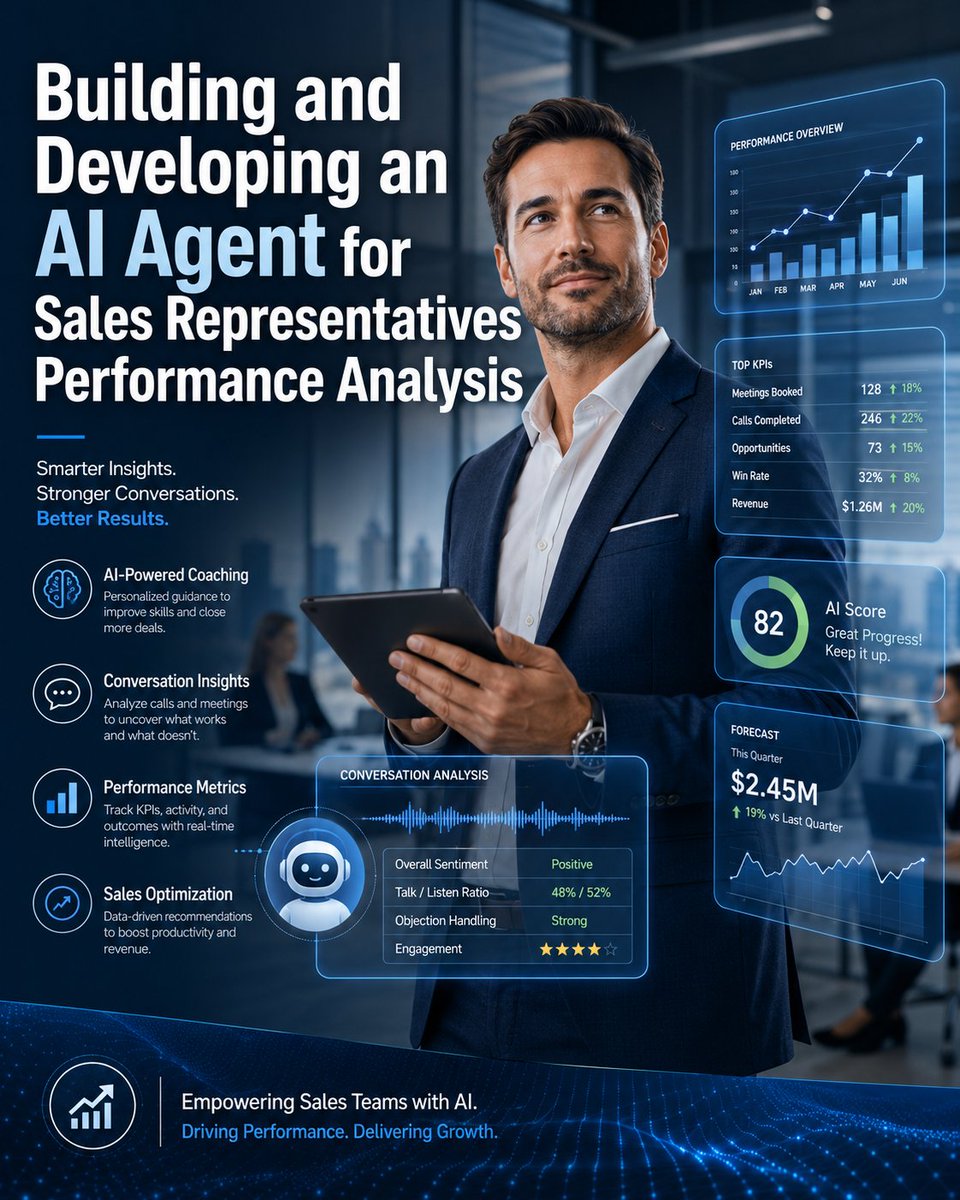




![HAGOCommunity's tweet photo. How to Build Android Doctor AI: An Intelligent Agent for Diagnosing Android Phone Problems via USB
Introduction
Android Doctor AI is an AI-powered desktop agent designed to diagnose Android phone problems through a USB connection.
Instead of behaving like a normal chatbot that guesses what might be wrong, the system connects directly to the Android device, collects real diagnostic data, analyzes that information, and then uses an AI agent to decide what tests to run and explain the likely cause of the problem.
For example, a user might say:
My phone gets hot and the battery drains very quickly.
The AI should not immediately answer with generic advice.
Instead, it should inspect the device, check battery activity, CPU usage, background applications, memory usage, system logs, and other relevant signals.
The basic architecture looks like this:
Android Phone
│
│ USB
▼
Android Doctor Desktop App
│
▼
ADB / Diagnostic Tools
│
▼
Diagnostic Engine
│
▼
AI Agent
│
▼
Diagnosis + Recommended Action
The goal is to build an AI diagnostic agent with real tools, not just a troubleshooting chatbot.
1. Connecting the Android Phone
The first version of Android Doctor AI does not require custom hardware.
The user only needs a normal USB data cable.
Android Phone
│
│ USB Data Cable
▼
Windows or macOS Computer
The desktop application can use Android SDK Platform Tools, especially:
ADB
Fastboot
ADB is used when Android is running normally.
Fastboot may be used later for supported devices that are in bootloader or Fastboot mode.
For the first MVP, ADB should be the main communication layer.
2. Detecting the Connected Device
When the user connects a phone, Android Doctor AI should first check whether the device is available.
The software can run:
adb devices
A successful connection may look like:
List of devices attached
R58M1234567 device
If the result is:
unauthorized
the application should display a message such as:
Unlock your phone and approve the USB debugging request.
The user must enable USB Debugging and explicitly authorize the computer.
This security model is important because the application should never bypass Android authorization.
3. Building the Device Detector
The first major software module can be called:
DeviceDetector
Its responsibility is to identify the connected phone.
For example:
adb shell getprop ro.product.manufacturer
can be used to identify the manufacturer.
adb shell getprop ro.product.model
can retrieve the model.
adb shell getprop https://t.co/LM776DTM3K.version.release
can retrieve the Android version.
Instead of sending raw command output directly to the AI model, the application should convert everything into structured data.
For example:
{
"manufacturer": "Samsung",
"model": "SM-S911B",
"android_version": "16",
"connection": "adb",
"status": "online"
}
This is an important design decision.
The AI agent should operate on structured tools and structured results rather than directly controlling a terminal.
4. Creating Diagnostic Tools
The agent should receive access to a limited set of trusted diagnostic tools.
For example:
get_device_info()
scan_battery()
scan_storage()
scan_memory()
scan_cpu()
scan_background_apps()
scan_crashes()
collect_logs()
collect_bugreport()
run_performance_trace()
test_sensors()
Each tool performs a specific task and returns normalized JSON.
This means the AI is responsible for deciding which diagnostic tool to call, while the application controls exactly what commands are allowed to run.
This architecture is much safer and easier to test.
5. Building the Battery Diagnostic Tool
Suppose the user says:
My battery drains too fast.
The AI agent may decide to call:
scan_battery()
The tool could collect information from commands such as:
adb shell dumpsys battery
and:
adb shell dumpsys batterystats
The raw output should then pass through a parser.
The parser may produce:
{
"battery_level": 61,
"charging": false,
"temperature_status": "normal",
"high_background_activity": true,
"suspected_packages": [
"https://t.co/2tqiFl69jB"
]
}
The AI agent receives this smaller structured result instead of thousands of lines of raw data.
This reduces token usage and improves reliability.
6. Building the Storage Diagnostic Tool
If a user reports that the phone has become very slow, storage should be one of the possible causes.
The agent can call:
scan_storage()
The diagnostic layer may inspect storage information using commands such as:
adb shell df -h
The parser can convert the result into:
{
"storage_total_gb": 128,
"storage_used_gb": 123,
"storage_free_gb": 5,
"usage_percentage": 96,
"status": "critical"
}
The AI now has useful evidence:
Storage usage: 96%
and can include storage pressure as a possible reason for poor performance.
7. Diagnosing Memory and CPU Problems
For a slow or unresponsive phone, the system should also inspect RAM and CPU activity.
A memory tool could use information from:
adb shell dumpsys meminfo
The diagnostic parser could return:
{
"memory_pressure": "high",
"available_memory_mb": 740,
"heavy_processes": [
{
"package": "https://t.co/MlQUYweHOH",
"memory_mb": 1850
}
]
}
A CPU-related tool can inspect active processes and abnormal resource usage.
The important principle is that the application converts operating-system data into structured findings before the AI sees it.
8. Analyzing Application Crashes
Crash diagnosis can become one of the most valuable features of Android Doctor AI.
Suppose a user says:
This application keeps closing.
or:
My phone randomly restarts.
The agent can call:
scan_crashes()
The diagnostic engine can inspect relevant logs and search for patterns such as:
FATAL EXCEPTION
ANR
Process died
Repeated service failure
System crash
The parser might return:
{
"crashes_found": 7,
"repeated_crash": true,
"package": "https://t.co/2tqiFl69jB",
"error_category": "memory"
}
The AI can then determine whether the issue appears isolated to one application or may be part of a wider system problem.
9. Using Android Bug Reports
For more complicated problems, Android Doctor AI can include:
collect_bugreport()
This tool can execute:
adb bugreport
A bug report may contain a very large amount of system information.
The wrong architecture would be:
Huge Bug Report
↓
LLM
A better architecture is:
Bug Report
↓
Parser
↓
Important Events
↓
Diagnostic Rules
↓
Structured Findings
↓
AI Agent
This design makes the system faster, cheaper, and more reliable.
10. Adding Performance Tracing
Advanced versions of the product can use performance tracing tools such as Perfetto.
For example, the agent may call:
run_performance_trace()
when the user reports:
The phone freezes every few seconds.
or:
Scrolling has become extremely slow.
Performance tracing can help identify CPU pressure, scheduling problems, excessive activity, or performance bottlenecks.
However, this should not be included in the earliest MVP.
Start with simpler diagnostic signals first.
11. Building an Android Companion App
ADB can provide a large amount of diagnostic information, but it cannot perform every hardware test we may want.
A useful extension is a small Android application called:
Android Doctor Companion
The desktop agent can instruct the companion app to run interactive tests.
Examples include:
Touchscreen Test
Camera Test
Microphone Test
Speaker Test
Vibration Test
Accelerometer Test
Gyroscope Test
Proximity Sensor Test
For example, the AI might say:
I am going to test the accelerometer. Move your phone from left to right.
The Android app records sensor values and sends back a result such as:
{
"sensor": "accelerometer",
"available": true,
"responsive": true,
"status": "passed"
}
The complete system then becomes:
ADB Diagnostics
+
Interactive Phone Tests
+
AI Reasoning
This makes the product much more powerful than a simple USB scanner.
12. How the AI Agent Actually Works
Suppose the user says:
My phone gets hot and loses battery very quickly.
The AI first converts that complaint into structured symptoms:
{
"complaints": [
"overheating",
"battery_drain"
]
}
It then decides which tools are relevant:
Battery Scan
CPU Scan
Memory Scan
Background Application Scan
The tools may return:
{
"battery": {
"status": "abnormal_drain"
},
"cpu": {
"status": "high_usage",
"suspected_package": "https://t.co/oE8rCRc2PX"
},
"memory": {
"status": "normal"
},
"background_apps": {
"status": "abnormal",
"package": "https://t.co/oE8rCRc2PX"
}
}
Now the AI can reason from real evidence.
For example:
Primary hypothesis:
Abnormal background application activity.
Evidence:
- High CPU usage
- Excessive background activity
- Battery drain detected
- Memory usage is normal
The user may then receive:
An application appears to be consuming unusually high resources in the background. This is currently the strongest explanation for the battery drain and overheating. There is not enough evidence yet to conclude that the phone has a hardware failure.
That is what makes the system an agent, rather than a chatbot.
13. Building a Diagnostic Rules Engine
The AI model should not make every decision by itself.
A rules engine should evaluate objective conditions.
For example:
if storage_usage > 95:
add_finding("critical_storage")
if repeated_crashes > 5:
add_finding("repeated_app_crash")
if battery_drain and high_background_cpu:
add_hypothesis("background_app_battery_drain")
The rules engine handles measurable evidence.
The AI handles:
Understanding the user's complaint
Selecting diagnostic tests
Connecting related findings
Asking follow-up questions
Explaining the problem
Recommending the next action
This hybrid approach is safer and more accurate than allowing the language model to invent diagnoses.
14. Building the Tool Registry
Every tool should have metadata.
For example:
{
"name": "scan_battery",
"description": "Analyze battery and charging behavior",
"risk": "read_only"
}
A tool that changes something may look like:
{
"name": "restart_device",
"description": "Restart the connected Android device",
"risk": "write"
}
A destructive operation could be defined as:
{
"name": "factory_reset",
"description": "Erase the device and return it to factory state",
"risk": "destructive"
}
The AI agent should never directly execute unrestricted shell commands.
It should only call approved tools.
15. Creating a Safety and Permission System
Operations should be classified by risk.
For example:
GREEN
Read-only diagnostics
YELLOW
Low-risk changes
ORANGE
Actions with possible user-data impact
RED
Destructive operations
Examples:
Read battery information
→ GREEN
Collect system logs
→ GREEN
Restart the phone
→ YELLOW
Change important system settings
→ ORANGE
Factory reset
→ RED
Bootloader unlock
→ RED
Firmware flashing
→ RED
Any action that can erase data or significantly modify the system should require explicit confirmation.
The AI should never automatically perform a destructive operation just because it believes it may solve the problem.
16. Diagnosing Phones That Do Not Boot
This should be a later development phase.
The desktop application can first check:
adb devices
If nothing appears, it can check:
fastboot devices
If Fastboot detects the phone, the system may know that Android itself is not currently running.
The diagnostic flow could become:
Phone Does Not Boot
↓
Check ADB
↓
Not Detected
↓
Check Fastboot
↓
Device Detected
↓
Identify Device
↓
Inspect Boot State
↓
Determine Recovery Options
This part is significantly more difficult because bootloader behavior and recovery procedures vary across Android manufacturers.
For that reason, it should not be part of the first MVP.
17. Recommended System Architecture
A practical architecture could look like this:
┌─────────────────────────────┐
│ Desktop Interface │
│ Windows / macOS │
└──────────────┬──────────────┘
│
▼
┌─────────────────────────────┐
│ AI Agent Core │
│ │
│ Understand complaint │
│ Select diagnostic tools │
│ Analyze findings │
│ Recommend next action │
└──────────────┬──────────────┘
│
▼
┌─────────────────────────────┐
│ Tool Registry │
│ │
│ Device Info │
│ Battery Scan │
│ Storage Scan │
│ Memory Scan │
│ CPU Scan │
│ App Scan │
│ Crash Scan │
│ Bug Report │
│ Sensor Tests │
└──────────────┬──────────────┘
│
▼
┌─────────────────────────────┐
│ Diagnostic Engine │
│ │
│ Parsers │
│ Rules │
│ Thresholds │
│ Error Patterns │
└──────────────┬──────────────┘
│
┌────┴─────┐
▼ ▼
ADB Companion App
18. Suggested Technology Stack
For the first version, the desktop application could use:
Frontend:
React
Desktop Framework:
Tauri
or
Electron
The local diagnostic service could be written in:
Python
Python is a good option for an early prototype because it is convenient for:
Parsing logs
Processing JSON
Running ADB commands
Building diagnostic rules
Integrating AI models
A possible stack is:
React
Tauri
Python
FastAPI
SQLite
ADB Platform Tools
LLM API
The architecture could work like this:
React Interface
↓
Local API
↓
Python Diagnostic Service
↓
ADB
↓
Android Phone
19. Creating a Diagnostic Knowledge Base
The system should have a structured knowledge base describing common problems.
For example:
{
"problem": "battery_drain",
"symptoms": [
"battery drains quickly",
"phone gets warm",
"battery drops while idle"
],
"tests": [
"battery_scan",
"cpu_scan",
"background_scan"
],
"possible_causes": [
"background_app",
"poor_network_signal",
"software_bug",
"battery_degradation"
]
}
Another problem may look like:
{
"problem": "slow_phone",
"tests": [
"storage_scan",
"memory_scan",
"cpu_scan",
"background_scan"
]
}
Over time, the knowledge base can improve using real diagnostic cases.
20. Do Not Let the AI Invent Confidence Scores
If the application displays:
85% Software Issue
15% Hardware Issue
those values should not be generated randomly by the language model.
Instead, the diagnostic engine should calculate a score from actual evidence.
For example:
Repeated application crashes +30
High background CPU activity +25
Storage almost full +20
System services otherwise healthy +15
The result may become:
Software Evidence Score = 90
The AI can then explain the score.
This makes the diagnosis more transparent and testable.
21. Example User Experience
The user opens the application.
The first screen shows:
ANDROID DOCTOR AI
Connect your Android phone
[ Waiting for device... ]
The user connects a phone.
The application displays:
Samsung Galaxy S23
Android 16
Connected successfully ✓
Then:
What problem are you experiencing?
The user writes:
Battery drains very quickly and the phone gets hot.
The agent responds:
I will run the relevant diagnostics.
No data will be deleted.
The interface then shows:
Battery Analysis ✓
CPU Analysis ✓
Background Apps ✓
Memory Analysis ✓
System Logs ✓
After testing:
2 Problems Found
The report may show:
LIKELY CAUSE
Abnormal background application activity
Evidence:
• High background CPU activity
• Excessive battery activity
• Repeated activity from the same application
• Memory status is normal
Then:
Recommended Action
Update or temporarily stop the affected application
and monitor battery usage.
The user can choose:
[ Apply Safe Fix ]
[ Show Technical Report ]
22. The First MVP Should Stay Small
The first version should not attempt to diagnose every Android problem.
A practical MVP could support only ten categories:
Battery drain
Overheating
Slow phone
Storage full
Application crashes
Random restarts
High memory usage
High CPU usage
Abnormal background applications
Basic connectivity problems
Do not begin with:
Automatic firmware flashing
Bootloader unlocking
Advanced motherboard diagnosis
Automatic hardware repair
Those features introduce much more complexity and risk.
23. Practical Development Roadmap
Phase 1: Device Detection
Make the application detect an Android device using:
USB
↓
adb devices
↓
Phone Detected
Phase 2: Device Information
Retrieve:
Manufacturer
Model
Android Version
Battery Status
Storage Information
Phase 3: Diagnostic Tools
Build individual modules for:
Battery
Storage
Memory
CPU
Applications
Logs
Phase 4: Parsers
Convert raw command outputs into consistent JSON.
Phase 5: Rules Engine
Define thresholds, patterns, and diagnostic findings.
Phase 6: AI Agent Integration
Give the AI access to the approved diagnostic tools.
Phase 7: Complaint-Based Diagnostics
Allow the user to describe the problem naturally and let the agent decide which tests to run.
Phase 8: Diagnostic Report
Generate a clear report with:
Symptoms
Tests performed
Evidence found
Likely cause
Recommended action
Phase 9: Safe Fixes
Add low-risk actions that the user can approve.
Phase 10: Companion Android Application
Add interactive testing for sensors and hardware-related functions.
24. The Most Important Design Principle
The AI model should not be the measurement device.
The correct architecture is:
Real Android Data
↓
Diagnostic Tools
↓
Rules Engine
↓
Evidence
↓
AI Agent
↓
Explanation + Decision
Not:
User Complaint
↓
AI Guess
This is the difference between a simple troubleshooting chatbot and a real diagnostic product.
Conclusion
Android Doctor AI can be built without custom hardware in its first version.
The user only needs:
Android Phone
+
USB Data Cable
+
Windows or macOS Computer
+
Android Doctor AI Software
The desktop application collects real Android diagnostic information through ADB and related tools.
A diagnostic engine converts raw system information into structured evidence.
A rules engine detects abnormal conditions.
Finally, the AI agent chooses the appropriate tests, connects the findings, explains the likely problem, and recommends the next action.
The complete experience becomes:
User describes the problem
↓
AI understands the symptoms
↓
Agent selects diagnostic tools
↓
Phone is scanned through USB
↓
Diagnostic engine collects evidence
↓
Rules engine evaluates findings
↓
AI determines the likely cause
↓
User receives a clear explanation
↓
Safe fixes can be performed with approval
This turns Android Doctor AI into a genuine AI-powered Android diagnostic agent, rather than a chatbot that simply provides generic troubleshooting advice.](https://pbs.twimg.com/media/HQHXRdHXMAAbBER.jpg)


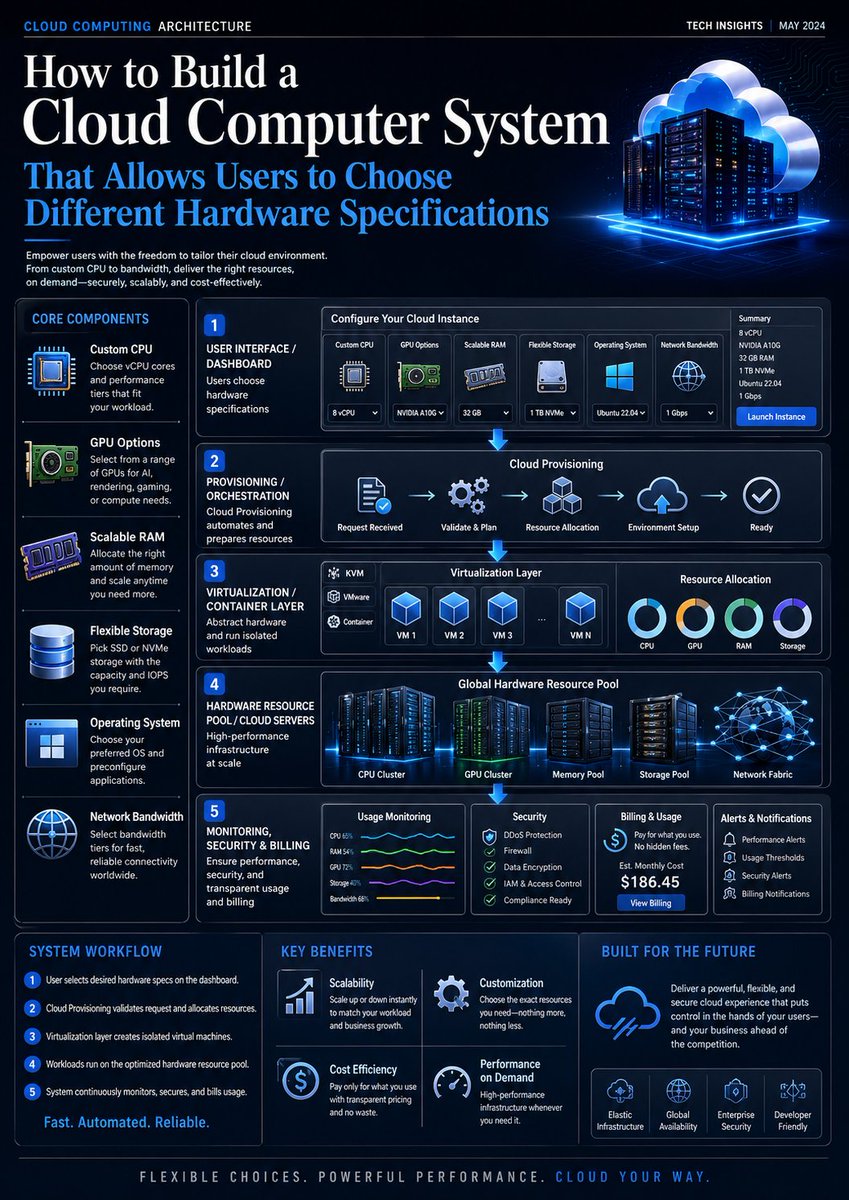
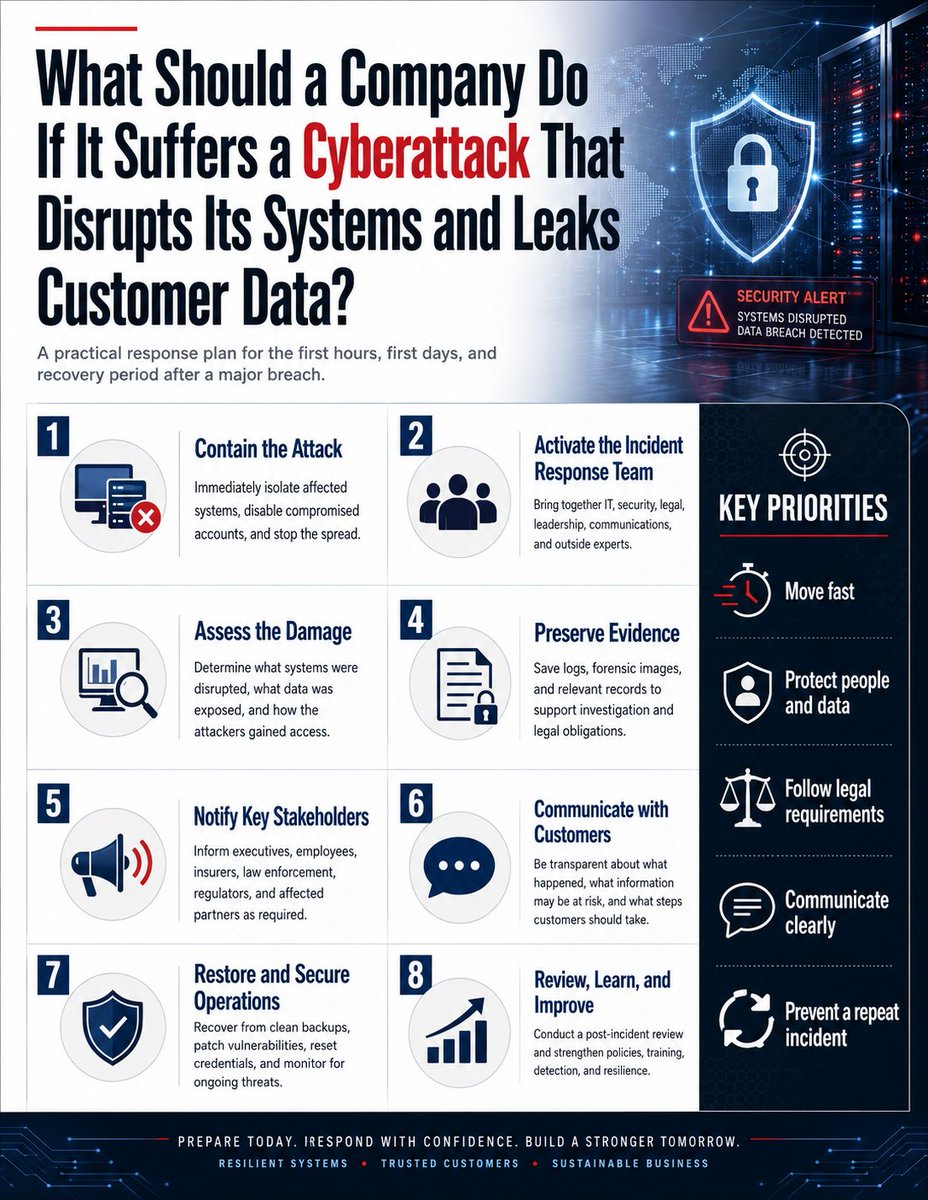
![HAGOCommunity's tweet photo. How to Build an AI Library Builder: A Practical Guide from Idea to a Ready-to-Use Python Library
Introduction
The idea behind AI Library Builder is to create an AI-powered system that can transform a Python library idea into a real, installable, testable, and maintainable software project.
Instead of asking AI to write a single Python file, a user could simply say:
I want a simple Python library for cleaning CSV files, detecting duplicate rows, and identifying missing values.
The AI Library Builder would then execute a complete software development workflow:
Understand the idea
↓
Write requirements
↓
Design the API
↓
Create the project structure
↓
Write the code
↓
Write tests
↓
Run tests
↓
Fix errors
↓
Review code quality
↓
Run benchmarks
↓
Generate documentation
↓
Build the package
↓
Generate a quality report
↓
Prepare for publishing
The goal is not to create another AI Code Generator. The goal is to create something closer to an AI software engineer specialized in building Python libraries.
1. The Core Components
A strong design for the project is to divide the system into multiple AI agents, with each agent responsible for a specific task.
The first version could start with six main agents:
Requirements Agent
Architect Agent
Builder Agent
Test Agent
Repair Agent
Reviewer Agent
Later, more advanced agents can be added:
Security Agent
Benchmark Agent
Breaker Agent
Documentation Agent
Release Agent
Research Agent
An agent framework can be used to coordinate these components. For example, an agent system can provide agents, tools, handoffs, guardrails, and an execution runner.
2. AI Library Builder Architecture
The overall system could look like this:
User
│
▼
Web / Desktop UI
│
▼
Orchestrator
│
┌────────────┼────────────┐
▼ ▼ ▼
Requirements Architect Research
Agent Agent Agent
│ │
└──────┬─────┘
▼
Package Spec
│
▼
Builder Agent
│
▼
Generated Repo
│
▼
Isolated Sandbox
│
┌────────┼─────────┐
▼ ▼ ▼
Tests Ruff Benchmarks
│
▼
Repair Agent
│
▼
Reviewer / Security
│
▼
Documentation
│
▼
Package Builder
│
▼
Final Report
The most important component is the Orchestrator.
The Orchestrator acts as the manager of the entire system. It decides:
Which agent should run next.
What information each agent receives.
When tests should be executed.
When code should be sent back to the Repair Agent.
When the library is considered ready.
When the process should stop after repeated failures.
3. Creating the Main Project
Start with a normal Python project:
ai-library-builder/
│
├── https://t.co/Gl0KTq2Omh
├── https://t.co/sRwdZlanxh
│
├── agents/
│ ├── https://t.co/JBt2ZioMMb
│ ├── https://t.co/2JhZynYN0y
│ ├── https://t.co/H5ozJuJEbV
│ ├── https://t.co/CPtnaIQFe4
│ ├── https://t.co/707qJmDBEj
│ └── https://t.co/nIfbE7NuMp
│
├── tools/
│ ├── https://t.co/rJFgLFgmRq
│ ├── https://t.co/TZ8RnSyVqe
│ ├── https://t.co/XLV9eFDo47
│ └── https://t.co/Gp5j3pTRNk
│
├── schemas/
│ ├── https://t.co/ZrDtydLQGN
│ └── https://t.co/TG3VIInVmM
│
├── prompts/
│
├── workspaces/
│
└── database/
Create a virtual environment:
python -m venv .venv
Then install the tools needed for the first version, for example:
pip install openai-agents pytest ruff build
The exact framework is not the most important part. What matters is having a system capable of coordinating agents and giving them controlled access to tools.
4. Requirements Agent
The first agent should not write code.
Its job is to convert the user's idea into a clear technical specification.
For example, the user may say:
Create a CSV-cleaning library.
It should be easy for beginners.
It should detect duplicate rows
and missing values.
The Requirements Agent could transform that into structured data such as:
{
"library_name": "csvclean",
"description": "Simple CSV cleaning library",
"target_python": ">=3.11",
"features": [
"detect missing values",
"remove duplicates",
"clean column names"
],
"public_api": [
"clean_csv",
"find_duplicates",
"missing_report"
]
}
This step is extremely important.
The other agents should not all work directly from the original user prompt. Instead, they should work from a shared, structured Specification.
That reduces misunderstanding between agents.
5. Architect Agent
The Architect Agent receives the specification before any implementation begins.
Its role is to design the structure of the library.
For example:
csvclean/
│
├── pyproject.toml
├── README.md
├── LICENSE
│
├── src/
│ └── csvclean/
│ ├── __init__.py
│ ├── https://t.co/RIg7ywhv5t
│ ├── https://t.co/GNfXsQBYTP
│ └── https://t.co/TG3VIInVmM
│
└── tests/
├── test_cleaner.py
├── test_duplicates.py
└── test_reports.py
The Architect Agent should determine things such as:
Project structure.
Public API.
Internal modules.
Dependencies.
Error-handling strategy.
Testing strategy.
Supported Python versions.
This separates design decisions from code generation.
6. Creating pyproject.toml
The AI should not build Python libraries using random project structures.
AI Library Builder should generate a standard Python package with a proper:
pyproject.toml
For example:
[build-system]
requires = ["setuptools>=68"]
build-backend = "https://t.co/gNQDRxak88_meta"
[project]
name = "csvclean"
version = "0.1.0"
description = "Simple CSV cleaning library"
requires-python = ">=3.11"
dependencies = []
[project.optional-dependencies]
dev = [
"pytest",
"ruff"
]
This makes the generated project compatible with modern Python packaging workflows.
7. Builder Agent
Now the system can start writing code.
However, there should be an important rule:
The Builder Agent should not generate the entire project as one giant text response.
Instead, it should have controlled filesystem tools such as:
create_file()
read_file()
update_file()
list_files()
The agent might create:
src/csvclean/cleaner.py
and then:
tests/test_cleaner.py
and continue file by file.
For example, it might generate:
def find_duplicates(rows):
seen = set()
duplicates = []
for row in rows:
key = tuple(row.items())
if key in seen:
duplicates.append(row)
else:
seen.add(key)
return duplicates
The Builder Agent should also create tests for the functions it generates.
8. Never Give the AI Unrestricted Access to the Main Machine
This is one of the most important parts of the project.
AI Library Builder will generate code and then execute it.
Therefore, generated code should not be allowed to run directly on the main server without isolation.
For example, you do not want arbitrary generated code to have unrestricted access to:
Files
Network
Environment variables
API keys
System processes
Other user projects
Instead, create an isolated Sandbox.
The architecture could be:
AI
↓
Generated Code
↓
Temporary Workspace
↓
Isolated Container
↓
Tests
↓
Destroy Container
Docker containers can be one option for building such an environment.
The sandbox should ideally restrict:
Access to secrets
Unnecessary network access
Access to host files
Privileged execution
Unlimited RAM usage
Unlimited CPU usage
Unlimited execution time
Every execution should also have a timeout.
9. Test Agent
After the library has been generated, the Test Agent begins its work.
Its goal is not primarily to repair the code.
Its job is to try to prove whether the implementation is correct or find evidence that it is not.
For example:
from csvclean import find_duplicates
def test_duplicates():
rows = [
{"name": "Ali"},
{"name": "Ali"},
{"name": "Sara"},
]
result = find_duplicates(rows)
assert len(result) == 1
Then the system runs:
pytest
inside the sandbox.
Tests should be actual executable tests, not an AI statement such as:
The code appears correct.
That distinction is fundamental.
10. Building the Repair Loop
This is where AI Library Builder becomes much more powerful.
Suppose the tests return:
38 passed
4 failed
The system should not stop immediately.
Instead, the failed-test report should be sent to the Repair Agent:
FAILED:
test_empty_file
test_unicode_column
test_duplicate_nan
test_invalid_path
The Repair Agent receives:
Current code
+
Failed test
+
Error message
+
Original specification
It analyzes the problem and modifies the required files.
The workflow becomes:
Build
↓
Test
↓
Fail
↓
Analyze Error
↓
Repair
↓
Test Again
A maximum number of repair attempts should be defined:
MAX_REPAIR_ATTEMPTS = 5
This prevents the system from entering an endless loop.
11. A Simplified Orchestrator
The core orchestration logic might look conceptually like this:
async def build_library(user_request):
specification = await requirements_agent(user_request)
architecture = await architect_agent(specification)
await builder_agent(
specification,
architecture
)
for attempt in range(5):
report = await run_tests()
if report.all_passed:
break
await repair_agent(
specification=specification,
test_report=report
)
review = await reviewer_agent()
return {
"specification": specification,
"tests": report,
"review": review
}
This is the core of AI Library Builder.
The first version does not need twenty agents.
If you can make this workflow reliable:
Prompt
→ Build
→ Test
→ Fix
→ Package
you already have a real MVP.
12. Reviewer Agent
Passing tests does not automatically mean the library is well designed.
That is why a Reviewer Agent is useful.
It can inspect:
API Design
Naming
Code duplication
Error handling
Type hints
Documentation
Dependencies
Complexity
Public API
Static analysis tools such as Ruff can also be integrated.
For example:
ruff check .
and:
ruff format --check .
The AI can then receive the real linting results and decide what should be repaired.
Again, the important principle is:
Use deterministic development tools whenever possible instead of asking the AI to judge everything by itself.
13. Breaker Agent
Once the basic system works, you can introduce a more aggressive agent:
Breaker Agent
Its job is simple:
Try to break the library.
For a CSV-processing library, it might test:
Empty files
Very large files
Unicode
Arabic text
Millions of rows
Duplicate columns
None values
NaN values
Missing files
Permission errors
Unexpected encoding
Corrupted data
It can automatically create new tests based on these scenarios.
The cycle becomes:
Builder Agent
↓
Test Agent
↓
Breaker Agent
↓
Repair Agent
This can make the system much more useful than a normal code generator.
14. Performance Agent
Once correctness has been established, the system can start measuring performance.
The Performance Agent can create real benchmarks.
For example:
import time
start = time.perf_counter()
run_operation()
elapsed = time.perf_counter() - start
The result can be stored as structured data:
{
"operation": "clean_1m_rows",
"time": 1.82,
"memory_mb": 146
}
Later, the system could compare:
Generated Library
vs
Competitor A
vs
Competitor B
A crucial rule is:
The LLM must never invent benchmark numbers.
Every performance number shown to the user should come from a benchmark that was actually executed.
15. Compatibility Agent
A library that works only on the developer's computer is not enough.
A Compatibility Agent or compatibility pipeline can test the package against multiple environments.
For example:
Linux
Windows
macOS
and multiple Python versions:
Python 3.11
Python 3.12
Python 3.13
A CI matrix can automatically run these combinations.
For example:
strategy:
matrix:
os:
- ubuntu-latest
- windows-latest
- macos-latest
python-version:
- "3.11"
- "3.12"
- "3.13"
Then:
pytest
is executed for each environment.
16. Documentation Agent
After the library becomes stable, the Documentation Agent generates:
README.md
API Reference
Getting Started
Examples
Migration Guide
Changelog
For example:
# csvclean
Simple Python library for cleaning CSV files.
## Installation
pip install csvclean
## Usage
from csvclean import clean_csv
result = clean_csv("data.csv")
The Documentation Agent should always inspect the final version of the code, not an earlier draft.
Otherwise, it may document functions that were renamed or removed during the repair process.
17. Building a Quality Score
One feature that could make AI Library Builder stand out is a measurable:
Library Quality Score
After the build finishes, the system might display:
AI Library Builder Report
Tests
✓ 143 tests passed
Coverage
94%
Lint
✓ Passed
Compatibility
✓ Linux
✓ Windows
✓ macOS
Python
✓ 3.11
✓ 3.12
✓ 3.13
Security
89 / 100
Performance
91 / 100
Documentation
95 / 100
Overall Quality
92 / 100
However, there is an important rule:
The AI should not simply invent these scores based on its opinion.
Each score should be based on measurable evidence.
For example:
Testing Score
=
Passed tests
+
Coverage
+
Mutation testing
+
Edge-case testing
The score should be reproducible and explainable.
18. Release Agent
When the library is ready, the Release Agent can prepare:
Version number
Changelog
Build
Wheel
Source distribution
Release notes
Later, publishing to PyPI can also be added.
However, permanent publishing credentials should be handled carefully.
A secure publishing workflow should avoid exposing long-lived secrets to AI agents whenever possible.
19. Do Not Make Publishing Fully Automatic in V1
For the first version of AI Library Builder, the recommended workflow is:
Build
↓
Test
↓
Review
↓
Package
↓
USER APPROVAL
↓
Publish
Not:
AI
↓
Publish directly to PyPI
Publishing is an important external action.
The user should retain clear control over it, especially during the early versions of the product.
20. Database Design
AI Library Builder will need a database to store project history and execution results.
Possible tables include:
projects
builds
agent_runs
test_results
benchmarks
security_reports
versions
artifacts
A project record could contain:
project_id
user_id
name
description
status
created_at
A build record could contain:
build_id
project_id
version
tests_passed
tests_failed
quality_score
created_at
This makes it possible to display progress such as:
Build #1
Score: 71
Build #2
Score: 84
Build #3
Score: 93
Over time, users can see how their library improves.
21. User Interface
The first version does not need a complex interface.
It could begin with a simple text field:
What Python library do you want to build?
Then:
[ Build Library ]
During execution, the UI can display:
✓ Understanding requirements
✓ Designing architecture
✓ Creating package
✓ Writing code
● Running tests
○ Breaking library
○ Security review
○ Performance testing
○ Documentation
○ Final package
When the build completes:
Library ready
Tests: 148 / 148
Quality: 92 / 100
[Download Package]
[View Code]
[View Report]
[Publish]
This provides a much better experience than showing users raw agent messages.
22. What Should Be Built First?
The biggest mistake would be trying to build everything at once.
Do not start with:
Research Agent
Security Agent
Rust optimization
PyPI search
Competitor analysis
Competitor benchmarks
Automatic maintenance
Autonomous releases
Instead, start with:
AI Library Builder V1
The first version should contain only:
1. User Prompt
2. Requirements Agent
3. Architect Agent
4. Builder Agent
5. Sandbox
6. pytest
7. Repair Agent
8. Reviewer
9. README Generator
10. Package Export
If this workflow becomes reliable, you have a genuine product prototype.
23. Phase Two
After V1 works well, create:
AI Library Builder V2
Add:
Breaker Agent
Security Scanner
Coverage
Benchmarks
Compatibility Tests
GitHub Integration
Quality Score
The workflow becomes:
Prompt
↓
Build
↓
Test
↓
Break
↓
Repair
↓
Security
↓
Benchmark
↓
Compatibility
↓
Quality Report
This is where the product starts becoming significantly more powerful.
24. Phase Three
This is where the project can become much more distinctive.
AI Library Builder V3
Add:
PyPI Research
Competitor Research
Gap Discovery
Automatic Library Ideas
Benchmark Against Competitors
API Optimization
Dependency Analysis
Version Management
Maintenance Agent
Issue Analysis
Automatic Pull Requests
Instead of saying:
Build library X.
The user could say:
I want to create a new library in the data-analysis space.
The system could then perform:
Research
↓
Analyze existing libraries
↓
Discover an unsolved problem
↓
Suggest a library idea
↓
Validate the need
↓
Design the library
↓
Build the library
↓
Test it
↓
Compare it with competitors
At this stage, the system is no longer just generating requested software.
It starts helping discover what software should be built.
25. Autonomous Library Lab
A highly advanced version could become:
Autonomous Library Lab
Its architecture might look like:
Research Agent
↓
Gap Discovery
↓
Product Agent
↓
Architect Agent
↓
Builder Agent
↓
Test Agent
↓
Breaker Agent
↓
Repair Agent
↓
Security Agent
↓
Performance Agent
↓
Compatibility Agent
↓
Documentation Agent
↓
Release Agent
↓
Maintenance Agent
At that point, the system begins to resemble an autonomous software-development team specialized in Python libraries.
26. The Most Important Rule
Do not make the LLM the final judge of code quality.
This principle is critical.
Do not simply ask:
Is this code good?
and accept:
Yes, the code is excellent.
Instead, quality should come from real tools and measurements:
LLM
+
pytest
+
static analysis
+
coverage
+
benchmarks
+
compatibility tests
+
security checks
+
package build
In other words:
The AI writes and reasons, but tools provide the evidence.
This could become one of the strongest differences between AI Library Builder and ordinary AI code generators.
Conclusion
To build AI Library Builder, do not start by trying to create a system capable of automatically producing a replacement for NumPy or pandas.
Start with a smaller system that can perform one workflow extremely well:
Library description
↓
Requirements analysis
↓
Project design
↓
Code generation
↓
Test generation
↓
Run inside a sandbox
↓
Detect errors
↓
Automatic repair
↓
Run tests again
↓
Quality review
↓
Documentation
↓
Ready-to-use package
Once that works reliably, gradually add:
Breaker
Security
Benchmarks
Compatibility
Research
Competitor Analysis
Publishing
Maintenance
At its most advanced stage, AI Library Builder would no longer be a program that simply “writes Python libraries.”
It could become a system capable of researching library opportunities, designing libraries, building them, testing them, attempting to break them, improving performance, proving quality, preparing releases, and helping maintain and evolve them over time.
The best practical starting point is therefore:
Requirements Agent + Architect Agent + Builder Agent + Sandbox + Test Agent + Repair Agent
If these six components work together reliably, you have built the real core of AI Library Builder.
https://t.co/D2v0aRaLY8](https://pbs.twimg.com/media/HQBGIq1XQAEykM9.jpg)





