In the age of AI, why make a Sales Wiki?
Because even the smartest models are only as good as the data — and the definitions — behind them.
Across conversations with RevOps, Finance, Sales, and HR leaders, one pattern keeps surfacing: there’s still no shared view of what “good” looks like. Everyone defines the same metrics differently, and playbooks live across slides, spreadsheets, GPT threads, and Slack messages.
• What’s a healthy ramp timeline?
• How long does it take to recover capacity after attrition?
• What’s normal coverage by segment or role?
The Sales Wiki was built to answer those questions with real data — drawn from how teams operate today. Inside are benchmarks, capacity metrics, and patterns that show how high-performing orgs plan, hire, and ramp — grounded in actual conversations with leaders across the industry.
It’s designed to evolve — as benchmarks shift and new practices emerge, you can contribute directly to keep it current.
Check it out: https://t.co/gPmTax66mR
Effective Sales Ops teams recalculate current capacity whenever staffing or ramp changes occur, not just at quarter-end.
This ensures plans reflect the actual productive output of the team and reduces avoidable variance in forecasts.
#SalesOps#RevOps#OpsExcellence
The Data Says:
Teams often assume they have more productive capacity than they actually do.
When you adjust for ramping reps, vacant roles, leaves, and known attrition, total output drops significantly.
This gap between headcount and true capacity is one of the main reasons forecasts drift.
#RampTime #SalesOps #RevOps
Top Sales Ops teams have a secret:
They track Recovery Lag.
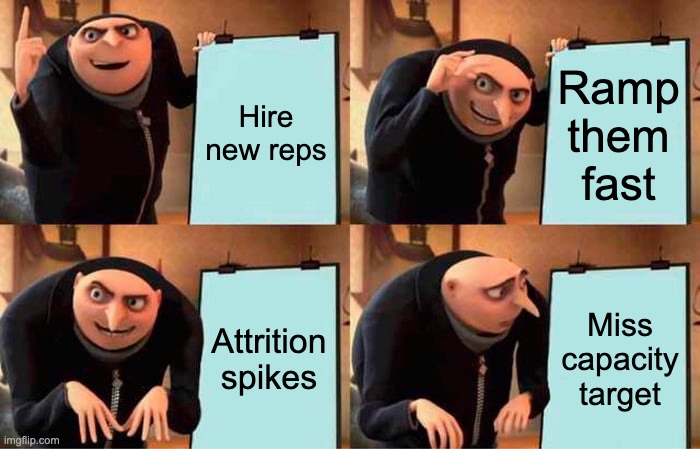
Because a single termination wipes out capacity for 4.5 months on average.
#SalesOps#RecoveryLag#BestPractices
The Data Says: Current capacity is the most miscalculated number in sales planning.
Why?
Because “8 reps” becomes 5–6 reps of real output once you factor in: • partial ramps • unfilled roles • known attrition • leaves/LOAs • split-capacity scenarios
This is why teams miss targets even when “fully staffed.” Your model is only as accurate as your capacity math.
https://t.co/PLiA42bPdi
#RampTime #SalesOp
Great Sales Ops teams don’t chase missed quotas — they model them before they happen.
If your capacity dashboard isn’t flagging attrition risk early, it’s already too late.
#SalesOps#BestPractices#RevOps
Here are the top sales capacity planning screw ups I have seen 👇
1. Not factoring in sales rep attrition
2. “Small” assumption improvements that materially increase capacity
3. Starting with quota instead of productivity
4. Not hiring for the following year’s sales targets
5. No exec alignment (turns into blame game)
6. No clear definitions (what is the goal?)
7. Bad sales culture or comp plans
8. Incorrectly assuming you have a repeatable sales motion after some success
9. Holding onto bad performers because the excel model says that’s the only way to hit targets
10. Following an Excel model versus using your brain
https://t.co/u64BFGo1zw
Losing one AE can set your capacity back 90 days. Attrition hits harder than most teams realize — not just in headcount, but in lost ramped capacity. Most teams know where they have gaps, but not how long those gaps will last or how fast they can recover.
In Part 1, we showed how to spot and understand your capacity gaps in real time. In Part 2, we show how to act on them instantly — quantifying and recovering rep capacity loss in minutes:
• Log attrition instantly — before a rep leaves or goes on leave, right from your dashboard.
• Auto-backfill lost capacity - including time-to-hire and ramp-to-productivity.
• See the impact immediately — Modus applies that rep’s ramp curve and recalculates your recovery timeline.
• Plan your comeback — coordinate recovery hires and track ramp progress back to 100% across Finance, RevOps, and Recruiting.
Instead of guessing when you’ll be “back to quota,” see the full picture — capacity loss, recovery progress, and hiring timelines — all in one view.
#SalesOps #SalesPlanning #Finance #Attrition
When Sales and Finance don’t align.
If your team struggles with this, just know that Modus helps you see the alignment in real-time.
#SalesOps#FinanceAlignment
The Data Says:
Across hundreds of models, attrition wipes out 45.5% of capacity mid-year. Most teams don’t catch it until it’s too late.
https://t.co/Y2jOW7SDdd
#Attrition#SalesOps
If you’re still reconciling 30-tab spreadsheets every time someone joins, leaves, or shifts territories… stop. By the time Finance, RevOps, and HR align on numbers, something’s already changed.
That's exactly what we're solving for in todays' feature: the Real Time Capacity dashboard.
Here’s how it works:
1. Connect Workday, Salesforce, and upload your existing capacity or territory model once.
2. Modus’s AI extracts and reads your configuration — quotas, ramp times, territory structure — and builds your live capacity model.
3. View everything in real time:
• Where are my current capacity gaps?
• What caused them (attrition, LOA, hiring slip)?
• How long will it take to recover?
• What’s my next-quarter projection?
With live data from Workday + Salesforce, Modus surfaces these answers instantly — so Finance, HR, and RevOps are finally looking at the same truth.
This walkthrough shows how to explore your dashboard and spot your capacity gaps in seconds.
Part 2 drops next: how to act on those gaps — logging attrition, planning recovery hires, and forecasting recovery lag.