ALL, ALLSELECTED, ALLEXCEPT, and REMOVEFILTERS: There are several DAX functions to remove filters from the filter context. In this article + video, we analyze the differences among them and clarify what to use depending on the requirements.
#dax#powerbi
https://t.co/GqTg0xCAxi
We spend a lot of energy making fun of BI analysts and developers. This time it's the users' turn.
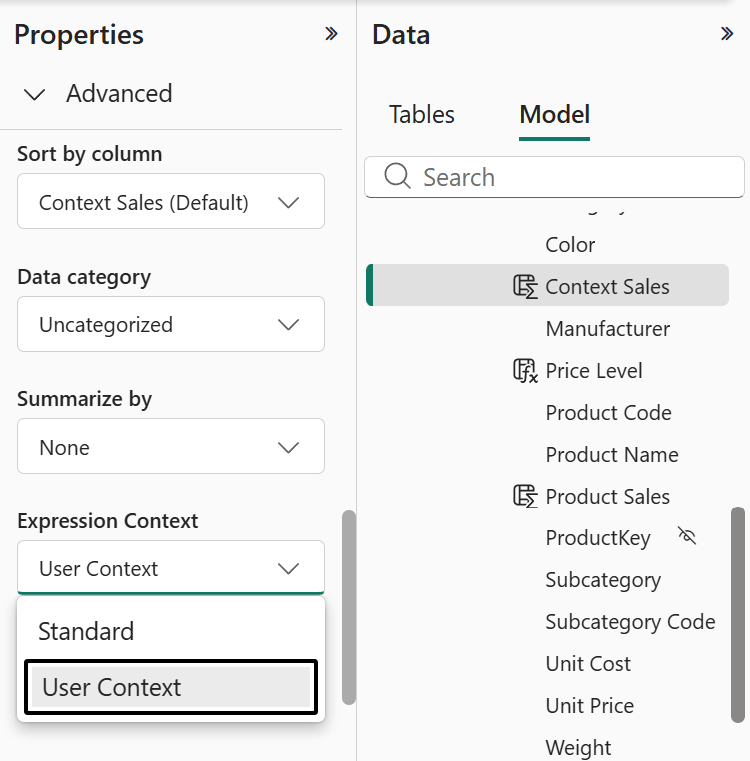
User-aware calculated columns are now a thing in DAX. The report can personalize itself based on who's viewing it. Translations, dynamic content, no RLS needed.
Turns out, not everyone loves the idea of their report knowing who they are. Which raises two questions:
1) Have you ever heard of system logs?
2) What exactly are you doing in that report that you don't want anyone to know about? 😎
If you want the technical details: https://t.co/lJnPiPaZmm
This article+video describes the new Expression Context property for calculated columns in Power BI, explaining how 𝘂𝘀𝗲𝗿-𝗮𝘄𝗮𝗿𝗲 𝗰𝗮𝗹𝗰𝘂𝗹𝗮𝘁𝗲𝗱 𝗰𝗼𝗹𝘂𝗺𝗻𝘀 work, why they are not materialized, and how to use them as 𝘃𝗶𝗿𝘁𝘂𝗮𝗹 𝗰𝗮𝗹𝗰𝘂𝗹𝗮𝘁𝗲𝗱 𝗰𝗼𝗹𝘂𝗺𝗻𝘀 for localization and custom security scenarios.
#powerbi #dax
https://t.co/lJnPiPaZmm
𝐒𝐨 𝐦𝐚𝐧𝐲 𝐢𝐧𝐭𝐞𝐫𝐞𝐬𝐭𝐢𝐧𝐠 𝐮𝐩𝐝𝐚𝐭𝐞𝐬 𝐟𝐨𝐫 𝐏𝐨𝐰𝐞𝐫 𝐐𝐮𝐞𝐫𝐲
I sat down with Miguel Angel Escobar — Principal Program Manager on the Data Integration team at Microsoft — and we went deep.
Not surface level. Deep.
Here's what we unpacked in this episode of Fabric Insider:
🔹 Power Query explained for someone who has never touched it
🔹 Web vs Desktop vs Excel — and what the unification plan actually looks like
🔹 What Power Query Online can do that the desktop version simply can't
🔹 The performance enhancements you should know about — and what's happening under the hood
🔹 The big question: Dataflow vs SQL vs Python — which one should you actually use for data transformation?
🔹 Dataflow CU consumption — yes, it's been a pain point. Has it been fixed? Miguel answers directly.
🔹 My Queries — a feature most people haven't explored yet
🔹 What's coming on the roadmap
This is the kind of conversation you don't get from documentation.
Straight from the people building it.
🎥 Watch the full episode → https://t.co/XsJ5k7eyZW
🔗 Connect with Miguel Escobar → https://t.co/2XqvPPjOLh
💡 Share your ideas for Microsoft Fabric → https://t.co/CC67zR1zKm
💬 Join the Fabric community on Reddit → https://t.co/GgHrRFTyWq
📺 Fabric Insider full playlist → https://t.co/x4Q1RlFBaT
#PowerQuery #PowerBI #MicrosoftFabric #Dataflows #DataEngineering #ETL #DataTransformation #DataIntegration #FabricInsider #PowerBICommunity #FabricCommunity #DataPlatform #DataAnalytics #BusinessIntelligence #PowerBITips #MQuery #PowerQueryOnline #Microsoft #DataProfessionals #LearningDataEngineering
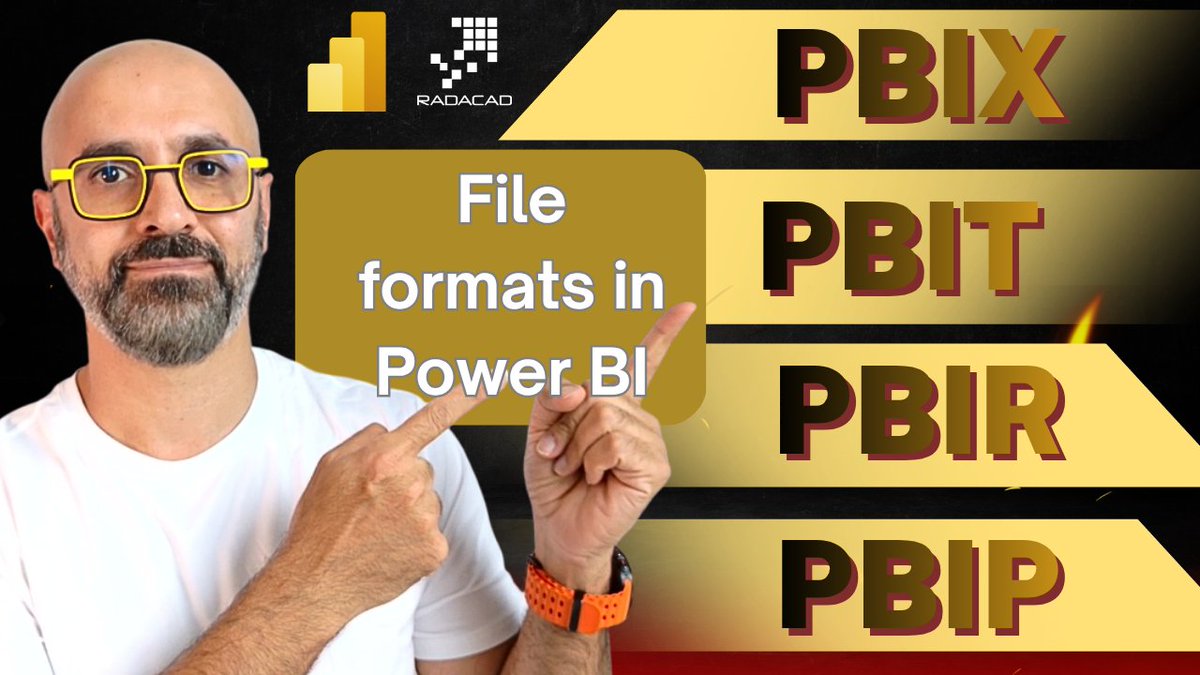
𝐏𝐁𝐈𝐗 𝐯𝐬 𝐏𝐁𝐈𝐓 𝐯𝐬 𝐏𝐁𝐈𝐏 𝐯𝐬 𝐏𝐁𝐈𝐑 — 𝐝𝐨 𝐲𝐨𝐮 𝐤𝐧𝐨𝐰 𝐭𝐡𝐞 𝐝𝐢𝐟𝐟𝐞𝐫𝐞𝐧𝐜𝐞? 📊
Most Power BI developers default to PBIX for everything. And for simple, single-developer work, that's fine.
But the moment you need to collaborate, automate deployments, or manage Power BI reports at scale — the file format you choose changes everything.
In my latest video, I break down all four Power BI file formats in detail:
📄 PBIX — the standard report file. Great for individual development, not built for teamwork.
📄 PBIT — the Power BI Template. Save your data model and structure without the data, reuse across projects.
📄 PBIP — the Power BI Project format. Stores report and dataset as separate, human-readable files. Git-friendly. CI/CD-ready.
📄 PBIR — the Power BI Enhanced Report Format. Takes PBIP further for enterprise-grade report management and automation.
I also walk through real-world scenarios showing how PBIP and PBIR unlock source control, version control, and ALM workflows in Microsoft Fabric — the things enterprise Power BI teams actually need.
If you're still saving everything as a PBIX, this video is worth 20 minutes of your time.
🔗 Watch here: https://t.co/70kepLbFq3
#PowerBI #MicrosoftFabric #PBIX #PBIP #PBIR #PowerBIDeveloper #BusinessIntelligence #DataAnalytics #RADACAD #PBIT #Analytics #BusinessIntelligence #DataViz #Tech
New release of #TabularEditor 2 out today, which fixes a long-standing bug with C# scripts (regression since 2.26.0): https://t.co/HnLwxLpgC0
Sorry to keep folks waiting for this one. Let me know if you still encounter any issues with it!
Table Interceptors - Have a #PowerQuery table, but want to change (override or augment) some of its behaviors? [new blog post]
#PowerBI#Excel
https://t.co/qbxGUMHpWi
If you’ve been trying to remove the blank row from your slicers, this might change your mind ↓
Yes, the blank row can be annoying. But it’s also a warning sign that something’s off in your data model.
Hiding it doesn’t fix the issue, it can actually make things worse.
In this video, Alberto explains when and why the blank row appears, how it behaves across different relationship types, and why understanding it is often better than ignoring it.
A must-watch if you work with relationships and slicers.
Hint: DirectLake on OneDrive always has a blank row, more about that in a future article.
Watch the video here: https://t.co/IA2ucgMgZS
This article+video shows how to create a DAX measure that displays information from multiple columns in a business entity or transaction, into a single column of a matrix.
Showing more in less space!
#powerbi#dax
https://t.co/BohXdZKqoM
News about The Definitive Guide to DAX, Third Edition.
𝗖𝗵𝗮𝗽𝘁𝗲𝗿 𝟯 is available as a 𝗳𝗿𝗲𝗲 𝘀𝗮𝗺𝗽𝗹𝗲 (𝗶𝗻 𝗣𝗗𝗙) using the link below. It is a good example of the visual language we created to represent the filter context. You can get an idea of why we rewrote it for the third time!
The 𝗽𝗿𝗶𝗻𝘁𝗲𝗱 𝘃𝗲𝗿𝘀𝗶𝗼𝗻 of the book is now available on Amazon in the United States, Canada, and Mexico for 𝗶𝗺𝗺𝗲𝗱𝗶𝗮𝘁𝗲 𝘀𝗵𝗶𝗽𝗽𝗶𝗻𝗴. In other countries/continents, you could see an availability date in March 2026, but the publisher says they should be available much sooner. Distribution of physical books takes time!
Visit the book page and download the sample chapter:
https://t.co/qAzdIOfh5g
This article analyzes the performance of regular versus limited relationships in DAX to understand the implications of using limited relationships.
#powerbi#dax#optimization
https://t.co/exT9PUe6rw
New blog post: Type Equality...is an advanced & confusing #PowerQuery topic. Sometimes, equality comparisons between type values seem to work as expected; other times, not. What’s going on? Is it okay/safe to use the = operator between type values?
https://t.co/ToSETLquze
𝗗𝗔𝗫 𝗟𝗶𝗯 is quickly becoming the shared home for User-Defined Functions (UDFs) in DAX.
Three months after Microsoft introduced UDFs, 𝘁𝗵𝗲 𝗰𝗼𝗺𝗺𝘂𝗻𝗶𝘁𝘆 𝗵𝗮𝘀 𝗮𝗹𝗿𝗲𝗮𝗱𝘆 𝗰𝗼𝗻𝘁𝗿𝗶𝗯𝘂𝘁𝗲𝗱 𝟯𝟬+ 𝗹𝗶𝗯𝗿𝗮𝗿𝗶𝗲𝘀 that you can import into your Power BI models in seconds using TMDL scripts.
This video explains what DAX Lib is, why it matters, and how you can start using or contributing to the ecosystem.
Watch the video here: https://t.co/xYXNepnjGr