Which training plan is for you?
Learn at all levels, at your own pace, and cancel any time, at IW Mentor.
Beginner | Power User | Advanced
▶📱
Build no-code business solutions!
#PowerApps#SharePoint#Microsoft365#PowerAutomate#Teams
https://t.co/QXbv5tvEl6
Which training plan is for you?
Learn at all levels, at your own pace, and cancel any time, at IW Mentor.
Beginner | Power User | Advanced
▶📱
Build no-code business solutions!
#PowerApps#SharePoint#Microsoft365#PowerAutomate#Teams
https://t.co/QXbv5tvEl6
Power Hour: Elevate your document management with a 3-Stage SharePoint Document Approval process using Power Automate. 🌟 Dive into step-by-step instructions and a video to streamline your workflow! 📄✨ #SharePoint#PowerAutomate#DocumentApproval
https://t.co/WQ93JtM4mX
Power Hour: Learn how to seamlessly upload files from Power Apps directly into a SharePoint Document Library! No Power Automate flow needed! This integration simplifies your workflow
Inspired by @LuiseFreese
🚀📂✨ #PowerApps#SharePoint#ProductivityBoost
https://t.co/fEbzDjzEr6
Check out what our students are saying about our online courses.
Thousands of students. 👩🏫📊📈🏆 Self paced and live online.
Instructor is @WonderLaura a Microsoft MVP with over 16 years of experience
https://t.co/wUEKnV9Afz
Learning #SharePoint and #MicrosoftTeams?
Come learn from us, we offer all levels of training & price ranges.
Taught by a Microsoft MVP.
https://t.co/QXbv5tvEl6
#Microsoft365
Power Hour: Microsoft Lists Automation - Streamline Your Flow of Work
Discover no-code automation for Microsoft Lists! 🚀 Boost productivity with easy, out-of-the-box tools. Streamline workflows without coding! 💻
#MicrosoftLists#NoCode#SharePoint
https://t.co/xQwP4q7iPH
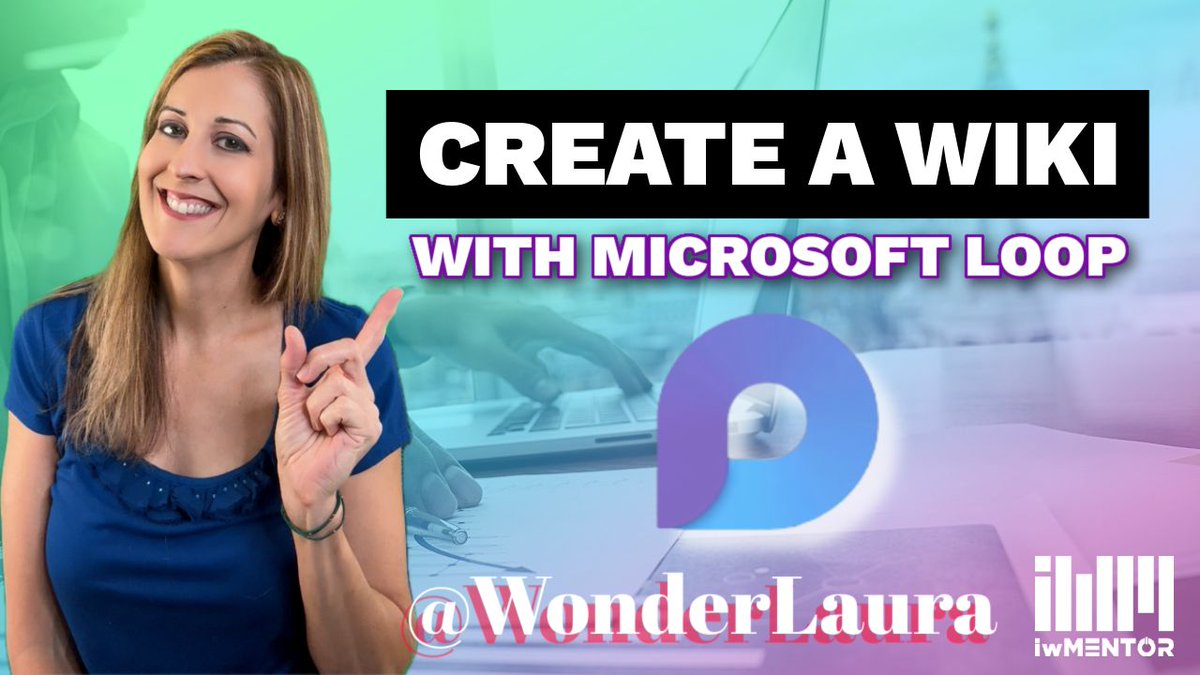
Power Hour: Microsoft Loop Just Got Better: Create a Wiki with Backlinks
Do you miss the old way of having a wiki in SharePoint? Now you can build it with Loop instead!
https://t.co/D9MxZzgMMw
#SharePoint#Microsoft365#MicrosoftLoop
📚 Ready to unlock the secrets of Microsoft SharePoint?
Join our training program at IW Mentor and become a SharePoint sensei! 💪🤓
#SharePointTraining#LevelUp#Microsoft365#SharePoint
https://t.co/BLfamuYxTh
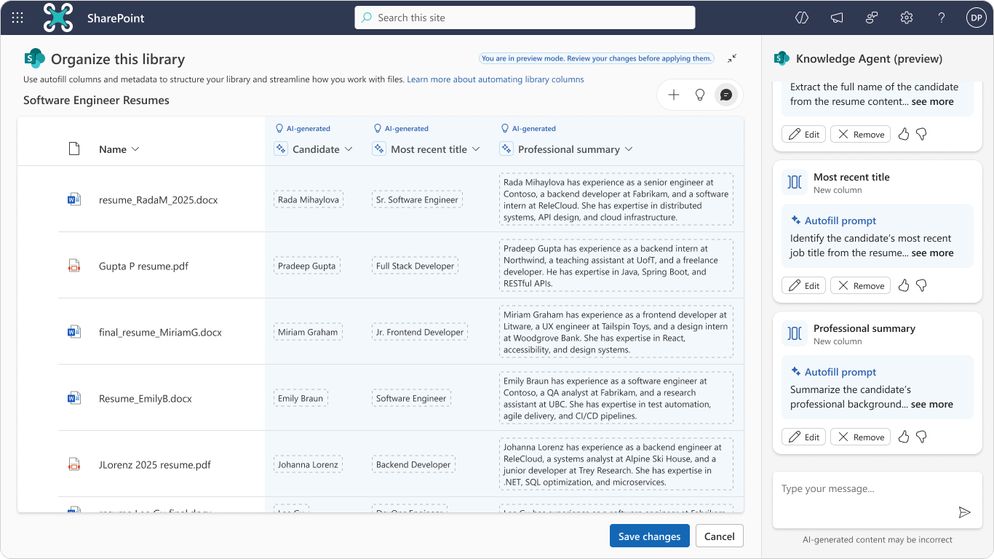
🎉 Say hello to the Knowledge Agent in SharePoint!
🚀 SharePoint is the #1 citation source for AI in the enterprise - and now it has an agent that automatically keeps content fresh.
#KnowledgeAgent#SharePoint#Copilot
https://t.co/P9ZHbzWuhq
🎨 Choosing brand colors just got easier! Here's your quick guide:
🔍 Understand color psychology
💡 Know your brand personality
🎯 Consider your audience
🌈 Pick a primary color
🎨 Choose complementary colors
#MicrosoftCreate#BrandDesign
https://t.co/Bfq9nusQ3r
Interested in learning #PowerApps, but not sure where to start?
IW Mentor has you covered! 📕🎥👩🏫
Check out our long list of student reviews, and get started learning, for free!
https://t.co/wUEKnV9Afz
#Microsoft365#PowerPlatform
Power Hour: Power Automate - In this demo, I teach how to create a flow that will remove duplicates in a List, so that a column can have unique values.
📃
https://t.co/NmYJ5NUkho
#SharePoint#Microsoft365#MSLists
Basics: Create a new shared library from OneDrive for work or school
Tip: A shared library is a document library on a #SharePoint site.
https://t.co/zQb2NYD5Q9
Which training plan is for you?
Learn at all levels, at your own pace, and cancel any time, at IW Mentor.
Beginner | Power User | Advanced
▶📱
Build no-code business solutions!
#PowerApps#SharePoint#Microsoft365#PowerAutomate#Teams
https://t.co/QXbv5tvEl6
Power Hour: SharePoint & Microsoft Lists - List creation updates and new list form button.
Bonus: Demo of calculated columns for dates year/month for grouping!
https://t.co/1eTguDwQyh